
AskCody (askcody.com) alternatives compared for Microsoft 365 offices
AskCody (askcody.com) is meeting room management software built for Microsoft 365. It covers room and desk booking, visitor management, catering and facility service requests, and analytics, all from inside Outlook and Teams. Law firms, banks and corporate headquarters use it for client-facing meetings, and G2 reviewers rate it 4.5 out of 5.
Teams start looking for AskCody alternatives for a few reasons. It only works inside Microsoft 365. The entry price is a yearly platform fee plus a required service plan. And room displays run on third-party tablets that you buy and maintain yourself.
We compared 7 alternatives on pricing, Microsoft 365 fit, hardware and setup effort, so you can make the switch with confidence. Joan is on the list, and for every tool we explain who it actually fits. If you’re staying close to Microsoft, see our Best Microsoft Places alternatives →. Or read our Best Condeco alternatives if Outlook-based room booking is your main need.
Quickly jump to:
- Why teams start looking for AskCody alternatives
- Quick comparison table
- The 7 best AskCody alternatives in 2027
- How to choose the right AskCody alternative
- Joan vs. AskCody: quick comparison
- Frequently asked questions about AskCody alternatives
Why teams start looking for AskCody alternatives
Microsoft 365 only, with no way out
AskCody is built for Outlook, Teams and Exchange Online, and that deep integration is why many teams choose it. The flip side is lock-in. There is no Google Workspace support. If part of your company runs on Google, or you merge with a business that does, those people can’t book rooms the same way. Your whole booking setup depends on one ecosystem.
A high entry price, billed yearly
AskCody pricing starts at $5,149 per year. That platform fee covers 5 rooms, 10 workspaces and 1 reception. Extra rooms, desks and receptions cost more, and a service plan with assisted onboarding is required on top. A small office pays enterprise-level entry costs before it books a single room. Billing is annual only, with a 3-month renewal notice. One G2 reviewer put it simply: prices “should be more accessible.”
Room displays are your hardware problem
AskCody doesn’t make room displays. Its software runs on a list of supported third-party devices, including iPads, Philips and Crestron panels. AskCody’s own help center says it is responsible for the software only, not the hardware. When a vendor drops a model, your displays can stop working. One LG panel on its list no longer works for that reason. You also manage charging, power and device updates for every screen.
Quick comparison table
| Tool | Best for | Room booking | Desk booking | Visitor management | Starts at | Hardware? |
|---|---|---|---|---|---|---|
| Joan | Any office that wants ePaper displays plus a full workplace platform | ✅ | ✅ | ✅ included | $51/month | ✅ Battery-powered ePaper displays |
| Microsoft Places | Microsoft 365 companies that want booking at no extra licence cost | ✅ | ✅ | ❌ | Included with most M365 licences | ❌ |
| Robin | Enterprises with 500+ employees on Microsoft 365 | ✅ | ✅ | ✅ | Custom quote | ⚠️ Third-party tablets |
| Eptura Engage (Condeco) | Large companies deep in Outlook | ✅ | ✅ | ⚠️ Limited | Custom quote | ⚠️ Screens as add-on |
| Envoy | Companies where visitor management comes first | ✅ | ✅ | ✅ | Free (Visitors Basic) | ⚠️ iPad check-in |
| YAROOMS | Mid-size teams that want public tiered pricing | ✅ | ✅ | ⚠️ $99/location/month add-on | $99/month | ✅ YAROOMS displays (add-on) |
| Skedda | Simple space booking with a fixed space count | ✅ | ✅ | ⚠️ $99/month add-on | $249/month (US) | ❌ |
| AskCody | Microsoft 365 offices with catering and client meetings | ✅ | ✅ | ✅ included | $5,149/year | ⚠️ Third-party tablets and panels |
Prices checked October 2026 from public pricing pages, billed annually. Verify current pricing with each vendor before purchasing.
The 7 best AskCody alternatives in 2027
1. Joan — Best for teams that want an all-in-one workspace platform with physical ePaper displays
Joan combines purpose-built ePaper displays with a cloud platform for room booking, desk booking, visitor management, digital signage, parking and asset reservations. Joan works with Microsoft 365 and Google Workspace alike. The Joan 6 RE, Joan 6 Pro and Joan 13 Pro sit outside rooms and desks, and visitors get a Joan ePaper badge on arrival.
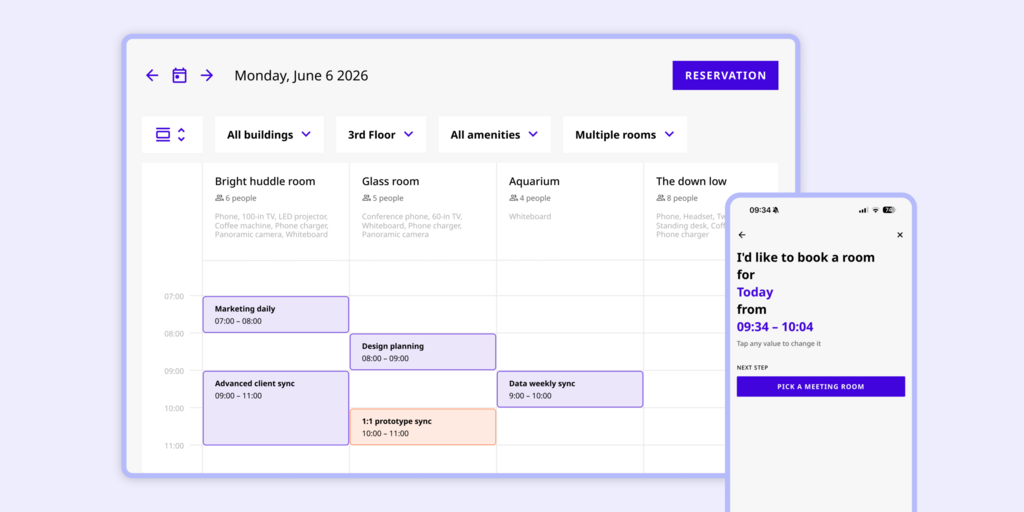
This answers the two AskCody problems that matter most day to day. Joan makes its own displays and supports them, so there is no hunt for compatible tablets. And employees can still book from Outlook and Teams, without tying the whole setup to one ecosystem.
What makes Joan stand out
- Its own hardware, supported by one vendor: Joan builds the ePaper displays and the software, so there is no finger-pointing when something breaks.
- No cabling or charging: Joan ePaper displays run on batteries and mount in minutes without power outlets.
- Microsoft 365 and Google Workspace: employees book from Outlook, Google Calendar, Teams, Slack or the meeting room display itself.
- Physical visitor badges: the Joan ePaper badge is issued at check-in, a feature very few competitors offer.
Joan pricing
Plans start at $51/month. Additional users are $1.09/user/month and additional device licences are $10.99/device/month (annual billing). Employees who book only through Outlook or Google Calendar are not billed. Every feature is included, with no tier gates. ePaper hardware is a one-time purchase, separate from the subscription, with a 30-day money-back guarantee. See current pricing.
Joan limitations
- Hardware is a one-time investment: the full Joan experience means buying ePaper displays, so the upfront cost is higher than a software-only tool.
- Focused on booking and presence, not a full IWMS: Joan does not cover lease management, maintenance ticketing or CAD floor plan editing.
Best for: Any organisation managing physical workspaces, from a small team with a few rooms to a global enterprise across hundreds of locations.
2. Microsoft Places — Best for Microsoft 365 companies that want booking at no extra licence cost
Microsoft Places is Microsoft’s own workplace app for desk and room booking, hybrid attendance and floor maps, built into Outlook and Teams. For AskCody users who mainly want Microsoft-native booking, it is the most direct swap.
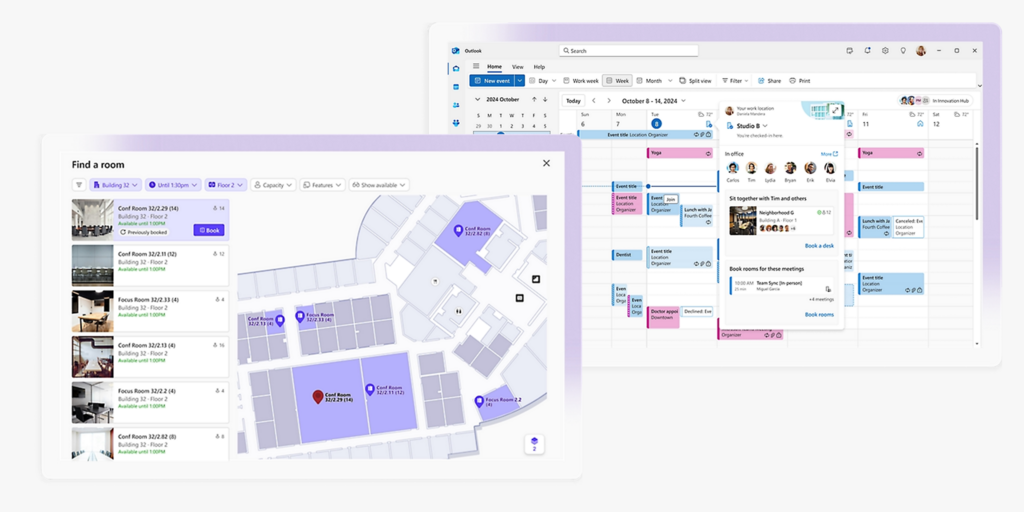
What makes Microsoft Places stand out
- Core features are included with most Microsoft 365 licences.
- Native in Outlook and Teams, with no separate app to roll out.
- Hybrid attendance planning shows when colleagues are in the office.
Microsoft Places pricing
Core features are included with most Microsoft 365 licences as of April 2026. Teams Shared Space licences for desks cost $8.55/month per licence, AI features need a Microsoft 365 Copilot licence at $30/user/month, and floor maps usually need a specialist partner. Verify current pricing at Microsoft’s website before purchasing.
Microsoft Places limitations
- No visitor management: you need a separate tool for guests and reception.
- No room display hardware: nothing shows room status at the door unless you buy and set up third-party panels.
- Same lock-in as AskCody: no Google Workspace support and no on-premises Exchange mailboxes.
Best for: Microsoft 365 companies that only need desk and room booking and already pay for the right licences.
Looking for Microsoft Places alternatives instead? See our Best Microsoft Places alternatives →
3. Robin — Best for enterprises with 500+ employees on Microsoft 365
Robin is a hybrid workplace platform covering desk, room, parking and locker booking, visitor management, analytics and wayfinding. Robin says its ideal customer has 500+ employees across multiple floors or buildings.
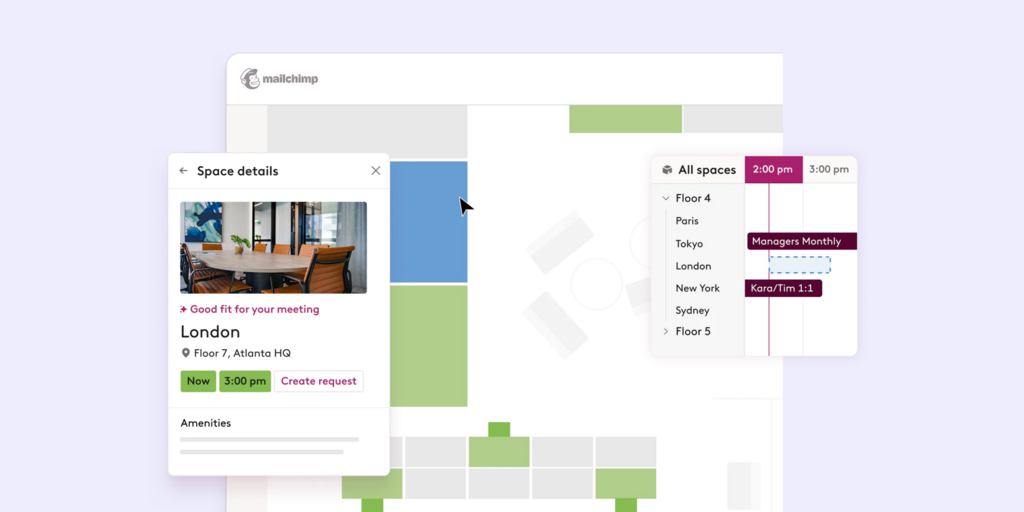
What makes Robin stand out
- Broad platform that replaces several point tools.
- Deep calendar and Microsoft 365 workflows.
- Strong analytics for space planning across buildings.
Robin pricing
No public pricing. Robin sends custom quotes after a sales call, and all subscriptions are billed annually. Verify current pricing at Robin’s website before purchasing.
Robin limitations
- No price until you talk to sales: no public tiers and no free trial.
- Built for large offices: the stated focus on 500+ employees leaves smaller teams with more platform than they need.
- Friction in Microsoft environments: multiple reviewers report sync issues despite the M365 focus.
Best for: Large hybrid enterprises that want one vendor for booking, visitors and analytics, and have budget for an annual contract.
Looking for Robin alternatives instead? See our Best Robin alternatives →
4. Eptura Engage (formerly Condeco) — Best for large companies deep in Outlook
Eptura Engage is the room and desk booking product formerly known as Condeco. Like AskCody, it has a long history in Outlook-based room booking for large, client-facing firms. It now sits inside the wider Eptura portfolio.
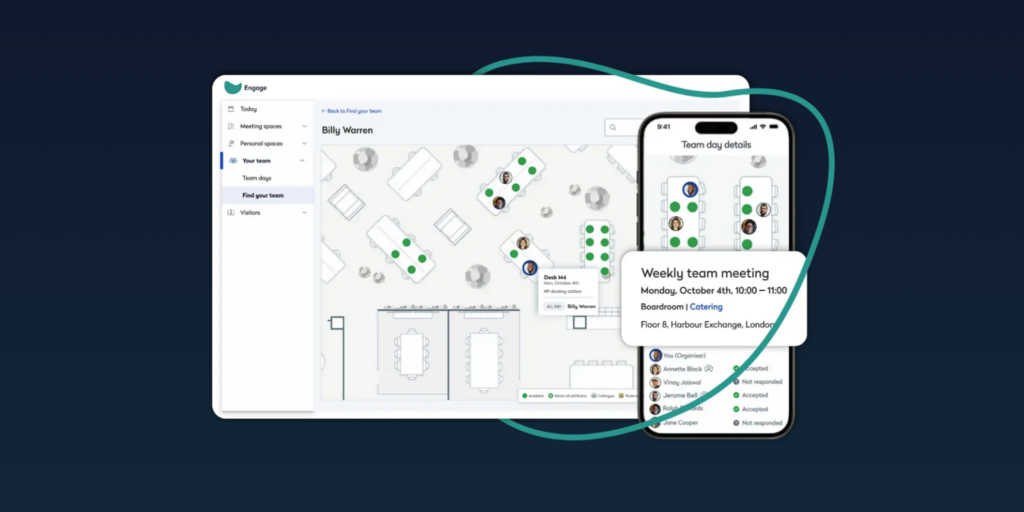
What makes Eptura Engage stand out
- Long track record with large, global enterprises.
- Outlook add-in and Microsoft Teams booking on the Power tier.
- Room and desk screens available as a hardware add-on.
Eptura Engage pricing
No public pricing. Eptura lists two tiers, Advanced and Power, and quotes both on request. Industry estimates based on enterprise contracts suggest roughly $10–$15/user/month for large deployments, plus professional services. Verify current pricing at Eptura’s website before purchasing.
Eptura Engage limitations
- The Outlook add-in can break: one enterprise user on Capterra noted it stopped working “for the second time in 6 months.”
- Reporting is weak: a long-term customer called the reporting function “dire,” with no custom attributes in reports.
- Slow product updates: reviewers say the product has not kept pace since the Eptura acquisition.
Best for: Large organisations already standardised on Outlook that need enterprise contracts and global support.
Looking for Condeco alternatives instead? See our Best Condeco alternatives →
5. Envoy — Best for companies where visitor management comes first
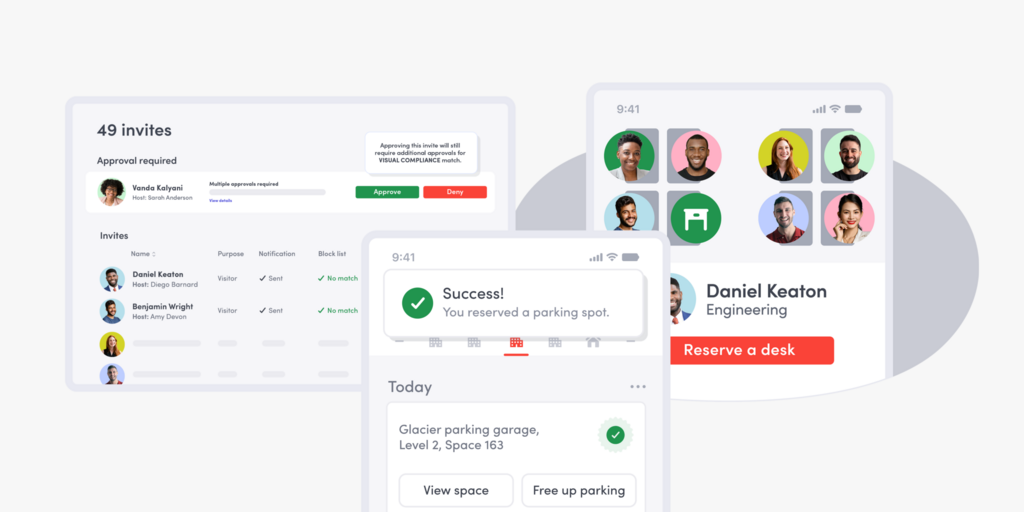
Envoy is a workplace platform that started with visitor management and added desk, room and parking reservations, deliveries and digital signage. It suits AskCody users whose reception desk matters more than their meeting rooms.
What makes Envoy stand out
- Mature visitor management with badge printing, visitor photos and legal document signing.
- A free Visitors Basic plan for up to 100 entries a month.
- Modular products, so you only pay for what you use.
Envoy pricing
Visitors Basic is free for 100 entries a month. Visitors Premium costs $362/location/month and Enterprise is custom. Reservations for desks, rooms and parking cost $5/bookable resource/month, and Screens cost $12/device/month, all billed annually. Verify current pricing at Envoy’s website before purchasing.
Envoy limitations
- Costs stack up per location and per resource: 40 desks and 10 rooms add $250/month in reservations alone, on top of visitor plans per site.
- Check-in runs on iPads: you manage charging and device updates at every front desk.
- Room and desk booking are secondary: the product is strongest at reception, not in meeting room management.
Best for: Multi-site companies where visitor check-in and compliance are the main need.
Looking for Envoy alternatives instead? See our Best Envoy alternatives →
6. YAROOMS — Best for mid-size teams that want public tiered pricing
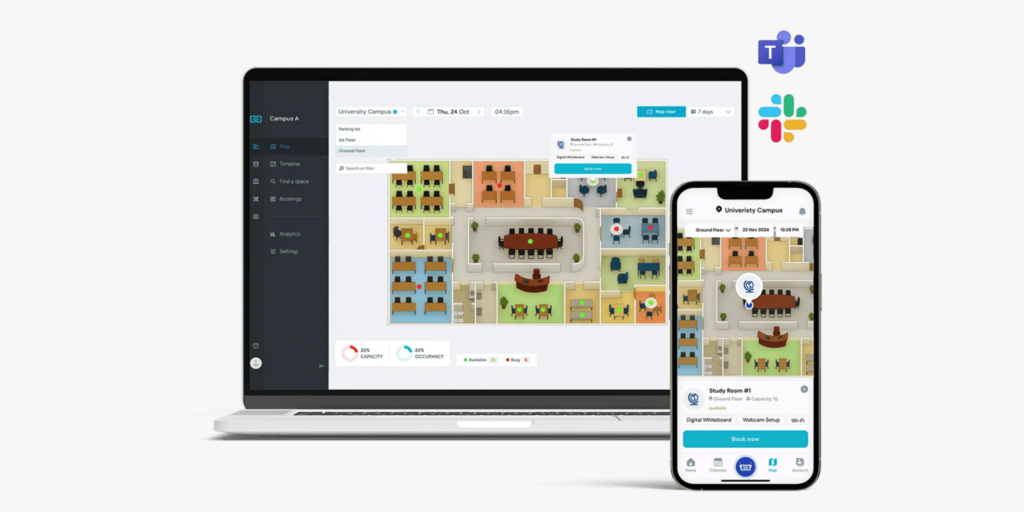
YAROOMS is a hybrid scheduling platform for desks, rooms and team planning, with an AI assistant called Yarvis and a Microsoft Teams integration. Its prices are public, which makes budgeting easier than with AskCody.
What makes YAROOMS stand out
- Public, tiered pricing with monthly options.
- On-premise, Azure or AWS hosting on the Enterprise plan.
- Its own meeting room and lobby displays, sold as add-ons.
YAROOMS pricing
Starter is $99/month (20 users, 1 location), Business is $399/month (200 users, 2 locations) and Enterprise is $899/month (unlimited users, 5+ locations). Annual billing saves 20%. Visitor management is a separate product at $99/location/month. Verify current pricing at YAROOMS’ website before purchasing.
YAROOMS limitations
- Visitor management costs extra per location: $99/location/month on top of the plan.
- A third office forces a big jump: Business covers 2 locations, so a third site means moving to Enterprise.
- Teams integration and SSO start on Business: Starter users miss the Microsoft features AskCody customers rely on.
Best for: Mid-size companies that want predictable pricing and are happy to add visitor management separately.
Looking for YAROOMS alternatives instead? See our Best YAROOMS alternatives →
7. Skedda — Best for simple space booking with a fixed space count
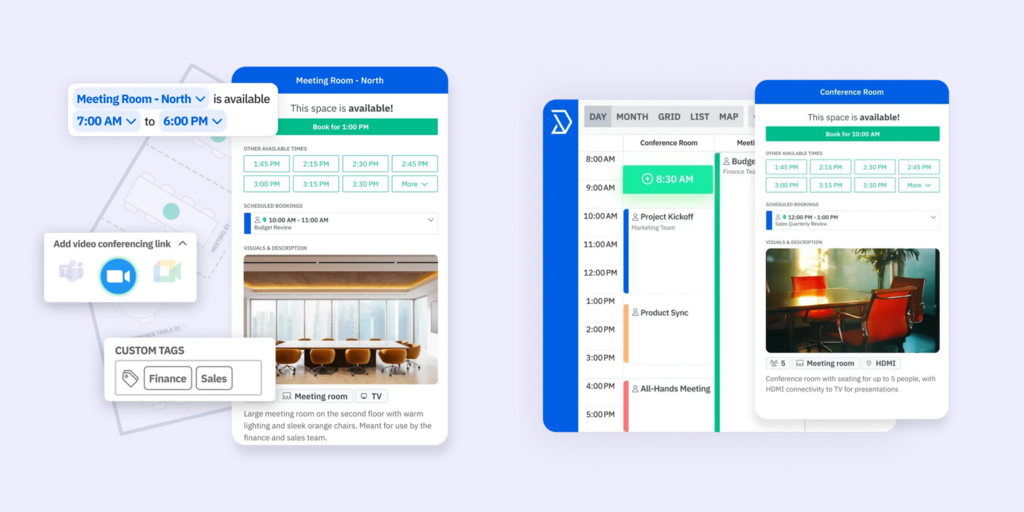
Skedda is a space booking tool for desks, rooms, parking and other shared spaces. It syncs with both Microsoft 365 and Google Workspace and is quick to set up.
What makes Skedda stand out
- Unlimited users and bookings on every plan.
- Calendar sync with Microsoft 365 and Google Workspace.
- Fast to set up for a single office.
Skedda pricing
In the US and Canada, Plus starts at $249/month (35 spaces) and Premier at $349/month (45 spaces), billed annually. EMEA and APAC plans start at $99/month (15 spaces). Enterprise is custom. Visitor management is a $99/month add-on. Verify current pricing at Skedda’s website before purchasing.
Skedda limitations
- Every bookable resource counts toward the cap: desks, rooms, lockers and parking spots all use up spaces.
- Visitor management is an add-on: it costs $99/month on top of any plan.
- No physical displays: nothing shows live room or desk status at the door, so ghost meetings continue.
Best for: Single offices with a stable number of spaces that want simple booking and no hardware.
Looking for Skedda alternatives instead? See our Best Skedda alternatives →
How to choose the right AskCody alternative
If you want to stay fully inside Microsoft 365
Microsoft Places gives you native booking in Outlook and Teams, often at no extra licence cost. You give up visitor management and room displays. Joan also books from Outlook and Teams, and adds both.
If you need physical displays at the door
Joan is the only option here that makes its own purpose-built ePaper displays. They run on batteries, so there is no tablet to charge, no cable run and no compatibility list to track.
If visitor management is the core requirement
Envoy has the most mature visitor product on this list. Joan includes visitor management and the Joan ePaper badge in every plan, which costs less if you also need room and desk booking.
If budget is the primary constraint
YAROOMS Starter at $99/month and Joan at $51/month both cost far less than the AskCody $5,149/year entry fee. Joan includes visitor management and digital signage, while YAROOMS charges extra for visitors.
Why Joan is usually the best AskCody alternative
AskCody users run into three things: Microsoft-only lock-in, a high entry price, and displays that depend on someone else’s hardware. Joan solves all three with one subscription and its own ePaper displays. It works with Microsoft 365 and Google Workspace, starts at $51/month, and supports the hardware and software as one system.
Joan vs. AskCody: quick comparison
| Joan | AskCody | |
|---|---|---|
| Room booking | ✅ | ✅ |
| Desk booking | ✅ | ✅ |
| Visitor management | ✅ included, with Joan ePaper badge | ✅ included |
| Physical displays | ✅ Own ePaper displays, battery-powered (Joan 6 RE, Joan 6 Pro, Joan 13 Pro, Joan ePaper badge) | ⚠️ Software on third-party iPads, Philips, Crestron and Glory Star panels |
| Digital signage | ✅ | ✅ Displays and dashboards |
| Analytics | ✅ built into all plans | ✅ |
| Microsoft 365 / Outlook / Teams | ✅ | ✅ |
| Google Workspace | ✅ | ❌ |
| Public pricing | ✅ from $51/month | ✅ from $5,149/year plus required service plan |
| Billing | Monthly or annual | Annual only |
| Trial | ✅ 30-day free trial | Not listed on pricing page |
Based on public information, October 2026.
Ready to make the switch?
Joan is free to try for 30 days, with no commitment. Connect it to your Microsoft 365 or Google Workspace calendar and see how your team books with ePaper displays at the door.
Frequently asked questions about AskCody alternatives
Is there a free AskCody alternative?
Microsoft Places core features are included with most Microsoft 365 licences, and Envoy has a free Visitors Basic plan for up to 100 entries a month. Joan isn’t free long-term but offers a 30-day free trial of the full platform. That includes room booking, desk booking, visitor management and digital signage.
How much does AskCody cost?
AskCody starts at $5,149 per year for 5 rooms, 10 workspaces and 1 reception. A service plan with assisted onboarding is required on top, and extra rooms, desks and receptions add to the cost. Billing is annual only, with a 3-month renewal notice.
What is AskCody’s biggest limitation?
AskCody only works inside Microsoft 365, with no Google Workspace support. G2 reviewers also mention slow support, with one saying a reply can “take days or even a few weeks,” and an admin interface that is hard for newcomers.
Does AskCody have physical room displays?
AskCody has room display software, but no hardware of its own. It runs on supported third-party devices such as iPads and Philips or Crestron panels, and AskCody is responsible for the software only. Joan makes its own battery-powered ePaper displays and supports the hardware and software together.
What’s the best AskCody alternative for Microsoft Teams?
Microsoft Places is the most Microsoft-native option. Joan also works with Microsoft Teams and Outlook, and adds visitor management, digital signage and ePaper room displays without locking you into one ecosystem.
What’s the best AskCody alternative for small teams?
Joan starts at $51/month with every feature included, so a small office gets rooms, desks and visitors without a $5,149 yearly entry fee. YAROOMS Starter at $99/month is another low-cost option for up to 20 users.
Page last updated: October 2026. Pricing verified from public sources. Always confirm live pricing directly with each vendor before purchasing.
About the author
