


Joan ePaper badge
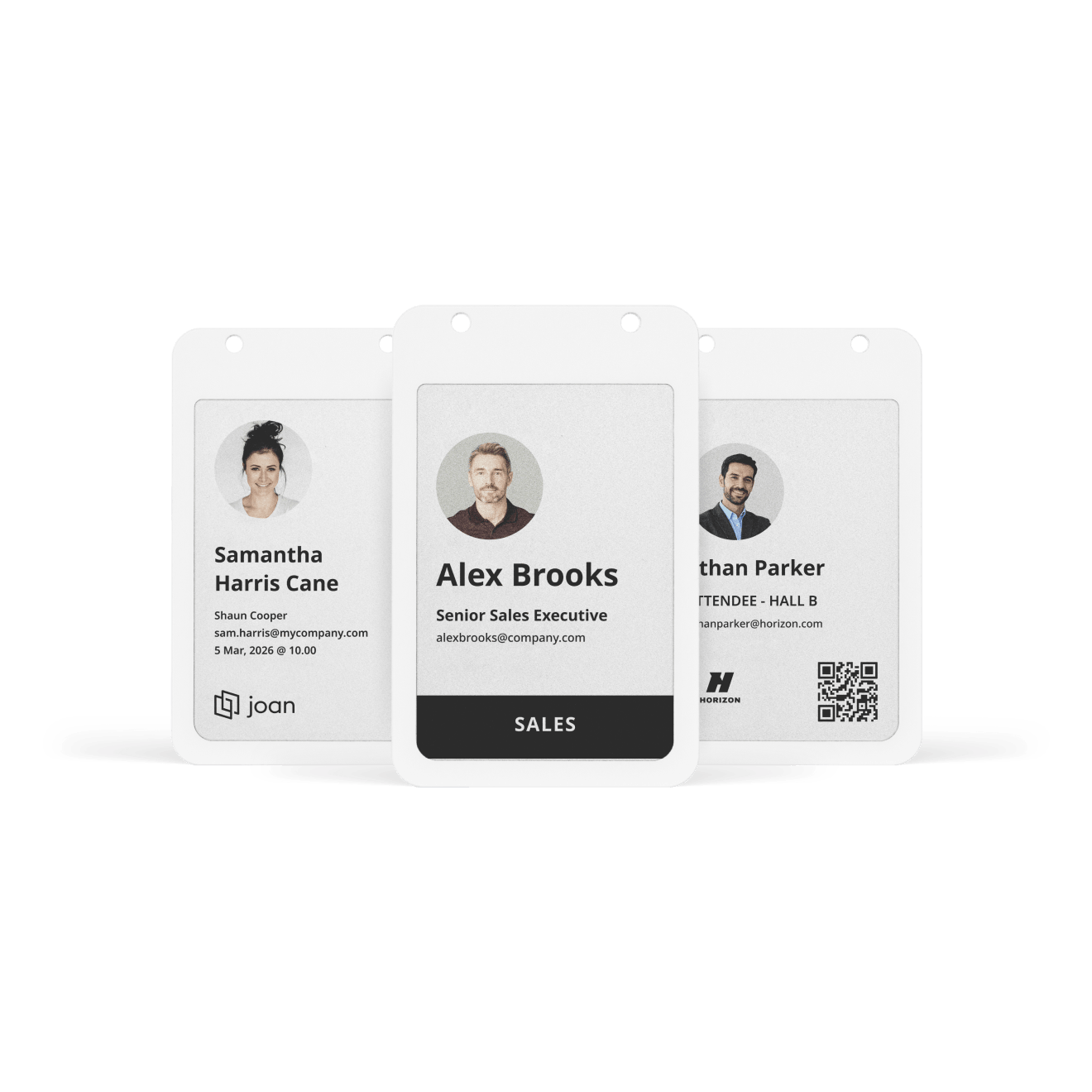
Digital name tags for employees, events and visitors. Sync names, photos and custom details from Joan, then re-sync when anything changes. No reprints, no plastic, no label printer.
A sustainable alternative to name badge printers that replaces paper and plastic badges while reducing waste and lowering costs.
Due to high demand the lead time is currently several weeks. Order early.
Start with a single badge. Badges can’t be returned once shipped, so trying one first is the safest way to start.
How the Joan ePaper badge is different
What every badge has on board, whichever use case you start with.

Custom details
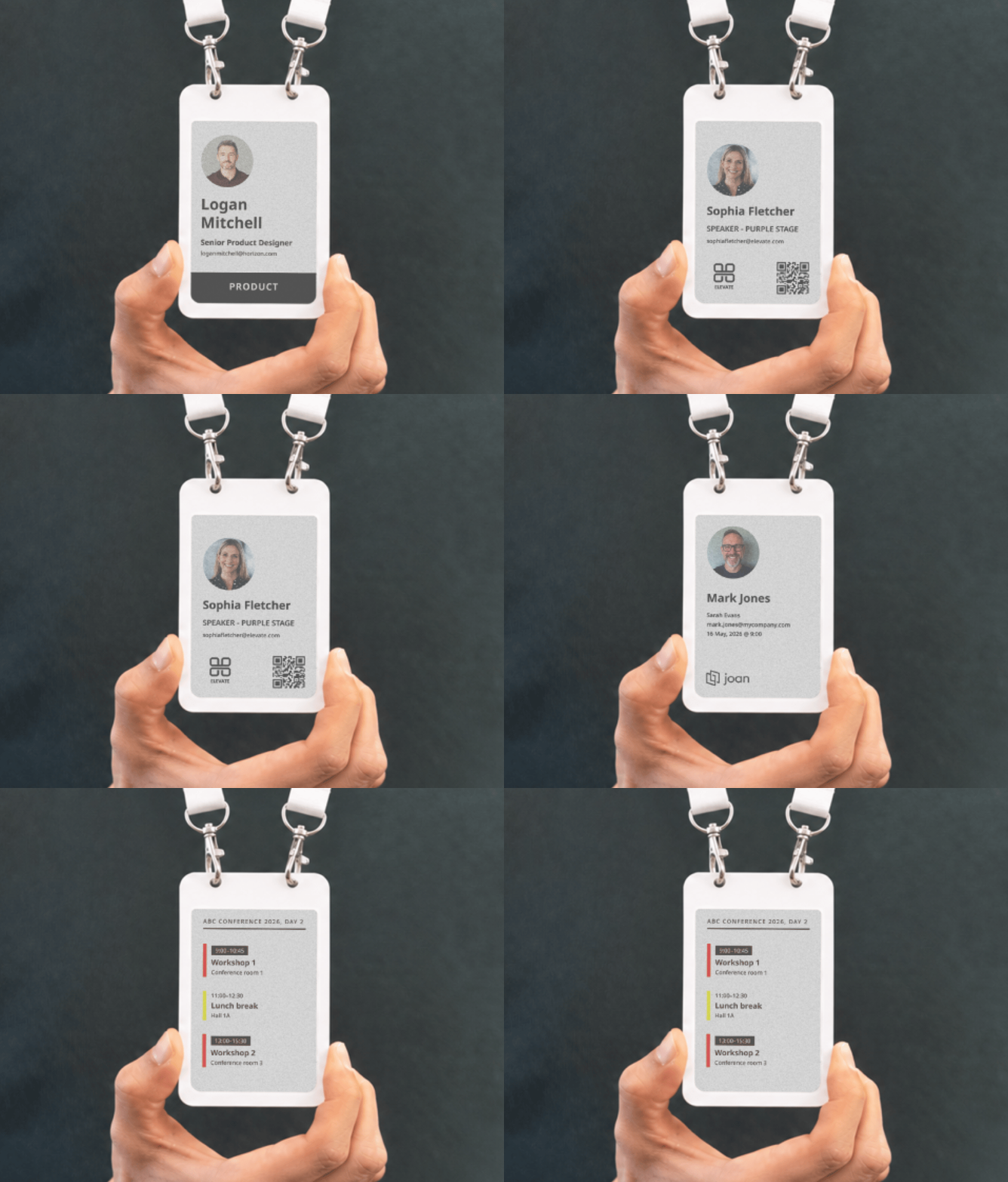
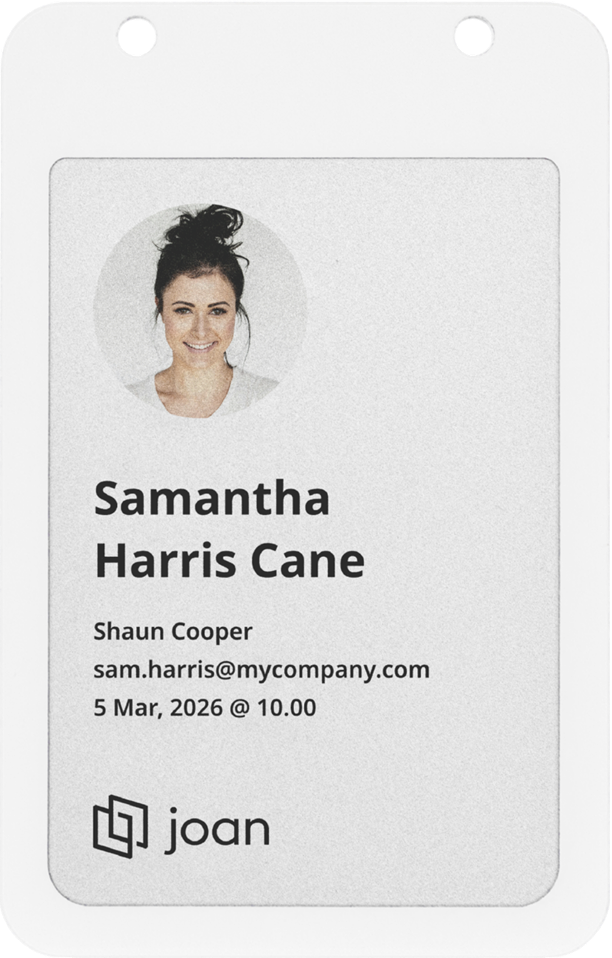
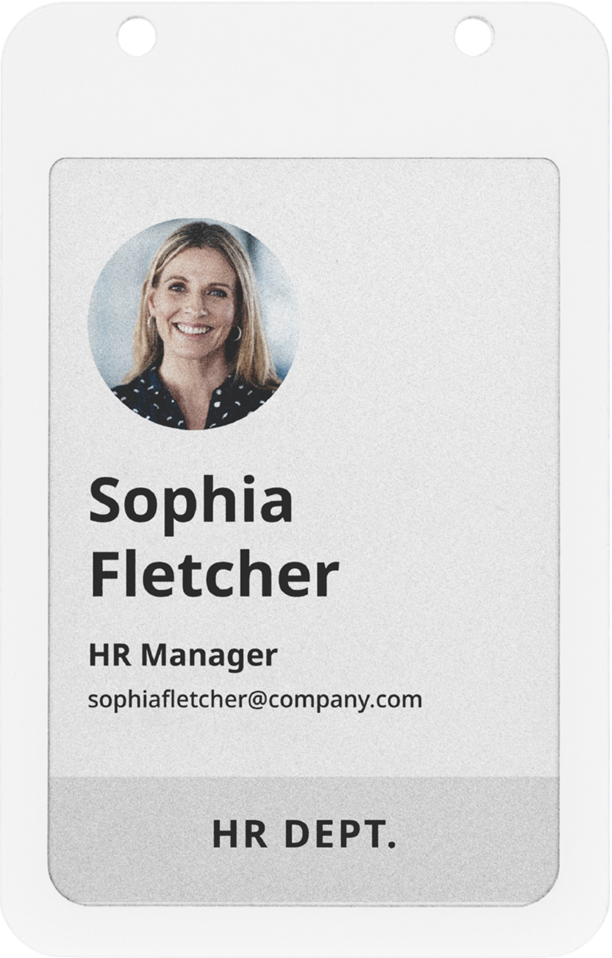
Show a name, company, photo, department or any custom field. Pick a company template and a color per department, and every badge in the fleet looks consistent.

4-color screen
Black, white, red and yellow on a 4-inch display with 528 × 768 pixels. Names, photos and logos stay sharp and easy to read, like print.

Rechargeable
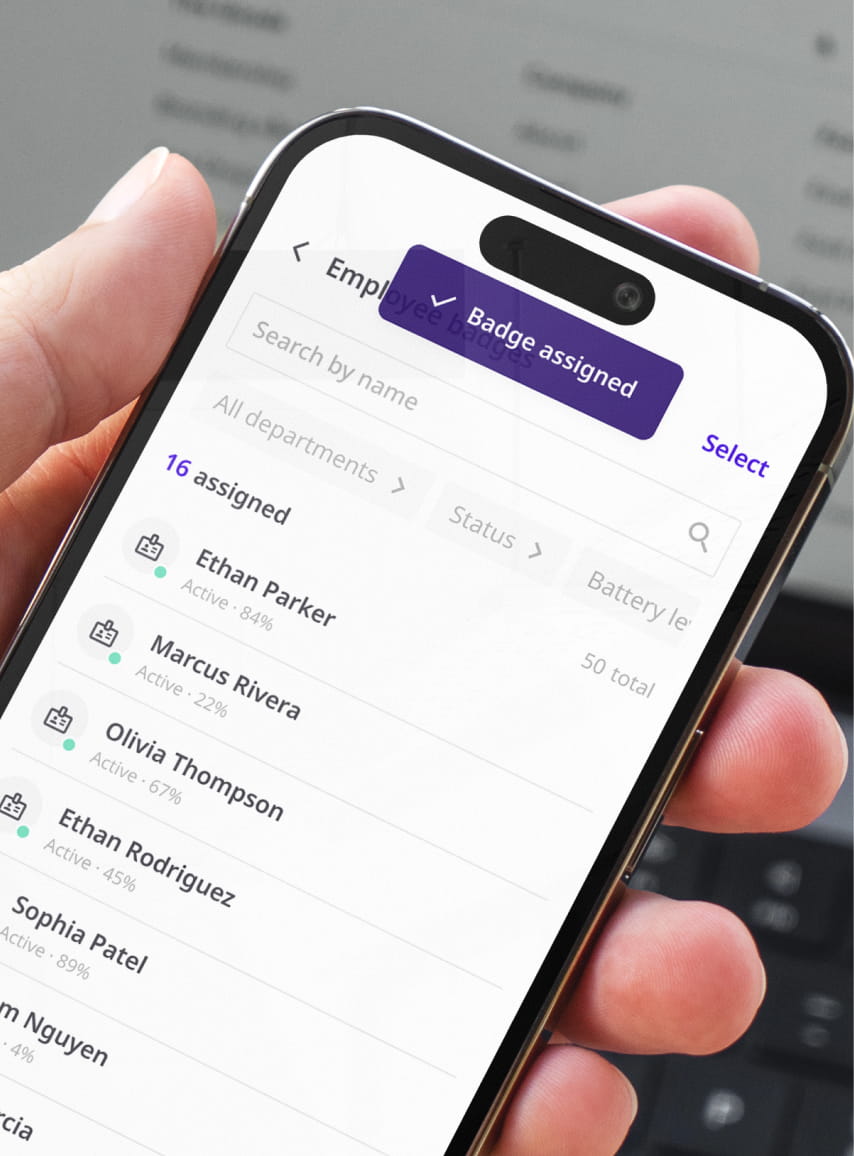
The 100 mAh battery covers roughly 700 updates, and a standard Qi wireless charger tops it up. A red LED shows it is charging, and the Joan Portal shows the battery status of every badge.

Six stored images
Up to six images live on the badge at once, so one badge can carry more than one layout. Switching between them is a resync, not a new card.

NFC chip
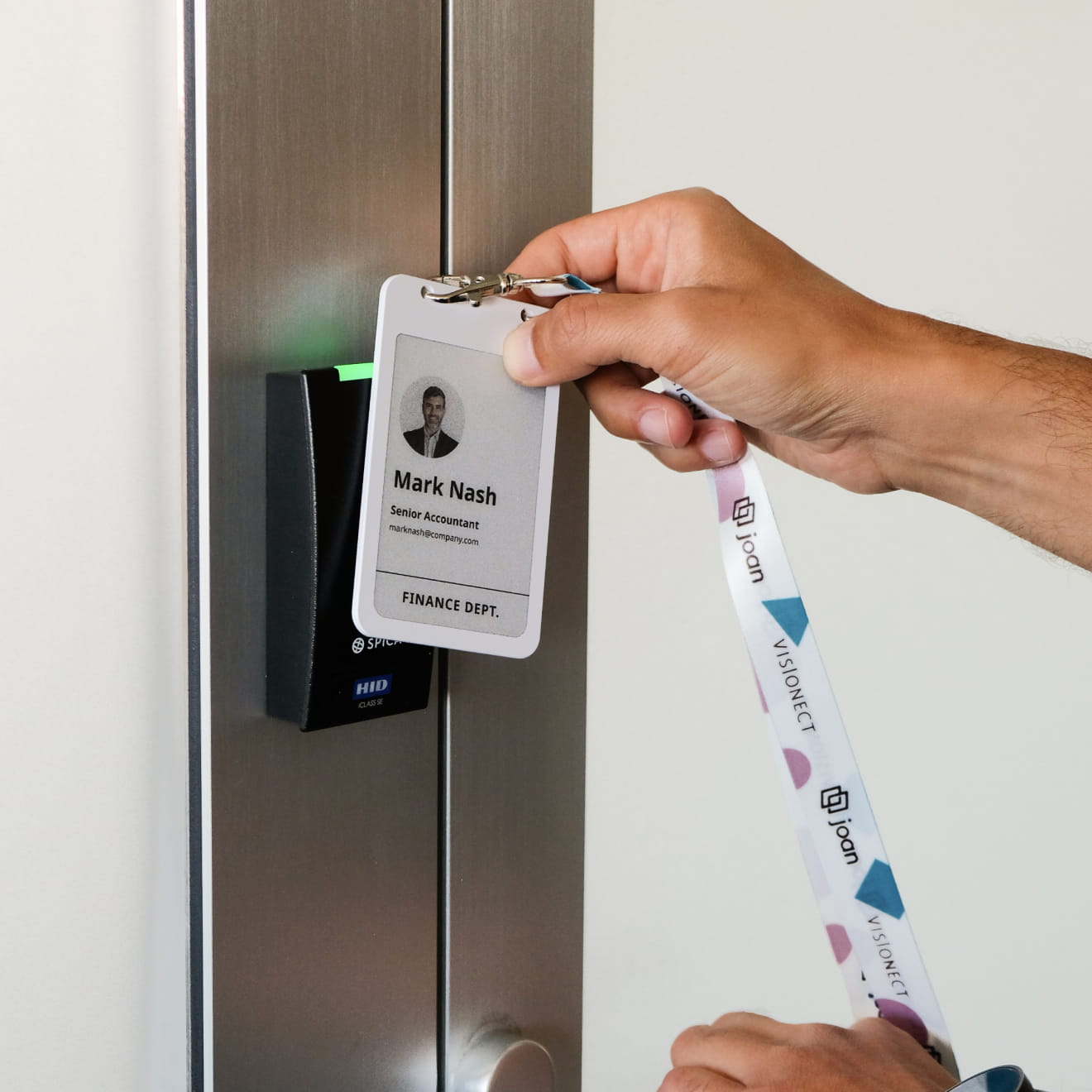
An NXP MIFARE DESFire EV3 chip (8 kB) sits in every badge. Your access control system keys it with its own keys, so the badge can open doors wherever that system supports it. Your keys, not ours.

Bluetooth 5.1
Badges are updated within Bluetooth range, so there are no cables or card printers between a new name and a finished badge.
Stop printing badges
Every new hire, substitute delegate and walk-in guest sends someone back to the printer. These are the three print jobs the badge takes off your list.
Plastic employee cards
A new order every time a name, role or photo changes.

Printed event badges
A new print run each time, in the bin the next day.
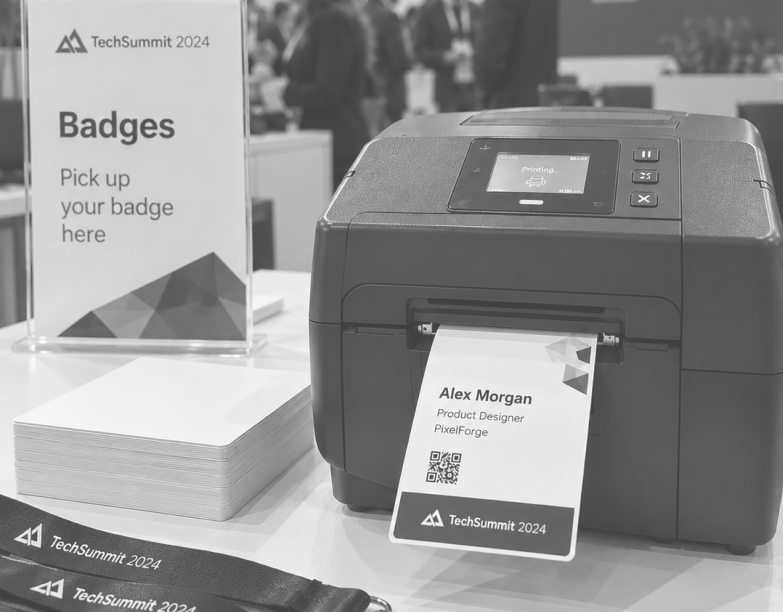
Printed visitor stickers
A sticker for every guest, plus a printer to maintain.

Joan ePaper badge
One badge for all three, worn for years, for a day or for one visit. Change the details, not the card.
EMPLOYEE
One badge per person
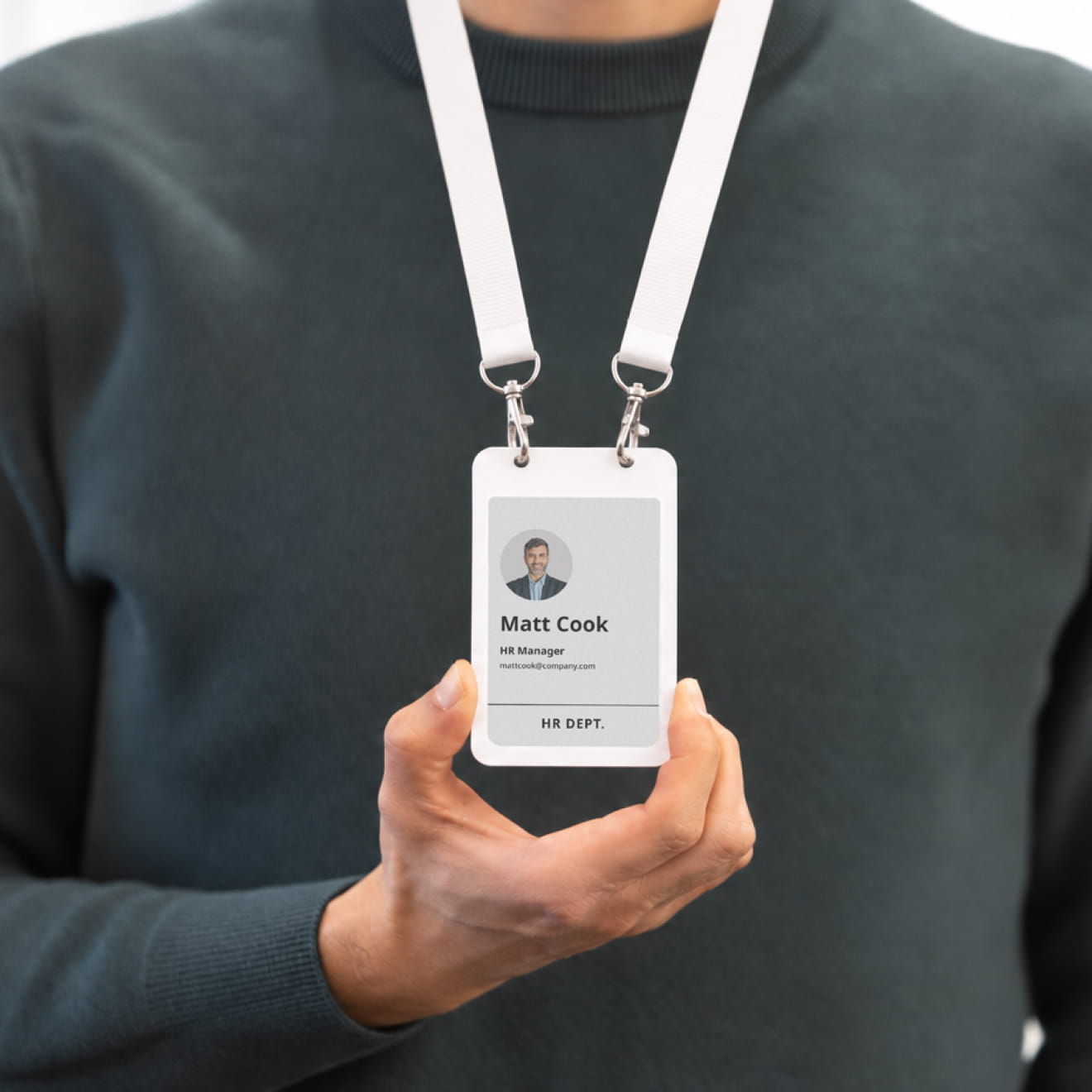
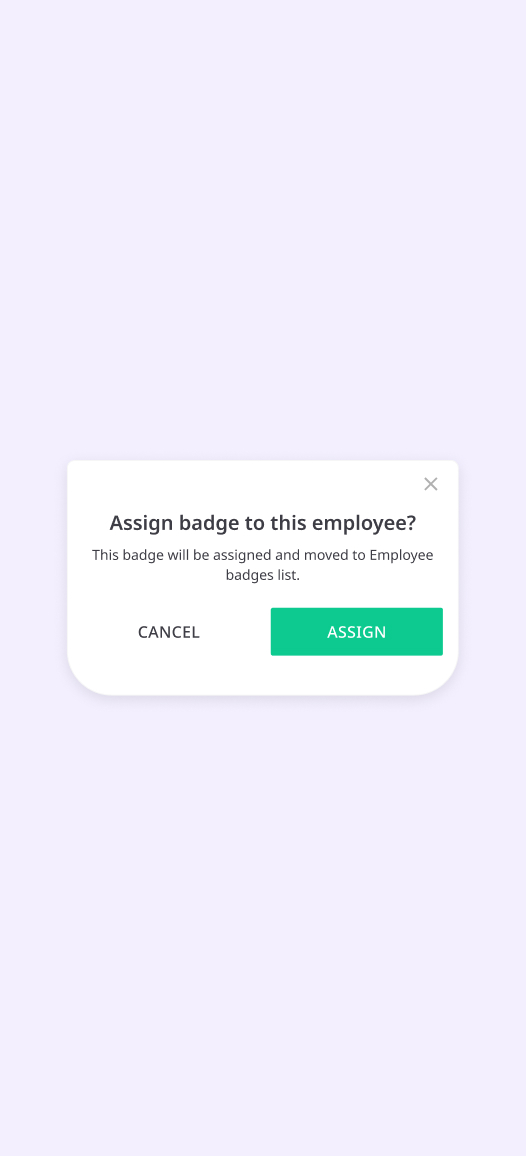
Assign badges from the Joan user directory and pick a template. Work in batches, so a new hire’s badge is ready on day one. Employees add their own photo, so there is no photo shoot.
It is one badge per person, for as long as they stay. A new name, role or department means a new template, not a new card. There is no design ticket and no print run. When someone leaves, the badge returns to the pool.
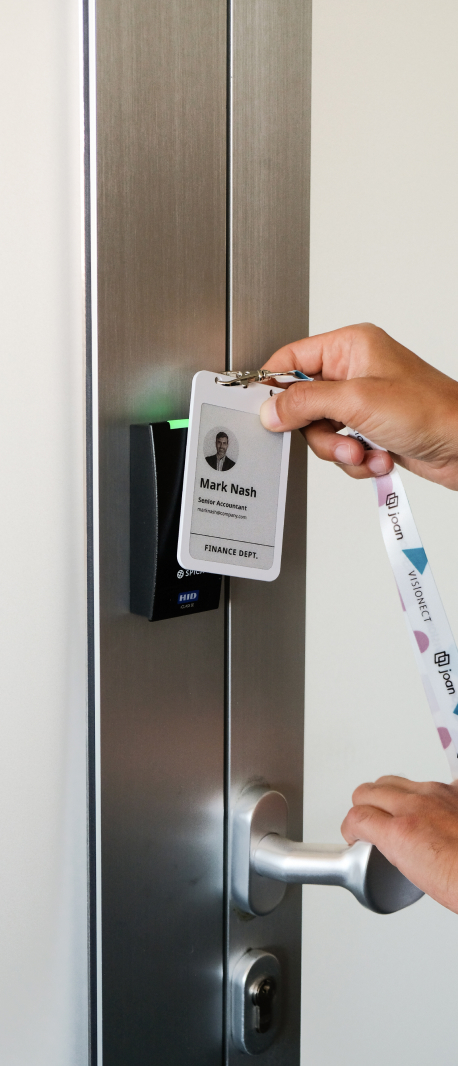
Where your access control system supports it, the same badge opens doors. That is one item to issue, not an ID card plus an RFID card.
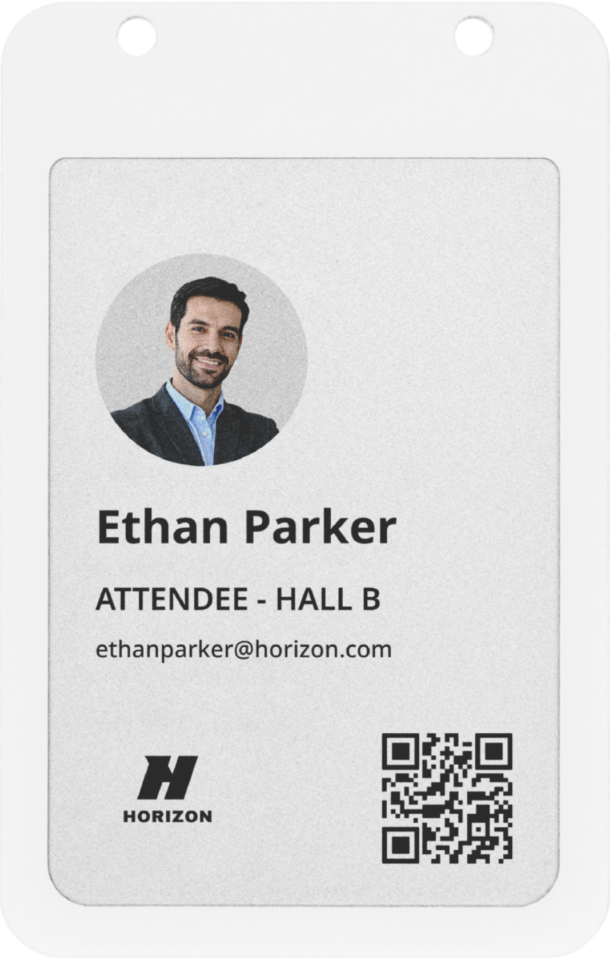
EVENT
Prepare ahead, update on the spot
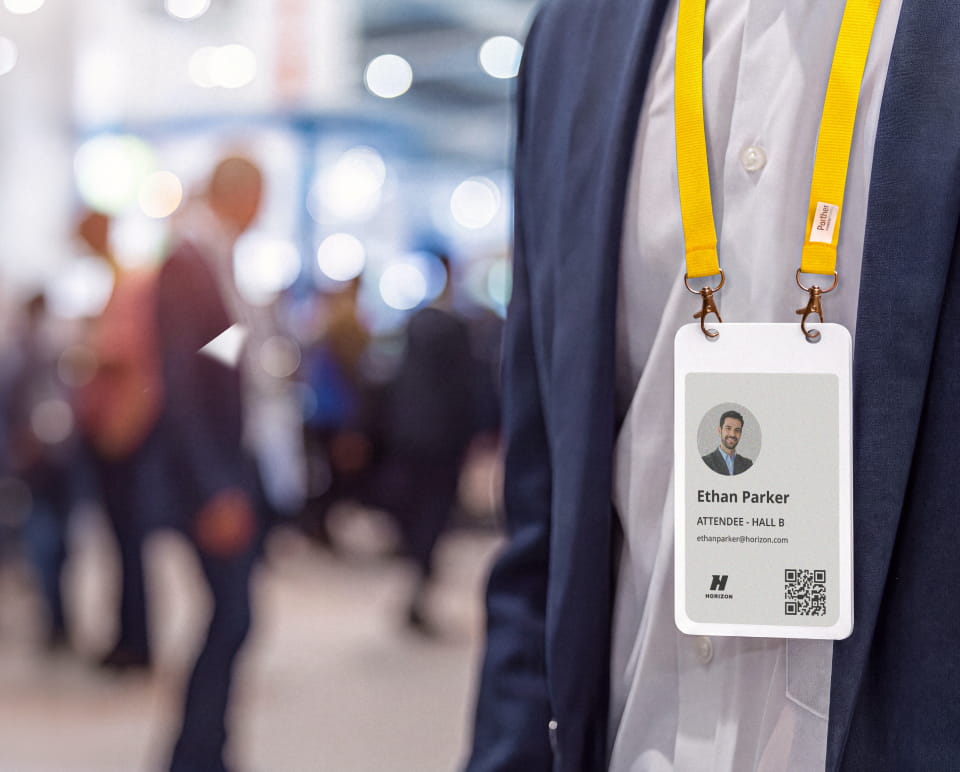
Import your attendee list as a CSV and write the badges before the event. Sort them alphabetically and lay them out for pickup. The badges belong to the organiser, not the wearer, and are worn for the day.
At the registration desk, find the name and hand over the badge. A walk-in gets a new badge on the spot, through the same flow as pre-registered guests. A misspelled name or a substitute delegate is a re-sync, not a reprint.
When the event ends, collect the badges. They are cleared, recharged and ready for the next one.
Planning to use the badges for events? Talk to Sales before you buy. Event is the newest of the three use cases, and we will confirm the right setup for you.

VISITOR
Know who’s on site
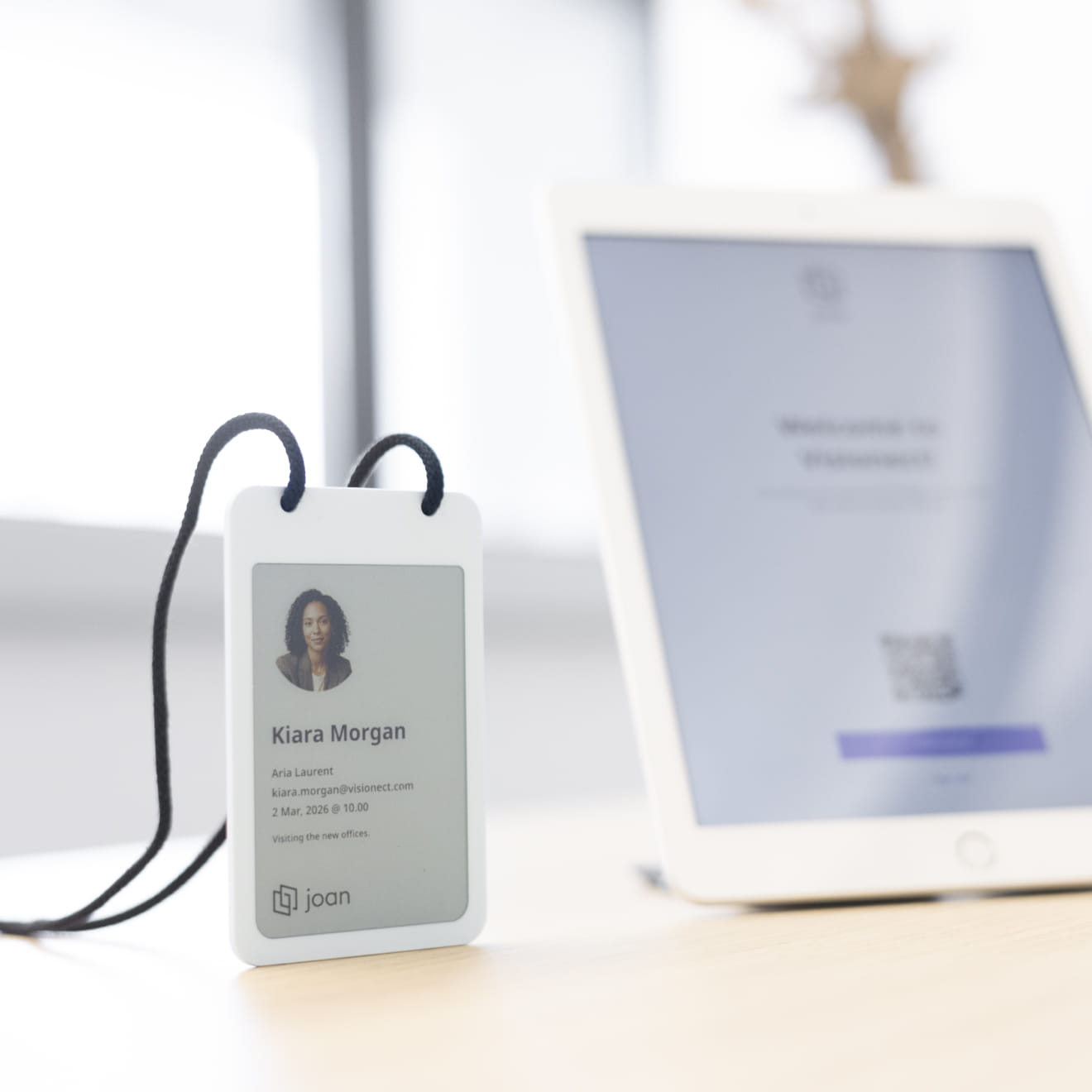
Invite guests from your calendar, and they can pre-register before they arrive. On arrival, they check in at the reception kiosk. Their host is notified.
A badge in Bluetooth range is written with their name, company, photo and host. The photo is taken at check-in. Color coding can tell a guest from a contractor at a glance.
They wear it for the visit. On the way out, they drop it in the dock. The badge clears itself, so no visitor data stays on it.
The badges in a nutshell
Same badge, same app. The difference is who runs it, where the details come from and how long it is worn.
| Employee badge | Event badge | Visitor badge | |
|---|---|---|---|
| Run by | The office or HR manager | The event organiser | Reception or the front desk |
| Details come from | The Joan user directory | Your attendee list | The check-in at the reception kiosk |
| Who holds it | The employee, every working day, for years | The attendee, for the day. The badge stays with the organiser. | The guest, for one visit |
| Typical volume | A team or a new-hire batch | Hundreds, prepared before doors open | One at a time, as guests arrive |
Joan ePaper badge vs. printed badges
See how the Joan ePaper badge compares with the two printed options most teams use today.
| Joan ePaper badge | Peel-off printed label | Pre-printed plastic badge | |
|---|---|---|---|
| Reuse | Reused for every guest, attendee or new hire | Used once, then thrown away | Printed for one person or one event |
| Changing a detail | Re-synced over Bluetooth | Print a new label | Print a new badge |
| Equipment | None. No printer or consumables. | Label printer and label rolls | Card printer, ribbons and blank cards, or an outside print run |
| Preparing ahead | Write badges in advance, or create one on the spot | Printed one by one at the desk | Printed before the day, so late additions need a new print |
| Name and photo after use | Cleared before the next person gets the badge | Peeled off and thrown away | Stay printed on the badge |
| Door access | NFC chip that your access control system keys | None | Needs a separate RFID card |
| Power | Rechargeable, charged between uses | None needed | None needed |
PART OF THE JOAN PLATFORM
Joan badges need a subscription
Order your ePaper badges, activate the Joan subscription tier that works tbe best for your office. Each badge has its own yearly license, whichever plan you pick. Your team keeps working in the same platform, with the same admin tools for every badge.
Technical Specifications
What’s in the box
- 4-inch Joan ePaper Badge
Frequently asked questions
How does the check-in process actually work with the badge?
It’s an automated three-step digital handoff:
- Check-in: The visitor registers at your reception (on a tablet or via touchless QR code).
- Sync: The Joan Portal instantly assigns the visitor’s data to an available ePaper badge.
- Update: Using Bluetooth 5.1, the tablet pushes the visitor’s name, company, and photo to the badge. A small LED light on the badge flashes to confirm the update is complete.
The badge is then handed to the visitor, and the host is automatically notified.
How do the badges actually receive visitor data?
It’s a seamless digital handoff. The badge connects to your reception tablet via Bluetooth 5.1 (BLE). When a guest finishes checking in, the tablet sends their name, company, and photo directly to the badge. You’ll see a light indicator on the device to confirm the update is in progress.
Can I customize what appears on the badge?
Absolutely. You have total creative control via the Joan Portal. You can customize layouts to include your company logo, visitor photos, or even emergency contact info. The high-resolution 4-color display (black, white, red, and yellow) ensures your branding stays sharp and professional.
How fast does the information on the badge update?
The badges use Bluetooth 5.1 (BLE) for near-instant updates. Once a visitor checks in, the data is pushed to the badge in seconds, ensuring no delays at your reception desk.
Does the host get notified when a badge is issued?
Automatically. The moment a visitor completes their check-in and the badge begins its digital update, an instant alert is sent to the host (via email, Slack, or Teams). This ensures your guest is met at reception the second they are ready to go.
How do I know if the battery is low?
You’ll have total visibility. You can monitor the real-time battery status of every badge in your fleet directly through the Joan Portal. Additionally, a red LED light on the badge indicates when it is successfully charging on a Qi wireless pad.
What is the battery life and how do I recharge them?
Efficiency is built-in. A single charge of the 100 mAh battery supports approx. 700 screen updates. Since ePaper only uses power to change the image, they can last for weeks of daily use. When they do need a boost, they support Qi-standard wireless charging, just drop them on a pad and they’re ready to go.
Is the Joan subscription mandatory?
Yes. The hardware stores the image, but the Joan Visitor Management subscription is the “brain” that automates the workflow. It manages the layouts, handles the Bluetooth syncing, and triggers host notifications and NDA signings.
What happens when a visitor leaves?
It’s a simple “Return & Reuse” cycle. When a visitor checks out, the badge is returned to reception and can be reset for the next guest immediately. Because the display is electronic, you never have to deal with the waste or the cost of single-use paper and plastic.
Can I use the Joan ePaper badge outside of a standard office?
While our system is built for the workplace, we’re always looking to expand. If you have a specific industry need, contact our sales team. We’re happy to explore how we can accommodate your specific workflow.
Can I return Joan ePaper badges if they’re not right for us?
No. Joan ePaper badges aren’t eligible for the 30-day money-back guarantee, and once shipped they can’t be cancelled or returned. If you’re not sure yet, order a single badge to test first. There’s no minimum order quantity.