
Best CloudBooking alternatives in 2027: Desk, room and visitor booking compared
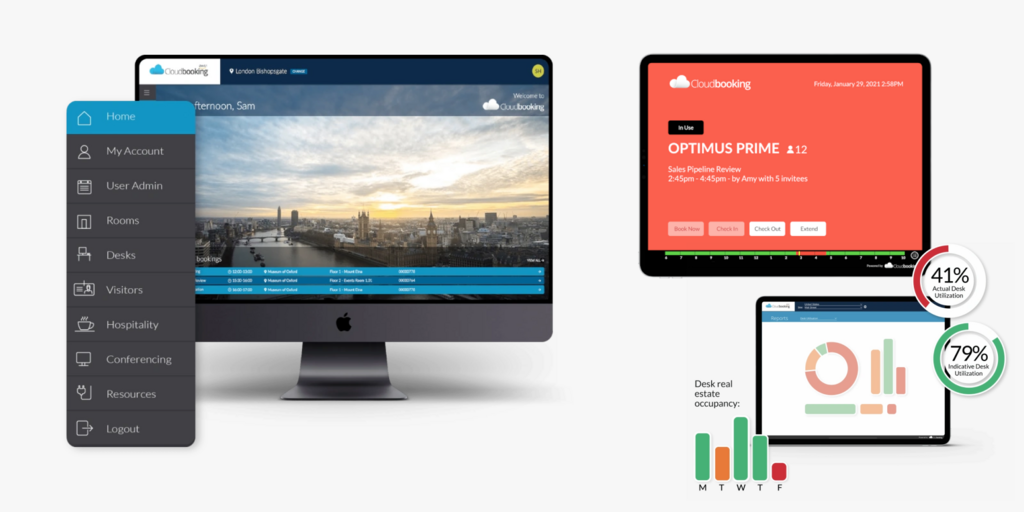
CloudBooking (cloudbooking.com) is a London-based workplace booking platform for desks, meeting rooms, car parks and visitors. It supports hot desks, assigned desks and neighborhoods, two-way Outlook sync, a Microsoft Teams app, and visitor pre-registration with badge printing. It has a strong UK public sector presence: Herefordshire Council awarded it a room, desk and visitor management contract published in June 2026. G2 reviewers rate it 4.3 out of 5 across 30 reviews.
Teams that look elsewhere usually mention three things: the interface makes some everyday tasks harder than they should be, CloudBooking does not make its own displays, and its pricing is quoted in fixed user and desk bands.
We compared seven CloudBooking alternatives on pricing model, hardware, room and desk coverage and limitations. If you are weighing other UK enterprise tools, see our Best Smartway2 alternatives and Best Condeco alternatives.
Quickly jump to:
- Why teams start looking for CloudBooking alternatives
- Quick comparison table
- The 7 best CloudBooking alternatives in 2027
- How to choose the right CloudBooking alternative
- Joan vs. CloudBooking: quick comparison
- Frequently asked questions about CloudBooking alternatives
Why teams start looking for CloudBooking alternatives
Everyday tasks take more clicks than they should
G2 reviews of CloudBooking are mostly positive, and the criticism is consistent in theme: reviewers mention an interface that makes checking room availability hard, navigation and settings that are fiddly, inadequate notifications, and lag at peak times. These are the screens employees use every day, so small frictions turn into calls to the facilities team.
Displays and sensors come from other vendors
CloudBooking is software. Its digital signage, door signs, NFC readers and occupancy sensors run on hardware you source separately. You coordinate screens, mounts, power and support with a second supplier, and two vendors share responsibility when a display stops syncing.
Pricing in fixed user and desk bands
FitGap lists a CloudBooking SMB tier at £299 per month, billed annually, for up to 175 users and 125 desks. Growing past a band means a new quote, and organizations below the band pay for capacity they do not use.
Quick comparison table
| Tool | Best for | Pricing model | Own room display hardware | Visitor management | Starts at |
|---|---|---|---|---|---|
| Joan | Booking software plus its own ePaper displays, wired or wireless | Plan with users and devices | ✅ ePaper, battery or PoE | ✅ + with ePaper badges | €49/month incl. 20 users and 2 device licenses |
| Smartway2 | Large UK enterprises with complex space policies | Custom quote | ❌ | ✅ | Pricing on request |
| Robin | Enterprise hybrid scheduling in Microsoft 365 | Custom quote | ❌ | ✅ | Pricing on request |
| Deskbird | Desk-first hybrid offices | Per user | ❌ | Not the focus | See vendor website |
| YAROOMS | Multi-module scheduling with published tiers | Tiered plans | ❌ | ✅ | See vendor website |
| Skedda | Space booking with detailed booking rules | Per space | ❌ | Limited | See vendor website |
| Kadence | Coordinating which days teams come in | Per user | ❌ | ✅ | See vendor website |
| CloudBooking | UK enterprise and public sector desk, room and visitor booking | User and desk bands | ❌ | ✅ with badge printing | £299/month for up to 175 users and 125 desks (FitGap) |
Joan pricing from getjoan.com/pricing, November 2026. Other prices from public sources; confirm with each vendor before purchasing.
The 7 best CloudBooking alternatives in 2027
1. Joan: Best for teams that want booking software and their own displays from one vendor
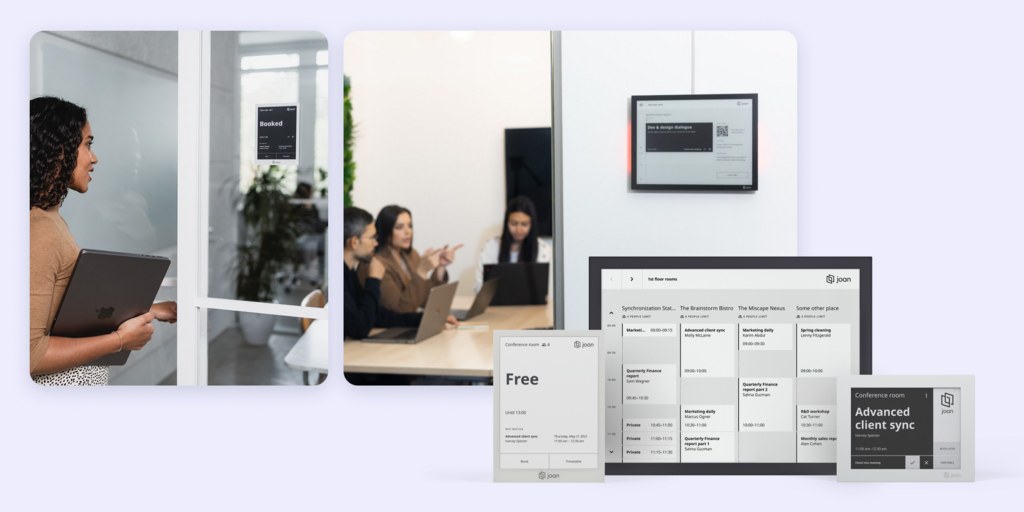
Joan covers what CloudBooking does, desk booking, room booking, parking and visitor management, and adds digital signage and asset reservations. The difference is hardware: Joan designs and supports its own ePaper displays and visitor badges.
The Joan 6 Pro and Joan 13 Pro run on battery or on a PoE wall mount with an LED occupancy light, and the Joan 6 RE runs on battery. Visitor management covers pre-registration, check-in and host notifications, and Joan ePaper badges can be added on top to replace printed stickers.
What makes Joan stand out
- Displays, badges and software from one vendor: no second supplier for screens at the door.
- Wired or wireless, room by room: PoE wall mounts with LED occupancy lights, or battery power with no cable. The Joan 6 Pro runs up to 3 months per charge.
- Public pricing that scales in small steps: add one user or one device at a time instead of moving to the next band.
- Booking where people already work: Outlook, Google Calendar, Slack and Joan AI in Microsoft Teams.
Joan pricing
Plans start at €49/month, billed yearly, and include every Joan solution. The entry Team plan already includes 20 users and 2 device licenses. Each additional user is €0.99/month, and each additional device (any room display, signage screen or check-in tablet registered in Joan) is €9.99/month. Displays and PoE wall mounts are a one-time purchase on top. People who only book rooms through Outlook or Google Calendar do not count as users. See current Joan pricing.
Joan limitations
- Not a full IWMS: Joan covers booking, visitors and signage, not lease management or maintenance ticketing.
- Upfront hardware cost if you choose Joan displays. Joan on any display runs on existing screens if you want to avoid that.
Best for: Any organization that wants desk, room and visitor booking plus reliable displays at the door, from a small office to hundreds of locations.
Start your free 30-day Joan trial
2. Smartway2: Best for large UK enterprises with complex space policies
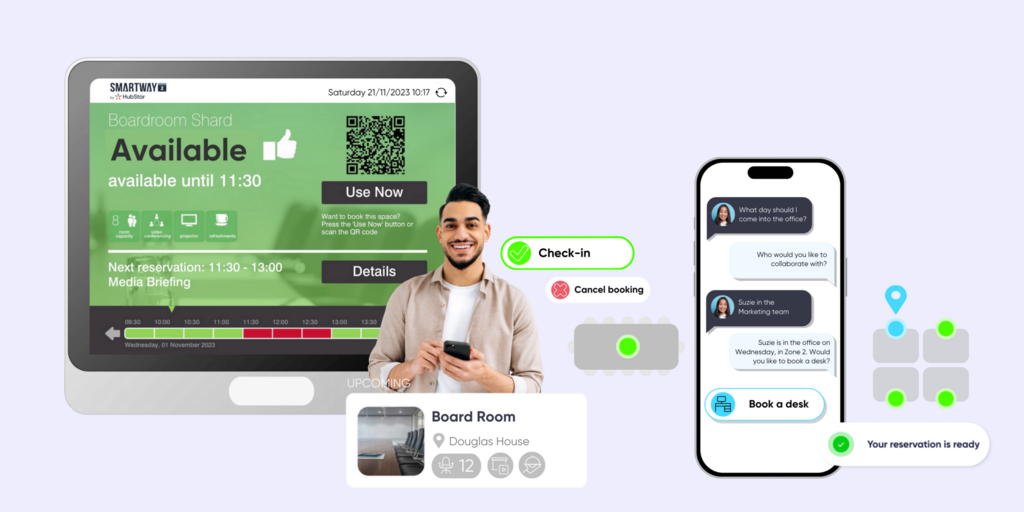
Smartway2, now part of HubStar, is a UK workplace platform for room and desk booking, analytics and Outlook integration. Its policy engine gives facilities teams fine-grained control over how space is allocated, and its customers include the NHS and Imperial College London.
It is the closest UK enterprise match to CloudBooking on this list.
What makes Smartway2 stand out
- Enterprise policy engine for space allocation
- Outlook integration for room and desk booking
- Analytics on space use
Smartway2 pricing
Pricing on request.
Smartway2 limitations
- Outlook add-in reconnections: Capterra reviewers describe the add-in losing its connection and needing manual reconnection.
- Software-only: door displays mean third-party tablets.
- Enterprise complexity that can be more than mid-sized offices need.
Best for: Large organizations that need detailed space policies and already work in Outlook.
Looking for Smartway2 alternatives instead? See our Best Smartway2 alternatives or the full Joan vs. Smartway2 comparison.
3. Robin: Best for enterprise hybrid scheduling in Microsoft 365
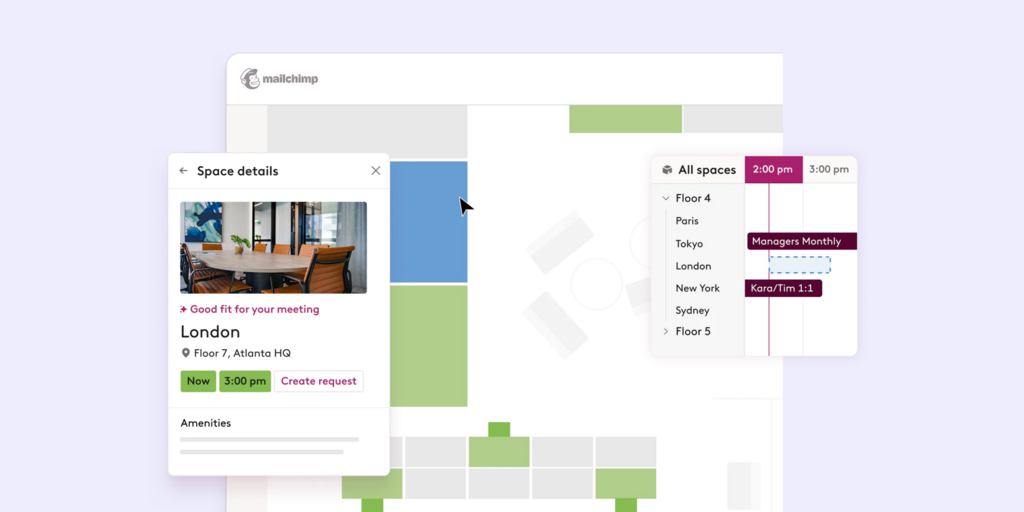
Robin is a hybrid workplace platform for room booking, desk booking, visitor management and space analytics, with deep Outlook integration and team presence views.
It suits larger organizations that want analytics and hybrid coordination on top of booking.
What makes Robin stand out
- Room booking from Outlook with two-way sync
- Team presence views that show who is coming in
- Space analytics on attendance, peak days and no-shows
Robin pricing
Pricing on request. Robin does not publish plan prices.
Robin limitations
- No public pricing: cost modeling needs a sales call.
- Auto-release cancels unchecked bookings, so late arrivals can lose their desk or room.
- No hardware of its own: room displays run on third-party tablets.
Best for: Larger organizations where hybrid scheduling and Microsoft 365 depth are core requirements.
Looking for Robin alternatives instead? See our Best Robin alternatives or the full Joan vs. Robin comparison.
4. Deskbird: Best for desk-first hybrid offices
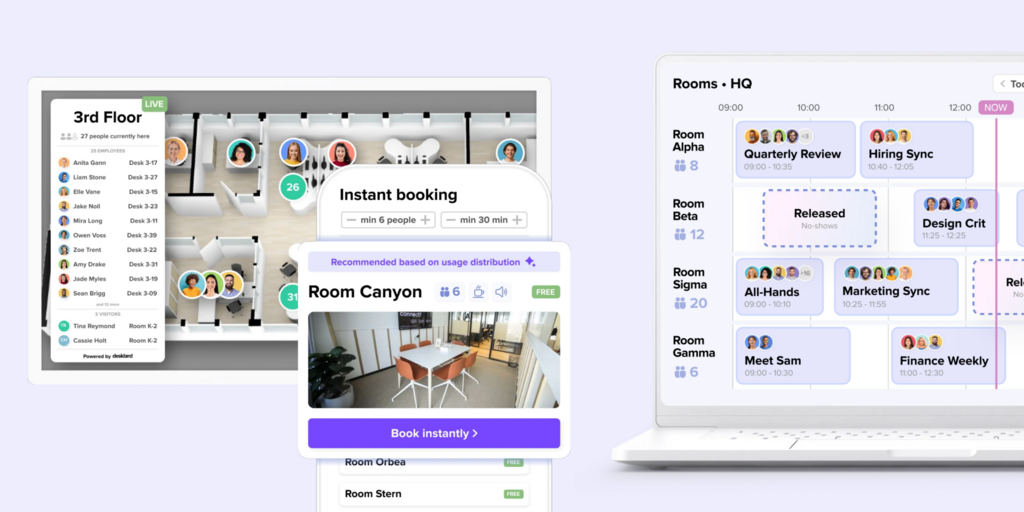
Deskbird is a desk booking and hybrid planning app. Employees book desks, see which colleagues are in and plan office days, mostly from the mobile app. Meeting room booking is available but plays a smaller role.
Its mobile app is the main reason teams pick it over heavier enterprise tools.
What makes Deskbird stand out
- Mobile app built for booking a desk in a few taps
- Office-day planning that shows which teammates are in
- Per-user pricing without desk bands
Deskbird pricing
Per-user plans. Verify current pricing at Deskbird’s website before purchasing.
Deskbird limitations
- Room booking comes second: heavy meeting room schedulers may find it thin.
- No hardware of its own: door panels mean a separate vendor.
- Visitor management is not the focus, so front-desk teams may need another tool.
Best for: Offices where desk booking is the main problem and rooms are booked occasionally.
Looking for Deskbird alternatives instead? See our Best Deskbird alternatives or the full Joan vs. Deskbird comparison.
5. YAROOMS: Best for multi-module scheduling with published tiers
YAROOMS covers room booking, desk booking, hybrid scheduling and visitor management in one platform, with published pricing tiers.
Its scope is close to CloudBooking, and finance teams can model costs before a demo.
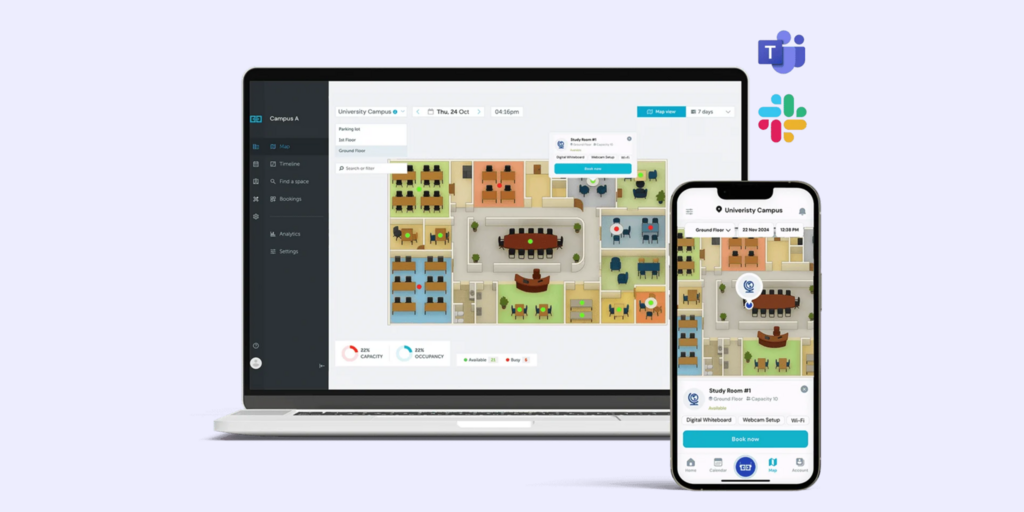
What makes YAROOMS stand out
- Published pricing tiers
- Rooms, desks, hybrid schedules and visitors in one admin console
- Microsoft Teams and Slack integrations
YAROOMS pricing
Tiered plans published on its website. Verify current pricing at YAROOMS’ website before purchasing.
YAROOMS limitations
- No hardware of its own: room panels run on third-party tablets.
- Dense admin interface with a longer setup than lighter tools.
- No physical visitor badge: check-in is a screen workflow only.
Best for: Organizations that want a broad software platform with transparent tier pricing.
Looking for YAROOMS alternatives instead? See our Best YAROOMS alternatives.
6. Skedda: Best for space booking with detailed booking rules
Skedda is a space booking tool for meeting rooms, desks and shared spaces. Employees book from an interactive floor map, and admins set detailed rules per space: time limits, buffers and approval steps.
It suits offices that want tight control over who can book what and when, without an enterprise rollout.
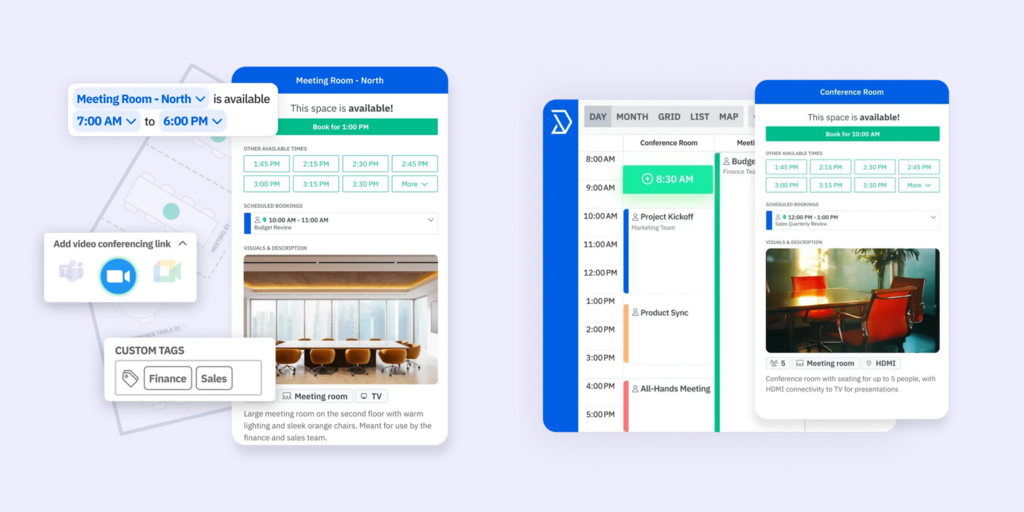
What makes Skedda stand out
- Interactive floor map for booking
- Detailed booking rules and approvals per space
- Self-serve setup
Skedda pricing
Tiered plans published on its website. Verify current pricing at Skedda’s website before purchasing.
Skedda limitations
- No hardware of its own: room panels mean third-party tablets.
- Visitor management is limited compared with front-desk platforms.
- Basic analytics on lower tiers.
Best for: Offices that need straightforward booking with tight booking rules.
Looking for Skedda alternatives instead? See our Best Skedda alternatives or the full Joan vs. Skedda comparison.
7. Kadence: Best for coordinating which days teams come in
Kadence is a hybrid work coordination platform. Its core job is helping teams agree which days to be in the office, with desk and room booking built around that plan.
It integrates with Slack and Microsoft Teams, so office planning happens where employees already chat.
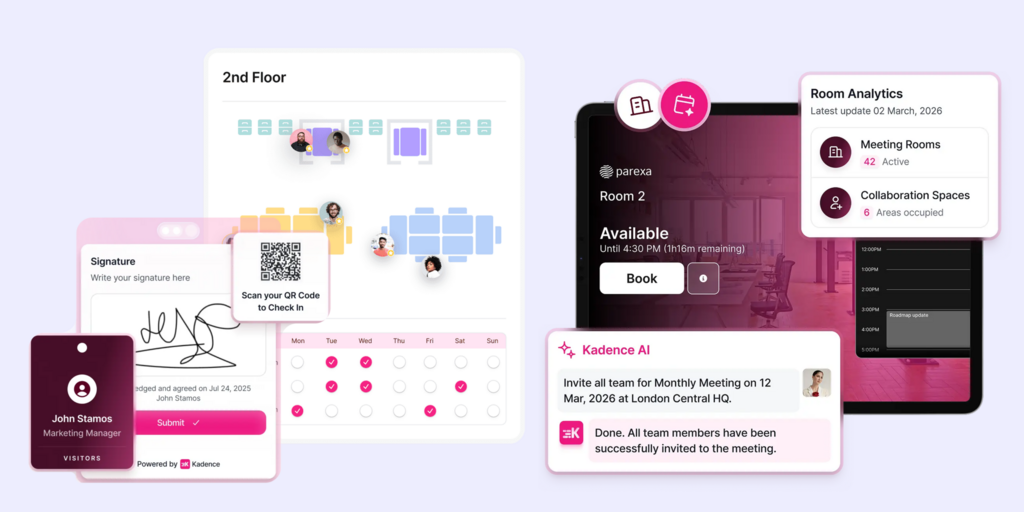
What makes Kadence stand out
- Team-level attendance planning
- Slack and Microsoft Teams integrations
- Desk, room and visitor features in one app
Kadence pricing
Verify current pricing at Kadence’s website before purchasing.
Kadence limitations
- Software-only: no room displays of its own.
- Coordination comes first: teams that mainly need resource control, such as car parks or desk neighborhoods, get less depth.
Best for: Hybrid teams whose main problem is coordinating office days.
Looking for Kadence alternatives instead? See our Best Kadence alternatives.
How to choose the right CloudBooking alternative
If you want displays from the same vendor as the software
Joan is the only option here that makes its own meeting room displays and visitor badges. Every other tool, CloudBooking included, runs on third-party screens.
If you need detailed space policies across a large estate
Smartway2 and Robin are built for large organizations with complex allocation rules and analytics needs.
If the interface is the main complaint
Deskbird and Skedda keep booking simple for employees. Joan adds booking from Outlook, Google Calendar, Slack, Teams and the display at the door, so most people never open a separate app.
If you want pricing without user and desk bands
Joan adds one user or one device at a time on top of the plan. YAROOMS and Skedda publish their tiers, so you can model the cost before a call.
Why Joan is usually the best CloudBooking alternative
CloudBooking covers desks, rooms, car parks and visitors in software and leaves the hardware to someone else. Joan covers the same ground and ships its own wired or wireless ePaper displays and visitor badges, with public pricing that grows one user or device at a time.
Joan vs. CloudBooking: quick comparison
| Joan | CloudBooking | |
|---|---|---|
| Desk booking | ✅ | ✅ hot desks, assigned desks, neighborhoods |
| Room booking | ✅ | ✅ |
| Parking | ✅ | ✅ |
| Visitor management | ✅ pre-registration, check-in, host alerts; ePaper badges as an add-on | ✅ with badge printing |
| Digital signage | ✅ | ✅ on third-party screens |
| Own room display hardware | ✅ ePaper, battery or PoE | ❌ |
| Microsoft 365 / Outlook | ✅ | ✅ two-way Outlook sync |
| Google Workspace | ✅ | Check with CloudBooking |
| Microsoft Teams | ✅ Joan AI in Teams | ✅ Teams app |
| Pricing model | Team plan with 20 users and 2 devices; extra users €0.99/month, extra devices €9.99/month | Bands, e.g. £299/month for up to 175 users and 125 desks |
| Free trial | ✅ 30 days | Check with CloudBooking |
CloudBooking data from G-Cloud service listings, G2 and FitGap. Confirm current details with CloudBooking before purchasing.
Ready to make the switch?
Joan is free to try for 30 days with no credit card. Set up desks, rooms and one ePaper display and compare it with your CloudBooking setup.
Frequently asked questions about CloudBooking alternatives
What is CloudBooking?
CloudBooking is a London-based workplace booking platform for desks, meeting rooms, car parks and visitors, with Outlook sync and a Microsoft Teams app. It sells to enterprises and UK public sector organizations, including through the UK G-Cloud framework.
How much does CloudBooking cost?
CloudBooking does not publish prices on its website. FitGap lists an SMB tier at £299 per month, billed annually, for up to 175 users and 125 desks. Larger deployments are quoted.
What is CloudBooking’s biggest limitation?
G2 reviewers rate it 4.3 out of 5. The recurring criticisms are an interface that makes checking room availability hard, fiddly navigation and settings, weak notifications and lag at peak times.
Does CloudBooking have its own room displays?
No. CloudBooking is software, and its signage, door signs and sensors run on third-party hardware. Joan designs its own ePaper displays that run on battery or on a PoE wall mount.
How is Joan priced?
Joan plans start at €49/month, billed yearly, and the Team plan includes 20 users and 2 device licenses. Each extra user is €0.99/month and each extra device is €9.99/month. Displays are a one-time purchase.
What’s the best CloudBooking alternative for UK public sector organizations?
Smartway2 has a strong UK enterprise and public sector customer base, including the NHS. Joan fits organizations that want booking and their own displays from one vendor with public pricing.
Page last updated: November 2026. Pricing verified from public sources; always confirm live pricing directly with each vendor before purchasing.
About the author
