14 Sep 2026
Best visitor management software compared
Front desks used to run on a paper logbook and a highlighter. That era is over. Offices now welcome more visitors, while hybrid teams host more contractors and clients. At the same time, compliance requirements are getting stricter across industries. The humble sign-in sheet has given way to dedicated visitor management software.
Choosing the right platform now affects security, first impressions, and how easily facilities or IT teams can prove who was in the building on any given day.
The category is evolving, too. The same badge that greets a guest at reception increasingly needs to work for the employee walking in behind them. That’s why the best platforms in 2026 are built to handle both visitor and employee credentials, rather than treating them separately.
Quickly jump to:
- What is visitor management software?
- Why visitor management software matters in 2026
- Key features to look for in visitor management software
- The best visitor management software
- Visitor management software comparison
- How to choose the right visitor management software
- Frequently asked questions
TL;DR
Visitor management software digitizes front-desk check-in: self-service kiosk or QR sign-in, instant host notifications, and a compliant digital log, plus NDA signing, health screening, and watchlist checks on stronger platforms. Badges are converging too: reusable ePaper badges can now cover both visitors and employees on one system instead of two.
Joan leads overall as the best all-in-one platform and the only option here with one badge covering both visitors and employees. Envoy is best for a polished enterprise experience, Archie for coworking/multi-tenant buildings, Greetly for customizable workflows, SwipedOn for simple and affordable, WhosOnLocation for contractor/compliance-heavy sites, Sign In App for UK/multi-site compliance, and iLobby (VisitorOS) for high-security regulated facilities.
What is visitor management software?
Visitor management software is a digital platform that replaces the paper sign-in sheet at reception with a structured, auditable check-in process. Instead of a guest scrawling their name and the time on a clipboard, they check in through a self-service kiosk, a QR code, or a pre-registration link, and the system automatically notifies their host, prints or issues a badge, and logs the visit for later reference.
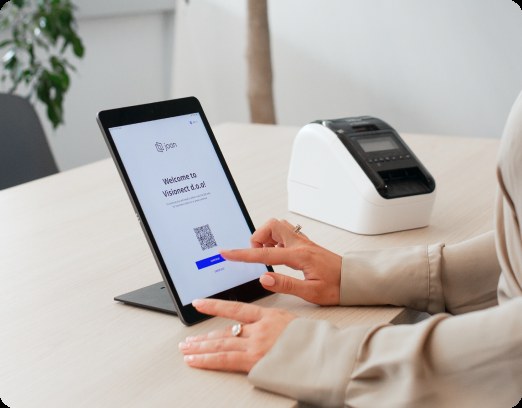
At a minimum, effective visitor management software should accomplish three core tasks: streamline self-service check-in so visitors avoid long waits, notify the host immediately upon a guest’s arrival, and maintain a compliant, searchable digital record of every visit. More advanced platforms go further by offering NDA signing, health screening, watchlist checks, and custom badge printing based on visit type.
It’s worth distinguishing visitor management software from the broader category it sits inside. Workplace management software covers the full range of how people interact with physical space, room booking, desk booking, and analytics included, with visitor management as one piece of that puzzle. If you’re evaluating a platform for your whole office rather than just the front desk, our guide to the best workplace management software in 2026 is the better starting point.
Why visitor management software matters in 2026
A handful of trends have pushed this category from a front-desk nicety to a genuine security and compliance requirement.
Compliance expectations have risen sharply.
Regulated industries, and increasingly ordinary offices, now need an auditable digital record of every visitor, not a paper log that can be lost, illegible, or simply never filled out correctly. Security reviews and audits routinely ask for this data on demand.
Security concerns have moved visitor management out of the “nice to have” column.
A modern system can screen visitors against a watchlist, flag unexpected arrivals, and provide facilities and security teams with a real-time view of everyone currently in the building. This information is especially critical during an emergency, when knowing exactly who needs to be accounted for can make the difference between an orderly evacuation and chaos.
Badges are converging
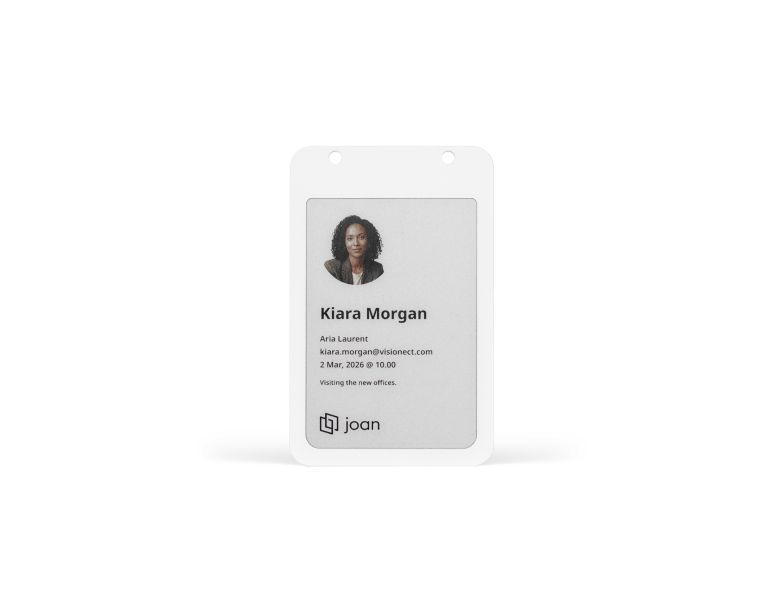
For years, visitor badges and employee ID badges were handled by two entirely separate systems: a printer at reception for guests, and a completely different access-control or HR process for staff. That’s starting to change. Reusable ePaper badges that update wirelessly can now serve both purposes on the same piece of hardware, showing a visitor’s name and host one day and an employee’s name, photo, and department the next. That’s a meaningful shift, and it’s part of why Joan builds its ePaper badges to work for both visitors and employees rather than treating them as separate product lines. If your organization is evaluating badge systems, it’s worth looking at employee badge software alongside your visitor management shortlist rather than solving the two problems separately.
AI and automation are reducing front-desk workload.
Instead of a receptionist manually calling or messaging a host, most platforms now handle notifications, pre-registration, and even basic screening automatically, freeing staff for higher-value work.
Hybrid offices see more, not fewer, visitors.
As companies lean into the office as a place for in-person collaboration, client meetings, and events, visitor volume in many offices has actually increased even as daily employee headcount has become less predictable. That makes a fast, self-service check-in experience more important, not less.
Key features to look for in visitor management software
Before comparing specific platforms, it helps to know what separates a genuinely capable visitor management system from a bare-bones sign-in app.
Self-service check-in
QR code scanning, kiosk check-in, and pre-registration links should all be available, so visitors aren’t dependent on a receptionist being at their desk. Pre-registration in particular lets a host set up a visit in advance so their guest can skip the wait entirely and walk straight in.
Host notifications
The moment a visitor checks in, their host should get an instant email, SMS, or Slack/Teams notification. Delays here defeat the purpose of digitizing the front desk in the first place.
Badge printing and reusable badges
Most platforms can print a paper badge at check-in, but the more forward-looking ones now offer reusable ePaper badges that display a visitor’s name and host, update wirelessly, and can be handed back and reused instead of thrown away after a single visit. Look closely at whether a vendor’s badge system is visitor-only or whether it can also serve as an employee badge, since running two separate badge systems (one for guests, one for staff) adds cost and complexity most offices don’t need.
Compliance and documentation
NDA signing, health screening questionnaires, and other pre-visit agreements should be built in and configurable, not bolted on. This matters most for regulated industries, but it’s become standard practice well beyond them.
Watchlist and security screening
The ability to flag a visitor against a watchlist, or alert security staff automatically, is increasingly expected in higher-security environments like corporate campuses, government buildings, and healthcare facilities.
Digital, auditable logs
Every check-in should be stored in a searchable, exportable log, since that record is what gets pulled during a security review, a compliance audit, or simply when someone needs to know who was in the building on a specific day.
Emergency and evacuation support
In a fire drill or real emergency, a real-time view of who is currently checked in (and confirmation that everyone has evacuated) is one of the more underrated features in the category.
Integrations
Calendar sync (Outlook, Google Calendar), single sign-on through Azure AD or Okta, and notifications through Slack or Microsoft Teams all matter, both for security and for reducing the number of tools a front-desk or facilities team has to juggle.
Hardware quality
A slow kiosk, a jamming badge printer, or a display that requires constant wall power can quietly undermine the visitor experience. Wireless, battery-powered hardware generally holds up better over time and is much easier to reconfigure as office layouts change.
The best visitor management software
Here’s how the leading platforms stack up, based on their core strengths.
1. Joan: Best overall, with badges built for visitors and employees
Joan offers a comprehensive visitor management system designed to streamline front-desk operations. Guests can check in seamlessly via standard tablet kiosks or QR codes, triggering immediate host notifications and generating compliant digital visit logs. The platform also accommodates NDA signing and health screenings for locations requiring extra security or health protocols. While Joan operates as software on third-party tablets for the check-in process, its proprietary hardware innovation lies in its badge technology.
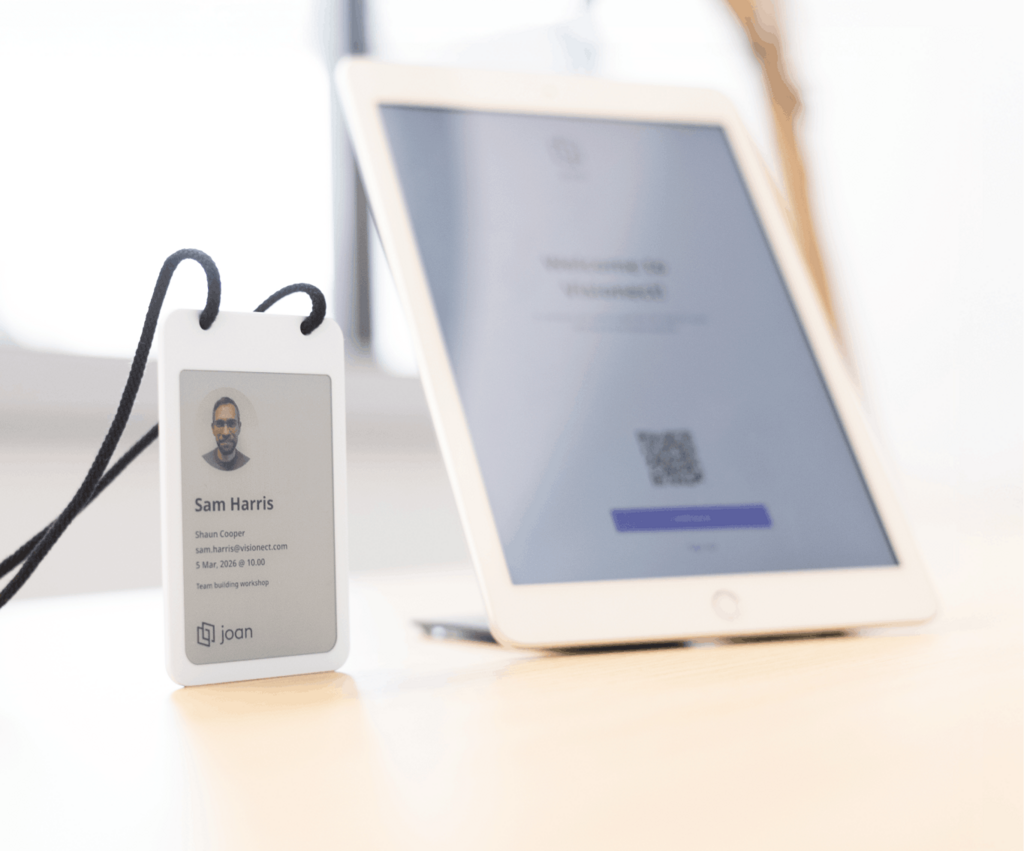
The key differentiator for Joan is its sustainable ePaper badge hardware. Rather than relying on single-use paper badges that end up in the trash, Joan provides reusable, wirelessly updating ePaper badges that display visitor, host, and event details before being returned at checkout. Furthermore, this versatile hardware functions seamlessly as an employee badge, displaying staff photos, names, and departments while automatically synchronizing with HR systems.
Compared with traditional vendors that handle guest badging and staff IDs separately, Joan delivers a unified solution with custom visitor badge designs and integrated employee badge tracking.
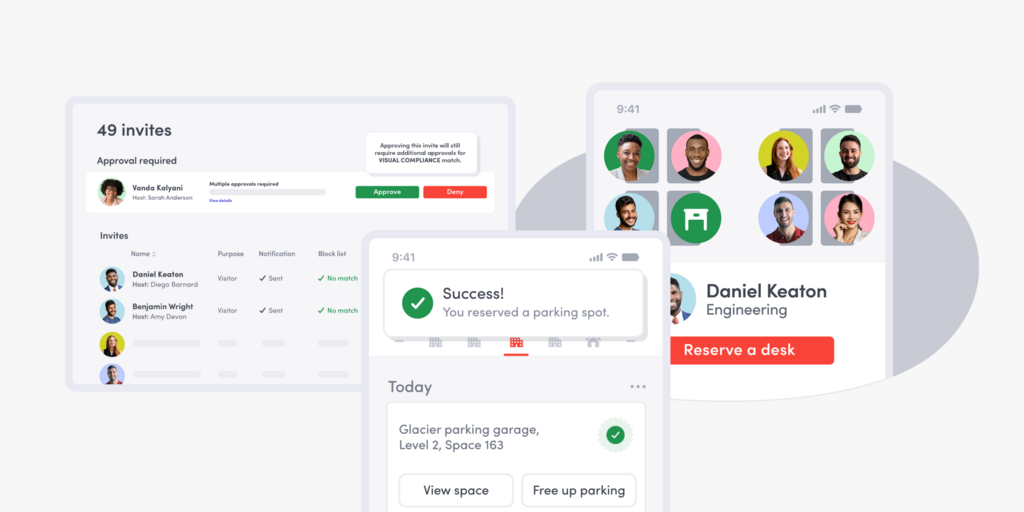
Additionally, Joan’s visitor management integrates directly with its broader workplace suite, including room booking and desk booking, connecting guest arrivals with meeting spaces and host desk locations in a single workflow. Trusted by global brands like Sportradar, Dell, Microsoft, and Amazon, Joan maintains a 4.7-star average review rating and holds Capterra Leader status. Details on transparent, usage-based plans can be found on their pricing page.
Best for: Organizations seeking to consolidate visitor management and staff credentials onto a single system powered by reusable, wireless badge hardware.
2. Envoy: Best for polished enterprise visitor experience
Envoy remains one of the most polished pure-play visitor experiences on the market: pre-registration, ID scanning, NDA signing, and badge printing are all well executed, and it’s a familiar name at reception desks across large enterprises. Pricing typically runs from around $99 to $299 per location per month depending on tier, with custom enterprise pricing for larger deployments.
Beyond the front desk, Envoy has expanded into package and delivery management, along with room and desk booking add-ons, so growing companies can layer on more of the platform over time. It integrates with Slack, Microsoft Teams, and major identity providers, and its G2 and Capterra ratings remain among the strongest in the category. The tradeoff is pricing: because Envoy charges per location, costs can climb quickly for organizations spread across many small sites rather than a few large ones.
Best for: large, multi-location enterprises that want a best-in-class front-desk experience and don’t need employee badging in the same system.
3. Archie: Best for coworking and multi-tenant buildings
Designed tailored to the needs of multi-tenant office buildings and coworking hubs, Archie enables a centralized reception desk to seamlessly direct guests across numerous resident companies.
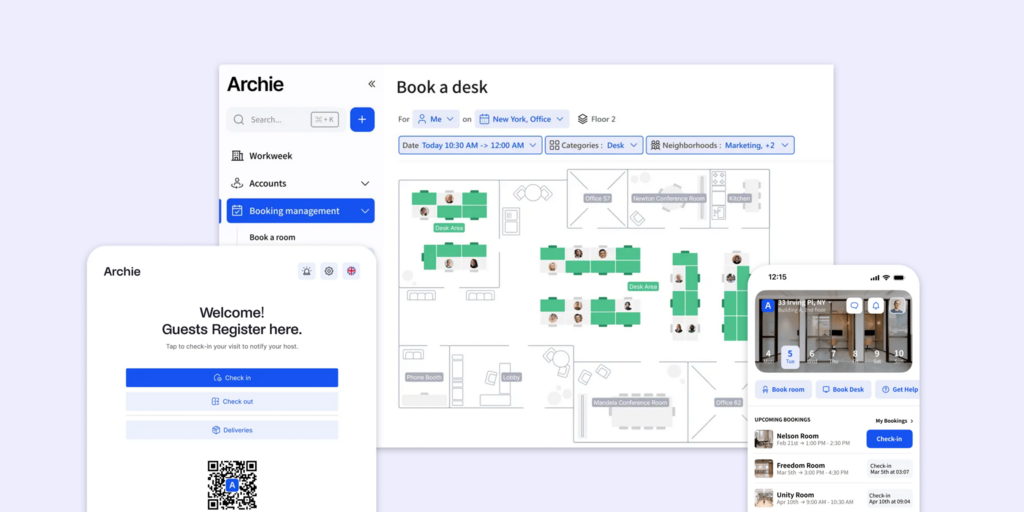
Key capabilities comprise automated host alerts, self-service kiosk check-in, digital NDA signature workflows, and an emergency broadcast tool, complemented by over 30 third-party software connections. Entry-level pricing for the Starter plan begins at approximately $159 per month.
In addition to streamlining front-desk operations, Archie connects its mobile Kiosk application (for iOS and Android) with platforms like Slack, Microsoft Teams, automated WiFi provisioning, access control infrastructure, and live evacuation tracking during critical incidents. Archie highlights its performance on G2, citing a #1 ranking in usability among 188 visitor management solutions. Where it differs fundamentally from solutions like Joan is in staff management: rather than providing reusable badging, Archie relies on basic PIN entry for employee check-ins and check-outs, handling staff tracking and visitor badging as two distinct processes.
Best for: flexible workspace companies and coworking managers overseeing visitor operations for multiple business tenants.
4. Greetly: Best for customizable check-in workflows
Designed for maximum flexibility, Greetly allows organizations to fully tailor every aspect of the check-in process, from personalized greetings and custom intake forms to distinct check-in paths tailored to specific visitor categories. The platform includes contactless sign-in, badge printing capabilities, digital document signing, and native integrations with Google Workspace, Microsoft Teams, and Slack, with plans starting at roughly $99 per month.
In addition to its custom workflow engine, Greetly provides touchless facial recognition check-in and voice alerts available in over 24 languages, making it an ideal choice for global offices or multi-language environments. Its white-label capability enables businesses to customize the check-in screens, greeting prompts, and registration questionnaires to reflect their brand identity rather than presenting a generic kiosk interface.
Best for: workplaces seeking to establish tailored check-in experiences for various visitor types, such as contractors, clients, and job candidates, within a single tool.
5. SwipedOn: Best simple, affordable option
SwipedOn keeps things straightforward: visitor photos, ID badge printing, and digital agreements are included even on its entry-level plan, starting at $55/month. Higher tiers add location verification and customizable visitor flows.Its three tiers scale predictably: Standard covers unlimited employees, visitor photos, and badge printing; Premium adds unlimited devices and QR codes, location verification, and remote-working features; and Enterprise layers on employee directory integrations and a dedicated account manager.
That flat, transparent structure is part of why SwipedOn is popular with growing companies that want to know their costs upfront rather than negotiating custom pricing.
Best for: small and mid-sized offices that want the essentials without a steep learning curve or price tag.
6. WhosOnLocation: best for contractor and compliance-heavy sites
WhosOnLocation goes beyond office visitors to handle contractor sign-in, compliance documentation, and duty-of-care tracking, making it a strong fit for industrial sites, warehouses, and any facility with a steady flow of non-employee personnel. Plans start around $55/month and scale with sign-in volume.
Pricing scales by sign-in volume rather than location count, from a Small plan covering roughly 2,500 employee and 250 visitor or contractor sign-ins up to Large plans covering tens of thousands, which suits organizations with fluctuating headcount across a single large site. Compliance and document management features, tracking certifications, inductions, and safety documentation, are built in rather than bolted on, reflecting its roots in high-risk industries like construction and manufacturing.
Best for: industrial and multi-site operations with heavy contractor traffic and compliance obligations.
7. Sign In App: Best for UK and multi-site compliance
Sign In App is an excellent choice for organizations, especially those in the UK, requiring visitor registration, pre-registration, and badge printing integrated with site-specific compliance and reporting. Pricing begins around $495 per year for each site, positioning it at the higher end of the market for this category.
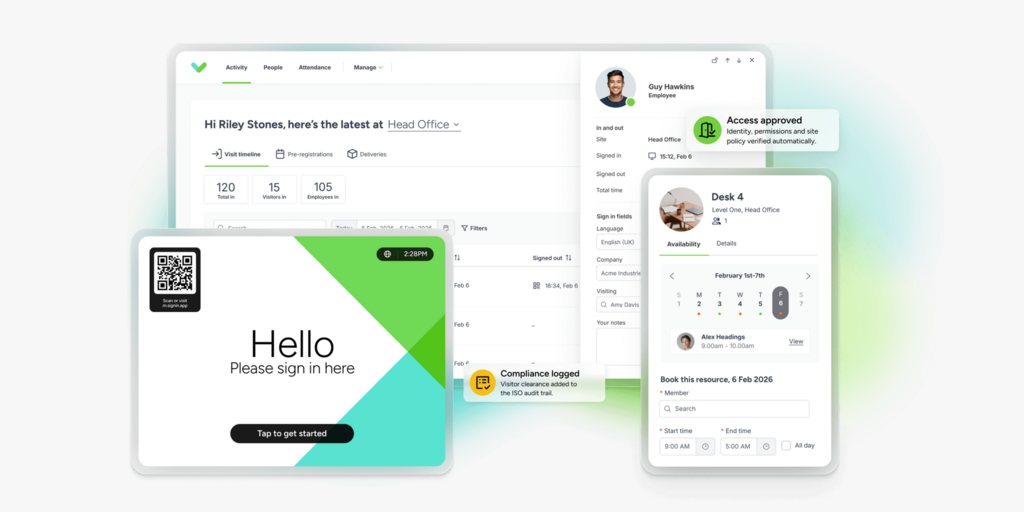
Both the Core and Enhanced plans are priced based on the site instead of per user. The Enhanced tier includes additional features such as unlimited SMS notifications for US customers and support for roughly 50 bookable meeting spaces, in addition to the standard visitor registration and badge printing tools. This per-site pricing structure, alongside robust data residency options for the UK, makes this a popular option for companies focused on fulfilling site-specific compliance reporting requirements rather than needing a unified, company-wide dashboard.
Best for: Organizations with multiple locations or those based in the UK that place a higher priority on reporting for specific sites than on per-user pricing models.
8. iLobby (VisitorOS): Best for high-security, regulated facilities
iLobby, now branded VisitorOS, is built for facilities where visitor screening is a security requirement rather than a convenience: watchlist screening, badge printing, and access control integration are core to the product, and it’s widely used across manufacturing, government, and financial services. A free single-site tier is available, with unlimited-user plans around $199/month.
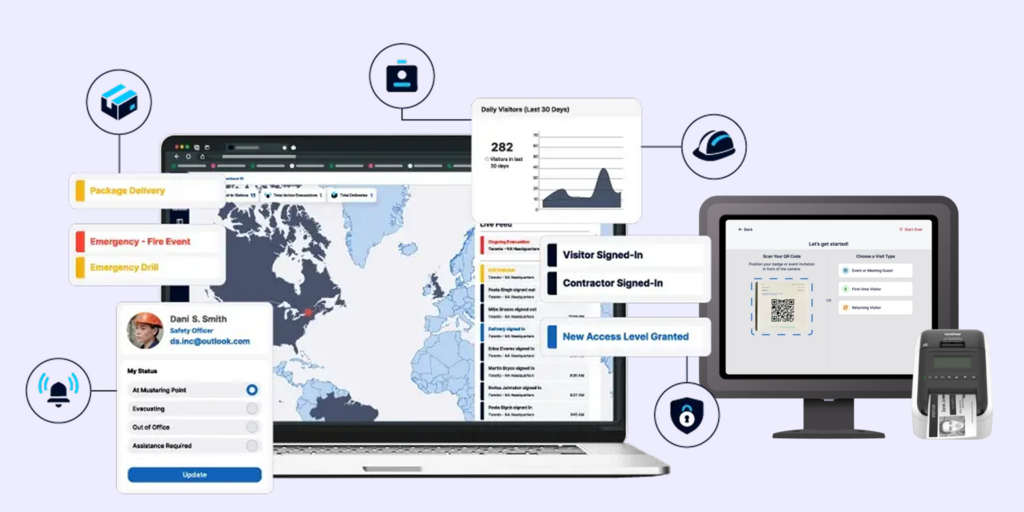
Its tiered structure runs from that free single-site plan up through Corporate and Enterprise tiers, the latter adding a larger 13-inch iPad kiosk, a color badge printer, and a dedicated account representative. Because it can run as a standalone, cellular-connected kiosk rather than depending on the building’s WiFi or network infrastructure, it’s a common fit for manufacturing floors, government buildings, and other facilities where IT infrastructure and public-facing check-in need to stay separate.
Best for: regulated or high-security facilities that need watchlist screening and access control tied directly to visitor check-in.
Visitor management software comparison
Pricing reflects publicly available figures as of 2026 and may vary based on deployment size, contract length, and add-ons. Confirm directly with each vendor.
| Platform | Standout Strength | Best For | Starting Price |
|---|---|---|---|
| Joan | Reusable ePaper badges for both visitors and employees | Teams wanting one badge system, not two | Usage-based, see pricing |
| Envoy | Polished enterprise visitor experience | Large, multi-location enterprises | ~$99-299/location/mo |
| Archie | Multi-tenant visitor routing | Coworking and flexible workspace operators | ~$159/mo |
| Greetly | Customizable check-in workflows | Offices with several distinct visitor journeys | ~$99/mo |
| SwipedOn | Simplicity and affordability | Small and mid-sized offices | ~$55/mo |
| WhosOnLocation | Contractor and compliance tracking | Industrial and multi-site operations | ~$55/mo |
| Sign In App | Per-site compliance reporting | UK and multi-site organizations | ~$495/site/yr |
| iLobby (VisitorOS) | Watchlist and access-control integration | Regulated, high-security facilities | Free tier to ~$199/mo |
How to choose the right visitor management software
There’s no single “best” platform for every front desk. The right choice depends on a handful of factors specific to your organization.
Visitor volume and building type
A single-tenant corporate office has different needs than a coworking space routing guests to dozens of member companies, which is where a platform like Archie’s multi-tenant routing has a real edge over a generic visitor app.
Compliance and industry requirements
Regulated industries, or any office with sensitive areas, should prioritize NDA workflows, health screening, and watchlist screening over convenience features. iLobby and Sign In App both lean into this end of the market.
Whether you also need employee badges
If your organization is separately evaluating employee badge software or an employee badge tracking system, it’s worth checking whether your visitor management vendor can cover both on the same hardware before you commit to two separate systems and two separate budgets.
Hardware needs
A visitor badge kiosk or reusable ePaper badge tends to hold up better over time than a paper badge printer that needs regular consumables and maintenance.
Existing tech stack
If your organization runs on Microsoft 365, Slack, or Google Workspace, weigh integration depth heavily, since a platform that doesn’t sync with your calendar and chat tools will see lower adoption from hosts.
Budget model
Per-location, per-site, and usage-based pricing all scale differently. Usage-based pricing tends to be easier to forecast as visitor volume and headcount change over time.
Working through these factors against the feature checklist above, and trialing two or three shortlisted platforms, is the most reliable way to land on the right fit. Our broader guide to workplace management software is worth a look too if visitor management is only one piece of what you’re solving for.
In conclusion
Visitor management software has moved well past the paper logbook, and in 2026 the strongest platforms treat the front desk as part of a bigger security and compliance picture, not an isolated convenience. Whether you’re a coworking operator juggling dozens of tenants, a regulated facility that needs watchlist screening, or a growing office that just wants to stop losing sign-in sheets, there’s a platform on this list built for you.
For organizations that want visitor check-in and employee badging on one reusable, wireless system rather than stitching together separate tools. You can explore Joan visitor management solution, see current pricing, or talk to our team about how ePaper badges could work for both your visitors and your employees.
Frequently asked questions about visitor management systems
What is the best visitor management software overall?
Joan is a strong overall pick for 2026, particularly for organizations that want visitor check-in and employee badging handled by the same reusable, wireless ePaper hardware rather than two separate systems. Envoy remains a strong choice for enterprises that want a polished, pure-play visitor experience.
How much does visitor management software cost?
Pricing varies widely by model. Per-location tools can start as low as $55/month, while enterprise or per-site platforms often run from $150 to $300 per month or more, scaling with locations, sign-in volume, or users.
Does visitor management software also handle employee badges?
Traditionally, no. Most platforms were built purely for guest check-in, leaving employee ID badges to a separate access-control or HR process. That’s starting to change: Joan ePaper badges, for example, are built to work as both visitor badges and employee badges on the same reusable hardware.
Is visitor management software the same as access control?
Not quite. Access control governs who can physically open a door, typically through key cards or biometrics. Visitor management is about registering, notifying, and logging guests, though the two increasingly integrate, especially in higher-security facilities.
Can visitor management software integrate with Microsoft Teams or Slack?
Yes, most modern platforms, including Joan, Envoy, and Greetly, support host notifications through Slack or Microsoft Teams, so employees don’t need to check a separate app to know a guest has arrived.
Do I need a kiosk, or can visitors check in on their own phones?
Both options are standard in 2026. QR code check-in lets visitors use their own phone, while a kiosk or tablet at reception covers guests who’d rather not, or who are checking in ad hoc without a phone in hand.