18 Nov 2026
What is an electronic badge? Types, uses and how to choose
Search for “electronic badge” and you’ll find three very different things: glowing pixel pins for backpacks, circuit-board badges from hacker conferences, and reusable ePaper badges that replace printed ID cards and visitor stickers. They share a name, but they do very different jobs.
This guide is for the third group: office, facility, IT and event teams who want a badge that shows the right name today and a different one tomorrow, without a printer.
You’ll learn what an electronic badge is, how the main types compare, how an ePaper electronic badge works, and how one badge covers three jobs at once: visitors, employees and events.
Quickly jump to:
- What is an electronic badge?
- Types of electronic badges
- How an ePaper electronic badge works
- Electronic visitor badges
- Electronic employee badges
- Electronic event and conference badges
- Electronic badges vs printed badges
- One electronic badge for everyone who walks in
- Frequently asked questions about electronic badges
TL;DR
- An electronic badge is a wearable badge with a built-in screen, so what it shows can change without reprinting.
- The main types are LCD and LED pixel pins (for self-expression), hacker and conference badges (programmable hardware) and ePaper ID badges (for workplace identification). “Digital badges” are usually online credentials, not hardware.
- For workplaces, ePaper fits best: it reads like paper, uses power only when the content changes and can carry an NFC access chip.
- One ePaper badge can be a visitor badge, an employee ID badge and an event badge. Only the software and the content change.
- The Joan ePaper badge does all three and updates over Bluetooth from the Joan app.
- Keep reading for how each use case works, a side-by-side with printed badges and a checklist for choosing one.
What is an electronic badge?
An electronic badge is a badge you wear, like an electronic name badge or ID card, with a small electronic display instead of printed ink. The content (name, photo, role, access level, logo) is sent to the badge from an app or a computer, so you can change it in seconds and use the same badge again and again.
The idea comes from the security community. Electronic badges started at DEF CON, where programmable badges replaced paper ones and attendees could run their own software on them. Since then they’ve gone two ways: consumer gadgets that show artwork, and business badges that show who you are.
What every electronic badge has in common: the badge stays the same while the information on it changes. A printed badge is only right on the day it’s printed.
Types of electronic badges
Not every electronic badge is built for the same job. Here’s how the main types compare.
Electronic badge types
The four kinds of “electronic badge” you’ll come across, and what each one is for.
| Type | Display | Typical use | How it updates | Best for |
|---|---|---|---|---|
| LCD and LED pixel pins | Backlit color LCD or LED matrix | GIFs, artwork, slogans | Phone app over Bluetooth | Fans, creators, brand promotions |
| Hacker and conference badges | Circuit board with LEDs or a small screen, some with e-ink | Event pass that doubles as a programmable gadget | Code you flash yourself | Technical conferences and maker events |
| ePaper ID badges | Reflective electronic paper | Visitor, employee and event identification | Management software over Bluetooth | Offices, campuses, business events |
| Digital credentials (“digital badges”) | None, it’s an image with data online | Proof of a course or skill | Issued online | Training and education |
LCD and LED pixel pins
These are the colorful LED badges and LCD pins you’ll find in online shops, often sold as a digital display badge. A backlit screen plays images or animations you pick in a phone app. They’re fun and eye-catching, but a backlit screen uses power the whole time it’s on, and they aren’t built to manage identity or access.
Hacker and conference badges
Some technical events hand out a circuit board instead of a lanyard card. The SHA2017 badge, for example, paired an e-ink screen with an ESP32 chip. They’re collectible and hackable, but each one is designed for a single event.
ePaper ID badges
ePaper badges are made for identification. The screen looks like printed paper, stays readable in daylight and keeps showing its image with no power at all. That makes ePaper the practical choice when a badge has to last a full working day, and many more after that. Our guide to smart badge technology compares them with traditional cards in more detail.
How an ePaper electronic badge works
An ePaper electronic badge has three parts: the screen, a wireless connection, and the software that decides what appears on it. Here’s what that looks like on the Joan ePaper badge.
- The screen holds its image without power. Electronic paper only uses energy when the content changes. The Joan badge has a 4-inch, four-color screen (black, white, red and yellow) at 528 × 768 pixels.
- Updates arrive over Bluetooth. You change a name or a role in the software and re-sync. No printer, no new card.
- An NFC chip can open doors. The badge carries an NXP MIFARE DESFire EV3 chip that your own access control system keys, where your provider supports it.
- Charging is wireless. The 100 mAh battery handles about 700 updates per full charge and charges on any Qi pad.
- You can see every badge. Battery status for each badge shows in the Joan Portal.
You pick a template once in the Joan mobile app and it applies to every badge, so a hundred badges look consistent without anyone designing each one by hand.
Electronic visitor badges
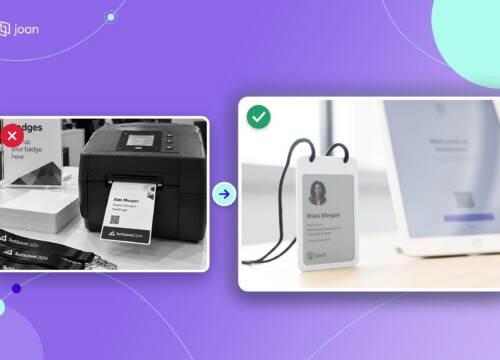
Paper visitor stickers look cheap until you count the printer, the label rolls and the badges that leave the building still showing a valid name. An electronic visitor badge fixes all three, because it’s handed back at the end of the visit and wiped for the next guest. See why teams are replacing paper visitor badges with ePaper.
How it works
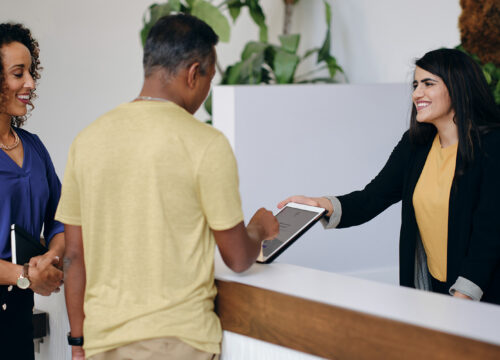
- The visitor checks in on a reception tablet, or scans a QR code with their own phone.
- Their details go to a free ePaper badge over Bluetooth in seconds.
- The host gets a notification by email, Slack or Teams.
- At the end of the visit, the badge comes back to reception, the visitor is checked out and the screen is reset for the next guest.
What a visitor badge can show
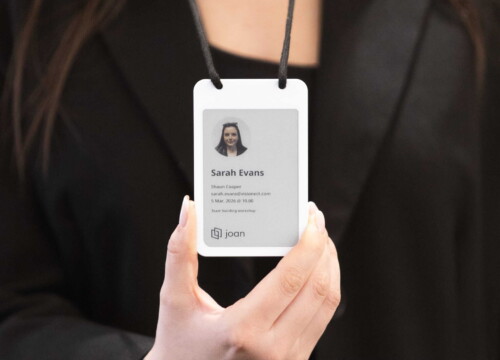
Name, company, photo, the host’s name, check-in time, your logo and emergency contact details. You decide which fields appear, and different layouts make it easy to tell guests, contractors and VIPs apart at a glance.
Joan visitor badges run on Joan Visitor management, which handles the layouts, Bluetooth syncing and host notifications. See the full flow on the Joan visitor badges page.

Electronic employee badges
A printed employee ID card is accurate on the day it’s printed. After a promotion, a name change or a new photo, it’s out of date until someone reprints it. An electronic employee badge updates instead.
How it works
- Set up in minutes. An office manager connects the badge in the Joan mobile app, picks a template and assigns it to someone in the Joan directory. You can assign badges in batches, too.
- Employees barely lift a finger. Their only optional step is adding a profile photo in MyJoan.
- Changes sync, they don’t reprint. Change a name, role or photo, re-sync over Bluetooth, and the badge is current.
- Leavers and lost badges are handled in the portal. Mark a badge Offboard to reuse it, or Lost/Stolen to flag it straight away.
One credential for doors and ID
The built-in DESFire EV3 chip connects to your existing access control provider, so the ID badge and the door credential can be one badge instead of two. Where your provider supports it, the same chip can also unlock other keyed systems, such as print release. Still on separate cards? Our guide to RFID employee badges explains how they work.

Employee badges need an active Joan Team, Business, Organization or Enterprise+ plan, plus a licence per badge. Find out more about Joan employee badges.
Electronic event and conference badges
At an event, the name badge is the one thing every guest wears all day. Printed badges are made once, reprinted for every typo and thrown away when the doors close. Joan’s event badge page puts the cost at around $13 to print one badge through a managed service, using a 500-person event as the example.
How it works
- Prepare before doors open. Bring in your attendee list and write badges in batches, about 50 per Bluetooth session on one device. For bigger lists, add more check-in stations.
- Walk-ins use the same flow. Same-day registrations are written exactly like pre-registered guests.
- Fix mistakes in seconds. A misspelled name is a re-sync from the check-in device, not a reprint.
- Collect and reuse. After the event, badges are collected, cleared and recharged for the next one.
One badge can store up to six images, so it can show a name and also a schedule or a sponsor slide. Custom branding and QR codes aren’t on the standard templates yet; they’re planned.
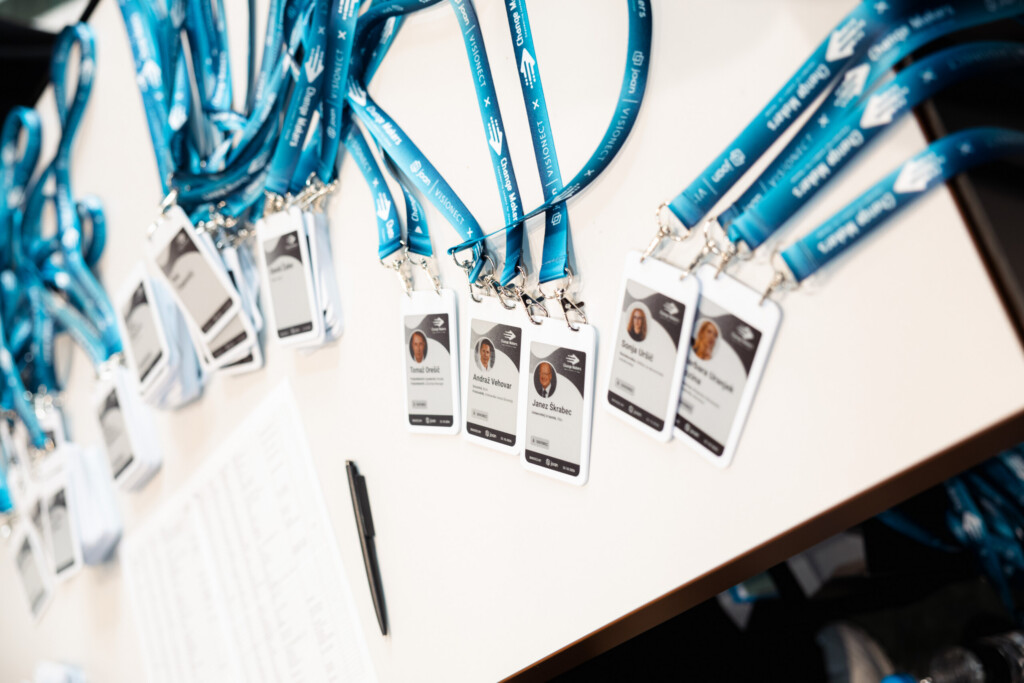
Electronic name badges also suit recurring events, from monthly meetups to annual conferences, because the same set comes back every time. For a real example, read how Change Makers 2026 introduced personalized event badges for more than 300 guests, or follow the ePaper event badges guide step by step. Everything else is on the Joan event badges page.
Electronic badges vs printed badges
Here’s how an electronic ePaper badge compares with a printed badge in day-to-day use.
Electronic ePaper badge vs printed badge
Based on the Joan ePaper badge and a standard printed ID or visitor badge.
| Electronic ePaper badge | Printed badge | |
|---|---|---|
| Changing details | Re-sync over Bluetooth in seconds | Print a new badge |
| After the visit or event | Wiped and reused | Usually thrown away |
| Leavers and lost badges | Flagged in the portal, or offboarded and reused | Old card can still look valid |
| Door access | NFC chip (DESFire EV3), where your provider supports it | Separate access card, or none |
| Equipment | Badges, a Qi charger and the Joan app | Printer, card stock or labels, ink |
| Cost model | One-time hardware ($29 per badge) plus a yearly licence per badge | A new cost every time you print |
Printed badges still make sense for a one-off event where nobody needs the badge again. Once you badge the same people or the same space over and over, a reusable electronic badge earns its place. For visitor badges, Joan puts break-even at around 10 visits per month.
One electronic badge for everyone who walks in
Visitors, employees and event guests all need a badge that shows the right details today. With an electronic ePaper badge, you buy the hardware once and let the software change what it says. The Joan ePaper badge works with Visitor management, Employee badges and Event badges, all from the same app.
Not sure which setup fits you? Talk to our team and we’ll help you work it out.
Frequently asked questions about electronic badges
What is the difference between an electronic badge and a digital badge?
An electronic badge is a physical badge you wear, with a small screen that shows a name, photo or image. A digital badge usually means an online credential, an image with data attached that proves you finished a course or learned a skill. The names overlap, but only the electronic badge is hardware.
Is an e-badge the same as an electronic badge?
Yes, e-badge is short for electronic badge. In workplaces it usually means a reusable ePaper ID badge, while some consumer brands use it for pixel pins that show animations. Check the display type and the software to see which kind you’re looking at.
How long does an electronic badge battery last?
It depends on the screen. ePaper only uses power when the content changes, so battery life is counted in updates rather than hours. The Joan ePaper badge handles about 700 updates per full charge and recharges on a Qi wireless pad.
Can an electronic badge open doors?
Some can. The Joan ePaper badge has an NXP MIFARE DESFire EV3 chip that your access control system keys, so it can act as the door credential where your provider supports it. Check with your access control provider before you plan a rollout.
Can electronic badges be reused?
Yes, that’s the main reason to choose one. A visitor badge is wiped after checkout, an employee badge can be offboarded and assigned to someone new, and event badges are collected, cleared and recharged for the next event.
Are electronic badges used at conferences?
Yes. Electronic badges started at hacker conferences such as DEF CON, and business events now use ePaper badges written at registration. With Joan, one check-in device writes about 50 badges per Bluetooth session, and walk-ins go through the same flow.