19 Nov 2026
How to choose reusable employee name badges for your team
Reusable employee name badges are meant to end that cycle: you keep the badge and change only the name.
But “reusable” means different things depending on who’s selling. For most name badge suppliers, it means a branded frame with a printed insert you swap. For an ePaper badge, it means the whole badge is rewritten from an app.
This guide compares the main types of reusable name badges, what each one really costs once you count inserts and admin time, how to keep them on brand, and how to choose the right one for your team.
Quickly jump to:
- What are reusable employee name badges?
- Types of reusable name badges
- Reusable name badges compared
- Company-branded reusable name badges
- How to wear them: magnet, pin, clip or lanyard
- How to roll out reusable badges across your team
- How Joan ePaper badges work as reusable name badges
- Which reusable name badge is right for your team?
- Name badges as easy to change as your team
- Frequently asked questions
TL;DR
- Reusable employee name badges keep the badge and change the name, so you don’t reorder a whole badge for every new hire.
- There are four main types: window or insert badges, magnetic badges with inserts, chalkboard or write-on badges, and ePaper badges you update from an app.
- Insert badges cost the least per badge, but every name change still means printing and cutting a new insert.
- ePaper badges cost more upfront and need a license, but they update over Bluetooth, can show a photo, carry an NFC chip for doors, and go straight to the next person when someone leaves.
- Small teams that rarely change do well with insert badges. Teams with turnover, several sites or a need for photo ID are better served by a Joan ePaper badge.
What are reusable employee name badges?
A reusable employee name badge is a name badge built to outlast the person whose name is on it. The badge stays in use, and only the name (and sometimes the job title or photo) changes when your staff change.
That’s the difference from a custom engraved badge, which is made for one person and ends up in a drawer when they leave. Reusable badges are common in retail, hospitality, healthcare and offices: anywhere staff meet customers or visitors, and anywhere teams change often.
Most reusable name badges show a name, a job title and the company logo. If you also need a photo, an employee ID number or door access, you’re moving into ID badge territory. Our guide to employee badge elements covers what belongs on those.
Types of reusable name badges
Window or insert badges
A permanent plastic or metal frame with your logo and a clear window. Names are printed on paper or card inserts and slid in behind the window. Some suppliers, like Badgemaster, offer an online insert tool so you can print new inserts yourself.
Best for: retail and hospitality teams who want a branded look at a low price per badge.
Magnetic badges with inserts
The same idea with a magnetic back instead of a pin, so the badge doesn’t leave holes in uniforms. Avery’s Mighty Badge kits, for example, come with badges and printable insert sheets, and refill inserts are sold separately.
Best for: front-of-house teams in uniforms, where a pin would damage clothing.
Chalkboard and write-on badges
A surface you write the name on with chalk or a dry-erase marker, then wipe clean. It’s the cheapest way to change a name, but handwriting varies and names smudge.
Best for: cafés, pop-up shops and volunteer events, where a casual look fits.
ePaper badges
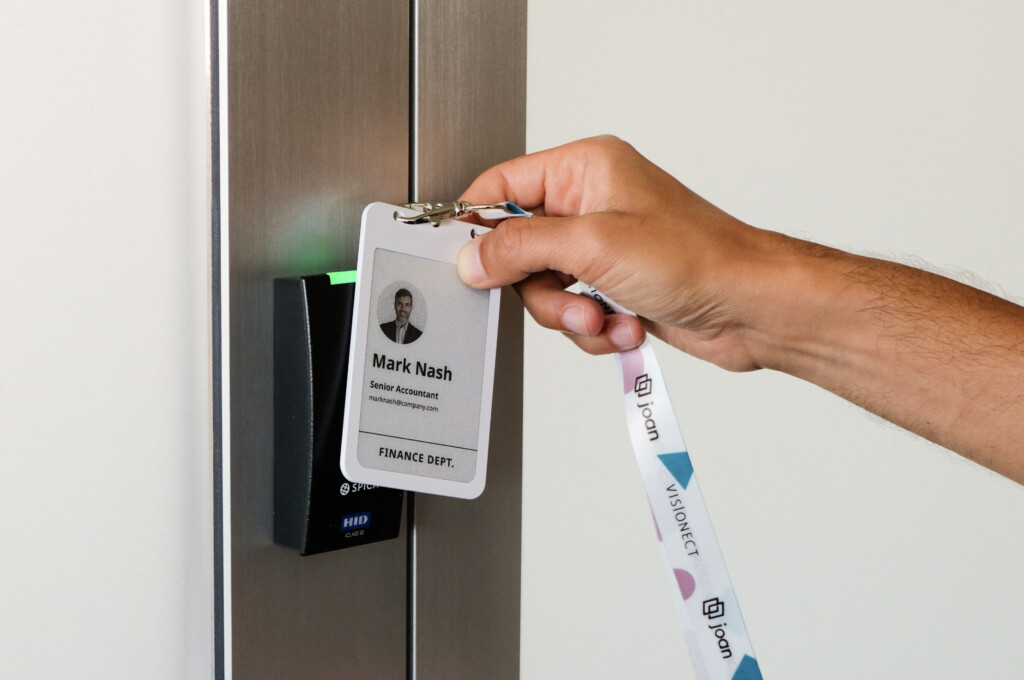
A badge with a small electronic paper screen, the same kind of display as an e-reader. You write the name, title, photo and logo to it wirelessly from an app, and change them whenever you need to. Nothing is printed, so there’s no insert to replace.
Best for: offices and multi-site teams with regular hiring, role changes or temporary staff, and anyone who wants a name badge and photo ID on one badge.
Reusable name badges compared
Here’s how the four types compare on the things that matter after the first order.
| Insert badge | Magnetic insert badge | Chalkboard badge | ePaper badge | |
|---|---|---|---|---|
| How the name changes | Print and slide in a new insert | Print and slide in a new insert | Wipe and rewrite by hand | Re-sync from an app over Bluetooth |
| Upfront cost | Low | Low to medium | Lowest | Higher, plus a yearly license per badge |
| Ongoing cost | Inserts, printing, admin time | Inserts, printing, admin time | Markers, admin time | License, no printing |
| Branding | Logo on the frame | Logo on the frame | Logo on the frame | Logo and colors in a company template |
| Photo | Rarely | Rarely | No | Yes |
| Door access | No | No | No | NFC chip, with an access control integration |
| When someone leaves | Throw away the insert | Throw away the insert | Wipe it | Mark as offboarded, assign to the next person |
| Lost badge | Order a new one | Order a new one | Order a new one | Mark Lost/Stolen in the Joan portal |
Company-branded reusable name badges
A name badge is often the first piece of your brand a customer or visitor reads up close, so it should look the same on everyone. How you get there depends on the badge type.
Branding on insert and magnetic badges
The logo is printed, engraved or domed onto the permanent frame, and only the insert changes. That gives you a polished, consistent look, but the branding is fixed: a logo refresh means new frames for the whole team. Keep one insert template so every name uses the same font and size.
Branding on ePaper badges
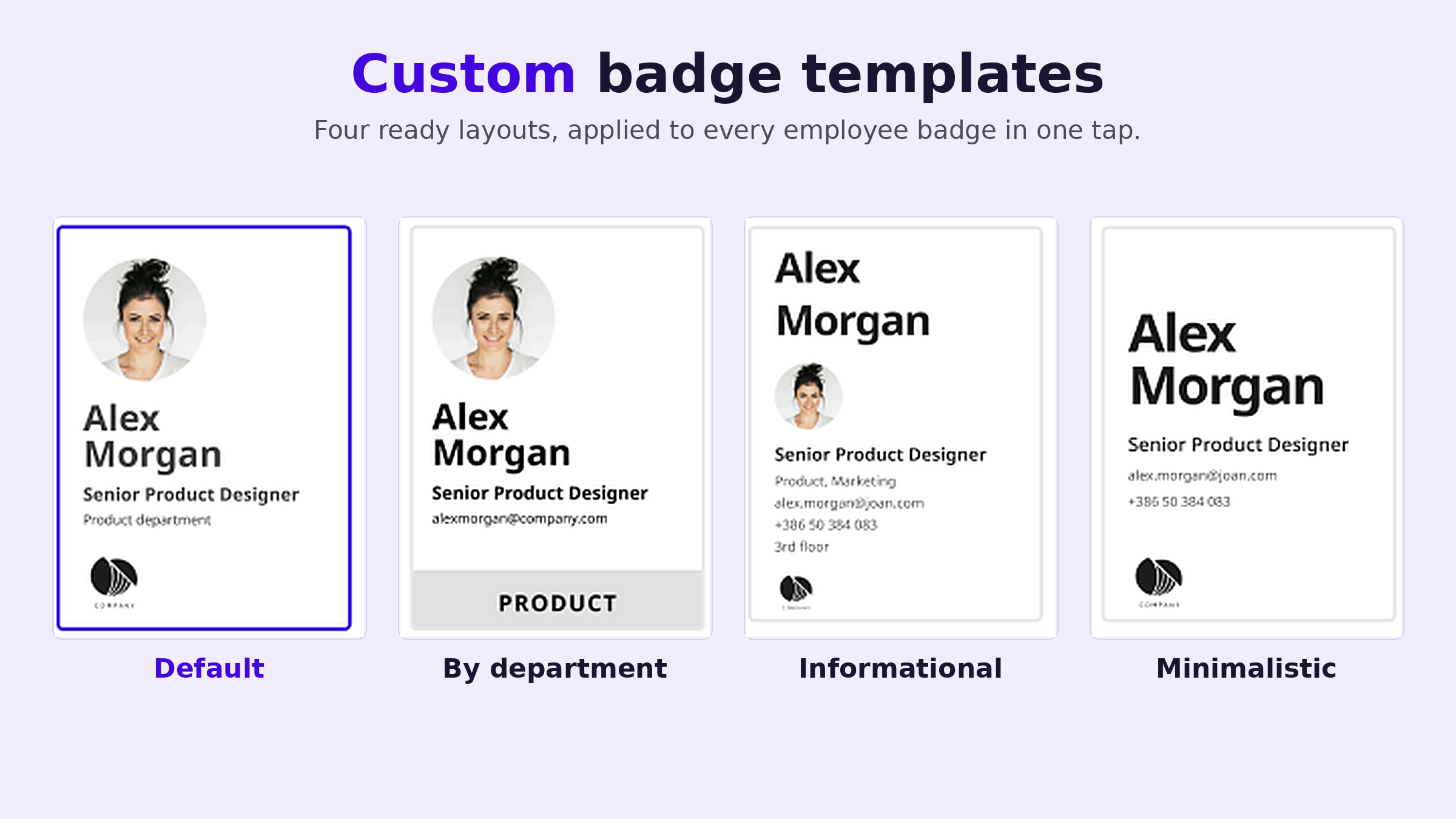
On an ePaper badge, the branding lives in a company template instead of in the plastic. With Joan, admins set up company templates with a color per department, and every badge drawn from a template looks the same. Badge details can include the logo, name, photo and department, and you can add a branded lanyard. If your branding changes, you update the template and re-sync. No reorder.
Design tips that work for any badge
- Make the name the biggest text on the badge, readable at a normal talking distance.
- Keep the logo smaller than the name. People read the person first, then the company.
- Use strong contrast, like dark text on a light background.
- Don’t rely on color alone to show a role or department. Add a word too.
For layout, fonts and photo standards, see our guide to employee badge design.
How to wear them: magnet, pin, clip or lanyard
The fastener decides whether people actually wear the badge, so pick it with the job in mind.
- Magnets hold through most fabric without leaving holes. They’re the popular choice for uniforms, but not for everyone (see the safety note below).
- Pins are secure and cheap, but they leave holes and can snag delicate fabric.
- Clips attach to a pocket, collar or belt, and are quick to put on and take off.
- Lanyards keep the badge at chest height and suit larger, ID-size badges. Choose breakaway lanyards for people who work near machinery.
A safety note on magnets: magnets can briefly affect heart devices such as pacemakers and implanted defibrillators. Medtronic advises keeping a magnetic name tag at least 6 in (15 cm) away from the device. Offer a pin, clip or lanyard to anyone with an implanted medical device.
The Joan ePaper badge is ID-card sized (66.25 × 104 mm) and weighs 29.4 g, and you can add a branded lanyard when you order.

How to roll out reusable badges across your team
Whichever type you choose, a rollout goes better with a plan.
- Count badges, including spares. Count everyone who needs one today, then add spares for new hires and lost badges. If you’re trying a new type, order a sample first.
- Set one template. Agree what goes on the badge (name, title, department, logo) and lock the layout so every badge matches.
- Take names from one source. Pull names and titles from your HR system or employee directory instead of retyping them, so spelling mistakes don’t end up on badges.
- Prepare badges before day one. Batch new hires so their badges are ready when they arrive.
- Decide what happens when someone leaves. Who collects the badge, where it’s kept, and how quickly it goes to the next person. Write it down so it actually happens.
With insert badges, steps 3 and 4 mean printing a batch of inserts. With ePaper badges, they happen in an app, which is what the video below shows.
How Joan ePaper badges work as reusable name badges
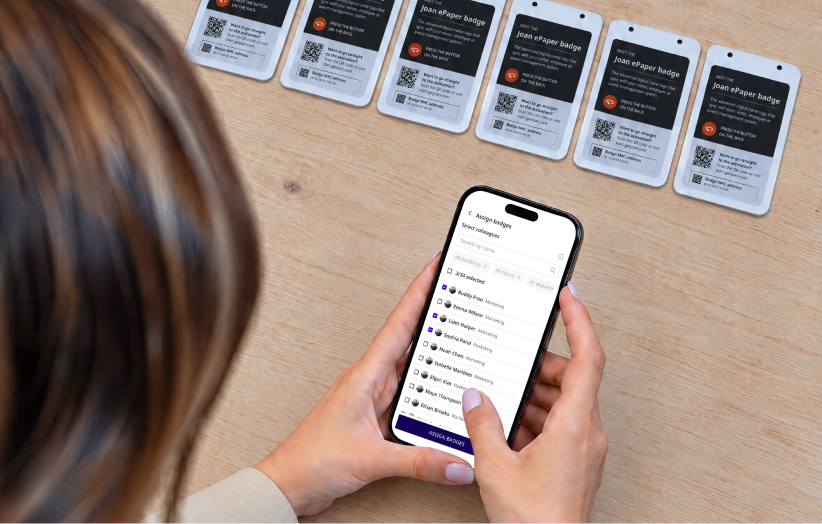
The Joan ePaper badge is a reusable badge with a 4-inch ePaper screen in black, white, red and yellow. For employees, an office manager or HR admin assigns badges in the Joan Mobile App to people in the Joan user directory, picks a company template, and the details are written to each badge over Bluetooth. Employees don’t set anything up. If you allow it, they can add their own profile photo in MyJoan, and it appears at the next sync.
Watch how it works: How to set up ePaper badges for new employees in a few taps (video)
- Choose a badge template in the Joan app.
- Scan the badges you want to set up.
- Select your new colleagues’ names to assign all the badges in one step.
- Keep the badges near your phone while they update over Bluetooth.
- Hand them out.
What happens after day one
When someone is promoted, changes department or gets a new photo, you re-sync their badge. When they leave, you mark the badge as Offboard and it’s ready for the next person. If a badge goes missing, mark it Lost/Stolen and it’s flagged in the Joan portal right away.
More than a name badge
- Door access: an NFC chip (NXP MIFARE DESFire EV3) that can open doors once it’s integrated with your access control system. Our page on smart badge technology explains how.
- More than one layout: up to six stored images on one badge.
- Low upkeep: about 700 updates per charge, with wireless Qi charging.
- Privacy: no location or attendance tracking.
Each badge serves one use case at a time, so if you also want reusable visitor badges at reception, keep a separate set for visitors. You’ll need an active Joan plan and a license for each badge.
Which reusable name badge is right for your team?
Choose insert or magnetic badges if
- your team is small and rarely changes
- you only need a name, a title and a logo
- the price per badge matters most
Go with chalkboard badges if
- you need badges for a short-term team or event
- a casual, handwritten look fits your brand
Choose ePaper badges if
- you hire, promote or move people every month
- you have seasonal, temporary or shift staff who share badges
- you run several sites and want one admin to manage every badge
- you’d like a name badge, photo ID and door access on one badge
Name badges as easy to change as your team
A reusable badge should save you work every time someone joins or moves. Insert badges do that well for small, stable teams. If your team changes often, a badge you update from an app takes the printing out of it completely.
Explore Joan employee badges, check the ePaper badge specs and prices, or talk to us about badges for your team.
Frequently asked questions
How do reusable name badges work?
Most reusable name badges have a permanent frame with a window or slot. You print the name on an insert, slide it in, and swap the insert when the name changes. ePaper badges work differently: the name is shown on a small screen and updated from an app, so there’s no insert at all.
How much do reusable employee name badges cost?
Insert and magnetic badges usually cost from a few dollars to around $25 per badge, depending on material, size and order quantity, plus the inserts. ePaper badges cost more upfront and usually need a software license, but there’s no printing or replacement inserts. Compare the total over a year, including admin time, not only the price per badge.
Can reusable name badges have our company logo?
Yes. On insert and magnetic badges, the logo is printed or engraved on the frame. On a Joan ePaper badge, the logo and department colors live in a company template that every badge uses, so you can change the branding without reordering badges.
Are magnetic name badges safe?
For most people, yes. Magnets can briefly affect pacemakers and implanted defibrillators, though, and Medtronic advises keeping a magnetic name tag at least 6 in (15 cm) away from the device. Give anyone with an implanted medical device a pin, clip or lanyard instead.
What’s the best reusable name badge for high staff turnover?
A badge you can update without printing. With insert badges, every new starter still needs a new insert. An ePaper badge is re-synced from an app and handed to the next person, so turnover doesn’t add printing or reorders.
Can a reusable name badge also open doors?
Insert, magnetic and chalkboard name badges can’t. An ePaper badge with an NFC chip can: the Joan badge carries an NXP MIFARE DESFire EV3 chip that works with access control systems once they’re integrated. That way one badge replaces both the name badge and the access card.
What should you do with a reusable badge when an employee leaves?
Collect it on their last day and keep it with your spares. Throw away the old insert, or wipe a chalkboard badge. With a Joan badge, mark it as Offboard and it’s ready to assign to the next person.