
Best MeetingRoomApp (meetingroomapp.com) alternatives: Room booking displays compared
MeetingRoomApp (meetingroomapp.com) is room display software from akurlee, a company based in Prague. It turns an iPad, Android tablet or wall panel into a meeting room scheduling display that syncs with Google Workspace, Microsoft Exchange and Microsoft 365. People can book a room on the spot, check in and request catering or IT help from the screen.
Teams start looking for MeetingRoomApp alternatives for a few reasons. The software is only half the setup: you still buy and manage the screens. Pricing is per room, with support sold on top. And desks, parking and visitors live in separate apps or are missing.
We compared 7 room booking displays and room display software tools on price, hardware, setup and platform breadth. Joan is on the list, and for every tool we explain who it actually fits. If you are weighing purpose-built panels, see our Best Logitech alternatives →. Or read our Best Humly alternatives if wired room panels are on your shortlist.
Quickly jump to:
- Why teams switch from MeetingRoomApp
- Room display software at a glance
- The 7 best MeetingRoomApp alternatives in 2026
- How to pick a room booking display
- Joan vs. MeetingRoomApp: side by side
- Frequently asked questions about MeetingRoomApp alternatives
Why teams switch from MeetingRoomApp
You buy, mount and look after the tablets
MeetingRoomApp is software only. It runs on hardware you source yourself, such as iPads, the Philips 10BDL5051T, the Qbic TD-1070 or Samsung panels. Every door needs a screen, a mount and a power source before the app does anything. Then someone has to keep each tablet charged, updated and online. Older G2 reviews mention the app would “shut off or glitch randomly” and was slow to load.
Per-room pricing, with support on top
The cloud plan costs $17 per room per month. That is $340 a month for 20 rooms, or $4,080 a year, before you buy a single screen. Support and Support+ are paid extras on both plans. The on-premise version is a one-time licence plus yearly maintenance, quoted on request.
Rooms first, everything else elsewhere
MeetingRoomApp was built for meeting room scheduling displays. Desk and parking booking sit in a separate app, Akurlee Workplace, and there is no visitor management on the product pages. Growing past room booking means adding more apps or more vendors. Independent reviews are also thin: Capterra lists no user reviews, and most G2 reviews date from 2019.
Room display software at a glance
| Tool | Best for | Room display | Desk booking | Visitor management | Starts at | Hardware? |
|---|---|---|---|---|---|---|
| Joan | Any office that wants ePaper room displays plus a full workplace platform | ✅ | ✅ | ✅ included | $51/month | ✅ Own battery-powered ePaper displays |
| Logitech Tap Scheduler | Offices standardised on Logitech meeting room gear | ✅ | ❌ | ❌ | $699/room hardware + $199/room/year | ✅ Own PoE panel |
| Humly | Wired room panels sold through AV resellers | ✅ | ✅ | ❌ | Quote; Booking Devices from $249/unit | ✅ Own PoE panel |
| Meetingroom365 | Low-cost tablet room displays | ✅ | ✅ | ✅ Kiosk | $9/display/month | ⚠️ Your own tablets |
| Roomzilla | Small offices that want a free starter plan | ✅ | ✅ | ❌ | Free (3 resources) | ⚠️ Your own tablets |
| Teem (by Eptura) | Teams already on the Eptura platform | ✅ | ✅ | ✅ Paid add-on | Quote (about $150/room/year reported) | ⚠️ Third-party devices |
| Robin | Enterprises with 500+ employees | ✅ | ✅ | ✅ | Custom quote | ⚠️ Third-party tablets |
| MeetingRoomApp | Room displays on tablets you already own | ✅ | ⚠️ Separate app | ❌ | $17/room/month | ⚠️ Your own tablets or panels |
Prices checked October 2026 from public pricing pages and published third-party figures. Verify current pricing with each vendor before purchasing.
The 7 best MeetingRoomApp alternatives in 2026
1. Joan — Best ePaper room display with a full workplace platform
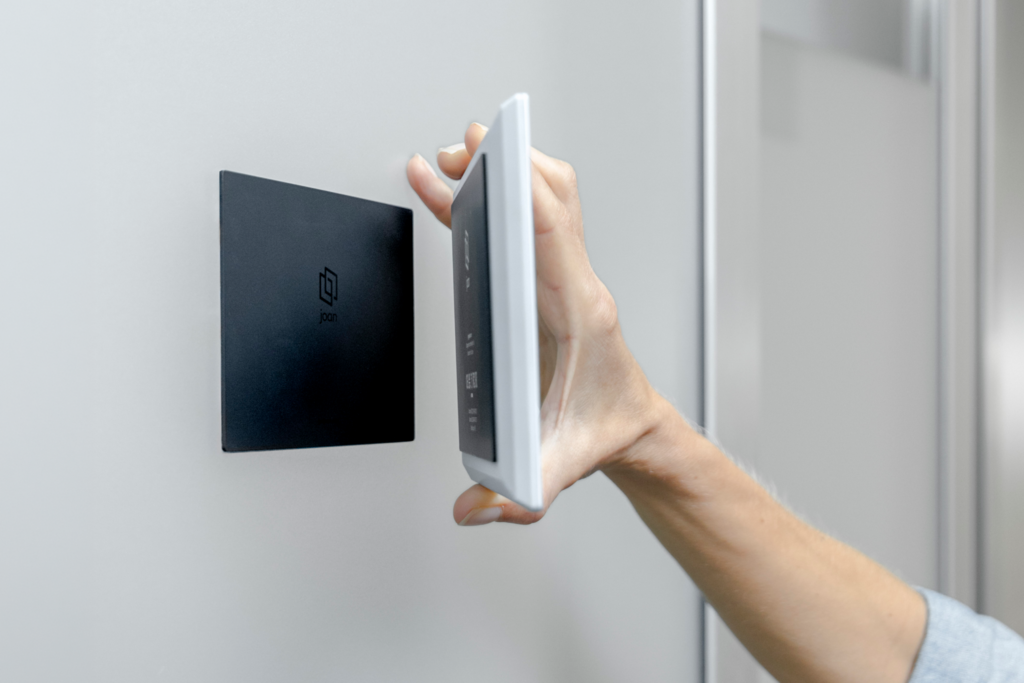
Joan makes its own ePaper room booking displays and the software that runs them. The Joan 6 RE, Joan 6 Pro and Joan 13 Pro sit outside rooms and desks, and the same platform covers room booking, desk booking, visitor management and digital signage. The display runs on batteries, so there is no tablet to charge and no cable to run.
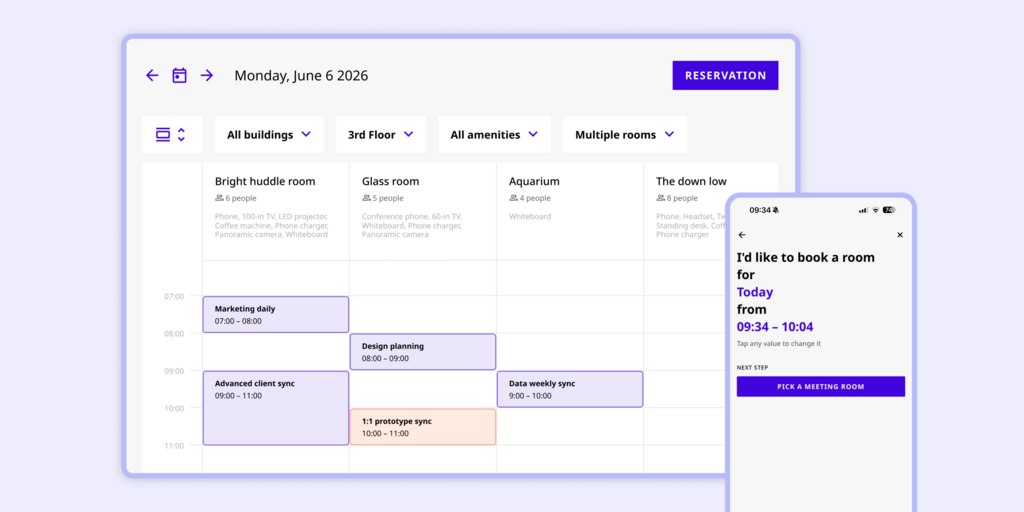
This answers the main MeetingRoomApp problem. You don’t shop for compatible tablets or manage them after install. Joan syncs with Google Workspace and Microsoft 365, just like MeetingRoomApp, and adds desks, visitors and signage on one subscription.
What makes Joan stand out
- Purpose-built ePaper hardware: Joan displays are always on, readable in any light and have no screen burn.
- No charging or cabling: battery-powered displays mount in minutes without a power outlet or Ethernet run.
- One vendor for hardware and software: Joan supports both, so there is no finger-pointing when something breaks.
- More than rooms: desks, visitors with the Joan ePaper badge, parking and signage are in the same platform.
Joan pricing
Plans start at $51/month. Additional users are $1.09/user/month and additional device licences are $10.99/device/month (annual billing). Employees who book only through Outlook or Google Calendar are not billed. Every feature is included, with no tier gates. ePaper hardware is a one-time purchase, separate from the subscription, with a 30-day money-back guarantee. See current pricing.
Joan limitations
- Hardware is a one-time investment: buying ePaper displays costs more upfront than putting software on tablets you already own.
- Focused on booking and presence, not a full IWMS: Joan does not cover lease management, maintenance ticketing or CAD floor plan editing.
Best for: Any organisation managing physical workspaces, from a small team with a few rooms to a global enterprise across hundreds of locations.
2. Logitech Tap Scheduler — Best conference room panel for Logitech meeting rooms
Logitech Tap Scheduler is a purpose-built room booking panel from the video conferencing brand. It fits offices that already run Logitech Rally or Tap gear in their meeting rooms.
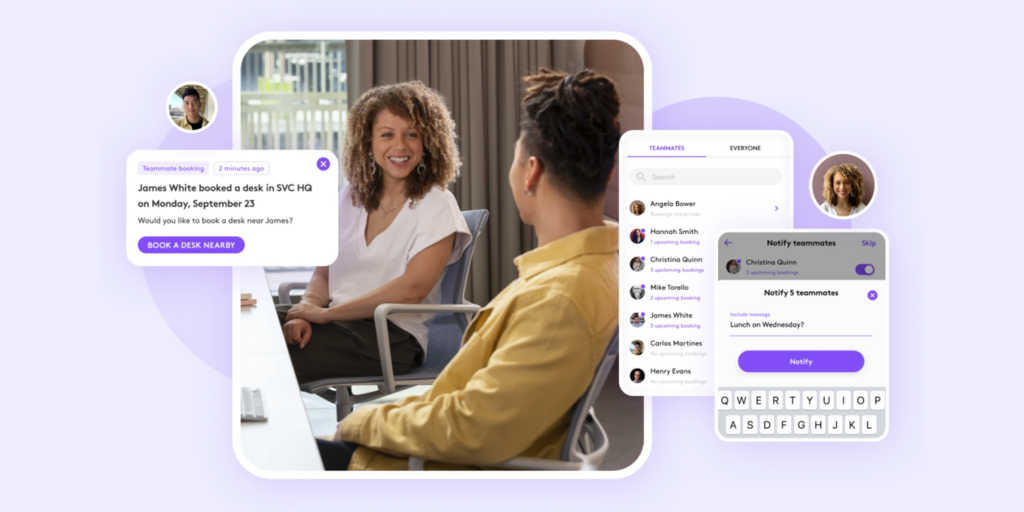
What makes Logitech Tap Scheduler stand out
- Purpose-built hardware, so no consumer tablets at the door.
- Works with Logitech room systems for occupancy-based auto booking and release.
- Strong brand support and device management through Logitech Sync.
Logitech Tap Scheduler pricing
The panel costs $699 per room in hardware, and room booking software needs the Essential service plan at $199 per room per year. Verify current pricing at Logitech’s website before purchasing.
Logitech Tap Scheduler limitations
- Every door needs a PoE cable: the panel is wired, with no battery option.
- Meeting rooms only: no desk booking or visitor management.
- Best features need more Logitech gear: auto book and auto release need a Logitech Rally Bar in the room.
Best for: Companies standardised on Logitech video conferencing that only need room panels.
Looking for Logitech alternatives instead? See our Best Logitech alternatives →
3. Humly — Best for wired room panels sold through AV resellers
Humly is a Swedish workplace company that makes its own room displays and booking devices, plus desk booking software. It sells mainly through AV resellers and partners.
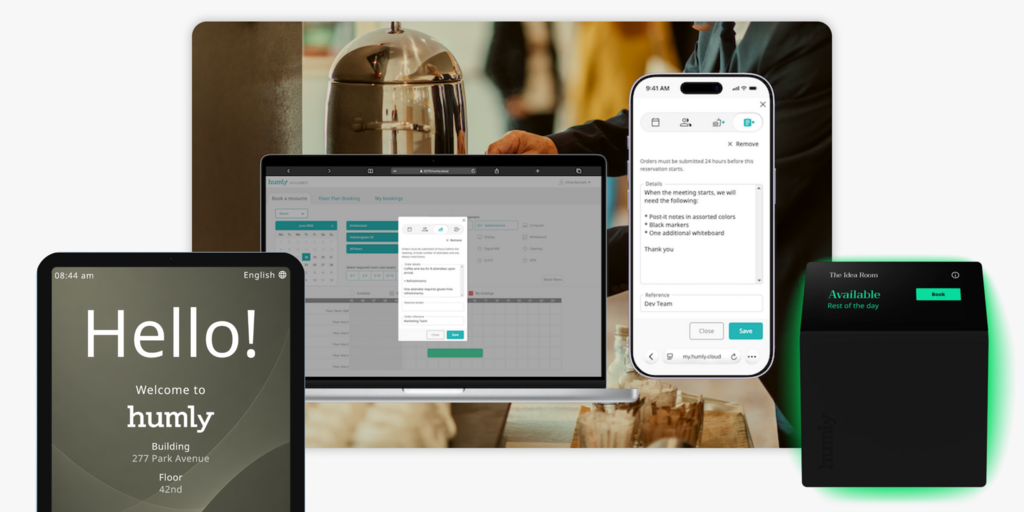
What makes Humly stand out
- Its own room display hardware, not consumer tablets.
- Room and desk booking from one vendor.
- A wide reseller network for installation and support.
Humly pricing
Humly does not publish full pricing. The only public figure is Booking Devices from $249 per unit, sold in packs of five, including one year of the Humly Access licence. Verify current pricing with Humly or a reseller before purchasing.
Humly limitations
- Every door needs PoE cabling: Humly room displays have no battery option.
- No visitor management: neither the room display nor desk booking includes visitor check-in.
- Prices go through resellers: each component carries its own licence, so costs build up module by module.
Best for: Companies with an AV partner that can run PoE to every room.
Looking for Humly alternatives instead? See our Best Humly alternatives →
4. Meetingroom365 — Best low-cost room display software for tablets
Meetingroom365 is room display software that runs on iPads, Android and Fire tablets, and Windows. It is the closest like-for-like swap for MeetingRoomApp, with lower per-display pricing and more products.
What makes Meetingroom365 stand out
- Low, public per-display pricing with monthly billing and no lock-in.
- Desk booking and a visitor kiosk available on the same account.
- Syncs with Microsoft 365, Exchange and Google Workspace.
Meetingroom365 pricing
Meeting room displays cost $9/display/month, desk booking $19/workspace/month and a visitor kiosk $49/kiosk/month. Annual billing saves about 10%. There is a 30-day free trial. Verify current pricing at Meetingroom365’s website before purchasing.
Meetingroom365 limitations
- Same tablet problem as MeetingRoomApp: you still buy, mount, power and update every screen.
- Desk booking costs more than room displays: at $19 per workspace per month, 50 desks add $950 a month.
- Visitors cost extra per kiosk: each visitor kiosk adds $49 a month on top of room and desk fees.
Best for: Small offices with spare tablets that want the cheapest room display software.
5. Roomzilla — Best free starter plan for small offices
Roomzilla is room and desk booking software with a web app and tablet room displays. Its free plan covers up to three resources, which suits very small offices.
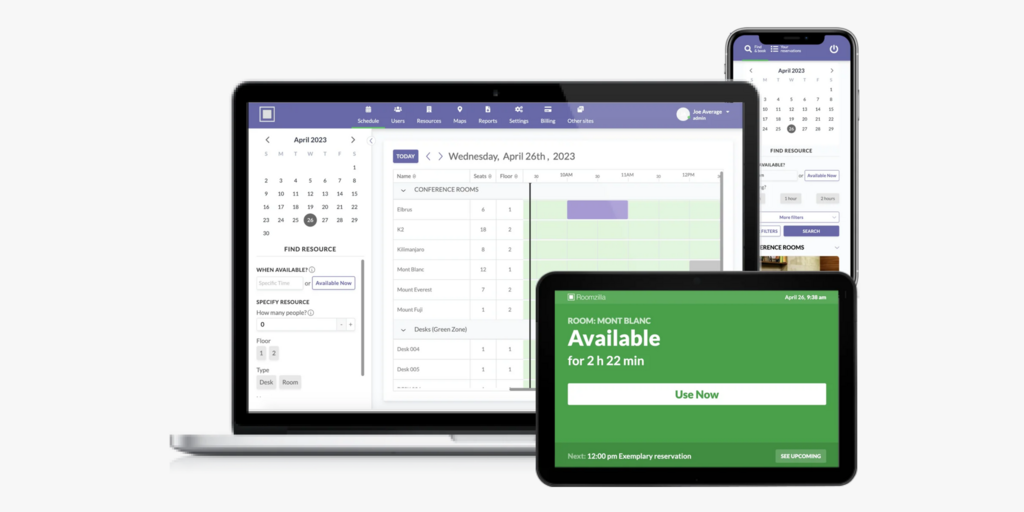
What makes Roomzilla stand out
- A free plan for up to 3 rooms or desks.
- Simple, public per-resource pricing.
- Room and desk booking on the same Standard plan.
Roomzilla pricing
Free covers up to 3 resources. Standard costs $10/resource/month billed annually ($12 monthly). Business costs $17/room/month plus $10/desk/month billed annually, and adds reporting and custom roles. Verify current pricing at Roomzilla’s website before purchasing.
Roomzilla limitations
- Changing a booking means digging up an email: there is no in-app way to modify or cancel; you use the link in the original confirmation.
- Four-hour booking cap: you can’t book a room for more than 240 minutes at once.
- No visitor management and your own tablets: no pre-registration or kiosk, and displays run on iPads or Android tablets you source.
Best for: Very small offices that want free or cheap room booking and can live with basic features.
Looking for Roomzilla alternatives instead? See our Best Roomzilla alternatives →
6. Teem (by Eptura) — Best for teams already on the Eptura platform
Teem is a room booking and room display product now owned by Eptura. It runs on third-party tablets and connects to the wider Eptura workplace suite.
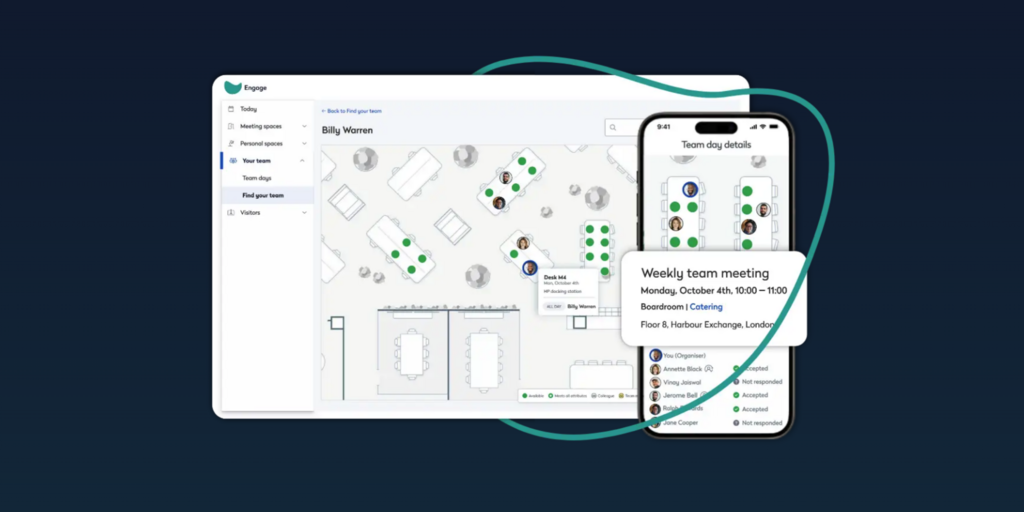
What makes Teem stand out
- Long-running room display product with Outlook and Google calendar sync.
- Part of the larger Eptura platform for companies that use other Eptura tools.
- Visitor management available through LobbyConnect.
Teem pricing
Teem doesn’t publish pricing. Third-party figures put Room Booking Basic at about $150/room/year and Professional at about $250/room/year, with visitor management around $1,000/room/year. Hardware costs extra, at roughly $350–$1,200 per device. Verify current pricing at Eptura’s website before purchasing.
Teem limitations
- Support complaints since the Eptura takeover: reviewers call technical support “terrible” and report a near two-month outage in late 2024.
- Cancelling is hard: a 60-day notice period is buried in linked terms, and some customers report invoices after cancelling.
- SSO and advanced analytics need Enterprise: features others include as standard cost more.
Best for: Companies already committed to Eptura that want room displays in the same suite.
Looking for Teem alternatives instead? See our Best Teem alternatives →
7. Robin — Best for enterprises with 500+ employees
Robin is a hybrid workplace platform covering desk, room, parking and locker booking, visitor management, analytics and wayfinding. Room displays run on third-party tablets. Robin says its ideal customer has 500+ employees across multiple floors or buildings.
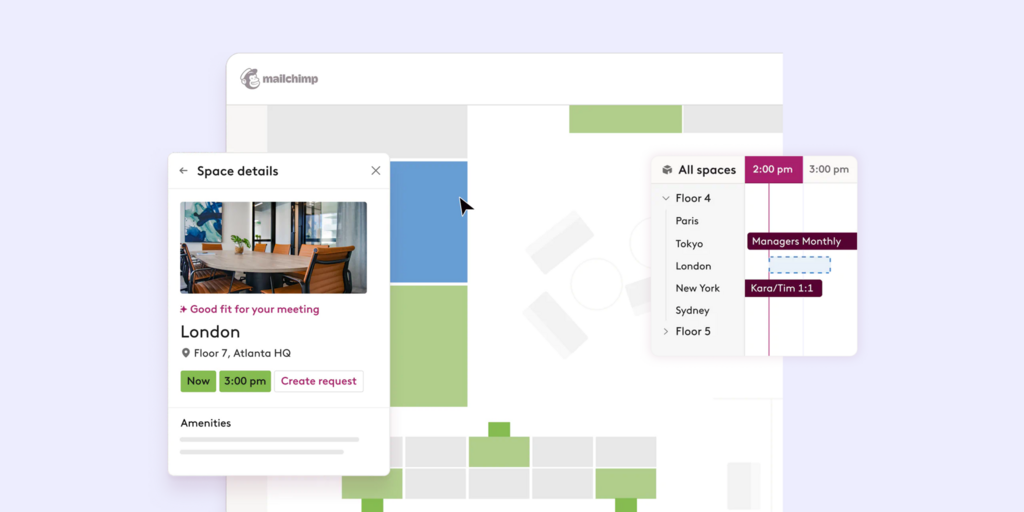
What makes Robin stand out
- Broad platform that replaces several point tools.
- Deep calendar and Microsoft 365 workflows.
- Strong analytics for space planning across buildings.
Robin pricing
No public pricing. Robin sends custom quotes after a sales call, and all subscriptions are billed annually. Verify current pricing at Robin’s website before purchasing.
Robin limitations
- No price until you talk to sales: no public tiers and no free trial.
- Built for large offices: the stated focus on 500+ employees leaves smaller teams with more platform than they need.
- Tablets at the door again: room displays rely on third-party tablets you buy and manage.
Best for: Large hybrid enterprises that want one vendor for booking, visitors and analytics, and have budget for an annual contract.
Looking for Robin alternatives instead? See our Best Robin alternatives →
How to pick a room booking display
If you want to stop managing tablets
Joan, Logitech Tap Scheduler and Humly all make their own hardware. Joan is the only one of the three that runs on batteries, so there is no PoE cable to every door.
If you already own tablets and want the lowest cost
Meetingroom365 at $9 per display per month is the cheapest swap, and Roomzilla is free for up to three resources. You keep the tablet upkeep that comes with MeetingRoomApp.
If you need desks and visitors too
Joan includes rooms, desks, visitors and signage in one subscription. Meetingroom365 sells each product separately, and Logitech, Humly and Roomzilla have no visitor management.
If your rooms run on Logitech video gear
Logitech Tap Scheduler fits best, as long as you can run PoE to every door and only need room booking.
Why Joan is usually the best MeetingRoomApp alternative
MeetingRoomApp users run into three things: tablets to buy and manage, per-room fees with paid support, and separate apps for anything beyond rooms. Joan replaces all three with its own ePaper displays and one platform. The displays run on batteries, Joan supports the hardware and software together, and desks, visitors and signage are already included.
Joan vs. MeetingRoomApp: side by side
| Joan | MeetingRoomApp | |
|---|---|---|
| Room booking display | ✅ Own ePaper displays (Joan 6 RE, Joan 6 Pro, Joan 13 Pro) | ⚠️ Software on your own iPads, Android tablets or Philips, Qbic and Samsung panels |
| Power at the door | ✅ Battery-powered, no cabling | ⚠️ Depends on the device you buy |
| Desk booking | ✅ | ⚠️ Separate Akurlee Workplace app |
| Visitor management | ✅ included, with Joan ePaper badge | ❌ Not listed |
| Digital signage | ✅ | ❌ Not listed |
| Google Workspace and Microsoft 365 | ✅ | ✅ |
| Hardware support | ✅ Joan supports hardware and software | ❌ Hardware supported by the device maker |
| Pricing | From $51/month, all features | $17/room/month; support extra |
| Trial | ✅ 30-day free trial | ✅ Free cloud trial |
Based on public information, October 2026.
Ready to make the switch?
Joan is free to try for 30 days, with no commitment. Connect your Google Workspace or Microsoft 365 calendar and see how your team books with an ePaper display at the door instead of a tablet.
Frequently asked questions about MeetingRoomApp alternatives
Is there a free MeetingRoomApp alternative?
Roomzilla is free for up to three rooms or desks, and Meetingroom365 offers a 30-day free trial. Joan isn’t free long-term but offers a 30-day free trial of the full platform. That includes room booking, desk booking, visitor management and digital signage.
How much does MeetingRoomApp cost?
The MeetingRoomApp cloud plan costs $17 per room per month, billed monthly or yearly. Support and Support+ cost extra, and the on-premise version is a one-time licence plus yearly maintenance, quoted on request. Hardware is a separate purchase.
Does MeetingRoomApp come with its own room displays?
No. MeetingRoomApp is room display software that runs on hardware you buy, such as iPads or Philips, Qbic and Samsung panels. Joan makes its own battery-powered ePaper displays and supports the hardware and software together.
What is the difference between a tablet room display and an ePaper room display?
A tablet room display is a general-purpose screen running a booking app, so it needs constant power, charging or a cable, and regular updates. An ePaper room display only uses power when the screen changes, so Joan displays run on batteries, stay readable in any light and don’t suffer screen burn.
Does MeetingRoomApp have desk booking?
Desk and parking booking come from a separate app by the same company, Akurlee Workplace. Joan covers rooms, desks, parking and visitors in one platform under one subscription.
Who makes MeetingRoomApp?
MeetingRoomApp (meetingroomapp.com) is made by akurlee s.r.o., a software company based in Prague, Czech Republic. It is not a generic term for any meeting room booking app. This page compares that specific product.
Page last updated: October 2026. Pricing verified from public sources. Always confirm live pricing directly with each vendor before purchasing.
About the author
