
Best Roomzilla alternatives in 2026: Pricing & reviews
Roomzilla has been around for 18 years — a long time in workplace software — and that longevity says something. It covers conference room booking, basic desk and equipment reservations, and Google Calendar or Outlook sync, all with a setup time the company claims is under five minutes. For small offices and coworking spaces that need a clean, no-fuss way to stop rooms from being double-booked, it does the job.
But Roomzilla is a narrow tool, and teams tend to discover that narrowness in predictable ways. There’s no visitor management — not a limited version, not a premium add-on, simply nothing. The rescheduling workflow routes through email rather than letting you edit in-place in the app, which drives users to frustration as soon as meetings start shifting. Room displays depend on tablets you source, purchase, and maintain yourself. And Roomzilla caps individual bookings at four hours, which creates friction the moment someone needs an all-day reservation or a half-day workshop.
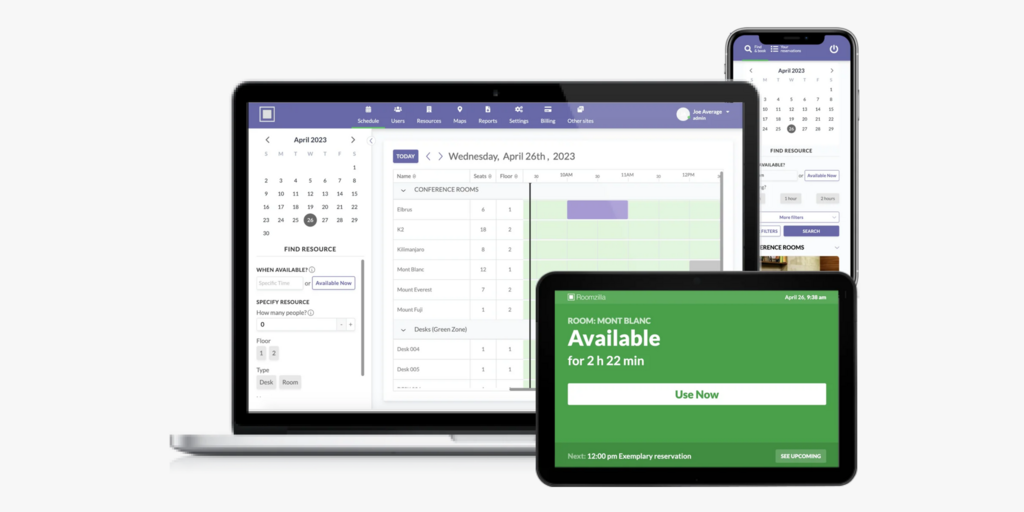
We’ve compared eight alternatives across pricing, platform breadth, hardware approach, and real limitations so you can switch with clear expectations. Joan leads the list; we’ll explain who each tool is actually best for.
If you’re also evaluating Skedda or Deskbird, see our best Skedda alternatives and best Deskbird alternatives.
Quickly jump to:
- Why teams start looking for Roomzilla alternatives
- Quick comparison table
- The 8 best Roomzilla alternatives in 2026
- How to choose the right Roomzilla alternative
- Joan vs. Roomzilla: Quick comparison
- Frequently asked questions about Roomzilla alternatives
Why teams start looking for Roomzilla alternatives
Rescheduling requires hunting down the original confirmation email
This is the most consistent complaint across Capterra and G2 reviews: there’s no way to edit or cancel a booking directly in the Roomzilla interface. To change a reservation, you have to locate the original confirmation email, use the link inside it to cancel, then start a new booking from scratch. Multiple reviewers explicitly flag this as a workflow that breaks down the moment meetings start shifting — which, for most teams, is constantly. One Success Team Manager on Capterra summed it up plainly: “I feel like there has to be a way to do this directly on the Roomzilla website and not through emails.”
Room displays are tablets you own — not purpose-built hardware
Roomzilla’s room display feature runs on iPads or Android tablets. The software is theirs; the hardware is yours. That means sourcing the devices, mounting them, keeping them charged, dealing with iOS updates that break the display app, and replacing them when they break. One reviewer on Capterra specifically calls out “costly iPad setup” as a reason for frustration, and another notes a 240-minute booking cap that can’t be changed from the display. There are no cable-free options, no always-on ePaper alternatives — just tablets running borrowed software.
The platform stops at room and desk booking
Visitor management isn’t a premium Roomzilla feature — it simply doesn’t exist. Neither does digital signage, parking reservations, or asset management. For teams that started with just room booking and have since grown into hybrid work coordination, Roomzilla becomes a point solution sitting alongside a patchwork of other tools. Analytics are also consistently flagged as limited — reviewers describe “advanced filtering and reporting” as an area that needs improvement, and there’s no occupancy filtering when searching for rooms (you can’t ask “show me rooms that fit 10 people”).
Quick comparison table
| Tool | Best for | Room booking | Desk booking | Visitor mgmt | Starts at | Hardware |
|---|---|---|---|---|---|---|
| Joan | Any office wanting physical ePaper displays + full workspace platform in one | ✅ | ✅ | ✅ | From €49/month | ✅ ePaper displays |
| Skedda | Teams needing highly configurable booking rules for desks and rooms | ✅ | ✅ | ⚠️ add-on | $99/month | ❌ |
| Robin | Large enterprises (500+) managing complex multi-floor workplaces | ✅ | ✅ | ✅ | On request | ❌ |
| Deskbird | Desk-first hybrid teams in Europe who don’t need visitor management | ✅ | ✅ | ⚠️ add-on | $3.75/user/month | ❌ |
| Tribeloo | European SMBs wanting simple hybrid scheduling | ✅ | ✅ | ❌ | €3.00/resource/month | ❌ |
| Archie | Coworking spaces and mid-size offices wanting per-desk pricing and Android support | ✅ | ✅ | ⚠️ separate product | $2.80/desk/month (min. $159/month) | ❌ |
| Officely | Slack-/Teams-first teams wanting zero-training desk booking | ⚠️ separate product | ✅ | ❌ | Free (up to 5 users) | ❌ |
| Condeco (Eptura Engage) | Large enterprises needing deep compliance and Microsoft 365 integration | ✅ | ✅ | ✅ | On request | ❌ |
| Roomzilla | Small offices and coworking spaces needing lightweight room-only booking | ✅ | ⚠️ basic | ❌ | $10/resource/month | ❌ |
The 8 best Roomzilla alternatives in 2026
1. Joan — Best for teams that want purpose-built room displays and a full workplace platform
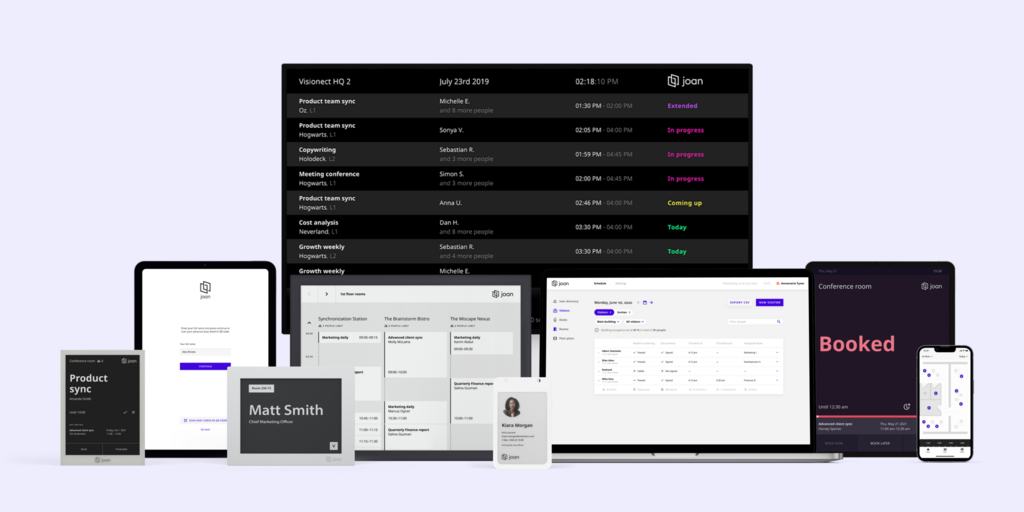
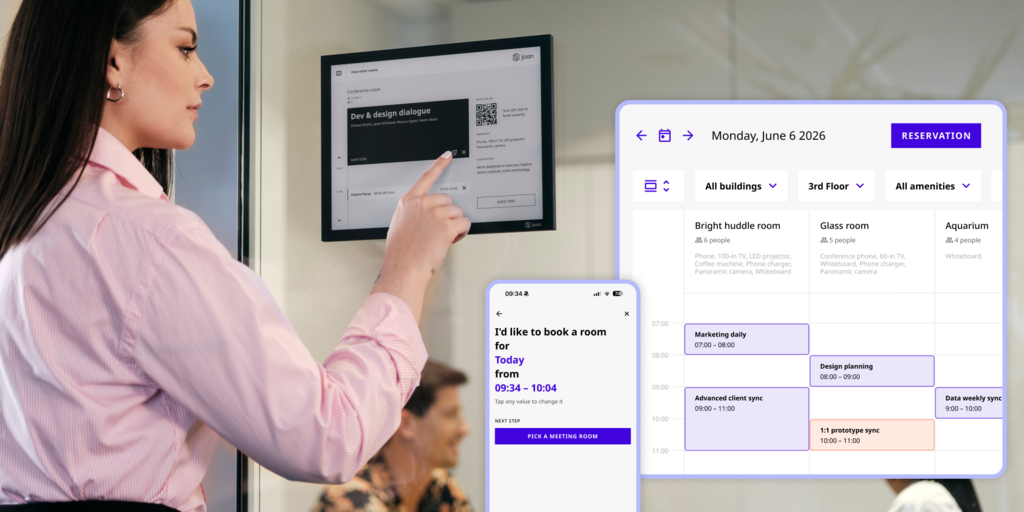
Roomzilla’s core promise is that a room display should be simple — and it is, as long as you’re willing to source tablets, keep them charged, and troubleshoot the iOS update that breaks the display app at 8am on a Monday. Joan answers the same promise differently: purpose-built ePaper displays that mount on the wall, run for years on a single charge, and show live room availability without anyone opening an app, buying a tablet, or plugging in a cable.
The platform behind the displays covers everything Roomzilla doesn’t. Visitor management is included in every plan — pre-registration, NDA signing, the Joan ePaper badge issued to visitors on arrival. Digital signage, desk booking, parking reservations, asset management, and analytics are all part of the same subscription. There’s no four-hour booking cap. There’s no email-based rescheduling workflow — bookings are modified directly in the app or on the display. And nothing is gated behind a separate add-on purchase.
What makes Joan stand out
- Purpose-built ePaper displays replace the tablet-on-the-wall — Joan 6 RE, Joan 6 Pro, and Joan 13 Pro are battery-powered and cable-free; no charging logistics, no screen burn, years of operational life; the hardware is designed for this specific job
- Visitor management is built into every plan, including the Joan ePaper badge — the only physical visitor badge in this market; Roomzilla has no visitor management at all
- Full platform under one subscription — rooms, desks, visitor management, digital signage, parking, asset reservations, and analytics; no separate tools to stitch together
- Joan AI Agent for Microsoft Teams lets employees book rooms and desks directly from a Teams conversation — no app switching, no separate login; see Joan AI Agent.
Joan pricing
Plans start at €49/month. Additional users: €0.99/user/month (annual). Additional device licences: €9.99/device/month (annual). Hardware — Joan 6 RE, Joan 6 Pro, Joan 13 Pro, Joan ePaper badge — is a one-time purchase. Full platform included at every tier. See current pricing at getjoan.com/pricing.
Joan limitations
- Getting the full ePaper experience means purchasing displays upfront — a higher initial cost than software-only tools, though Joan on any display is available if you’d rather use existing screens
- Joan is a workspace booking and presence platform, not a full IWMS — it doesn’t cover maintenance ticketing, lease management, or CAD floor plan editing
Best for: Any organisation managing physical workspaces — from a small team with a handful of rooms to a global enterprise running hundreds of locations.
Start your free Joan trial here.
2. Skedda — Best for teams with complex space-booking rules and per-space pricing
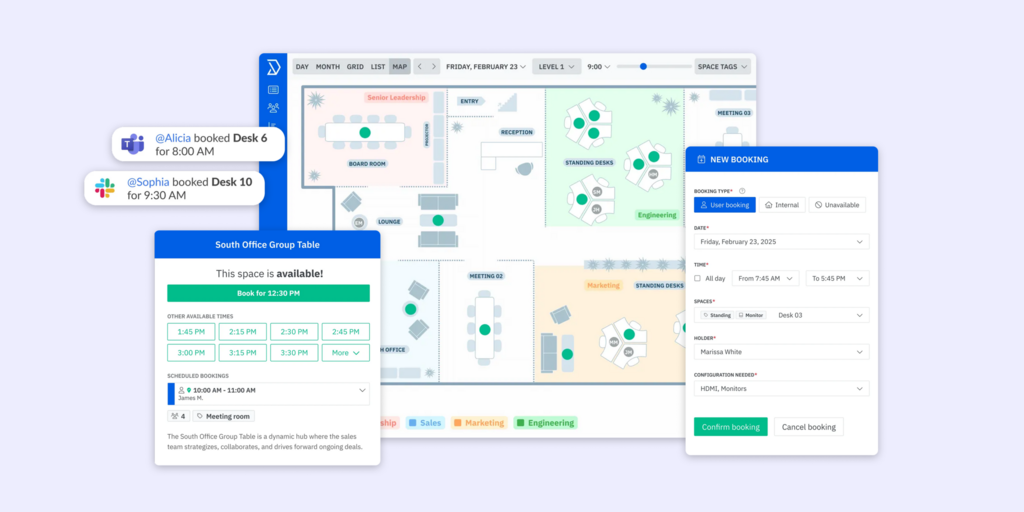
Skedda is a space-booking platform built around a highly configurable rules engine. Where Roomzilla keeps things simple (sometimes too simple), Skedda lets administrators define exactly who can book what, when, for how long, with what approval chain. It handles desks, meeting rooms, parking, and any other bookable resource. Visitor management arrived as a newer feature, available on higher-tier plans at an additional $99/month.
The Starter plan at $99/month covers 15 spaces with Microsoft 365 and Google Workspace sync. Interactive floor plans are included from the first tier. The ability to filter and search by capacity — something Roomzilla doesn’t offer at all — is built in.
What makes Skedda stand out
- Rules engine depth is the strongest in the market — booking policies that would require custom development in other tools are configurable through the interface
- Space-based pricing means costs don’t compound with headcount — 100 employees using 15 spaces pay the same as 50 employees using 15 spaces
- Capacity filtering built in — employees can find rooms by size, not just by name and availability
Skedda pricing
Starter: $99/month (15 spaces, annual). Plus: $149/month (20 spaces). Premier: $199/month (25 spaces). Visitor management: $99/month add-on. Additional spaces: $4.99/space/month. Free 30-day trial available.
Skedda limitations
- Visitor management costs $99/month extra on every plan — it’s an add-on at every tier, not something that’s ever simply included
- No proprietary hardware — room displays use third-party tablets; same dependency as Roomzilla, not an improvement on that front
- Analytics data retention is 30 days on Starter — too short for month-over-month space planning
Best for: Offices with non-trivial booking policies — universities, law firms, multi-team corporate environments — where who can book what matters as much as booking itself.
→ Check out the best Skedda alternatives here.
3. Robin — Best for large enterprises managing complex multi-location hybrid workplaces
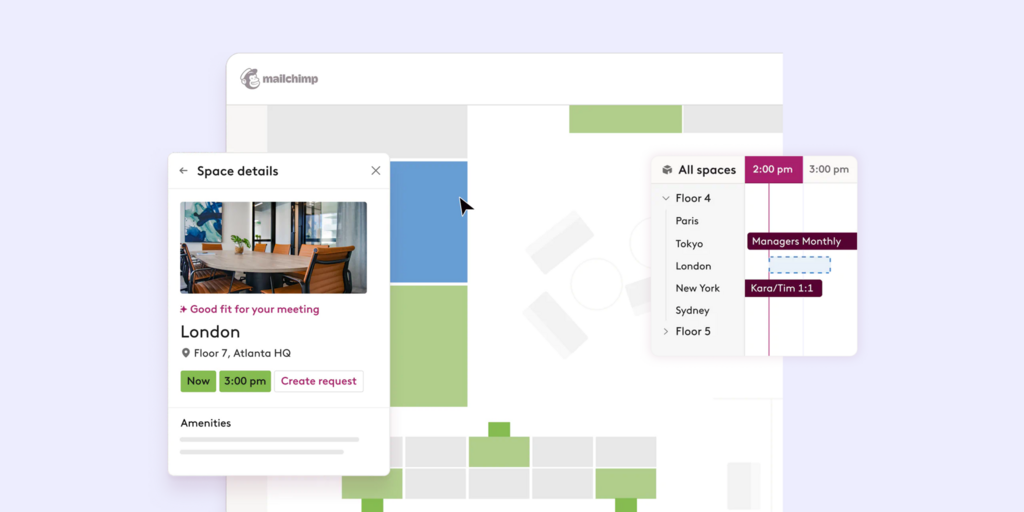
Robin is an enterprise workplace platform covering room booking, desk booking, visitor management, workplace analytics, and hybrid work policies. It’s explicitly positioned for companies with 500 or more employees, with at least a third in the office regularly — their own pricing page redirects smaller teams to other options. Unlike Roomzilla, Robin handles the full hybrid stack: space booking, team presence, occupancy analytics, and visitor management in one product.
What makes Robin stand out
- Full enterprise feature set — room booking, desk booking, visitor management, and analytics with nothing gated behind separate modules
- Strong hybrid work layer — team coordination views, office attendance policies, and space suggestions are built into the platform
- Deep access control integrations for enterprise security requirements
Robin pricing
Pricing on request. Annual billing. Robin explicitly positions itself for 500+ employee organisations — smaller teams are redirected to other tools on their own pricing page.
Robin limitations
- No self-serve trial and no published pricing — every evaluation starts with a sales conversation
- Minimum scale of 500+ employees — Robin’s own guidance flags this; below that threshold the cost and complexity are disproportionate
- No proprietary hardware — all displays are third-party tablets or screens purchased separately
Best for: Large enterprises with complex multi-floor workplace management needs and a procurement team that can navigate a full sales process.
→ See the best Robin alternatives here.
4. Deskbird — Best for desk-first hybrid teams in Europe who don’t need visitor management
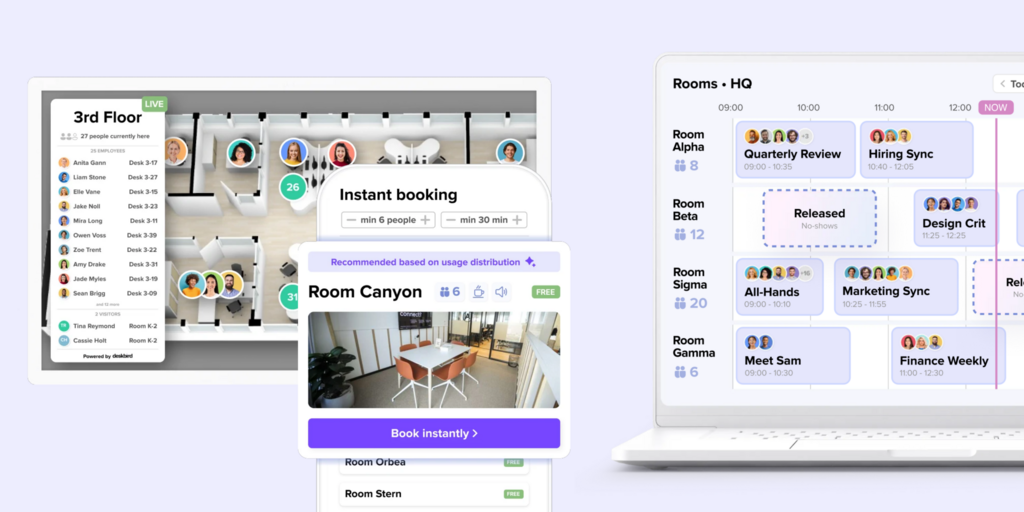
Deskbird is a European hybrid workplace platform focused on desk booking alongside room scheduling. It’s a step up from Roomzilla in platform breadth — desk hot-desking, neighbourhood coordination, and hybrid attendance tracking are core features — while keeping the interface clean and accessible. It integrates natively with Microsoft Teams and Google Calendar and is hosted on European infrastructure.
The Business plan at $3.75/user/month is the practical entry point. Visitor management, room display kiosks, and advanced analytics are all available but require separate add-ons with no published pricing.
What makes Deskbird stand out
- Desk booking and team coordination built around the hybrid work model — not just rooms
- Clean Microsoft Teams and Google Calendar integration
- GDPR-compliant European infrastructure; ISO 27001:2022 certified
Deskbird pricing
Business: $3.75/user/month (annual). Visitor management, room display kiosks, and advanced analytics are all paid add-ons with no published prices. Professional tier (custom pricing) required for advanced booking rules and access control integrations. Free trial available.
Deskbird limitations
- Visitor management, room displays, and advanced analytics all require add-ons — none of them have published prices, meaning the real total cost requires a sales conversation
- Recurring room bookings can’t be set via the mobile app — users must use the web interface or create each instance manually
- No proprietary hardware — software-only; room displays require third-party tablets
Best for: European mid-market teams where desk booking and hybrid attendance coordination are the priority and visitor management isn’t a near-term requirement.
→ See the best Deskbird alternatives here.
5. Archie — Best for coworking spaces and mid-size offices wanting per-desk pricing and Android support
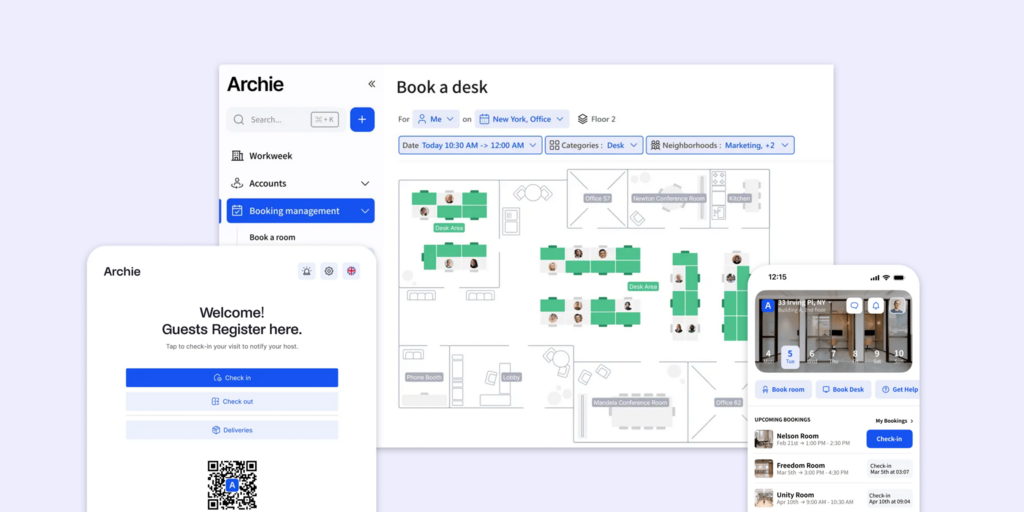
Archie is a workspace management platform built with coworking and shared-office environments in mind — which makes it a natural Roomzilla comparison for that segment. It covers room booking, desk booking, visitor management, and interactive floor plans. Crucially, it runs on Android tablets as well as iPads — a practical advantage for offices that don’t want to standardise on iOS hardware. Per-desk pricing means a 200-person office with 80 desks pays for 80 desks, not 200 employees. On G2 it holds 4.9/5 across over 200 reviews.
What makes Archie stand out
- Android and iPad support — deploy on hardware you already have or choose what fits; no iOS-only dependency
- Per-desk pricing is easier to budget in offices where headcount significantly exceeds desk count
- G2 4.9/5 — highest-rated in this comparison for ROI and usability, with an enterprise client list including Amazon, Deloitte, and BBC
Archie pricing
Starter: $2.80/desk/month, minimum $159/month (annual). Pro: $3.50/desk/month, minimum $249/month (annual). Visitor management is a separate Archie Visitors product — not included in any desk booking plan. Enterprise: custom. A 14-day trial is available after a demo call.
Archie limitations
- No self-serve trial — a demo call is required before accessing the 14-day trial; teams that want to test independently before talking to sales can’t
- The $159/month minimum means a small team pays the same floor price as a 56-desk office — per-desk pricing only starts saving money once you have enough desks to offset it
- Visitor management requires a separate product conversation, not a plan upgrade
Best for: Coworking operators, flexible workspace providers, or mid-size offices (50+ desks) that want room and desk booking in one platform with Android or iPad display support.
6. Officely — Best for Slack-/Teams-first teams that want zero-training desk booking
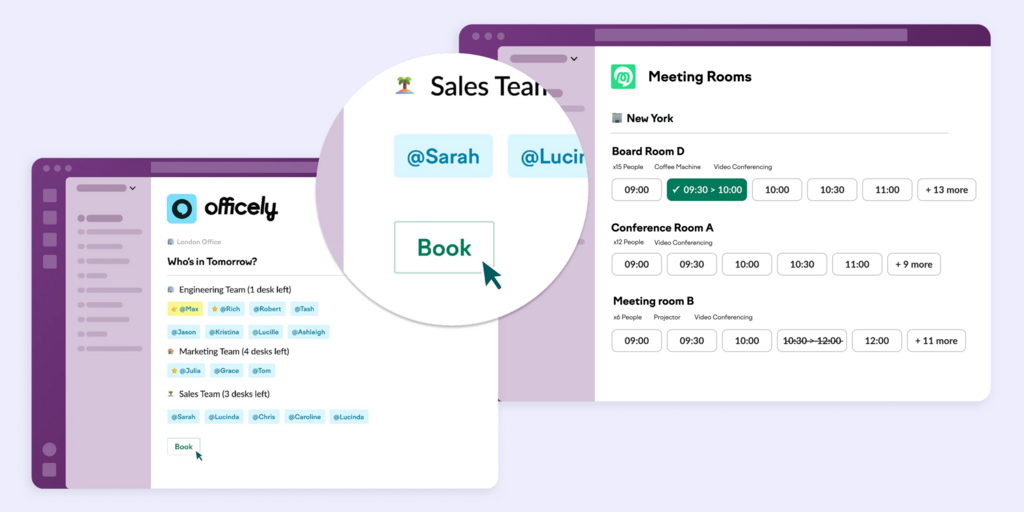
Officely’s premise is that booking should happen inside the tools employees already use. It plugs into Slack and Microsoft Teams natively — no separate app, no login, no training required. Employees book a desk for Thursday, check who else is in, and see attendance analytics all from within Slack. For teams where adoption killed the last booking tool, that zero-friction model is the appeal.
Note: meeting room booking is an entirely separate Officely product at $12/space/month — it’s not included in any desk booking tier. If you need both desk and room booking, you’re combining two separate subscriptions.
What makes Officely stand out
- Zero-training rollout — booking inside Slack or Teams means there’s no change management; employees don’t need to learn a new tool
- Genuine free plan for up to 5 users with all features
- Honest, self-serve pricing published on the website — no demo required to see a number
Officely pricing
Free: up to 5 users, all desk booking features. Basic: $2.50/user/month (annual). Premium: $3.50/user/month (annual). Meeting Rooms: separate product at $12/space/month (annual) — not included in any desk booking plan. Enterprise: custom.
Officely limitations
- Meeting rooms require a completely separate subscription — a 20-desk team on Basic ($50/month) adding 3 meeting rooms pays another $36/month for Meeting Rooms, billed separately
- No visitor management on any plan — not offered at any tier
- Several features are Slack-only — Office Check-Ins and Smart Office Day Recommendations are not available on the Microsoft Teams version despite Teams being a supported platform
- No hardware or room display story — software-only
Best for: Slack-heavy teams (under 100 people) where the biggest obstacle to previous booking tools was asking employees to learn something new — and where visitor management and room displays aren’t requirements.
7. Tribeloo — Best for European SMBs wanting simple team coordination and hybrid scheduling
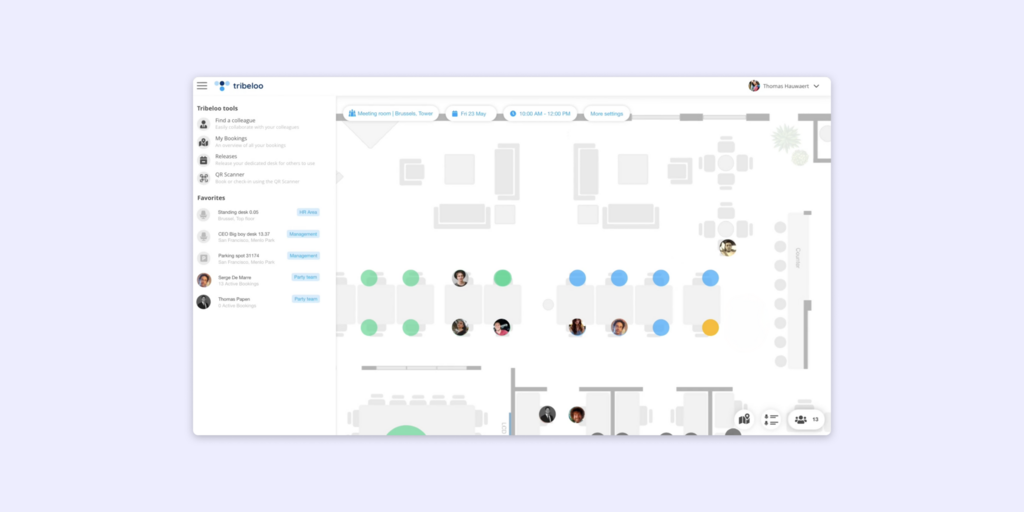
Tribeloo is a Belgian hybrid workplace tool built around desk booking and neighbourhood scheduling — helping hybrid teams coordinate who’s in the office and when, then find and book a desk near their colleagues. Room booking is included. The per-resource pricing model is transparent and keeps costs predictable as teams grow.
There is no visitor management on any Tribeloo plan. Analytics appear on the Pro tier; the Starter plan is booking-only. It integrates with Microsoft 365 and Google Workspace.
What makes Tribeloo stand out
- Neighbourhood and team-based scheduling — employees see who’s coming in and can cluster their office days around team presence
- Per-resource pricing doesn’t inflate with headcount
- GDPR-compliant European infrastructure
Tribeloo pricing
Starter: €3.00/resource/month (annual). Pro: €3.75/resource/month (adds Outlook/Google calendar booking and analytics). Premium: €4.00/resource/month (adds Active Directory SSO). Free trial available.
Tribeloo limitations
- No visitor management on any plan — no reception kiosk, no pre-visit registration, no visitor tracking
- Analytics locked behind the Pro tier — Starter gives you booking but no data on how the space is being used
- Recurring desk bookings from Outlook don’t always sync cleanly — a recurring complaint from users who rely on calendar-first workflows
Best for: European SMBs and mid-market teams where coordinating hybrid attendance is the primary pain point and visitor management is genuinely not required.
8. Condeco (Eptura Engage) — Best for large enterprises needing workspace management with Microsoft compliance controls
Condeco rebranded to Eptura Engage following acquisition by Eptura — condecosoftware.com now redirects to eptura.com. It’s an enterprise workspace management platform covering room booking, desk booking, hot-desking, visitor management, and health and safety compliance workflows. It has deep Microsoft 365 integration including a native Outlook plugin and is positioned at global enterprises with complex multi-location compliance requirements.
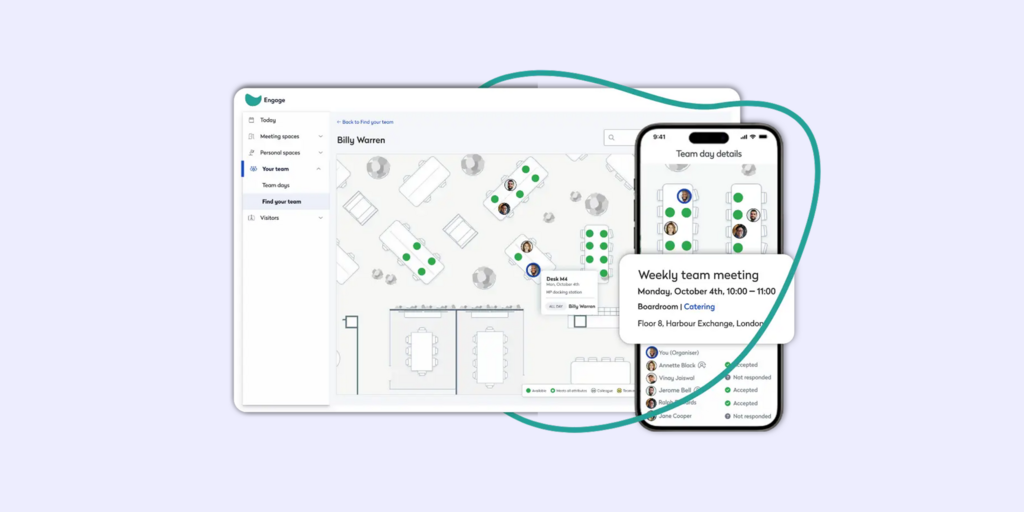
What makes Condeco (Eptura Engage) stand out
- Deep Outlook and Microsoft 365 integration including a native plugin — bookings happen in the tool people already live in
- Visitor management with pre-registration, approval workflows, and compliance logging
- Strong multi-location and multi-timezone support for global organisations
Condeco (Eptura Engage) pricing
Pricing on request. Contact Eptura directly via eptura.com.
Condeco (Eptura Engage) limitations
- Pricing and onboarding are enterprise-grade — not suited to small or mid-size teams evaluating self-serve
- Post-acquisition product uncertainty — users on G2 note slower feature development and support changes since the Eptura acquisition
- No proprietary hardware — relies on third-party tablets for room displays
Best for: Large global enterprises already running Microsoft 365 that need deep compliance controls, visitor audit trails, and workspace booking across multiple locations.
→ See the best Condeco alternatives here.
How to choose the right Roomzilla alternative
If you’re replacing Roomzilla because you’re tired of managing tablets
Joan is the clearest answer. The problem isn’t the software running on the tablet — it’s that you’re responsible for sourcing, charging, updating, and replacing tablets that were never designed for this job. Joan ePaper displays are. Battery-powered, cable-free, readable in any light, built specifically for room and desk booking visibility. The hardware headache disappears.
If you need visitor management added to room booking
Roomzilla has none, so any move here is an improvement. Joan is the only option in this list that includes visitor management in every plan without a separate add-on conversation — including the Joan ePaper badge issued to visitors on arrival. Condeco and Robin also include it, but at enterprise price points with a sales process.
If booking rule complexity is the priority
Skedda’s rules engine is the deepest in the market for organisations where booking policy matters — who can book what, when, with what approval, for how long. It also adds capacity filtering that Roomzilla lacks. Budget for the visitor management add-on if that’s also a requirement.
If you’re in Europe and primarily need desk + hybrid scheduling
Deskbird and Tribeloo are both strong. Deskbird has the richer platform (though visitor management requires an add-on); Tribeloo has cleaner team coordination tools and transparent per-resource pricing. Neither replaces Roomzilla’s room-display story — both are software-only.
If you’re 500+ employees with enterprise needs
Robin and Condeco are the mature enterprise options. Robin has the stronger hybrid work coordination layer; Condeco goes deeper on Microsoft 365 integration and compliance. Neither has self-serve pricing or a trial — both require a sales conversation.
Why Joan is usually the best Roomzilla alternative
Teams leave Roomzilla when they outgrow its scope — when visitor management becomes necessary, when the email-based rescheduling workflow creates daily friction, when they want analytics that show how space is actually being used, or when they want room displays that don’t require an iPad army. Joan addresses all of these directly. The platform covers the full workplace use case in one subscription, and the hardware — purpose-built ePaper displays — does the job the tablets were only pretending to do.
→ Also comparing other tools? See all Joan workspace comparisons:
- Best Skedda Alternatives
- Best Robin Alternatives
- Best Envoy Alternatives
- Best Deskbird Alternatives
- Best Condeco Alternatives
- Best YAROOMS Alternatives
Joan vs. Roomzilla: Quick comparison
| Joan | Roomzilla | |
|---|---|---|
| Room booking | ✅ | ✅ |
| Desk booking | ✅ | ⚠️ basic |
| Visitor management | ✅ incl. Joan ePaper badge | ❌ not available |
| Digital signage | ✅ | ❌ |
| Parking & asset reservations | ✅ | ❌ |
| Physical room displays | ✅ ePaper — Joan 6 RE, Joan 6 Pro, Joan 13 Pro (battery-powered, cable-free) | ⚠️ third-party tablets only (iPad or Android — purchased separately) |
| Booking capacity filtering | ✅ | ❌ no room-size filtering |
| Max booking duration | No limit | 240 minutes |
| Booking modification | ✅ in-app | ⚠️ email link required |
| Analytics | ✅ built into all plans | ⚠️ limited reporting |
| AI booking assistant | ✅ Joan AI Agent for Microsoft Teams — book rooms and desks directly from Teams | ❌ |
| Calendar integrations | Microsoft 365, Google Workspace, Teams, Slack | Google Calendar, Microsoft Outlook |
| Free trial | ✅ 30 days, no credit card | ✅ up to 3 resources free |
| Pricing model | One subscription, full platform; scales by users + devices | Per resource/month ($10–$17 depending on type and plan) |
Ready to make the switch?
Joan is free to try for 30 days — no credit card, no sales call required. Start with the full platform and see how rooms, desks, visitor management, and analytics work together before you commit.
Start your free Joan trial here.
Frequently asked questions about Roomzilla alternatives
Is there a free Roomzilla alternative?
Roomzilla itself offers a permanently free plan for up to 3 resources — a genuine option for very small offices with just a couple of rooms. Joan offers a 30-day free trial of the full platform. Skedda offers a 30-day trial. Tribeloo offers a free trial. None of the alternatives in this comparison have a permanent free tier comparable to Roomzilla’s, which is one of Roomzilla’s genuine strengths for very small teams.
How much does Roomzilla cost?
Roomzilla has three tiers. Free: up to 3 resources. Standard: $10/resource/month (annual) or $12/resource/month (monthly) — includes room booking, desk booking, Google and Outlook integration, and room displays. Business: $17/room/month + $10/desk/month (annual) or $20/room + $12/desk (monthly) — adds reporting and custom roles. A 10-room office on the Standard annual plan pays $100/month; the same office on Business pays $170/month — before adding any desk resources. Verify current pricing at roomzilla.net/pricing.
What is Roomzilla’s biggest limitation?
Two things come up repeatedly in Capterra and G2 reviews. First, the rescheduling workflow: there is no in-app way to modify or cancel a booking — you have to find the original confirmation email, use its link to cancel, and rebook. For teams where meeting times shift regularly, this becomes a daily friction point. Second, the 240-minute booking cap: you can’t book a room for more than four hours in a single reservation, which creates problems for half-day workshops or all-day training sessions.
Does Roomzilla have physical room displays?
Roomzilla doesn’t have their own displays but supports room displays running on iPads or Android tablets. The software is Roomzilla’s; the hardware is yours. You source it, charge it, and maintain it.
Joan takes a different approach: purpose-built ePaper displays (Joan 6 RE, Joan 6 Pro, Joan 13 Pro) that are battery-powered, cable-free, and designed specifically for room booking visibility. They don’t need charging overnight, they don’t suffer screen burn, and they don’t go offline when an iOS update rolls out at an inconvenient time.
What’s the best Roomzilla alternative for small teams?
For small teams where room booking is the only real requirement, Roomzilla’s free plan (up to 3 resources) may be the right answer to keep. If you’re growing out of it, Skedda at $99/month covers 15 spaces with much deeper booking rules and capacity filtering. Joan at €49/month covers the full platform — rooms, desks, visitor management, analytics — and makes more economic sense once you need more than just room booking.
Does Roomzilla support visitor management?
No. Roomzilla covers room booking, desk booking, and equipment reservations. There is no visitor pre-registration, no reception kiosk, no visitor badge feature, and no compliance logging — on any plan or as any add-on. If visitor management is a requirement, Joan is the alternative that includes it in every plan (including the Joan ePaper badge), or you’d be looking at combining Roomzilla with a separate visitor management tool.
Page last updated: July 2026. Pricing verified from public sources — always confirm live pricing directly with each vendor before purchasing.
About the author
