25 Aug 2026
Best conference room display software platforms
Selecting the ideal conference room display software streamlines meeting room scheduling and enhances workplace efficiency. This 2026 guide evaluates seven top conference room scheduling platforms, examining key features, integrations, hardware compatibility, and pricing models.
From basic room booking to end-to-end workplace management, these systems assist in tracking availability, eliminating double bookings, and optimizing office space utilization.
Quickly jump to:
- What is a conference room system
- Why conference room scheduling matters more in 2026 than it did five years ago
- Why software is an essential part of room display equipment
- 7 conference room display software platforms compared
- Conference room display software feature comparison
- Essential features to evaluate when choosing conference room display software
- Which conference room display software platform fits your business
- Frequently asked questions
TL;DR
A conference room system pairs a physical display with software that syncs to your calendar, so anyone can see room availability at a glance instead of opening an app. Here’s what this guide covers:
- Why it matters now: hybrid attendance swings hard across the week, and a 2023 VergeSense study found that 11.3% of booked meeting rooms go completely unused, with unscheduled meetings accounting for another quarter of actual usage. Without a system tracking that, space decisions get made on numbers that don’t reflect reality.
- Why hardware and software need each other: a display with no live sync is just a sign, and software with no display stays invisible in the hallway. Skip the pairing and you’ve only solved half the problem.
- Seven platforms compared: Joan Workplace, Robin, Microsoft Teams Panels, Zoom Rooms Scheduler, Envoy, Logitech Tap Scheduler, and Condeco.
- The core tradeoff: some platforms cover room booking, desk booking, visitor management, and analytics under one subscription. Others do one thing well and expect you to pair it with something else. Neither is wrong, but it changes what you’re buying.
- The short answer: if you only need Teams or Zoom to show room status, the native option is genuinely enough. If you want everything on one platform with hardware that installs in minutes rather than days, that’s where Joan fits.
What is a conference room system
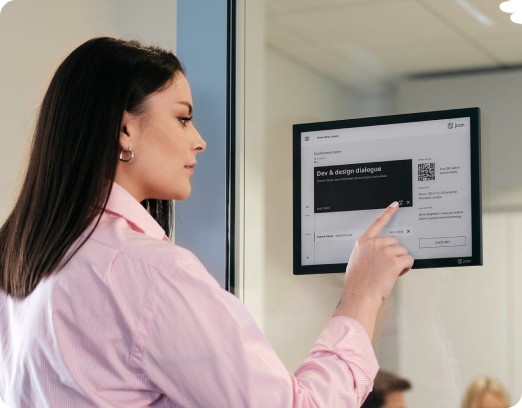
A conference room schedule display (also known as conference room display software or a conference room system) provides real-time room availability right outside the door, allowing team members to book, extend, or conclude meetings directly from the screen.
It sits between your digital calendar and the hallway outside the door, so you don’t need to open Outlook, Google Calendar, or Teams just to check if a space is free. One glance at the display gives you instant visibility.
Typically, these platforms allow you to:
- Monitor current and future room availability instantly without checking calendar applications
- Reserve an available space immediately on the spot
- Prolong a meeting that is running over or end it ahead of schedule
- Review who reserved the room and its intended purpose
- Prevent double-bookings by keeping the screen and calendar fully synchronized
That last point is the one that gets underestimated. A room system isn’t really a scheduling tool. It’s a conflict-prevention tool that happens to run on a screen.
Why conference room scheduling matters more in 2026 than it did five years ago
Office space calculations have shifted due to hybrid scheduling. In the past, when a traditional five-day work week was standard, minor booking errors were a negligible concern. Today, however, office attendance fluctuates heavily throughout the week, surging from Tuesday to Thursday and thinning out on Mondays and Fridays.
Because of this instability, unutilized reservations (“ghost bookings”) have transformed from an occasional nuisance into a substantial financial loss. A 2023 workplace utilization report by VergeSense, an occupancy intelligence company, revealed that approximately 11.3% of booked meeting rooms are completely deserted, whereas ad-hoc, unscheduled meetings consume over 25% of active room usage. Other industry estimates suggest no-show rates can be even greater, particularly in corporate offices that do not require check-ins. Although specific metrics vary by analytical approach and data source, the fundamental issue persists: a considerable portion of reserved hours is entirely wasted. Neglecting to track this disparity results in workplace strategies formulated on data that misrepresents real usage.
In the absence of a conference room system, this disconnect manifests as recurring operational friction:
- Discovering a room is occupied when it was listed as available
- Interrupting an active meeting because door signs and digital calendars disagree
- Having rooms sit vacant while reserved, while other staff search for open space
- Wasting valuable time hunting for a room, a loss multiplied daily across the entire workforce
A conference room system bridges this gap in two distinct ways. For employees, it answers the question of room availability at a single glance rather than an active search. For workplace administrators, every reservation, check-in, and missed meeting becomes an actionable data point, converting guesswork about spatial needs into decisions substantiated by actual utilization numbers.

Why software is an essential part of room display equipment
A display and the software behind it depend on each other, whatever the display’s origin. The screen shows real-time status, but it’s the software behind it that keeps that status accurate. A display with no live sync is just a sign; software with no display stays invisible in the hallway. Pair the two, whether that’s purpose-built hardware or a tablet you already own, and booking gets simpler: instead of checking a calendar app and a door sign separately, you’re looking at one accurate answer.
That same logic holds beyond meeting rooms. If your platform also handles desk booking, parking, and asset reservations alongside room scheduling, you get one login and one calendar sync, instead of stitching together a separate tool for every space in the building.
7 conference room display software platforms compared
With the core features established, here is a look at how seven distinct platforms compare against these criteria. A few choices offer an all-in-one package, integrating room and desk booking, visitor management, and data analytics under a single subscription. Other systems focus on mastering a single feature, meaning you will need to combine them with complementary tools. Neither path is incorrect, but each changes the nature of what you are purchasing. To help you decide, we have highlighted the unique strengths and limitations of each provider.
1. Joan Workplace
Best for: organizations that want room scheduling, desk booking, and visitor management on one platform, with hardware that installs in minutes rather than days.
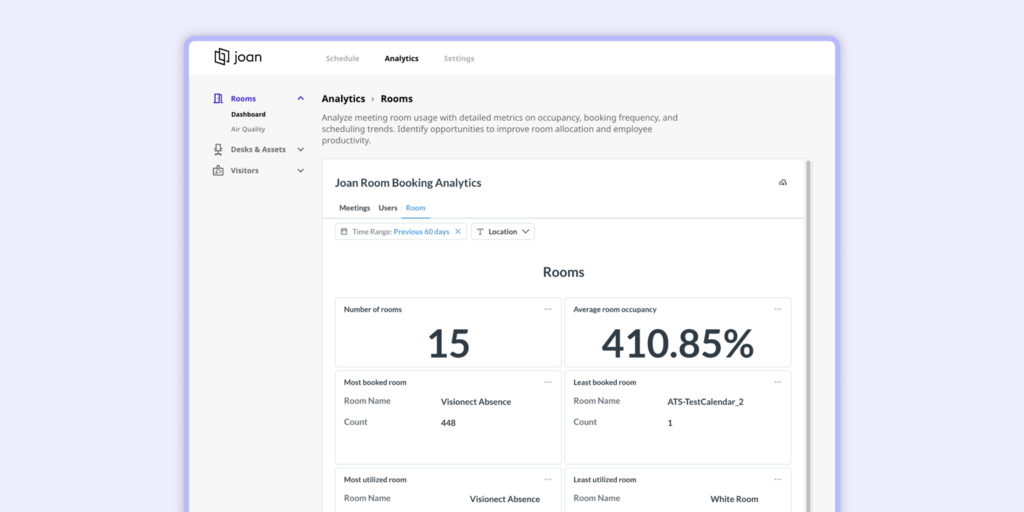
Joan runs on battery-powered ePaper displays rather than always-on tablets, which removes the wiring dependency that slows most large rollouts. The software syncs with Microsoft 365, Teams, Google Workspace, Exchange, and Zoom, and covers desk booking, visitor management, digital signage, and analytics under one subscription rather than a stack of add-ons.
Joan also doesn’t require a hardware purchase either. If your building already has displays or tablets in place, Joan’s software runs on any display you already own, so you’re not forced into new hardware to get started.
Pros: wireless installation, long battery life on the displays, strong Microsoft and Google integration, analytics included on every plan, works for both a single office and a multi-site enterprise, runs on hardware you already own if you’d rather not buy new displays.
Consider this: if you only need basic room scheduling with no interest in desk booking or visitor management, you’ll be paying for platform breadth you won’t use.
2. Robin
Best for: hybrid workplaces that need to coordinate who’s coming in, not just which rooms are free.
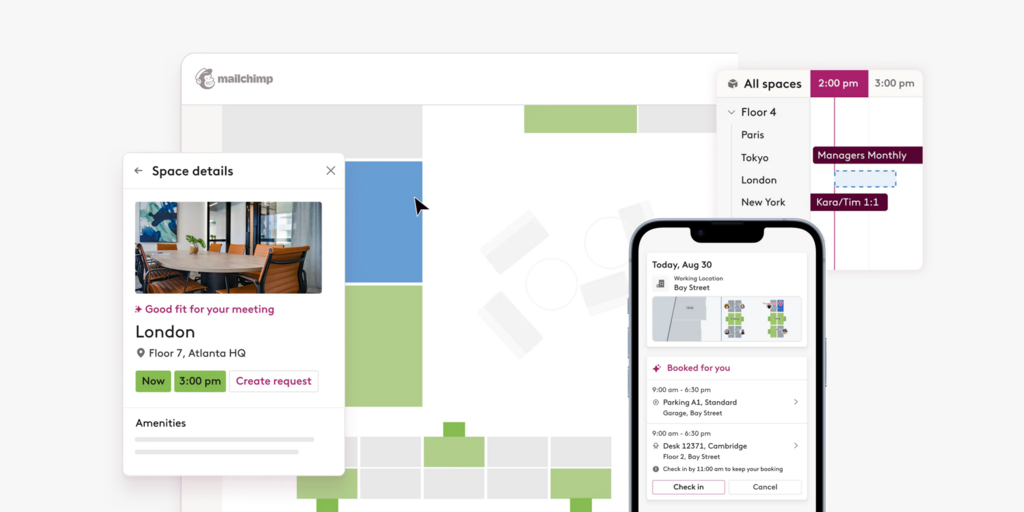
Robin’s strength is workplace coordination: office maps, attendance patterns, and desk booking alongside room scheduling. The interface is genuinely easy to adopt. The tradeoff is hardware: Robin runs on third-party tablets rather than its own displays, so your install cost and timeline depend on whatever hardware you choose.
Pros: strong hybrid-work features, interactive office maps, solid reporting, easy adoption.
Consider this: hardware sourcing and cost sit outside Robin’s control, and pricing tends to scale with organization size.
3. Microsoft Teams Panels
Best for: organizations fully committed to the Microsoft ecosystem.
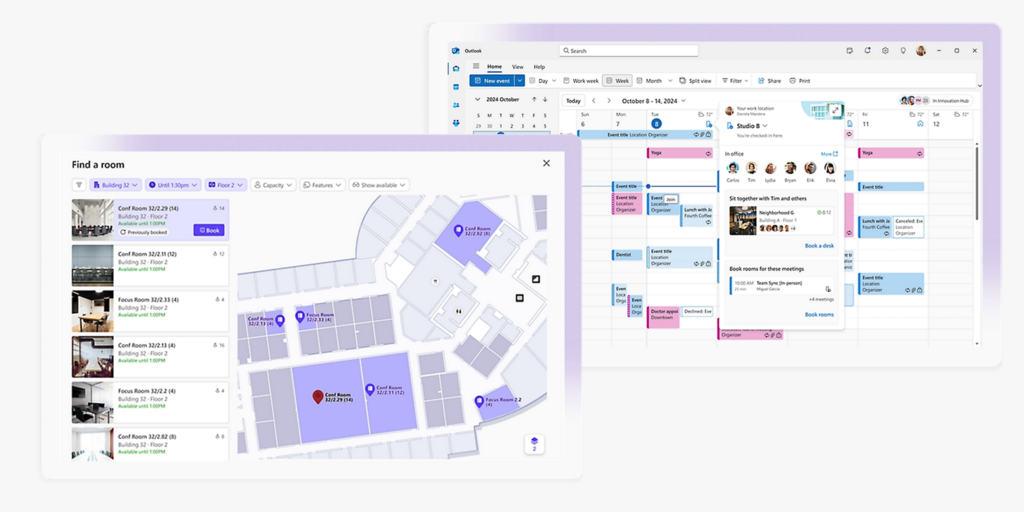
Native Teams integration means reliable sync with minimal setup, and a familiar interface for anyone already living in Teams. The limitation shows up the moment your office runs anything else. Mixed environments with Google Workspace or other platforms will find this considerably less flexible than a dedicated workplace tool.
Pros: reliable Microsoft 365 sync, no learning curve for Teams users.
Consider this: built for Microsoft-first offices specifically, with little workplace management beyond the room itself.
4. Zoom Rooms Scheduler
Best for: offices standardized on Zoom for meetings.
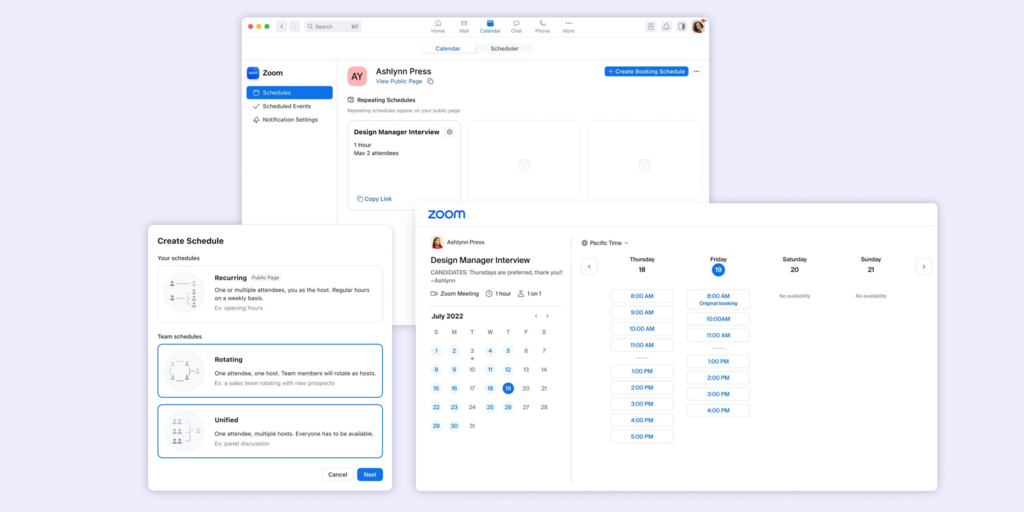
Straightforward and consistent if Zoom Rooms is already your meeting platform of choice. Outside that use case, it’s a narrower tool: no visitor management, and limited space analytics compared to dedicated workplace platforms.
Pros: clean Zoom integration, simple deployment within existing Zoom environments.
Consider this: built around Zoom specifically, with little to offer beyond scheduling.
5. Envoy
Best for: offices that see a lot of visitors, contractors, or deliveries and want that handled alongside room booking.
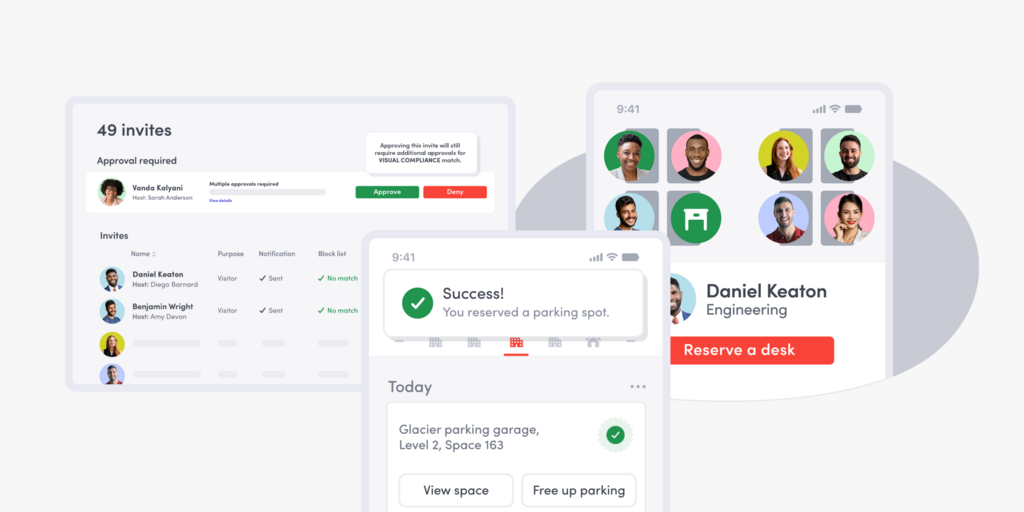
Envoy’s visitor management is its core strength, badge printing, check-in flows, and workplace security that room-first platforms don’t match. Room booking is a genuine feature, not an afterthought, but it’s clearly the second priority behind visitor management.
Pros: strong visitor experience, solid security features, modern interface.
Consider this: if room scheduling is your primary need, you’re paying for visitor-management depth you may not use.
6. Logitech Tap Scheduler
Best for: organizations that already have scheduling software picked out and just need reliable hardware to run it on.
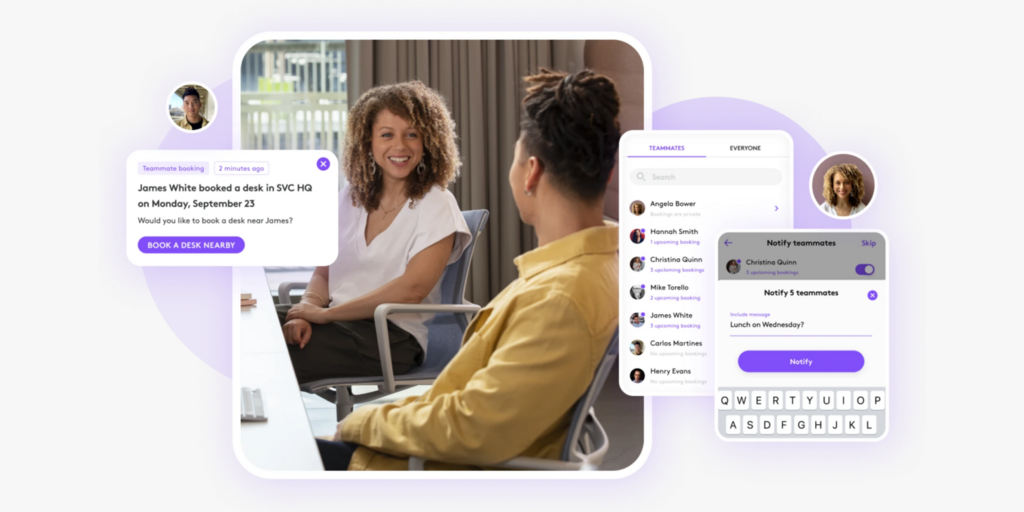
Logitech builds hardware, not a platform. Tap Scheduler devices work with Teams, Zoom, and Google Workspace, but you still need a separate scheduling and analytics layer behind them.
Pros: premium build quality, works across multiple platforms, clear displays.
Consider this: hardware only. You’ll need to pair it with compatible software before it does anything useful.
7. Condeco
Best for: large enterprises with complex, multi-site scheduling needs.
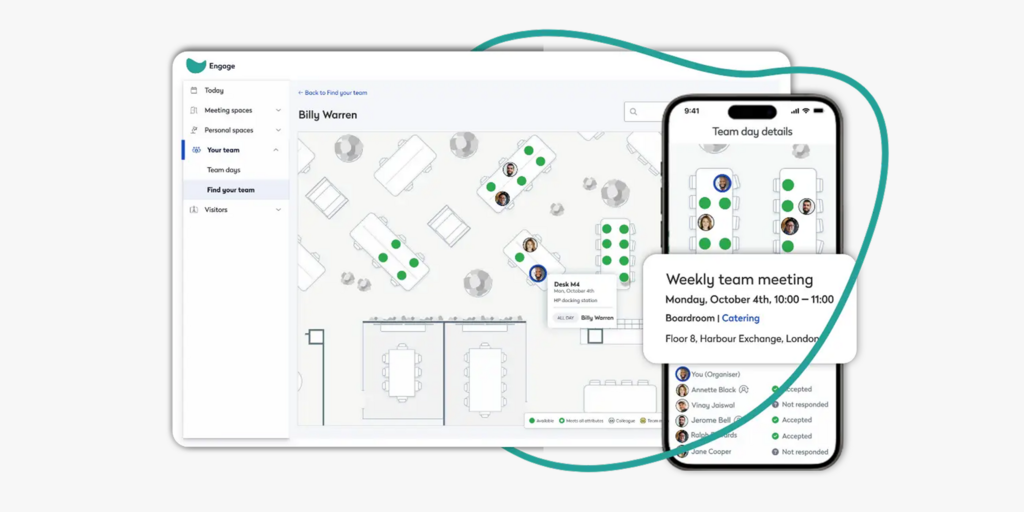
Condeco has the longest enterprise track record on this list, with deep administrative controls and reporting built for organizations running many locations at once. That depth comes with more implementation complexity, and teams with limited IT bandwidth should budget time for setup accordingly.
Pros: enterprise-grade functionality, advanced reporting, strong multi-site management.
Consider this: more complex to implement than newer, cloud-first alternatives.
Conference room display software feature comparison
A side-by-side look at all seven platforms. It’s the quickest way to see which one offers what.
| Feature | Joan Workplace | Robin | MS Teams Panels | Zoom Rooms Scheduler | Envoy | Logitech Tap Scheduler | Condeco |
|---|---|---|---|---|---|---|---|
| Room scheduling | ✅ | ✅ | ✅ | ✅ | ✅ | Depends on paired software | ✅ |
| Wireless display hardware | ✅ | Depends on hardware | Depends on hardware | Depends on hardware | Depends on hardware | ❌ | Depends on hardware |
| Microsoft Teams integration | ✅ | ✅ | ✅ | Limited | Limited | ✅ | ✅ |
| Google Workspace integration | ✅ | ✅ | Limited | Limited | ✅ | ✅ | ✅ |
| Desk booking | ✅ | ✅ | Limited | Limited | ✅ | Depends on paired software | ✅ |
| Visitor management | ✅ | Limited | ❌ | ❌ | ✅ | ❌ | Limited |
| Workplace analytics | Advanced | Advanced | Basic | Basic | Solid | Depends on paired software | Advanced |
| Digital signage | ✅ | Limited | ❌ | ❌ | ❌ | ❌ | Limited |
| Best suited for | Any office size | Hybrid workplaces | Microsoft-first offices | Zoom-first offices | Visitor-heavy offices | Hardware-only deployments | Large enterprises |
Essential features to evaluate when choosing conference room display software
Every vendor on this list will claim to cover “the basics.” What that actually means varies more than you’d expect, and the gap usually shows up after you’ve already signed a contract. These are the seven areas worth checking before you commit, not after.
Real-time room availability
The core function. Employees need to know, at a glance, whether a room is available, occupied, booked soon, or out of service. Anything less than real-time defeats the purpose.
Calendar and platform integration
Check native support for Microsoft 365, Microsoft Teams, Google Workspace, Google Calendar, Microsoft Exchange, and Zoom, specifically. A platform that claims broad compatibility but only truly syncs well with one ecosystem will show its limits the moment your office runs a mixed environment.
Installation complexity
This is a cost line item people underestimate until they’re deploying room ten through room fifty. Power cables and Ethernet drops add electrician time and delay to every single room. Wireless, battery-powered hardware removes that dependency, which compounds quickly at scale.
On-screen booking actions
Look for instant booking, one-tap check-in, meeting extensions, early completion, and cancellation, all doable from the display itself, not just from a companion app.
Workplace analytics
Room utilization, peak booking hours, no-show rates, and average meeting length turn a scheduling tool into a planning tool. This is the data you’ll actually use when deciding whether to add rooms, remove them, or resize them.
Scalability and administration
One office and fifty offices are different problems. Confirm centralized administration and consistent reporting across every site before you’re the one managing fifty separate configurations by hand.
Security
Meeting room data can reveal who’s meeting with whom, and about what. Encrypted communication, role-based permissions, and support for standard compliance frameworks should be table stakes, not a premium add-on.
Which conference room display software platform fits your business
If your only requirement is showing room status inside Microsoft Teams or Zoom, the native panel option is genuinely enough. Don’t buy more platforms than the job needs.
If you’re running enterprise reporting across many offices, Condeco and Robin both have the analytics depth built for that scale.
Joan Workplace serves as a comprehensive workplace platform, combining room booking, desk management, visitor scheduling, and analytics into a unified solution to avoid the hassle of multiple vendors. Its pairing with wireless ePaper hardware ensures a fast and simple deployment, avoiding a lengthy, multi-week installation process. However, for teams that solely require basic room scheduling, a narrower, single-purpose tool would be a more suitable alternative.
As hybrid attendance keeps swinging week to week, the organizations getting the most out of their office space are the ones treating room visibility as infrastructure, not an afterthought bolted onto a calendar.
Ready to simplify workplace management? Contact us to see how Joan can fit your organization’s needs.
Frequently asked questions
What’s the difference between a conference room display and a conference room scheduling system?
The display is the physical screen outside the room. The scheduling system is the software and calendar sync running behind it. In everyday use, “conference room display software” usually means the whole package, hardware plus the software that keeps it accurate.
Do I need to buy new hardware, or can I use a tablet I already have?
Depends on the platform. Robin, Envoy, and Condeco run on third-party tablets you source yourself. Joan and Logitech ship purpose-built hardware, though Joan’s software also runs on displays you already own if you’d rather not buy new devices.
Can conference room scheduling software stop double-bookings?
Yes, that’s one of its main jobs. By syncing directly to your calendar, these tools show real-time availability and block conflicting bookings before they happen, rather than catching the conflict after two teams show up to the same room.
Is it expensive to roll out conference room displays across many rooms?
Cost comes down mostly to hardware and installation. Wireless, battery-powered displays skip the electrician and wiring that wired tablets need per room, which adds up fast once you’re past room ten.
What’s the difference between Joan Workplace and Robin?
Both cover room and desk booking, but Joan ships its own wireless ePaper hardware and includes analytics on every plan, while Robin runs on third-party tablets and leans more on hybrid work coordination, like attendance patterns and office maps, than on physical display hardware.
Is Microsoft Teams Rooms or Zoom Rooms Scheduler enough on its own?
If you only need to show room status inside the ecosystem you already use, yes. Both are genuinely sufficient for that one job. Where they fall short is anything beyond it, desk booking, visitor management, or analytics, since neither was built to cover those.