
How to choose the right meeting room booking software?
Meeting room booking software is a tool that lets employees find, reserve, and manage conference rooms in real time — synced to your organization’s calendar so everyone sees the same availability at the same moment.
The basic idea has been around since the shared calendar. What changed is the layer of intelligence on top of it: automatic check-ins, no-show detection, occupancy analytics, room displays, and integrations that bring booking into the apps employees already use. Modern meeting room booking software does not just record reservations — it actively manages space.
Most systems connect to Google Workspace or Microsoft 365, treat each room as a calendar resource, and give employees one or more surfaces to interact with: a web portal, a mobile app, a calendar add-in, or a physical display mounted outside the room. When someone books a room, the slot locks across every surface instantly.
What you’ll learn:
- What meeting room booking software actually does — and how it differs from desk booking
- How the booking flow works from first click to auto-release
- Which features matter and which are nice-to-have
- What meeting rooms cost to manage, and how to budget
- How to choose, implement, and get employees to actually use a system
Quickly jump to:
- How meeting room booking software works
- Benefits of meeting room booking systems
- Industries that use meeting room booking software
- Features to look for in meeting room booking software
- Common challenges with meeting room booking software
- Examples of conference room scheduling systems
- What does meeting room booking software cost?
- How to choose and implement meeting room booking software
- Training employees on a new meeting room booking system
- Meeting room booking trends and statistics
- Meeting room booking software FAQs
Meeting room booking software vs desk booking software
Meeting room booking software handles reservable shared spaces: conference rooms, focus rooms, phone booths, collaboration areas. Desk booking software handles individual workstations — assigned desks, hot desks, and neighborhoods in open-plan offices.
The distinction matters because the booking behavior is different. Rooms are typically reserved in advance for groups, tied to a meeting invite, and held for a specific duration. Desks are often booked day-of, for individuals, and follow attendance patterns rather than meeting agendas.
Most modern workplace platforms — including Joan — cover both. If your organization is managing hybrid work, you likely need both running together. If you are specifically trying to fix a conference room problem, dedicated meeting room booking software gets you there faster.
How meeting room booking software works
Meeting room booking software sits between your calendar infrastructure and your employees. Here is the technical picture in plain terms.
Understanding the meeting room booking flow
- Setup: rooms become resources. An admin adds each meeting room to the system — name, location, floor, capacity, equipment (screen, whiteboard, video conferencing), and booking rules (advance notice required, maximum duration, approval needed for certain rooms). Each room gets a calendar resource in Google Workspace or Microsoft 365 that the system reads and writes to.
- An employee needs a room. They open whichever surface they prefer — the Joan web portal, the Joan mobile app, a Google Calendar or Outlook add-in, or the ePaper display outside the room — and see live availability. They filter by capacity, floor, or equipment. Available rooms show in green. Booked rooms show in red.
- The room is reserved. They pick a time slot, confirm the booking, and optionally add attendees. The reservation writes to the room resource calendar. Every other booking surface reflects the change within seconds. The room is now locked for anyone else trying to book it at that time.
- Check-in confirms occupancy. When the meeting time arrives, the organizer (or any attendee) checks in — by tapping the room display, scanning a QR code at the door, or confirming in the app. If no one checks in within a configurable window (Joan defaults to 10 minutes, adjustable from 5 to 30), the system releases the room automatically and makes it available for anyone else to book.
- Usage data is logged. Every booking, check-in, no-show, and walk-in (rooms booked directly from the display without advance reservation) creates a record. That data feeds the analytics dashboard, which shows facilities and operations teams which rooms are overbooked, which sit empty, and when peak demand hits. It is the raw material for better real estate decisions.
Benefits of meeting room booking systems
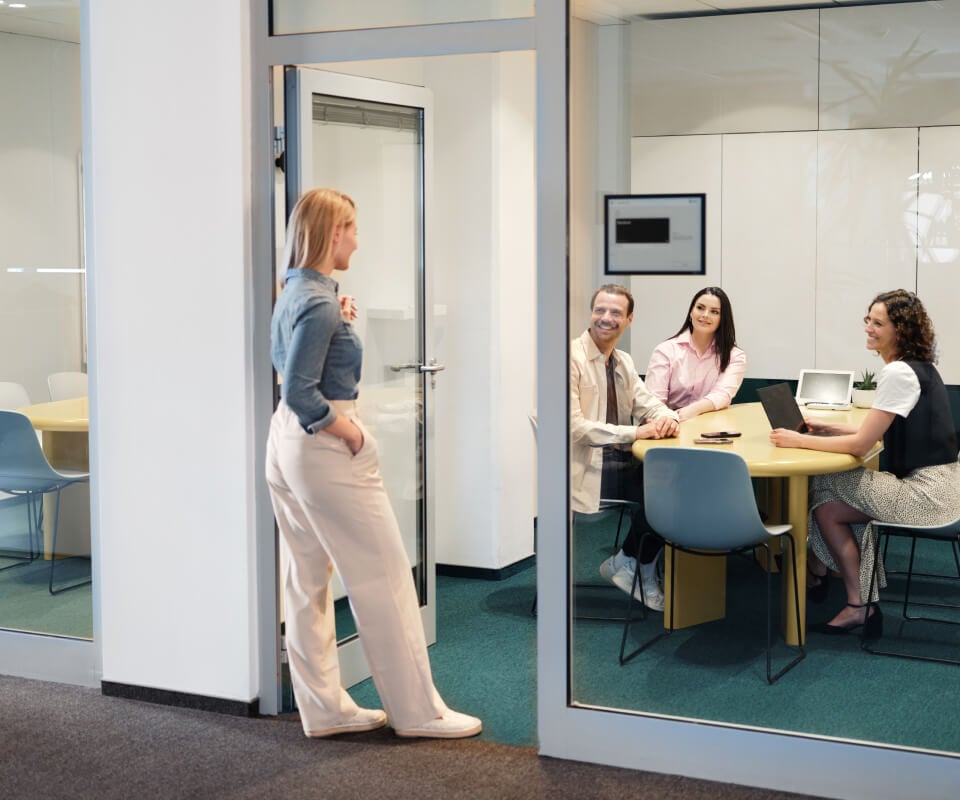
Improve meeting room utilization
Most organizations think they need more meeting rooms. The data usually tells a different story. Studies consistently show that corporate offices use their meeting rooms at 30–50% of available capacity — not because the rooms are too few, but because ghost meetings, no-shows, and inefficient booking patterns block time that goes unused.
A booking system with check-in and auto-release recovers that blocked time. Before adding rooms or reconfiguring your floor plan, run three months of booking data through an analytics dashboard. The answer is almost always better utilization, not more space. You can check all you need to know about meeting room utilization here.
Stop ghost meetings and no-shows
A ghost meeting is a room that looks booked in the calendar but sits empty because the organizer cancelled, the meeting went remote, or attendees just never showed. In a 20-room office, ghost meetings can block three to five rooms at any given time — rooms that employees assume are occupied and do not try to book.
Check-in with auto-release kills this problem. If no one checks in within the configured window, the booking disappears and the room opens up. Joan analytics dashboard tracks the ghost meeting rate over time so you can see exactly how much time is being recovered. See how VINO.COM eliminated ghost meetings after deploying Joan across their offices.
Prevent double bookings and scheduling conflicts
When your booking system and your calendar are not perfectly synced, double bookings happen. Two teams book the same room via different surfaces — one through the portal, one through Outlook — and both show up for the same time slot.
Real-time, two-way calendar sync prevents this. The moment a room is confirmed in Joan, that slot is locked in the room’s Google Calendar or Exchange resource. The next person to try booking that slot at that time sees it as unavailable, regardless of which surface they use.
Help employees find available rooms quickly
In offices where booking is friction-heavy — requiring a portal login, a browser search, a form submission — employees stop using the system and walk the floor to find a free room. Walk-ins do not get logged. Analytics become useless. Adoption collapses.
Joan’s ePaper display solves this at the room level: employees see green or red before they open any app. For advance bookings, the Joan mobile app and calendar add-ins reduce the booking flow to two or three taps. Lower friction means higher adoption means better data.
Enforce room capacity and meeting policies
A booking system is also a policy engine. You can restrict the boardroom to senior staff only. Set a maximum two-hour booking window for the small breakout rooms. Require approval for rooms over a certain size. Add a 15-minute buffer between meetings so the previous group has time to clear out.
These rules run automatically. You set them once, and the system enforces them without anyone having to police the calendar.
Industries that use meeting room booking software
Meeting room booking software is not an office-only tool. Any organization managing shared spaces with multiple competing users benefits from it.
Corporate offices are the most obvious use case. Hybrid work has made room booking more important, not less — because the same number of rooms now serves a workforce that does not all come in on the same days, making real-time availability data critical. See how The Planning Center and The Housing Network use Joan to manage their office spaces.
Technology companies tend to be early adopters, especially those running on Google Workspace or Microsoft 365. The calendar-native booking flow fits engineering cultures that already live in their calendars. See how autonomous driving company OXA uses Joan for room booking.
Financial services and legal firms run tightly scheduled environments where double bookings have client-facing consequences. Compliance and audit logging features matter here. PwC uses Joan for desk booking across their offices.
Healthcare organizations use booking software to manage consultation rooms, meeting spaces, and clinical conference rooms. Access controls that limit certain rooms to certain departments are common requirements. University Children’s Hospital Zurich and Zona Medica both run Joan across their facilities.
Education — universities and business schools use room booking to manage seminar rooms, study spaces, and faculty meeting rooms across multiple buildings. Joan suits academic and research institutions that want a display on every door, as the Frankfurt Zoological Society demonstrates.
Co-working spaces and flexible workplaces use meeting room booking to manage member access, per-use billing, and external guest bookings.
Government and public sector organizations have specific requirements around access controls, audit trails, and on-premise data handling. SSO and SCIM provisioning are typically non-negotiable.
Features to look for in meeting room booking software
Room booking experience
The booking experience is where adoption is won or lost. Employees will use a system that gets out of their way. They will work around a system that adds friction.
Look for: calendar add-ins that let employees book without leaving Outlook or Google Calendar; a mobile app with offline capability; a clean web portal that loads fast; and QR code booking for walk-in reservations without requiring the app.
Room displays and on-the-spot booking
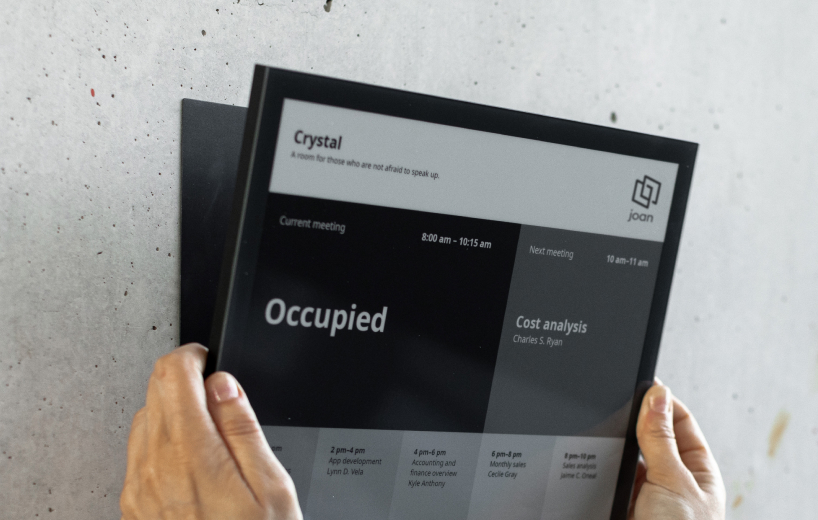
A physical display outside the room is the single biggest driver of adoption. Walking past a room and seeing a green screen tells you it is free faster than any app. Booking directly on the display handles spontaneous meetings without requiring employees to pull out a phone.
Joan ePaper displays run on battery for up to a year, mount without cable installation, and show real-time room status synced to the calendar. The display also functions as a check-in surface — employees tap to confirm their arrival, triggering the clock on the auto-release window if they do not.
Rules and automation
The difference between a booking system and a functional room management tool is the rule engine behind it.
Rules to look for: minimum and maximum booking duration; advance booking windows (how far ahead someone can reserve); buffer time between meetings; approval workflows for restricted rooms; recurring meeting limits; and team-based access controls.
Automation to look for: automatic check-in reminders (push notifications five minutes before the meeting), no-show auto-release, and end-of-day reports on room utilization.
Space and resources
Room booking software should handle more than just time slots. Capacity limits prevent teams from booking a four-person room for twelve people. Equipment lists (video conferencing, whiteboard, display screen, phone) let employees filter by what they need. Amenity flags (catering available, accessible entrance, external guest access) reduce back-and-forth before meetings.
Larger deployments also benefit from interactive floor plan views, where employees click a room on a map rather than scrolling a list.
Analytics
Workplace analytics are what separate tactical room booking from strategic space management. At a minimum you need: occupancy rate per room, peak booking hours, ghost meeting rate (bookings with no check-in), and underutilized rooms by day of week.
Better systems layer in actual vs. booked occupancy (using sensor data to confirm whether the number of people in the room matches the booking), trends over time, and comparison across locations.
This data is what justifies real estate decisions — whether to add rooms, remove rooms, reconfigure layouts, or change booking policies.
Integrations
The booking system needs to fit into the tools employees already use or it will not get used.
Calendar integrations (Google Workspace, Microsoft 365/Outlook) are non-negotiable. Confirm that the integration is two-way — bookings made in Outlook should appear in Joan, and bookings made in Joan should appear in Outlook.
Chat integrations (Slack, Microsoft Teams) let employees book without leaving their daily tools.
Directory and SSO integrations (Azure AD, Okta, Google Workspace Directory) handle user provisioning automatically. Employees onboard into the booking system the moment they are added to your directory; they lose access when they are removed.
API access matters for organizations that need to connect booking data to custom dashboards, HRIS systems, or facility management platforms. Joan’s API lets you pull utilization data into any reporting environment.
Common challenges with meeting room booking software
Low employee adoption
The most common failure mode. A system that gets implemented but not used produces no data, no behavior change, and no ROI.
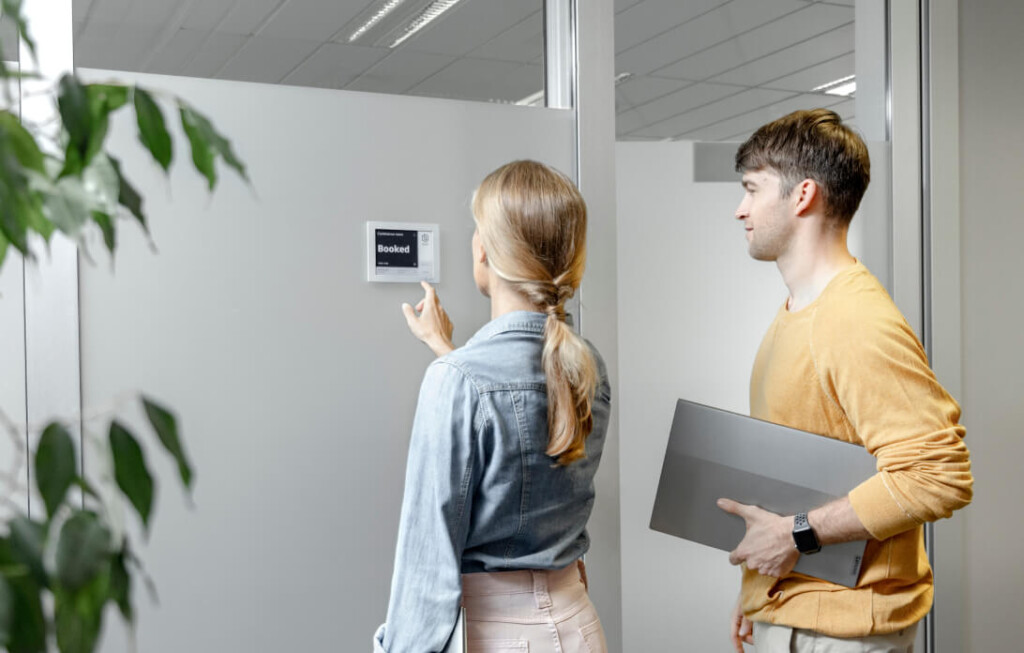
Root causes: the booking flow has too many steps; the system requires a separate login employees forget; there is no visible cue at the room that reminds people to use it. Joan’s approach to this is the display — a screen on the door is the reminder, the booking surface, and the check-in point all at once.
Rooms appear booked but are actually empty
Ghost meetings. The booking exists in the calendar, the display shows the room as occupied, but no one is there. Without check-in and auto-release, that time is permanently lost.
This is particularly damaging in organizations that use room utilization data for space planning — ghost meetings inflate apparent demand and can lead to leasing more space than is actually needed.
Double bookings and calendar conflicts
Usually a sync problem. The booking system and the calendar are not writing to the same source of truth in real time. Or employees are using multiple booking surfaces that are not fully integrated with each other.
The fix is strict two-way sync and a single source of truth for each room resource. Every booking — regardless of which surface it was made on — must write to the room calendar immediately.
Rooms are used inefficiently
The large boardroom is booked for two-person calls. The small focus room hosts a team of eight. These mismatches waste expensive space and frustrate employees who cannot find a room that fits their meeting.
Capacity limits on bookings prevent the worst mismatches. Analytics showing which room sizes are actually in demand give you the data to reconfigure or repurpose rooms that are chronically over- or under-sized.
Hardware and setup complexity
Adding a physical display to every room means sourcing devices, mounting them, powering them, and maintaining them. For facilities teams already stretched thin, this can be the reason hardware gets deprioritized.
Joan ePaper devices run on battery — no power cables, no electrician required. Mounting uses a standard adhesive bracket or a door-mounted frame. Most rooms are set up in under 30 minutes.
Limited visibility into room usage
Many booking systems show you what was booked but not what was actually used. Booked vs. actual occupancy is a fundamentally different data point. A room booked for one hour but used for 20 minutes still shows as utilized in calendar-only data.
Sensor integrations — motion sensors, CO2 sensors, or camera-based occupancy detection — provide actual occupancy data independent of bookings. Joan integrates with occupancy sensors to combine calendar booking data with real presence data for more accurate utilization reporting.
Managing hybrid meetings
When half the team is remote and half is in the room, the booking system needs to handle both sides. This means video conferencing equipment information in room listings, clear capacity limits for in-room attendees when part of the meeting is remote, and display information that helps on-site employees identify which rooms are equipped for hybrid calls.
The biggest challenge: aligning the system with real office behavior
Every implementation challenge above comes back to one root cause — the booking system does not match how people actually work. Employees do not book in advance because their schedules are unpredictable. They walk to a room and check if it is free instead of opening an app. They forget to cancel a meeting when it goes remote.
Good meeting room booking software does not fight these patterns. It accommodates them: walk-up booking from the display for spontaneous meetings, auto-release for cancelled-but-not-deleted bookings, and mobile booking for last-minute changes. The best systems get out of the way.
Examples of conference room scheduling systems
Not every organization needs the same thing. Here is how the tool category breaks down by use case and company profile.
Affordable room booking solutions for small businesses
Small teams (under 50 people) sharing a handful of rooms need booking basics: calendar sync, a simple booking interface, check-in, and auto-release. They do not need enterprise SSO, multi-location analytics, or approval workflows.
Joan Basic plan covers everything a small office needs. deskbird and Officely also serve this segment — deskbird with per-user pricing, Officely with a Slack-native workflow. See meeting room booking for small offices.
Enterprise-grade workspace management for global offices
Large organizations (500+ employees, multiple locations) need centralized admin, SAML SSO, directory sync, audit logging, multi-tenant support, and API access. They are willing to invest more in setup time and per-unit cost for reliability and security at scale.
Joan Enterprise plan covers this. Robin and OfficeSpace also serve this segment with deeper facilities management features.
Meeting room booking software reviews and comparisons
Looking for a side-by-side comparison? The 33 best meeting room booking systems of 2026 covers the full landscape with pricing, pros and cons, and head-to-head comparisons against Joan. Specific comparisons: Robin alternatives, Skedda alternatives, deskbird alternatives.
What does meeting room booking software cost?
Pricing models vary and the differences matter more than the headline numbers.
Per device (Joan model): You pay per room display or bookable resource, regardless of how many employees use the system. This works in your favor when you have many employees sharing fewer rooms — adding headcount does not change your bill.
Per user: You pay per employee who has access to the system. This can be cost-effective for small teams but scales poorly in hybrid offices where headcount is high but in-office attendance is partial. A 300-person hybrid team still pays for 300 users even if only 150 come in on any given day.
Per space/room: You pay per bookable room, similar to per device but without the hardware. Common in software-only tools. Predictable as headcount changes; scales with the number of rooms.
Enterprise/custom: No published pricing; requires a sales conversation. Common in enterprise tools like Robin and OfficeSpace. Difficult to budget without going through a sales process.
Estimated monthly costs for a 20-room, 150-employee office
| System | Est. monthly cost | Pricing model |
|---|---|---|
| Joan (Pro) | ~€200/month + hardware | Per device |
| Skedda | ~$199/month | Per space tier |
| Officely | ~$240/month | Per space |
| YAROOMS | ~$399/month | Per user bundle |
| deskbird | ~€412/month | Per user |
| Tactic | ~€450/month | Per workspace |
| Robin | Custom quote | Per space |
| OfficeSpace | Custom quote | Enterprise |
Hardware for room displays is not included in software costs. Joan’s ePaper devices are a separate one-time purchase. See Joan pricing page for current software rates and a hardware cost estimate.
Hidden costs to check before signing
Implementation time. Enterprise tools often involve professional services, floor map setup, and a 30-to-60-day onboarding. That time has a cost even if the vendor does not charge for it directly.
Hardware. Software-only tools have no device cost, but if you want a screen on every door, you will source and manage Android tablets or iPads alongside your subscription. Joan’s devices are designed for this use case; generic tablets require more ongoing maintenance.
Training and change management. Adoption does not happen automatically. Factor in the time your operations or IT team spends configuring the system, communicating the rollout, and supporting employees in the first month.
How to choose and implement meeting room booking software
Step 1: Audit your current meeting room usage
Before looking at software, understand what is actually happening. How many rooms do you have? What are their capacities? How heavily are they used? How often do employees walk to a room and find it occupied or empty despite what the calendar shows?
If you have any existing booking data, pull the ghost meeting rate — the percentage of bookings where no one checked in. If you do not have that data, a two-week observation period (manual counts at peak hours) gives you a baseline to measure improvement against.
Step 2: Map your integration requirements
Which calendar platform do you use — Google Workspace, Microsoft 365, or both? Do you need Microsoft Teams or Slack integration for booking from chat? Will you need SSO (SAML/SCIM) for user provisioning? Is your Exchange server on-premise or online?
These requirements eliminate tools before you even look at features. A tool that does not support your calendar platform is not an option regardless of its other qualities.
Step 3: Evaluate features based on company size
Step 4: Prepare for rollout with an implementation checklist
Before go-live, confirm the following:
- All room resources are created in your calendar platform and connected to the booking system
- Booking rules are configured (duration limits, access controls, buffer times)
- SSO or directory sync is active (enterprise deployments)
- Room displays are mounted and connected to Wi-Fi
- At least two admins are trained on the backend
- A communication has gone out to employees explaining the new system and where to get help
Step 5: Run a pilot before a full rollout
Start with one floor or one team. Give them two weeks on the system, collect feedback, and watch the analytics. What did they book that did not sync? Where did they get confused? Did the auto-release trigger correctly?
Fixing issues with 20 rooms is faster than fixing them with 200. The pilot also generates a word-of-mouth effect — employees who have used the system for two weeks become internal advocates when you roll out to the rest of the office.
Step 6: Roll out company-wide
Communicate clearly: what is changing, why, and what employees need to do differently (which is usually nothing except bookmarks — the calendar integration means they can keep booking from Outlook or Google Calendar as they always have).
Keep the first month light on enforcement. Let the system run alongside any existing process for two weeks, then make it the only path. By that point, most employees will have used it at least once and found it easier than whatever they were doing before.

Training employees on a new meeting room booking system
- Keep training short and practical. No one reads a 20-page user guide for a room booking tool. The most effective training is a 60-second explainer: here is where you find available rooms, here is how you book one, here is how you check in when you arrive. Everything else is self-explanatory or accessible in the app.
- Train inside tools employees already use. If your employees use Outlook, show them the Joan Outlook add-in. If they live in Slack, show them the Slack booking command. Do not ask employees to learn a new portal if they can accomplish the same thing in a tool they already have open.
- Set clear booking rules — and communicate them. If the boardroom requires manager approval, say so in the booking confirmation flow. If rooms auto-release after 10 minutes without a check-in, tell employees before they walk away from a room they booked. Surprises erode trust in the system.
- Use signage near meeting rooms. A small card near each display (or on the door of rooms without a display) explaining how to check in and how to book walk-up reduces the most common first-week support requests. Joan’s ePaper display is itself a visual cue — most employees figure out how to interact with it without instruction.
- Identify internal champions. In every office there are a few people who figure out new tools fast and help everyone else. Find them before the rollout. Give them early access, ask for their feedback, and encourage them to answer questions from colleagues. This is faster and more credible than any formal training program.
Meeting room booking trends and statistics
Growing demand for meeting room booking tools
The meeting room booking software market is growing steadily. Cognitive Market Research found that 79% of U.S. corporate offices had adopted some form of booking system — a figure that reflects how far the category has moved from a nice-to-have to a standard piece of workplace infrastructure.
Research and Markets estimates the meeting room booking software market at $152.3 million in 2025, growing to $359 million by 2034. MarketResearchFuture projects the broader market reaching $3.62 billion by 2035 as meeting room tools converge with desk booking, visitor management, and workplace analytics platforms.
Hybrid work is still the biggest demand driver
CBRE’s 2025 office attendance outlook shows sustained hybrid adoption across corporate real estate portfolios. JLL’s 2025 benchmark report puts average global office utilization at 54%, up from 49% in 2024 — meaning offices are getting busier, but not full. The gap between available space and actual occupancy is exactly where meeting room booking software creates value: it matches employees with available space in real time rather than relying on patterns that no longer hold.
Meeting room booking is becoming part of broader workplace platforms
The standalone room booking tool is giving way to platforms that combine room booking, desk booking, visitor management, and workplace analytics in one subscription. Organizations want fewer vendor relationships and unified data — a single dashboard showing room occupancy, desk utilization, and visitor volumes across all locations.
Joan has built in this direction since 2020. The Joan platform now covers room booking, desk booking, visitor management, parking, digital signage, and workplace analytics under a single per-device subscription.
Analytics and utilization reporting are becoming core features
Early booking systems captured reservations. Current systems capture what happened after the reservation: check-in, no-shows, walk-ins, actual headcount. MarketResearchFuture cites utilization improvement of up to 44% in organizations that deployed analytics-driven booking systems — the result of using occupancy data to eliminate ghost meetings and reallocate underused rooms.
AI is starting to shape the next wave of product features
Natural language booking (“find me a room for four people near the second-floor kitchen at 2 PM tomorrow”) is appearing in several platforms as a beta feature. Joan’s AI Agent (currently in beta) handles room search and booking via chat — a step toward removing the booking flow entirely and replacing it with a conversational interface.
CBRE’s workplace insights note that AI-driven space recommendations are increasingly part of enterprise real estate decision-making, not just employee-facing booking. The same analytics that help facilities teams optimize room allocation are beginning to feed AI systems that predict demand and suggest layout changes proactively.
Mobile-first and real-time booking are now expected
Three years ago, a mobile app was a differentiator. Today it is table stakes. Employees expect to book a room from their phone in under 30 seconds, see real-time availability without refreshing, and receive a push notification check-in reminder when their meeting starts. Any tool that does not deliver this fails the basic adoption test.
Smart office tech is pushing room booking closer to automation
Occupancy sensors, badge readers, and environmental monitors are beginning to integrate with booking systems to create a closed loop: the sensor detects that a room is occupied, the booking system logs the actual start time; the sensor detects that the room is empty, the booking system releases it — without requiring any employee action at all.
Joan’s sensor integration supports this flow for organizations that want to move beyond check-in as the occupancy signal.
Meeting room booking software FAQs
What is meeting room booking software?
Software — and sometimes hardware — that lets employees find and reserve conference rooms in real time, synced to your organization’s calendar. It tracks occupancy, enforces booking rules, auto-releases no-show rooms, and provides analytics on space usage.
What is the difference between meeting room booking software and a room scheduling system?
The terms are used interchangeably. “Room scheduling” tends to appear in enterprise contexts and often implies a hardware component (a display or panel outside the room). “Meeting room booking software” is the broader category. Both refer to the same category of tools.
How does meeting room booking software integrate with Microsoft 365 or Google Workspace?
The system connects to your calendar via OAuth or a service account and treats each room as a calendar resource. When a room is booked in the booking system, the reservation writes to the room’s calendar. When someone books the room directly in Outlook or Google Calendar, the booking system picks up the change and updates availability on all other surfaces. Confirm that the integration is two-way before committing to a tool. [INTERNAL LINK: meeting room booking Microsoft 365]
Do I need hardware on the door?
No — but it changes adoption significantly. A physical display outside each room removes the need for employees to check an app before walking to a room. The visual cue (green = free, red = occupied) is faster than any digital interface. Software-only setups work; adoption tends to be lower without the physical prompt.
How much does meeting room booking software cost?
Depending on features and pricing model, between free (limited basic tools for very small offices) and several thousand dollars per month for enterprise platforms.
How long does it take to implement?
Joan can be live in a single office within a few hours — calendar sync, device setup, and basic rules configuration. Enterprise deployments with multi-location floor maps, SSO, and custom integrations take one to three weeks. Avoid tools that require professional services for a basic single-site rollout unless you specifically need enterprise-grade features.
What is a ghost meeting?
A booking that exists in the calendar but where no one shows up — because the meeting was cancelled without updating the booking, moved to a video call, or forgotten. Ghost meetings block rooms that could otherwise be used. Check-in with auto-release eliminates them: if no one checks in within a configurable window after the meeting start time, the room releases automatically.
About the author
