
Office hoteling software: how it works and the best tools in 2027
Offices now have more people than seats. CBRE’s 2026 Global Workplace & Occupancy Insights found that companies assign 111 people to every 100 desks on average. Average office use is 53%, but on peak days it jumps to 80%, and 73% of companies say Tuesday is their busiest day. If you’re working out how many desks your office actually needs, see our guide to desk sharing ratios.
This happens because hybrid work creates unpredictable attendance that traditional workspace planning cannot handle. One day your office feels like a ghost town, the next employees are searching for any available desk. People have no way to know which desks will be free or whether they’ll even find workspace on busy days.
Office hoteling software fixes this by letting employees reserve specific workstations in advance, eliminating both the morning desk search and the risk of arriving to a full office. It also provides clear data on actual space usage, showing you exactly how much workspace you really need versus what you’re currently paying for.
Want full reviews of every tool? See our list of the best desk booking software.
Quickly jump to:
- What is office hoteling
- Office hoteling best practices
- Essential office hoteling software features
- ROI and business case for office hoteling software
- Best office hoteling software compared
- How Joan handles office hoteling
- FAQs about office hoteling software
What is office hoteling
Office hoteling software ends the morning desk search by letting employees reserve specific desks in advance. Through visual floor plans and mobile apps, workers secure guaranteed desk space before they even leave home.
Unlike traditional assigned seating where employees own permanent desks regardless of usage, or hot desking’s first-come, first-served approach that can leave latecomers without workspace, office hoteling provides the perfect middle ground.
| Office hoteling | Hot desking | Assigned seating | |
|---|---|---|---|
| How you get a desk | Reserve a specific desk ahead in an app | First come, first served on the day | Same desk every day |
| Desk guaranteed? | Yes, once booked | No | Yes |
| Best for | Hybrid teams with set office days | Small teams and drop-in days | Roles that are in the office every day |
Office hoteling best practices
1. Measure your desk use first. Track how many desks actually get used each day for two weeks. That baseline shows your real demand and how many bookable desks you need.
2. Start with clear communication. Successful office hoteling implementation requires thoughtful change management that addresses both technical setup and cultural adaptation. Employees need clear communication about new workplace policies before the system launches.
3. Set reasonable booking windows. Establish reasonable booking windows that balance flexibility with planning needs. Too short a window creates daily stress as employees compete for limited space. Too long a window reduces flexibility and can lead to excessive advance bookings that block availability.
4. Create hoteling etiquette guidelines. Create clear hoteling etiquette guidelines that promote respectful space sharing. These policies should address desk cleanliness expectations, personal item storage, and courtesy practices for shared workspace environments. Employees need to understand that hoteling desks are temporary assignments, not personal territories. Check out our desk sharing etiquette guide that covers the real-world details to make shared workspaces actually work.
5. Pilot on one floor. Start with one team or floor before you roll out company-wide. Ask managers to book through the system too, so issues show up before everyone depends on it.
6. Measure success holistically. Measure success through both quantitative metrics and qualitative feedback. Track utilization rates, booking completion rates, and space efficiency improvements. Also gather employee satisfaction surveys and informal feedback to understand how the system affects daily work experiences.
Essential office hoteling software features
Look for platforms that cover the essential booking functions employees need while providing analytics and insights for space optimization in the backend.
- Calendar integration. Book desks directly from existing scheduling tools without switching apps or learning new systems.
- Visual floor plans. Upload your office layout and visualize available desks in real-time on your actual floor map.
- Team coordination. See where your colleagues are sitting and reserve nearby desks for better collaboration.
- Granular desk rules. Set specific access permissions and occupancy limits for individual desks, teams, or entire areas.
- Mobile-first experience. Fast loading, clear display, and one-touch booking changes since employees primarily use their phones.
- Analytics and reporting. Track occupancy patterns, peak usage times, and collaboration trends to optimize space allocation decisions.
- Check-in and auto-release. People confirm they’ve arrived by app, QR code or a display at the desk. If nobody checks in, the desk goes back into the pool.
- Neighborhoods and amenity filters. Keep teams together, and let people filter for a second monitor, a standing desk or accessibility features.
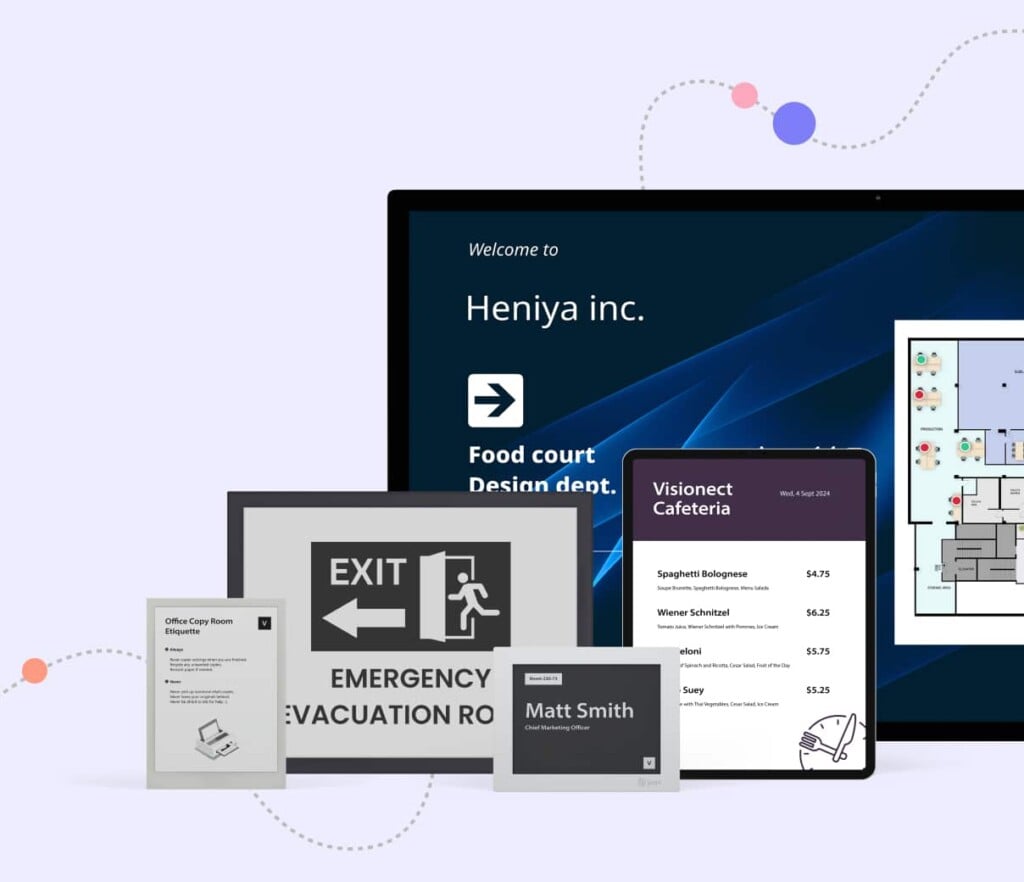
- Desk and room displays. A screen at the desk shows whether it’s free or booked and lets people check in on the spot. Joan ePaper displays are wireless and run on batteries, so there’s no cabling to plan.
- Scalable workplace platform. Start with desk booking and easily add meeting room reservations, visitor management, and digital signage as your workplace needs grow.
ROI and business case for office hoteling software
Real estate costs consume a massive portion of most company budgets. Office hoteling software addresses this expensive inefficiency by turning underused space into measurable savings.
The financial impact appears in three areas:
- Optimized space usage. When you know exactly how many desks you actually need versus how many you currently pay for, the savings become clear. Office hoteling data reveals true utilization patterns, enabling smarter real estate decisions that reduce square footage while improving employee experience.
- Eliminated daily friction. Time spent searching for desks translates to lost productivity across your entire workforce. Employees who can reserve workspace in advance start their day productively instead of wandering through office floors looking for available spots.
- Less admin work. Manual desk management creates administrative burden and workplace conflicts. Automated hoteling systems handle reservations, track usage patterns, and provide insights for future planning without requiring constant facility manager intervention.
Download our workspace utilization guide for detailed ROI calculation frameworks and occupancy benchmarks.
Best office hoteling software compared
Here are 8 tools that handle office hoteling well, with who each one suits and what it costs. For full reviews, pros and cons, see our best desk booking software list.
| Platform | Best for | Hoteling features | Starting price |
|---|---|---|---|
| Joan | Hoteling with displays at the desk, plus rooms, parking and visitors on one platform | Book from the app, floor plan or Teams; ePaper desk displays; check-in and auto-release; neighborhoods | From €49/month (Team plan, 2 devices, 20 users) |
| Robin | Large enterprises that want workplace analytics | Hot and assigned desks, priority booking, automatic booking, QR and NFC check-in | Custom quote |
| Skedda | Detailed booking rules | Rules engine, check-in and auto-release, neighborhoods, assigned desks | From $99/month (Starter, 15 spaces) |
| Archie | Per-desk pricing and coworking | Work Week view, QR check-in, no-show protection, recurring bookings | From $2.80/desk/month ($159/month minimum) |
| Envoy | Visitor management first | Hoteling by the hour, day or week, neighborhoods, multi-day booking, unused desk release | $5/bookable resource/month plus platform fee |
| deskbird | Teams-first hybrid offices | Desk, room and parking booking, native Teams app, QR/app/Teams check-in with auto-release | From $3.75/active user/month (from 25 users) |
| OfficeSpace | Enterprise space planning | Hoteling and hot desking, reverse hoteling, badge, Wi-Fi or sensor check-in | Custom quote |
| Microsoft Places | Microsoft 365 companies | Desk pools in Outlook and Teams; specific desk booking and auto-release with a per-space license | Desk pools included with Microsoft 365; space license priced via Microsoft |
Choose office hoteling software based on what your employees will actually use. Mobile-friendly booking matters most since people reserve desks from their phones. Calendar integration determines whether desk booking feels natural or becomes another annoying task.
Look for platforms that provide useful reporting data, responsive customer support, and clear pricing. All-in-one platforms save you work: your team gets one system for desk booking, meeting rooms and visitor check-ins instead of juggling several apps.
How Joan handles office hoteling
Joan puts desk hoteling, meeting rooms, parking and visitors on one platform, so your people use one app and your admins manage one system.
- Book a desk from the mobile app, the web, the floor plan, or by asking the Joan AI agent in Microsoft Teams.
- Check in at a wireless ePaper display at the desk. Desks nobody claims go back into the pool automatically.
- Keep teams together with neighborhoods, and see who’s in before you book.
- Track occupancy across desks, rooms and visitors in one dashboard.
Plans start at €49/month (Team plan, 2 devices, 20 users), and you can try Joan free for 30 days.
Start your free trial or talk to our team about setting up office hoteling for your office.
FAQs about office hoteling software
What are the main benefits of office hoteling software?
Office hoteling software delivers real cost savings through smarter space use. Companies routinely eliminate underused workstations and redirect those real estate dollars to growth initiatives.
More importantly, it solves the daily frustration of desk hunting. No more wandering around looking for a spot or settling for cramped corners. Employees get the workspace they need, when they need it. Facility managers stop playing referee and start focusing on what actually moves the business forward.
When should my organization implement office hoteling software?
When office occupancy varies dramatically throughout the week, desk booking software becomes essential. If people work from home regularly and office attendance swings wildly throughout the week, traditional assigned seating stops making sense.
The tipping point is when employees complain about finding desks or you suspect you’re paying for empty space. If your team is growing but your office isn’t, booking software helps you do more with what you have.
How do I ensure employees actually use the office hoteling software?
Keep it simple. If booking takes more than a few clicks, people won’t do it. Choose software that works with the tools they already use: their calendar, their phone, their existing workflow.
What are the best practices for implementing office hoteling software?
Start with clear expectations, not rigid rules. People need to know how the system works without feeling micromanaged.
For the complete playbook on desk sharing etiquette, booking protocols, and handling peak demand, check out our guide. It covers everything from reservation windows to keeping workspaces clean.
How does office hoteling software scale as our organization grows?
Look for platforms that bundle everything: desk booking, meeting rooms, visitor management, and digital signage, so you’re not juggling multiple vendors as you expand. The best systems give you better data as you grow, turning usage patterns into strategic insights about your real estate needs.
Is there free office hoteling software?
A few tools have free plans for very small teams, but most offer a trial instead. Joan has a 30-day free trial, deskbird has a 14-day trial for teams up to 50 people, and Microsoft Places includes desk pools with Microsoft 365. More options in Is there free desk booking software?
Does Microsoft have office hoteling software?
Yes, Microsoft Places. Desk pools come with Microsoft 365. Booking a specific desk, automatic release of no-shows and occupancy reports need a Microsoft Teams Shared Space license for each space. Details in Does Microsoft have a desk booking system?
About the author
