24 Sep 2026
One badge, three jobs, the Joan ePaper Badge for visitors, employees and events
The Joan e-paper badge is one device that handles three different jobs: visitors, employees, and events, depending on how you set it up. Here’s a breakdown of what the badge is, the features built into every device, and how it works for each setup.
One important thing to keep in mind: a badge handles one job at a time. You can easily switch a physical badge from visitor mode to employee mode, but it only runs one profile at once, the system makes sure of this, so you can assign a set number of badges to each setup.
Quickly jump to:
- The technology behind Joan ePaper badges
- Visitor ePaper badge use case
- Employee ePaper badge use case
- Event ePaper badge use case
- Visitor badge vs employee badge vs event Badge
- One platform underneath all three ePaper badges
- Ready to retire the printer
- ePaper badge FAQ
The technology behind Joan ePaper badges
Every Joan badge relies on identical hardware and operates on a unified platform. Core features common to all badges include:
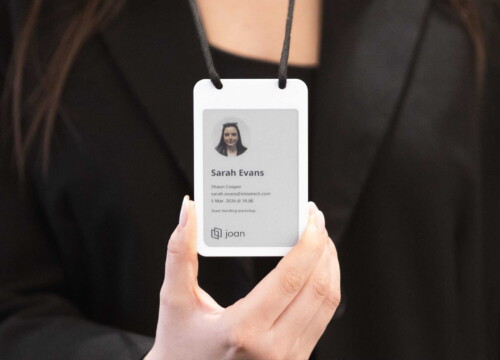
- 4-Color E-Paper Screen: Presents sharp, highly readable content in black, white, red, and yellow using a portrait orientation. Functioning like an e-reader, power is consumed strictly during screen refreshes.
- Bluetooth Wireless Updates: Information is transmitted wirelessly and updated on demand, completely eliminating paper printing and enabling effortless rewriting for new users.
- Integrated NFC Chip (NXP Mifare DESFire EV3): Utilizes standard access-card technology, allowing the device to double as an access credential.
- Multi-Screen Capacity: Supports up to six rotating image slots, allowing dynamic content display beyond a single stationary screen.
- Extended Battery & Wireless Charging: Provides roughly 200 days of runtime on a single charge (assuming several daily updates) and recharges conveniently on a Qi wireless dock.
- Sustainable & Reusable: Designed for years of continuous re-rendering, eradicating single-use waste, ink, and paper consumables.
- Centralized Joan Management: Configured and controlled via company templates through the Joan mobile app, visitor tablet, or event management app.
In short, it delivers a reusable badge updated digitally rather than reprinted, combining visual identification and access control into one device.
Visitor ePaper badge use case
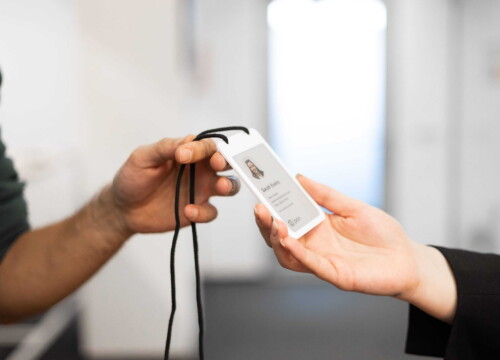
As the initial and fully operational application of the Joan e-paper badge, visitor badges solve a common reception challenge. Instead of issuing disposable paper passes that end up in the trash after brief use, the visitor eBadge provides an automated, zero-waste solution. It updates instantly upon guest arrival and resets automatically upon departure, eliminating manual input and printing entirely.
How does visitor management eBadge works
- Guest checks in at the reception kiosk (via Joan visitor management)
- Nearest badge in Bluetooth range writes itself, name, company, photo, host
- No typing at the desk, no label printer
- Guest wears it for the visit
- On the way out, drops it back in the dock
- Badge clears itself, ready for the next guest
Features included
- Automatic badge write at check-in (name, company, host, photo).
- Self-clearing on return to the dock, ready for the next guest.
- Overstay flag: if a badge isn’t returned when the visit should have ended, it’s flagged automatically, so you always know who’s still on site.
- Works as the physical layer of your visitor management system and check-in kiosk, no separate process to run.
- No printer, labels, ink or plastic holders.
What it can do
By eliminating physical printing, it seamlessly substitutes paper visitor passes with a secure, photo-verified identity that deters unauthorized sharing. Additionally, it provides front-desk personnel with real-time tracking for unreturned badges.
Employee ePaper badge use case
Where a visitor badge is issued for an hour, an employee badge has to stay right for years, and that’s exactly where printed IDs fall down. A role changes, a photo goes out of date, someone leaves with a card that still opens doors, and nobody notices until it’s a problem. The employee eBadge is built to keep identity and access current without ever reprinting.
How does employee badges
- Office or HR manager sets up the whole fleet from the Joan mobile app
- Connect a badge, pick a company template, assign it from the Joan directory
- Assign in batches, a whole intake of new hires ready at once
- Any record change syncs to the badge over Bluetooth, next time it’s nearby
- Employees do nothing, it’s all managed admin-side
Features included
- Four company templates: Default, Department, Informational and Minimalistic, with a live preview, showing photo, name, title, department and contact details.
- Batch assignment from the Joan user directory, so a new hire’s badge is correct and waiting on day one.
- Over-the-air updates: a new title, a new photo, a moved department, re-synced to the badge instead of reprinted.
- Instant revocation: mark a badge lost or stolen and access is cut at the database immediately; the display clears once it’s back in Bluetooth range, so it stops looking like a valid ID too.
- NFC access control: the built-in chip lets the same badge open doors where your access-control system supports it (this needs an integration step).
What it can do
Serve as one credential for both identity and access, replacing a printed ID card plus a separate RFID card with a single badge. Keep every employee’s ID current without a single reprint, and revoke a lost badge centrally and instantly rather than waiting for someone to deactivate a card by hand.
Event ePaper badge use case
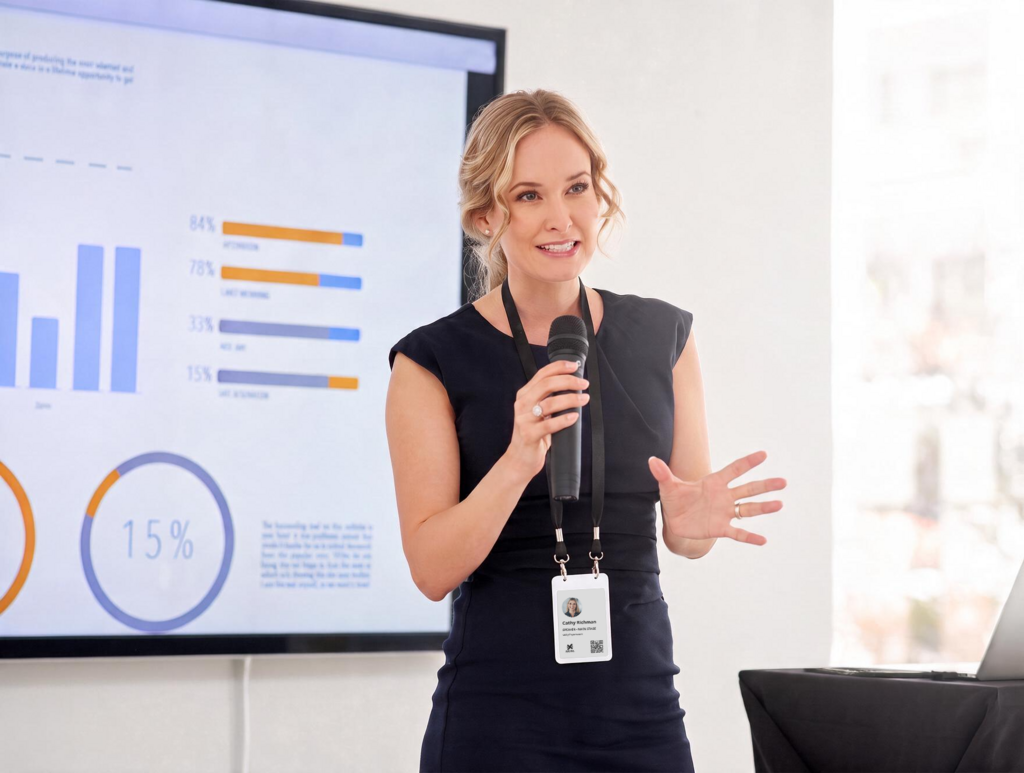
Traditional event badges present a different challenge: rather than lasting for years, hundreds must be created accurately and rapidly under tight deadlines. Once printed, physical badges cannot be modified. Consequently, typographical errors or last-minute attendee changes typically lead to delays at reprint stations. The event eBadge eliminates this issue by generating credentials directly from your attendee database, allowing corrections via a simple re-sync. This ensures badges are fully prepared prior to doors opening and can be repurposed for subsequent events.
How it works
- Badges belong to the organiser, not the attendee
- Upload your attendee list as a CSV (name, job title, company, workshop…) into the event tablet app
- Badges are written from it, in batches beforehand, or at the desk for walk-ins
- A wrong name or a swapped delegate is a quick re-sync, not a reprint
- At the end, badges are collected, cleared, recharged and reused at the next event
Features included (supported today)
- CSV bulk upload with field mapping, you choose which piece of data appears where on the badge.
- Manual single-badge assignment for walk-ins and last-minute registrations.
- On-site editing / re-sync to fix a typo or change a workshop on the spot, without re-uploading the whole file.
- Event logo on the badge, and badge content pulled directly from the CSV, including non-English languages (e.g. Dutch or Arabic) shown as written.
- Two-screen layout: name, job title and company on the first screen; the attendee’s workshop(s) on the second.
- Collect, clear, recharge and reuse at the next event.
On the roadmap
Custom branding beyond the event logo, QR codes, registration-platform integrations, and NFC features are planned rather than available, so bring your specific event to us and we’ll confirm exactly what’s ready for it.
What it can do
Get hundreds of badges ready before doors open, check in walk-ins on the fly, fix any badge in seconds, and reuse the same set of badges for your next event, no printers, no long reprint lines, and no wasted paper.
Visitor badge vs employee badge vs event badge
All three run on the same eBadge, what changes is the setup. Here’s how the visitor, employee and event configurations compare:
what each one displays, how it’s written, and which features come into play.
| Capability | Visitor | Employee | Event |
|---|---|---|---|
| Availability | Live | Launching 2026 (beta) | In trials |
| 4-colour reusable e-paper, updated over Bluetooth | ✓ | ✓ | ✓ |
| What it displays | Name, company, host, photo | Photo, name, title, department | Name, title, company + workshop |
| How it’s written | Auto, at the reception kiosk | Assigned in the Joan mobile app | From attendee CSV / at the desk |
| Company templates | — | ✓ (4 templates) | Via CSV field mapping + event logo |
| Batch preparation | — | ✓ | ✓ (~50 per Bluetooth session) |
| Self-clears / reused | ✓ (dock) | ✓ On revoke / reassign | ✓ (collected & reused) |
| Overstay / not-returned flag | ✓ | — | — |
| Instant lost/stolen revoke | — | ✓ | — |
| NFC access control | — | ✓ (needs integration) | Roadmap |
| Rechargeable (~200 days, Qi) | ✓ | ✓ | ✓ |
| Ownership | Issued per visit | Per employee | Organiser-owned |
One platform underneath all three ePaper badges
Visitor, employee, and event badges all run on the same reusable hardware, managed through the Joan platform. Only the configuration changes. The setup underneath stays the same.
That makes moving to a new use case simple. If you already use Joan badges for visitors, you can repurpose them for employee credentials or events with the hardware and admin tools you already have. There’s no new system to adopt.
A single badge updates dynamically instead of being reprinted. It adapts to whatever role it’s assigned and is ready for its next use.
Ready to retire the printer
Replace physical printing with one badge that updates to fit your needs. The same hardware works for visitor, employee, and event setups, and switching between them is just a configuration change.
To see how this fits your workplace, visit our dedicated pages for visitor, employee, and event badges. If you’d like a demo or want to talk through your setup, our team is ready to help whenever you are.are.
ePaper badge FAQ
What is an e-paper badge?
A reusable badge with a low-power e-paper screen (like an e-reader) that’s written and updated wirelessly instead of printed. The same badge can be set up for visitors, employees or events.
How does it work?
Content, a name, photo, role, and so on, is sent to the badge over Bluetooth and shown on the e-paper screen. The screen holds its image without using power, and can be wiped and rewritten for the next person. No printer, no ink.
What colours can it display?
It’s sharpest in black, white, red and yellow, its four native colours. Other shades are possible too, just a little softer.
Does it have NFC or RFID?
Yes, every badge has a built-in NFC chip (NXP Mifare DESFire EV3). It’s used for door access in the employee use case, wherever your access-control system supports it (this needs an integration step).
Can one badge be a visitor, employee and event badge at the same time?
No, a badge runs one use case at a time. You can reassign the same badge from one use case to another, but not run two at once, so badges are set up per use case.
How do visitor e-paper badges work?
When a guest checks in at reception, the nearest badge writes itself with their name, company, photo and host, no typing at the desk, no label printer. It’s the physical layer of your visitor management system.
What happens to the badge when the visit ends?
When the visitor is checked out, on the tablet or by reception/host, the badge clears and goes back in the dock, ready for the next guest. If a badge isn’t returned when the visit should have ended, it’s flagged.
Do we still need to print visitor passes?
No, the badge is written wirelessly at check-in, so there are no printers, labels, ink or plastic holders to manage.
Why are visitor badges often yellow?
Colour-coding is a quick way to spot visitors at a glance on printed passes. An e-paper badge shows the visitor’s name, company and photo instead, so who’s who is clear without relying on the colour.
How do employee badges work?
An office or HR manager assigns badges from the Joan mobile app using a predefined company template, straight from the directory, in batches, so a new hire’s badge is ready on day one. Any change (a new title, photo or department) re-syncs to the badge over Bluetooth instead of being reprinted.
Can the badge open doors?
Yes, via its built-in NFC chip, wherever your access-control system supports it (needs an integration step), so one badge can carry both ID and access instead of an ID card plus a separate RFID card.
What if an employee loses their badge?
You mark it as lost or stolen in the mobile app or web portal so its status is up to date, and reassign a badge to the employee.
How do event badges work?
You upload your attendee list as a CSV into the event app, and badges are written from it, in batches beforehand, or at the desk for walk-ins. A wrong name or a last-minute swap is a quick re-sync, not a reprint. Afterwards, badges are collected, cleared and reused at the next event.
Can a badge show more than a name?
Yes, a badge can hold up to six screens, so alongside the name, title and company you can add things like the event agenda, session times or sponsor content.