25 Nov 2026
Event badges designed for designers, made in 10 seconds
A meetup lives or dies in its first ten minutes. People arrive, look for a familiar face and try to work out who’s who. A name badge does most of that work for them.
The usual options aren’t great. Printed badges need a final guest list days ahead, and meetups rarely have one. Stickers and markers are quick, but they peel off, smudge and end up in the bin.
At Design Show & Tell III, we tried a third way. The hosts made every badge on the spot, at the door, in 5 to 10 seconds each. More than 50 designers wore a personalized Joan ePaper badge on a branded lanyard, and nobody queued. Here’s how it worked.
About the event: Design Show & Tell III
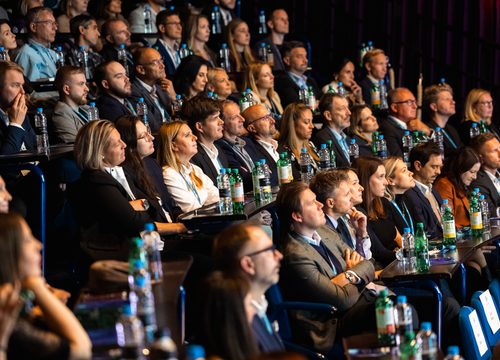
Design Show & Tell is a casual series for designers who build new products and features, experiment with AI tools and create interesting experiences. The format is simple: live demos, real work, no slides. Half-finished work is welcome, from rough Figma files to early Claude Code experiments.
The third edition took place on 19 November 2026 at the Visionect office on Tržaška cesta in Ljubljana. It was hosted by Anuška Đogić, product designer at Visionect, the company behind Joan, and Kaja Škerlj, product designer at codeplain.
Three designers shared their work:
- Nika Vižintin Prinz, Product Designer at Aikido Security, on the processes she has worked in and why she returned to focusing on design.
- Romina Kavcic, product leader and owner of DSG, on agentic design.
- Nina Rojc, Senior UX Designer at Canonical, on how much of her job happens outside design and how she makes that time count.
The evening closed the way good meetups do: with pizza and long conversations.
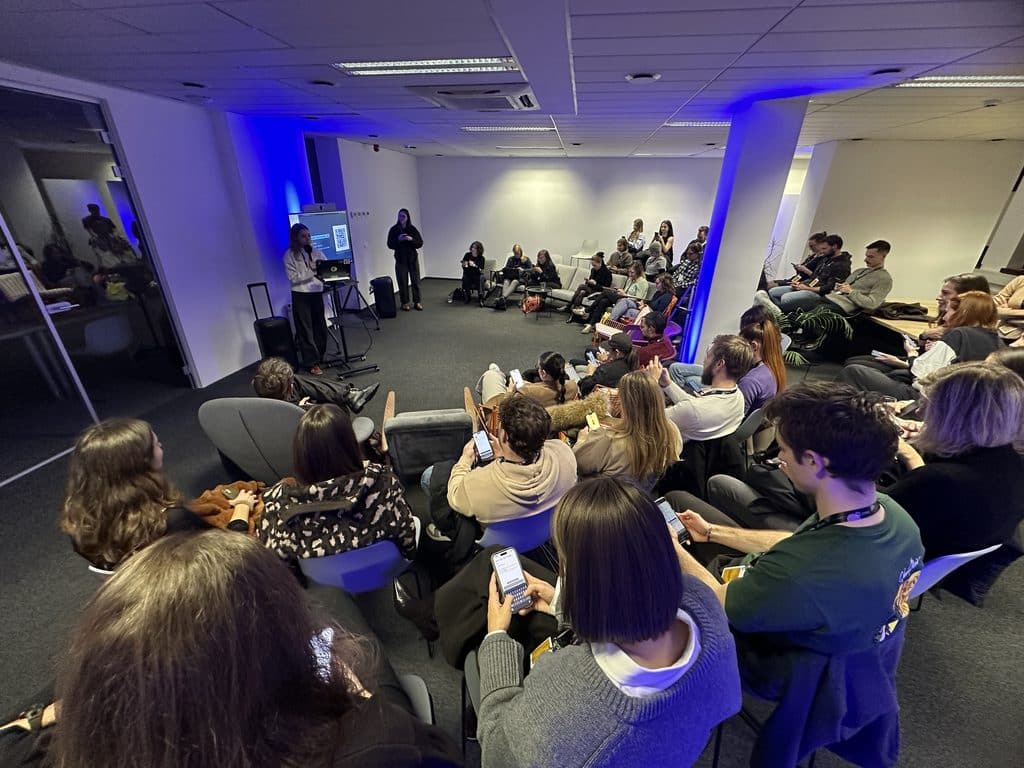
Why a product design meetup belongs at Visionect
Product designers are the people who question every default. Why does this screen look like this? Why does this step exist? What happens if we try it another way?
That’s how Visionect works too. We’ve spent years asking how people share space at work: how they find a room, book a desk, welcome a visitor and recognize each other in a busy building. Sometimes the answer was a calmer kind of screen. Sometimes it was software that fits into the tools people already use.
We try new tools and ways of working early, and we’d rather help shape a trend than wait for it. That’s why we open our office to conversations like agentic design and AI-assisted workflows. We want to be in the room where these debates happen, and sometimes we want to host the room.
It also made the badges a fair test. A room full of designers notices everything: the typography, the contrast, the moment a screen refreshes, the friction at the door. If a badge works for them, it works.
Made at the door, straight from the guest list
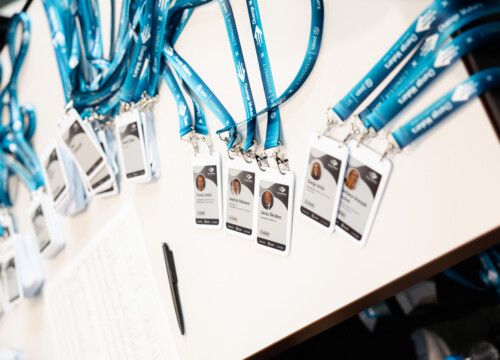
A meetup guest list never sits still. People register late, bring a colleague or show up because a friend told them about it an hour ago. So instead of preparing badges in advance, the hosts created every attendee badge at the entrance.
Everyone who registered through the organizers’ event platform was already waiting in the Joan event app when the doors opened. A guest said their name, the hosts found them in the app, and a few seconds later their badge was ready. Making one took 5 to 10 seconds, about as long as it takes to say hello and point someone to the coat rack. Over the evening, more than 50 badges were made this way, and there was no waiting line at any point.
No printer, no misspelled names, no handwritten stickers. If a name needed changing, it changed in seconds.
The finishing touch was the lanyard. As hosts, we branded them with Joan and Visionect, so every badge hung on something that matched the evening.

Four badge designs for four roles
Every guest got a personalized badge, and the people running the evening got their own designs, so you could tell at a glance who to ask what.
| Badge | Who wore it | Why it helps |
|---|---|---|
| Attendee | Every guest | Names on show, so conversations start faster |
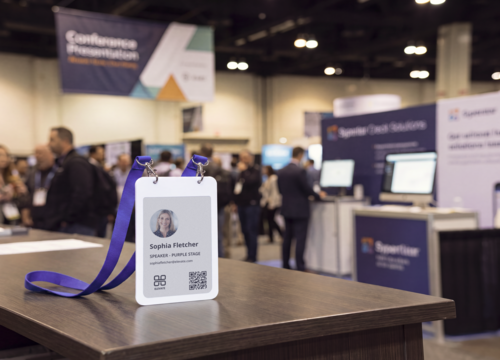
| Speaker | Nika, Romina and Nina | Guests know who to find after a talk |
| Organizer | Anuška Đogić and Kaja Škerlj | One look tells you who’s running the night |
| Visionect team | Our supporting team on site | Guests know who to ask about the venue or the badges |
Four colors, a lot of creativity
For a design meetup, the badge had to be a small piece of design work in its own right. Joan ePaper badges use a four-color ePaper display, not a full-color screen. That’s a limit, and designers like a good limit.
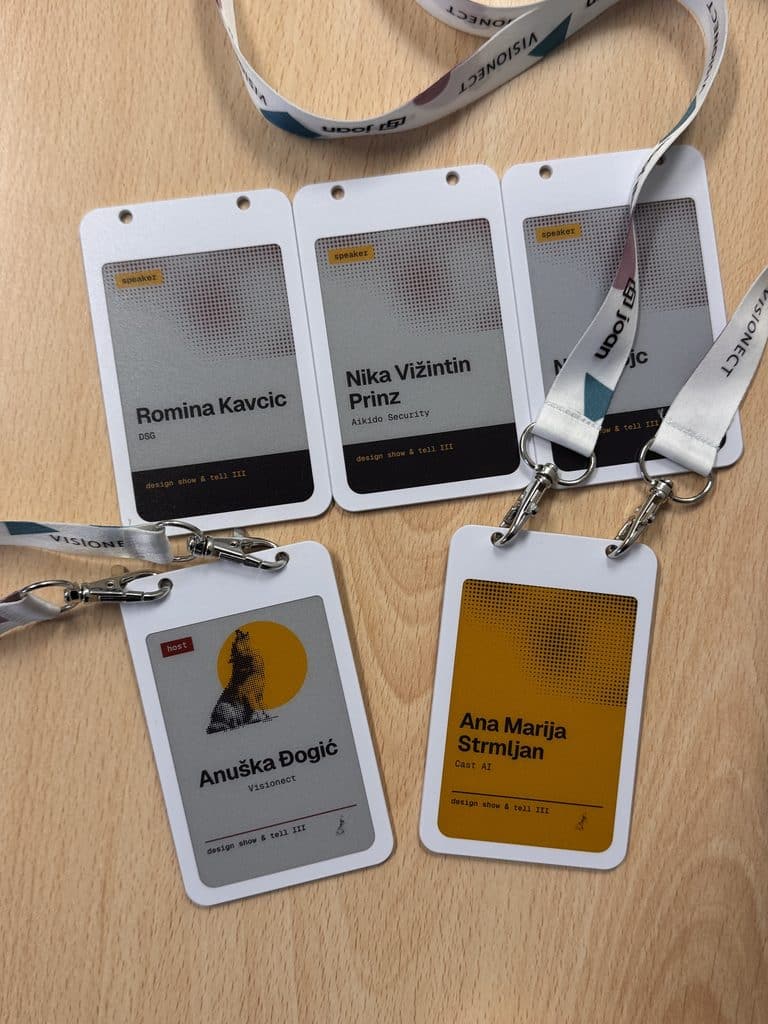
The lesson for any organizer: design for the display from the start. Bold shapes, strong contrast and a limited palette look sharper up close than a full-color creative squeezed onto ePaper. For more ideas, see our guide to custom event badges.
“Good product design removes friction before anyone notices it was there. That’s what the badges did at our event: registration felt smooth and pleasant, with a little wow at the door.”
Kaja Škerlj, product designer at codeplain and co-organizer of Design Show & Tell
The goodbye was part of the experience too. We placed several drop-off points on the way out, so handing a badge back took no effort, and every badge returned. For organizers who own their badges, that matters: each badge’s serial number (MAC address) can be matched to the guest wearing it, so you always know where your badges are.
What meetup organizers can take from this
Small and medium events have different needs from a 300-person conference. Here’s what worked for a meetup of around 50 people:
- Make the badge part of the welcome. At Design Show & Tell, the hosts made the badges themselves. Every guest was greeted by name, got a few seconds of conversation and walked in already introduced. It’s hospitality, not admin.
- Start conversations early. A badge that people notice gives strangers an easy first question. Designers asked about the screen, the refresh and how the badge was made before the first talk began.
- Start from your registration list. Bring your registered guests into the Joan event app before the event, and nobody retypes a name at the door.
- Plan for seconds, not minutes. At 5 to 10 seconds per badge, one person at the entrance keeps the line moving, even when everyone arrives at once.
- Give the hosts their own design. Speakers, organizers and staff are easier to find when their badge looks different.
- Add the details. Branded lanyards and easy drop-off points at the exit make the badge feel like part of the event from start to finish.
Running a larger event? See how Change Makers 2026 checked in 300+ guests, or how UMEK 5.0 badged 200 artists and organisers.
Small events, made with the same care
This setup works for meetups, and just as well for internal events: a team offsite, a knowledge-sharing afternoon, a department kick-off or a company workshop.
Small scale doesn’t mean low quality. These events often bring the best people in the room: those who show up to share what they know, give honest feedback, and bring good energy. They deserve a welcome that feels personal, and a badge made for them in seconds is a good place to start.
Running a meetup, workshop or internal event? Here’s where you can see how Joan event badges work, or talk to our team about your next one.
Design Show & Tell III was hosted by Anuška Đogić and Kaja Škerlj at Visionect in Ljubljana. Thank you to our speakers Nika Vižintin Prinz, Romina Kavcic and Nina Rojc, and to everyone who came, shared and stayed with us..
Event badges for meetups and small events: FAQ
How long does it take to create a Joan ePaper badge on site?
At Design Show & Tell III, each badge took 5 to 10 seconds to create at the entrance, so more than 50 guests were badged with no waiting line.
Can I use the guest list from my event registration platform?
Yes. At Design Show & Tell III, everyone who registered was in the Joan event app before the doors opened, so the hosts only had to find a name and create the badge.
Do you need a final guest list to use ePaper badges?
No. Badges can be prepared in advance for known guests or created on the spot at the door, which suits meetups where people register late or bring a colleague.
Can speakers, organizers and staff have different badge designs?
Yes. Design Show & Tell III used separate designs for attendees, speakers, organizers and the Visionect team.
Are Joan ePaper badges good for internal company events?
Yes. The same setup works for team offsites, workshops and knowledge-sharing sessions, where guests change often and a personal welcome matters.
Can event badges be reused?
Yes. After the event, the badges are recharged, loaded with new content and handed out again. Each badge’s serial number can be matched to its wearer, so organizers know where every badge is.