6 Nov 2026
Custom event badges without reprinting
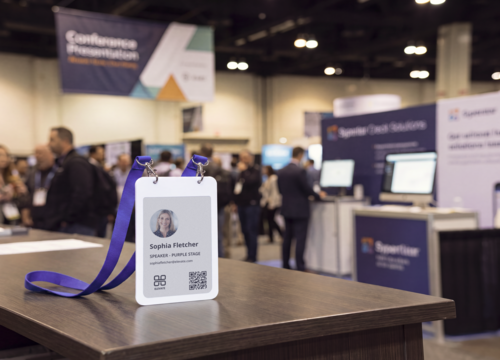
Every event planner wants a badge that looks like it belongs to their event, not a generic name tag off a roll. The catch is that “custom” usually dies at the printer. You design a beautiful badge, run it off on thermal stock, and the moment a name is misspelled, a delegate becomes a speaker, or a replacement turns up for a no-show, the customization you paid for is wrong and has to be reprinted. On a printed badge, “custom” means “fixed in paper the moment it prints.”
That is the assumption a reusable ePaper badge takes apart. When the badge is a small rewritable screen instead of a printed card, every detail on it becomes data you can edit and resend in seconds, so a custom event badge stays custom even when the details change an hour before doors open. This guide explains what a custom event badge actually is, exactly what you can personalize on one today, how to personalize a conference badge in practice, where reusable ePaper badges fit the sustainability story, and how to choose a system that holds up at a busy registration desk rather than only in a demo.
TL;DR
A custom event badge is an attendee credential personalized with your chosen details, roles, and screens. On printed stock, every personalization is locked in at print time and a change means a reprint. On a reusable ePaper event badge from Joan, the same details are written wirelessly from your attendee list, corrected in seconds, and the badge is reused at your next event instead of thrown away.
Quickly jump to:
- What are custom event badges?
- What you can customize on an event badge
- Why custom doesn’t have to mean permanent
- How to personalize a conference badge
- Reusable ePaper badges and sustainability
- One customizable badge for events, visitors, and employees
- What to look for when choosing custom event badges
- Printed custom badges vs reusable ePaper custom badges
- Summary and conclusions
- Frequently asked questions
What are custom event badges?
A custom event badge is the credential an attendee wears to identify themselves at a conference, trade show, or corporate event, personalized with the specific information, roles, and visual elements that event needs rather than a generic off-the-shelf name tag.
At minimum, that means an attendee’s name and company. In practice, “custom” at an event covers three distinct things, and keeping them separate is the key to understanding what you can actually get today.
The first is per-attendee personalization: the individual details printed or displayed for each person, such as name, company, job title, photo, and role.
The second is role differentiation: giving an attendee, a speaker, an exhibitor, a partner, and a staff member each their own look or their own information, so the room can tell at a glance who is who.
The third is brand and visual design: your logo, your colors, your layout, and any QR codes or graphics that make the badge unmistakably your event’s.
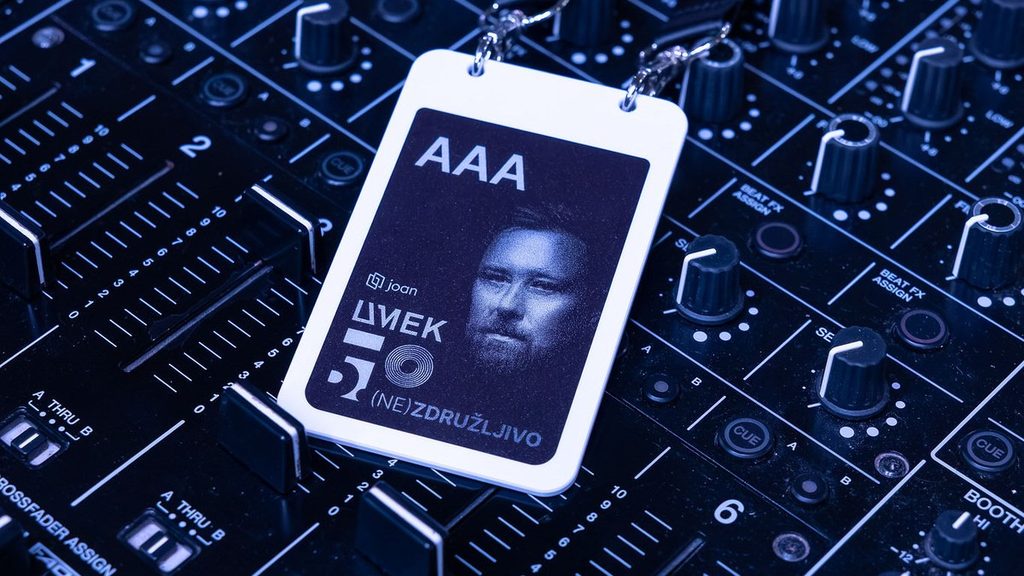
A badge personalized to the individual is what lets people find each other and start a conversation; a badge that clearly signals role is what keeps a speaker from being turned away at a session door; and a badge that carries your branding is a small but constant piece of the event experience that every attendee sees for the whole event. The question is how much of that customization survives contact with reality, and that is decided almost entirely by whether the badge is printed or digital. For a real-world example, see how UMEK 5.0 used ePaper badges for 200 artists and organisers.
What you can customize on an event badge
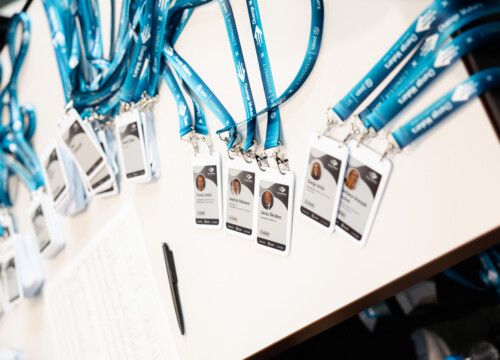
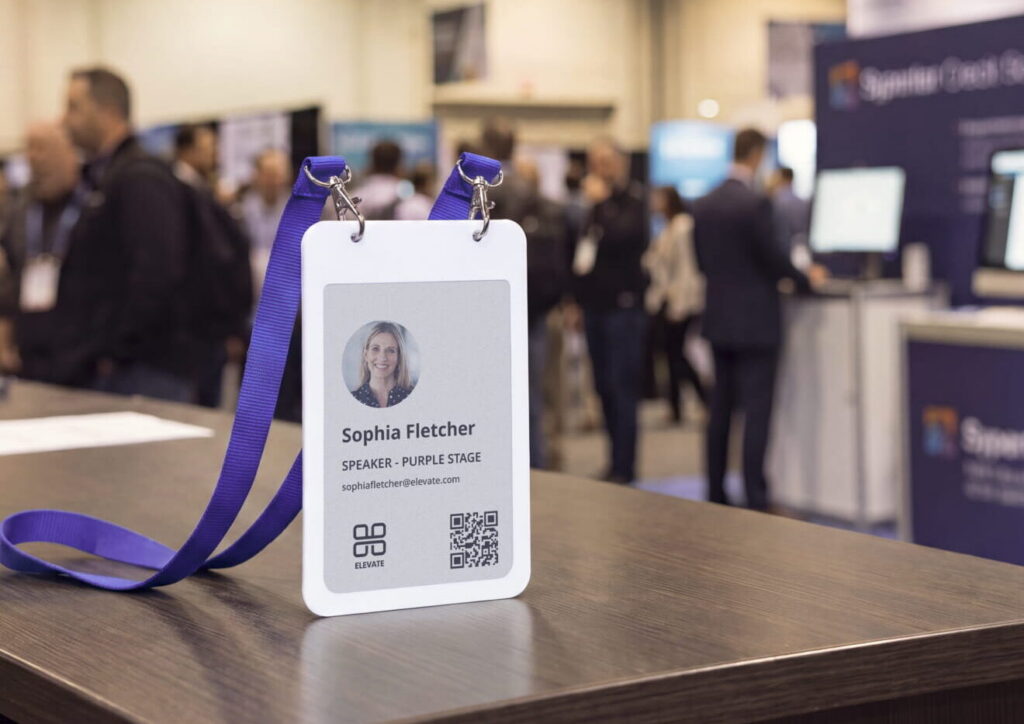
Individualized attendee information is the core of on-site badge personalization, and reusable ePaper badges update this information dynamically using your registration records. During check-in, Joan event badges draw names, organizations, job titles, images, and roles directly from your attendee database to transmit them wirelessly. Because updates occur digitally rather than through traditional printing, personalizing every badge is a standard procedure rather than a premium cost.
Role-based templates
Events typically require distinct badge styles for different attendee categories, but reusable badges manage these variations strictly through data on unified hardware. Instead of ordering multiple distinct printing batches, a single supply of identical badges can display tailored home screens:
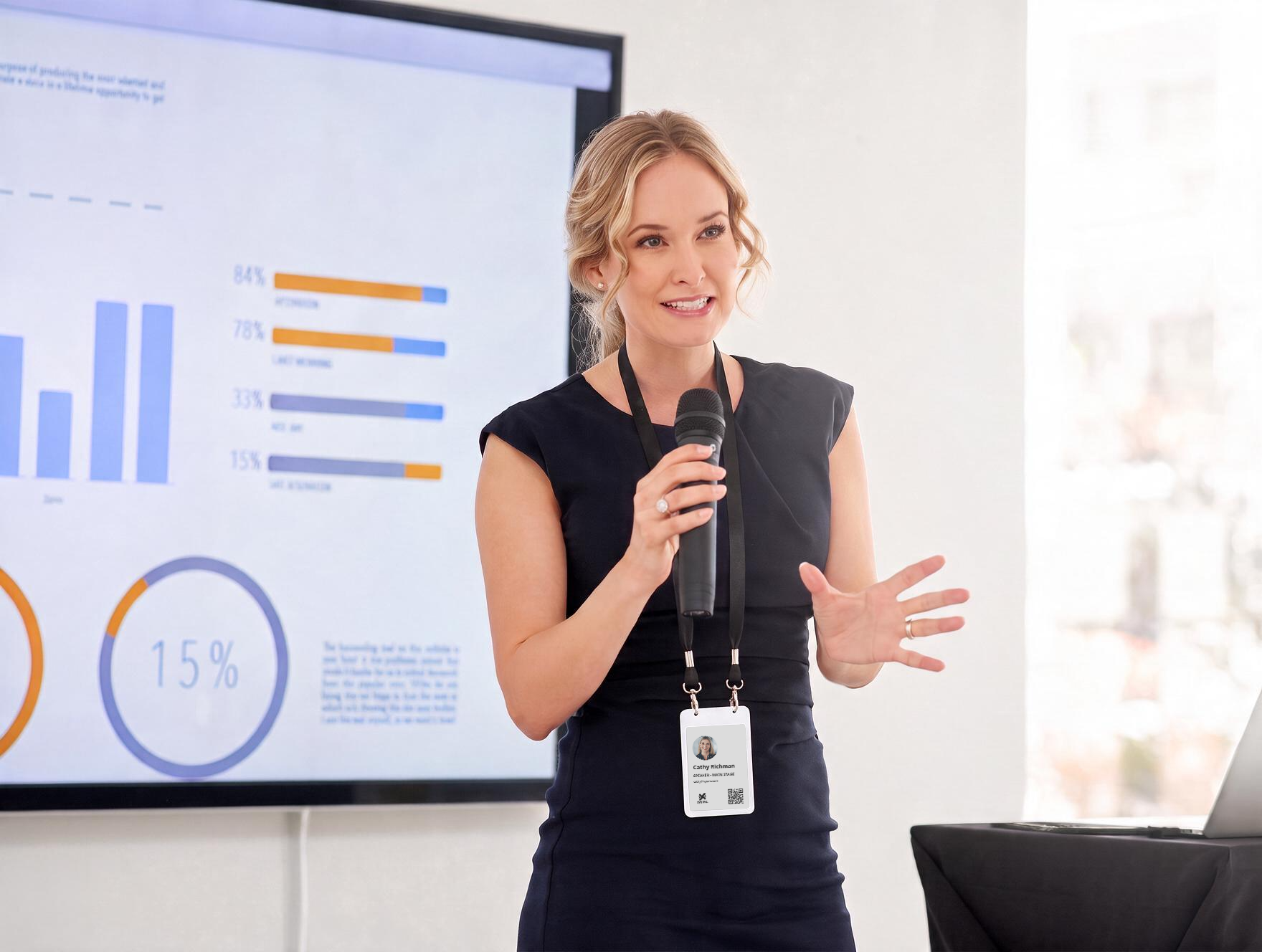
- Speakers: Display headshots alongside speaker designations.
- Delegates: Highlight company affiliations and designated tracks.
- Exhibitors: Feature specific booth locations.
- Staff: Show clear, minimalist operational interfaces.
Defining all required attendee categories during planning ensures every participant receives an appropriate initial screen layout from the start.
Multi-screen capability
Multi-screen functionality provides flexibility that traditional physical badges cannot offer. Wearers can toggle through up to six distinct views on a single Joan badge using a rear-mounted button. Rather than overcrowding a static surface, information remains organized and relevant to both the attendee and the context. A standard conference setup often features:
- A primary profile screen with the attendee’s name
- An agenda screen or QR code linking directly to real-time schedules
- A dedicated sponsor recognition display
Access control and integrated security data
Every Joan unit features an integrated NXP MIFARE DESFire EV3 NFC chip. Access control networks can assign encrypted credentials to this chip, allowing a single badge to manage visual identification while securing entry to authorized halls, sessions, or restricted zones where venue systems support it.
Display characteristics and palette
The four-inch electronic-paper screen utilizes a four-color palette comprising black, white, red, and yellow. This technology maintains sharp readability under direct outdoor sunlight or strong show-floor lighting while retaining static imagery without consuming power. Visual layouts must account for these exact parameters, as unsupported colors render as white.
Current visual branding capabilities
Accuracy is essential when establishing custom design expectations. While individual attendee data and role-based templates operate fully out of the box, advanced graphical customizations, such as fully bespoke logo integration, custom badge layouts, and self-managed QR links, are currently listed on the development roadmap rather than available as self-service options. If your organization requires custom brand templates, contact the Joan team directly to confirm availability for your event date; progress updates are available on the Joan custom badge page. Setting clear expectations upfront ensures seamless deployment during event registration.
Why custom doesn’t have to mean permanent
The real argument for a reusable ePaper badge is not that it looks more modern. It is that it breaks the link between “custom” and “permanent” that printed badges force on you.
On a printed badge, every piece of personalization is committed at print time, which means every change is a reprint, and changes at events are not the exception; they are the whole morning. A panelist drops out, a delegate is bumped to a speaking slot, a company sends a replacement, a name was entered wrong, 200 people register on the day.
On printed stock, each of those is a trip back to the printer at exactly the moment you least want someone stepping out of the registration line.
On a reusable badge the same change is a resync from the check-in device, done in the time it takes to find the person on the list. A wrong name is corrected in seconds. A no-show costs nothing, because the badge is simply cleared and reused rather than sitting in a tray of wasted pre-printed stock. A walk-in goes through the identical flow as someone who registered three months ago, with no separate desk and no separate process. The personalization is never “finished” and therefore never stale, it tracks your data instead of freezing a snapshot of it. That is what it means for a custom event badge to stay custom: the badge keeps matching the attendee even as the attendee’s details move underneath it.
How to personalize a conference badge
For a conference specifically, personalizing badges comes down to a short, repeatable workflow that stays close to how a registration desk already runs, so staff do not have to learn something new under pressure. If you want the full operational playbook, timelines, desk layout, staffing, badge return, that lives in Joan conference guide; this is the personalization-focused version.
Start by deciding your templates per attendee type before you design anything: which roles exist (attendee, speaker, exhibitor, partner, staff), and what each role’s first screen shows. This is the single decision that shapes everything downstream, so agree it up front rather than mid-design.
Next, prepare your attendee data in one agreed spreadsheet format, with a stable ID for every attendee so that updates match the right person instead of creating a duplicate badge. First name, last name, company, job title, and attendee type are the core fields; if speaker badges carry a photo, the image has to sit inside the spreadsheet cell to be imported.
Then write the badges, either live at the desk or in bulk beforehand, and most conferences use a mix. A tablet running the Joan app finds the attendee and writes a nearby badge over Bluetooth in a few seconds; roughly 50 badges can be written within about 10 metres of one device per session, so larger events add more check-in stations rather than funnel everyone through one. A sensible setup pre-provisions the known registrants and keeps a live desk running for walk-ins and corrections.
Finally, use the extra screens to personalize beyond the name. Load a shared agenda or programme-QR screen and a sponsor screen onto every badge before the event, so each attendee’s badge carries the event’s timetable and sponsors alongside their own name.
One ePaper caveat worth designing around: the screen has no backlight, so put any QR screen where the light is good, registration, the foyer, or ask guests to use their phone flashlight in a dark hall. A beautifully personalized agenda QR that nobody can scan in the main room is the classic avoidable mistake.

Reusable ePaper badges and sustainability
Sustainability has moved from a line in an event’s marketing to something clients increasingly ask organizers to prove, and a custom badge is one visible place where that proof either exists or does not. Industry forecasts for 2026 expect around 40 percent of organizers to face pressure to show visible sustainability efforts, and clients and reputation drive most of that pressure. Attendees wear a single-use printed badge for a day and then throw it away, so it creates waste by definition. A “green event badge” claim with nothing behind it will not survive a conversation with a client’s sustainability manager.
A reusable ePaper badge turns the claim from a slogan into a documentable fact. The organizer owns the badge, not the attendee: you write someone’s personalized details at check-in, collect the badge at the end, clear it, recharge it on a standard Qi pad, and reissue it to a different person at your next event. Each Joan badge handles roughly 700 content refreshes, which adds up to hundreds of personalizations across its life. Visionect, the company behind Joan, backs the badge with ISO 20121:2024 supplier validation, the recognized standard for sustainable event management. That means an organizer can demonstrate conformity through supplier documentation instead of simply asserting it.
Event professionals respond to honest framing: a reusable badge does not make an event sustainable on its own, and the fair comparison is on-demand biodegradable stock, not the worst-case plastic badge. What reuse gives you is evidence, a supply-chain fact you can put in a report and back with a standard, instead of a claim you hope nobody examines. For a custom badge, that matters twice over, because the same hardware that lets you personalize freely also makes the sustainability story real.
One customizable badge for events, visitors, and employees
A less obvious advantage of the Joan event badge is that it is not a standalone event product. It is the same reusable ePaper hardware, on the same platform and the same account, that Joan uses for two other jobs: visitor check-in at a front desk and employee identification in the office. What changes between the three is where the personalized details come from and who owns the badge. An event badge is written from your attendee list and reused across events. A visitor badge writes itself at reception from the sign-in and clears on the way out. An employee badge is assigned from the company directory and updates over Bluetooth whenever a title, photo, or door access changes — no reprint, ever.
For an organization that runs events and also wants to modernize its front desk or its staff IDs, that means one system to learn and one supplier to manage instead of three. You can read how the shared hardware works on Joan smart badge technology page, see the same platform handle the front desk in the guide to the best visitor management software in 2027, and place events in the wider picture with the best workplace management software in 2027 overview.
What to look for when choosing custom event badges
If you are evaluating customizable or digital event badges, a few factors separate a system that personalizes reliably at the door from one that only looks good in a slide. Start with how badges get their data: confirm the software imports your attendee details from your registration platform without manual re-entry, since CSV or Excel import works with any platform and is what makes per-attendee personalization practical at scale. Look hard at the correction workflow, because the entire point of an electronic custom badge is that a wrong name is a fast resync from the check-in device, not a reprint.
Check how much the badge can show: multiple screens for a name, an agenda, and sponsor recognition are a genuine personalization advantage over a single printed surface, so confirm how many screens a badge holds and how the wearer switches them. Check the display itself, a high-contrast ePaper screen that stays readable in show lighting and outdoors beats a glossy screen that washes out — and whether the badge carries an NFC chip your access-control system can key. Weigh the platform and pricing model, since a badge that shares a platform with your visitor and employee badging is one system instead of three, and reusable badges are priced as hardware plus a licence rather than cheap consumables, so the model has to fit how often you run events. Finally, ask directly about branding scope: get a clear answer on what visual customization is self-serve today versus on the roadmap, so your expectations match what will actually be on the badge on the day.
Printed custom badges vs reusable ePaper custom badges
| Factor | Printed custom badge | Reusable ePaper custom badge (Joan) |
|---|---|---|
| Per-attendee personalization | Set at print time; fixed in paper | Written from your data; editable any time |
| A wrong name or role change | A reprint and a new card | A resync in seconds from the check-in device |
| Screens per badge | One printed surface | Up to six screens, cycled with a button |
| Role variants | A separate print run per role | The same hardware, role written as data |
| A no-show | Pre-printed badge is wasted stock | Costs nothing; the badge is cleared and reused |
| Visual branding / logo | Printed freely today | Per-attendee today; custom branding on the roadmap |
| Sustainability | A claim, with single-use waste behind it | Evidence, backed by reuse and ISO 20121:2024 supplier validation |
| Best fit | One or two events a year | Recurring events; many personalizations per badge |
Summary and conclusions
“Custom” has always been the easy part of an event badge to sell and the hard part to keep. A printed badge personalizes beautifully right up until the first change, and then the customization you paid for is a reprint waiting to happen. A reusable ePaper event badge keeps the personalization and drops the permanence: every detail is written from your data, corrected in seconds, carried across up to six screens, and reused at your next event with a sustainability story you can actually prove. The one honest caveat is scope, per-attendee personalization and role templates are how it works now, while deep visual branding is on the roadmap, and a good supplier will tell you exactly where that line is for your date.
If you run events on a recurring basis and want badges that stay personalized without the reprint treadmill, take a look at Joan event badges, explore the shared badge platform behind events, visitors, and employees, order a badge to personalize one yourself, or talk to the Joan team about what custom means for your next event.
Frequently asked questions
What are custom event badges?
Custom event badges are attendee credentials personalized with the specific information, roles, and visual elements an event needs rather than a generic name tag. That covers per-attendee detail (name, company, job title, photo, role), role differentiation (attendee, speaker, exhibitor, staff), and brand or visual design. On a reusable ePaper badge, the per-attendee details are written from your attendee list and can be changed any time, so the badge stays personalized even when details change.
How do I personalize a conference badge?
Decide your badge templates per attendee type first, prepare your attendee data in one agreed format with a stable ID per person, then write each badge from that data — live at the check-in desk over Bluetooth, in bulk before doors open, or a mix of both. Use the badge’s extra screens to add a shared agenda or programme-QR screen and a sponsor screen on top of each attendee’s name, and keep QR screens where the lighting is good, since ePaper has no backlight.
Can I personalize each attendee’s badge individually?
Yes. On a reusable ePaper badge, each badge is written individually from your attendee list with that person’s name, company, job title, photo, and role. Because the information is data rather than print, individual personalization is the default rather than a costly extra, and a correction is a resync in seconds rather than a reprint.
Can I add our logo or custom branding to the badges?
Per-attendee personalization and role-based templates are supported today. Deeper visual customization — fully custom branding, bespoke logo design, and self-authored QR codes — is on the roadmap rather than self-serve on the standard templates at the moment. If your event needs a specific branded template, tell the Joan team your requirement and ask what is available for your date.
How many screens can one custom badge show?
A single Joan badge holds up to six screens that the wearer cycles through with a button on the back, so one badge can carry a name screen, an agenda or QR screen, and a sponsor screen at once — personalization a single printed surface cannot match.
Are custom ePaper badges more sustainable than printed ones?
They replace single-use printed badges with hardware reused across many events, and each Joan badge is rated for roughly 700 content refreshes. Joan is backed by ISO 20121:2024 supplier validation, so reuse is a documentable supply-chain fact an organizer can put in a report rather than an unsupported claim.
Do custom event badges work with our registration platform?
Yes, through CSV or Excel import, which is built into the app and works with essentially any registration platform, including those with no public API. Your platform stays the system of record; Joan renders the personalized badge at the moment of check-in.
Can the same custom badge work for office visitors and employees?
Yes. The Joan event badge is the same reusable ePaper hardware, on the same platform, that Joan uses for visitor badges and employee badges. It is configured for one role at a time, but one system and one type of hardware covers conferences, the front desk, and staff IDs.