16 Nov 2026
How RFID event badges work
Every attendee at your event wears a badge. With RFID event badges, that badge also opens doors, counts who walked into each session and replaces the clipboard at the entrance. No code to scan, no queue at every door: a chip and a reader do the checking.
The catch is that “RFID” covers three different technologies with very different ranges, costs and privacy questions. Pick the wrong one and you pay for readers that can’t see badges in a crowd, or for tracking your attendees never agreed to.
This guide explains how RFID badges for events work, compares LF, HF/NFC and UHF side by side, breaks down what you actually pay for, and shows where a reusable ePaper badge fits if you’d rather not throw away a new badge after every event.
Quickly jump to:
- What are RFID event badges?
- How RFID event badges work
- RFID frequencies for events: LF, HF/NFC and UHF
- What RFID badges do at events
- RFID vs NFC vs QR code vs Bluetooth badges
- What RFID event badges really cost
- Privacy: what to tell attendees about RFID badges
- How to roll out RFID badges at your event
- Reusable ePaper badges with built-in NFC
- Pick the badge that fits your next event
- Frequently asked questions about RFID event badges
TL;DR
- RFID event badges carry a small chip that a reader identifies by radio, so check-in, session access and attendance counts happen without scanning a code.
- Two bands matter for events: HF/NFC (13.56 MHz) for a deliberate tap at a few centimetres, and UHF (860 to 960 MHz) for hands-free gates that read badges several metres away.
- Tags are cheap, at about $0.30 each. Readers, software and staff are not, so budget for the whole system, not only the badges.
- Keep only an ID on the badge, tell attendees what you read and where, and delete movement data when the event is over.
- Reusable badges such as the Joan ePaper Badge show a name you can rewrite and carry an NFC chip, so one badge serves many events.
Read on for the frequency table, a cost breakdown, a privacy checklist and a rollout plan.
What are RFID event badges?
An RFID event badge is a name badge with a radio frequency identification (RFID) chip and antenna built in. A reader at a door, gate or session room picks up the chip’s unique ID and passes it to your event software. The software matches it to the attendee and decides what happens next: let them in, log the session or record a booth visit.
The badge can be a printed card with an inlay, a laminated pass or a lanyard tag. What makes it an RFID badge is the chip, not the material. Well-designed RFID name badges hold nothing but a number. The name, ticket type and permissions live in your registration system, so a lost badge gives away very little.
You’ll also hear them called smart event badges, RFID conference badges or RFID name badges. They all describe the same idea.
How RFID event badges work
Every RFID badge system has three parts:
- The tag: a chip and antenna in the badge that store a unique ID.
- The reader: a handheld scanner, a desk pad, a gate antenna or an NFC-enabled phone or tablet. It sends out a radio signal and listens for the badge’s reply.
- The software: your registration or access platform. It turns the ID into a decision, such as entry allowed, session logged or credit added.
Passive vs active RFID badges
Passive badges have no battery. The reader’s signal powers the chip just long enough to answer, which keeps badges thin, cheap and free of maintenance. Most RFID badges used at events are passive.
Active badges carry their own battery and broadcast on their own. They reach much further, up to around 100 metres according to Zoho Backstage, but cost more and need charging or replacing. For most events, that extra range is more than you need, and the batteries add one more thing to manage.
What the reader actually sees
A reader only sees an ID and a time. Everything you learn about attendees comes from linking those reads to your registration data. Keep that in mind when you plan privacy, which we cover below.
RFID frequencies for events: LF, HF/NFC and UHF
RFID runs on three main bands. The band decides how far away a badge can be read, and that decides how attendees experience your event: a tap at the door, or walking through a gate without stopping.
RFID frequency bands compared
| Band | Frequency | Typical read range | Typical event use |
|---|---|---|---|
| LF (low frequency) | 125 to 134 kHz | A few centimetres | Older door access systems; too short for walk-through check-in |
| HF and NFC (high frequency) | 13.56 MHz | Usually a few centimetres, up to about 1 m | Tap-to-enter at doors and sessions, phone-based lead capture, payments |
| UHF, also sold as RAIN RFID (ultra-high frequency) | 860 to 960 MHz | Up to about 9 m (30 ft), depending on tag and reader | Hands-free entry gates, session counts, room capacity |
HF and NFC are the same band. NFC is a type of HF RFID at 13.56 MHz, which is why most phones can read an HF badge. Choose HF/NFC when you want a deliberate tap: session doors, VIP areas, exhibitor lead capture or cashless payments.
UHF suits hands-free entry and counting. Readers at a doorway can log people as they walk in, which helps with room capacity and session attendance. The IEEE RFID 2026 conference, for example, offers attendees an optional passive UHF RAIN badge that also carries a QR code.
LF reads only at a few centimetres and shows up mostly in older access control. It rarely makes sense for a new event badge.
What RFID badges do at events
Once every attendee wears a readable badge, a handful of jobs get easier.
Faster check-in
Attendees tap or walk through instead of waiting while someone finds their name. Pair RFID with pre-registration so badges are ready before doors open.
Event access control
Readers at session rooms, backstage or VIP areas check each badge’s permissions on the spot. A speaker badge opens the green room; a day pass doesn’t.
Session attendance and continuing education credits
Readers at room entrances log who attended which session and for how long. For medical, legal or technical conferences, that log can support continuing education credits without paper sign-in sheets.
RFID attendee tracking and room capacity
Counts at each doorway show which rooms are full and which sessions drew a crowd, so you can move staff or open an overflow room before people get turned away.
Lead capture for exhibitors
Exhibitors tap a badge on an NFC-enabled phone or tablet to capture a lead, instead of typing in details or collecting business cards.
Read more about:
- Name badges for conferences: how to choose, design and hand them out
- Custom event badges: how to personalize every badge
- Smart badge technology compared
RFID vs NFC vs QR code vs Bluetooth badges
RFID isn’t the only way to make a badge smart. Here’s how the four common options compare.
Event badge technologies compared
| UHF RFID | NFC (HF RFID) | QR code | Bluetooth (BLE) | |
|---|---|---|---|---|
| How it’s read | Fixed gate or handheld reader | NFC reader, phone or tablet | Camera or scanner | Bluetooth transmitters or phones nearby |
| Typical range | Up to about 9 m | A few centimetres | Close up, in line of sight | About 50 to 100 m per Bluetooth transmitter |
| What the attendee does | Walks past | Taps | Holds up the code | Nothing, once opted in |
| What you need | Readers, antennas, cabling | Readers or phones | Scanners or phones | Bluetooth transmitters, often an app |
| Best for | Gates and capacity counts | Doors, sessions, leads | Low-budget check-in | Location data across a venue |
If you only need fast entry and a clean attendee list, NFC or QR covers most events. Add UHF when hands-free counting at many doors is worth the reader budget. Bluetooth makes sense when you want location data across the whole venue and attendees are happy to opt in.
What RFID event badges really cost
The chip is the cheapest part. Zoho Backstage puts a passive RFID tag at about $0.30, while readers, antennas and cabling can run into thousands of dollars. Plan the budget in four lines:
- Badges and tags: a card or inlay per attendee, plus spares for walk-ins and replacements.
- Readers: gates, handhelds or desk readers for every door you want to control, plus devices for exhibitors who capture leads.
- Software and integration: connecting reads to your registration platform, and someone on site who can fix it on the day.
- Staff and fallback: people at each controlled door, and a QR or manual backup for when a reader goes down.
There’s one more line most budgets miss: the badge itself. Printed RFID badges are typically single-use. Once a name is printed on the card, it can’t serve the next attendee, so you buy a new set for every event.
Scale changes the picture too. Zoho Backstage estimates that RFID becomes more economical than Bluetooth from around 10,000 attendees. Below that, the fixed cost of readers weighs heavily, and reusable badges that spread their cost over many events start to look better.
Privacy: what to tell attendees about RFID badges
RFID attendee tracking is useful, but attendees should never be surprised by it. Under GDPR and similar laws, movement data linked to a named person is personal data. Use this checklist before your first read:
- Keep only an ID on the badge. No names, emails or ticket types on the chip.
- Say what you read and where: at the entrance, in session rooms, at booths.
- Explain why: entry, session credits, room capacity. Collect nothing you won’t use.
- Share with exhibitors only when the attendee taps on purpose.
- Set a retention period and delete movement data when it ends.
- Offer an opt-out, such as a badge without a chip or a QR code at the door.
The IEEE RFID 2026 conference is a good model: its RFID badges are optional, and the IDs are sequential numbers that contain no personal attendee information.
How to roll out RFID badges at your event
- Decide what you need to measure. Entry only, sessions, capacity or leads. Each one adds readers.
- Pick the band. NFC for taps, UHF for hands-free gates. Don’t mix them unless you need both.
- Map every reader. Doors, session rooms, VIP areas and exhibitor booths. Mark power and network points.
- Test with real badges in a full room. Wear them on lanyards. A read that works on a desk can fail in a crowd.
- Load the attendee list early, with one stable ID per person, so every read matches a real registration.
- Brief staff and plan a fallback. QR codes or a searchable list keep the queue moving if a reader drops out.
- Close the loop after the event. Export the data you promised, delete the rest, and collect reusable badges at the exit.
For a detailed registration-desk plan, from the attendee spreadsheet to badge return, see our ePaper event badges guide for organizers.
Reusable ePaper badges with built-in NFC
Most RFID event badges solve the reading part and leave the badge itself as a printed, single-use card. A reusable ePaper badge works the other way around: the badge stays, and only what it shows changes.
The Joan ePaper Badge has a 4-inch ePaper screen in black, white, red and yellow. Your team writes each attendee’s details from a tablet over Bluetooth, before doors open or at the desk for walk-ins. A typo means a quick resync, not a reprint. Each badge can hold up to six screens, such as the name, the agenda or a sponsor message.
Every badge also carries an NXP MIFARE DESFire EV3 chip, which works on the 13.56 MHz HF band that NFC uses. In the office, the same chip connects to the access control system you already run, like RFID employee badges do. If you’d like attendees to tap it at session doors, check with us that your readers and platform support it.
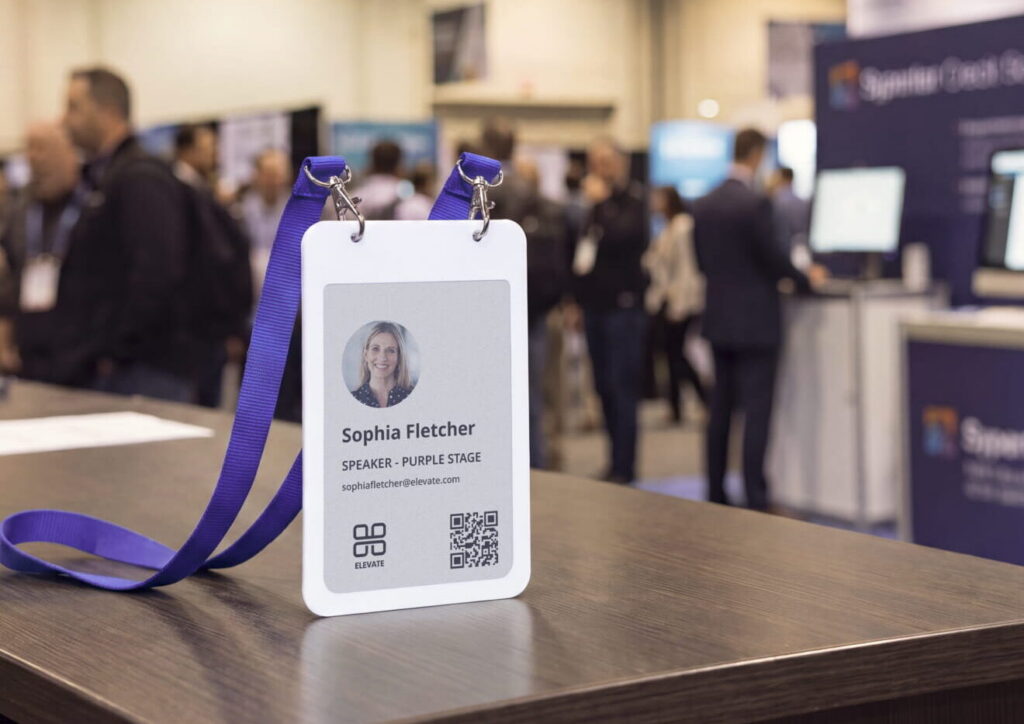
After the event, you collect the badges, clear them, charge them wirelessly and use them again. You own the badges, so their cost spreads across every event you run. Change Makers 2026 used Joan badges for more than 300 guests, with walk-ins badged in seconds.

Pick the badge that fits your next event
Start with what has to happen at the door. If you need hands-free counts at many entrances, UHF RFID earns its reader budget. If a tap is enough, HF/NFC keeps things simple and works with phones. And if you’re tired of printing and binning badges after every event, a reusable ePaper badge gives you a name that’s always right and a chip you keep.
Here’s where to go next: see how Joan event badges work at a real event, check Joan pricing, or tell us about your next conference and we’ll help you plan the badges.
Frequently asked questions about RFID event badges
How do RFID badges work?
An RFID badge has a chip and a small antenna. When it enters a reader’s field, the reader’s radio signal powers the chip, and the chip answers with its ID. Because passive badges take their power from the reader, they never need charging, and your event software does the rest: it looks up the ID and opens a gate, logs a session or records a lead.
What’s the difference between RFID and NFC badges?
NFC is a type of HF RFID that works at 13.56 MHz and reads at a few centimetres, so attendees tap on purpose. At events, “RFID badge” often means UHF, which reads from several metres away without a tap. Most smartphones can read NFC but not UHF, which matters if exhibitors want to capture leads with their own phones.
How much do RFID event badges cost?
The tag itself is cheap: Zoho Backstage puts a passive RFID tag at about $0.30. Most of the cost sits in readers, setup, software and staff, which is why RFID pays off faster at large events. Reusable badges lower the cost per event, because you don’t buy a new set every time.
Do RFID badges store personal data?
They shouldn’t. A well-designed RFID badge stores only a unique ID, and the attendee’s details stay in your registration system, so a lost badge tells the finder nothing about its owner. Ask your vendor exactly what is written to the chip before you order.
Can attendees be tracked after the event?
Passive RFID badges only answer when they’re inside a reader’s field, so they can’t report a location on their own. Outside your venue, the badge stays silent. What remains is the data you collected, so set a retention period, delete movement data when it ends, and collect badges at the exit.
Can RFID event badges be reused?
Printed RFID badges usually can’t, because the attendee’s name is printed on the card. Reusable options keep the chip and change only what’s shown, for example an ePaper badge whose screen you rewrite for the next attendee. Plan a clear return point at the exit so badges come back.