17 Nov 2026
Reception management for every office visitor
Your reception desk is the first room every visitor sees and the last one they pass on the way out. A client remembers whether their host was waiting. A job candidate remembers whether anyone knew they were coming. A contractor remembers whether they stood at the counter while someone looked for a pen.
Good reception management turns those moments into a smooth, predictable routine. It covers how you invite guests, check them in, hand out badges, alert hosts and sign people out, without a paper logbook on the counter.
This guide covers the types of visitors your front desk sees, what each one needs, how to choose visitor badges, and a checklist you can use this week. It also shows where Joan Visitor management and reusable ePaper badges fit in.
Quickly jump to:
- What is reception management?
- Types of office visitors and what each one needs
- From invite to check-out: the visit step by step
- Visitor badges at reception: paper, printed or ePaper
- Security without losing the welcome
- Front desk visitor management without a full-time receptionist
- Reception management checklist
- Make your front desk a great first impression
- Frequently asked questions
TL;DR
- Reception management is how your front desk welcomes, registers, badges and signs out every visitor, from clients to contractors.
- Different visitors need different things: clients want a warm, quick welcome, candidates want clarity, and contractors want speed and the right access.
- Pre-registration, self check-in and instant host alerts take most of the manual work off the front desk.
- Badges matter more than they seem. A reusable ePaper visitor badge shows the guest’s name, company and photo, and you can clear it the moment the visit ends.
- A digital visitor log gives you a real-time evacuation list and a private, GDPR-friendly record, which a paper sign-in sheet can’t.
Read on for the visit step by step, a badge comparison and a checklist you can copy.
What is reception management?
Reception management is everything your front desk does to welcome, register and look after visitors while they’re in your building. It includes inviting guests, checking them in, telling hosts they’ve arrived, handing out visitor badges, keeping a visitor log and signing people out.
In most offices, reception management software (often called a reception management system) does the heavy lifting. It’s a visitor management platform built around the front desk: visitors check in on a tablet or with a QR code, hosts get an alert, and every visit lands in a digital log. For a closer look at the check-in step itself, see our guide to visitor check-in.
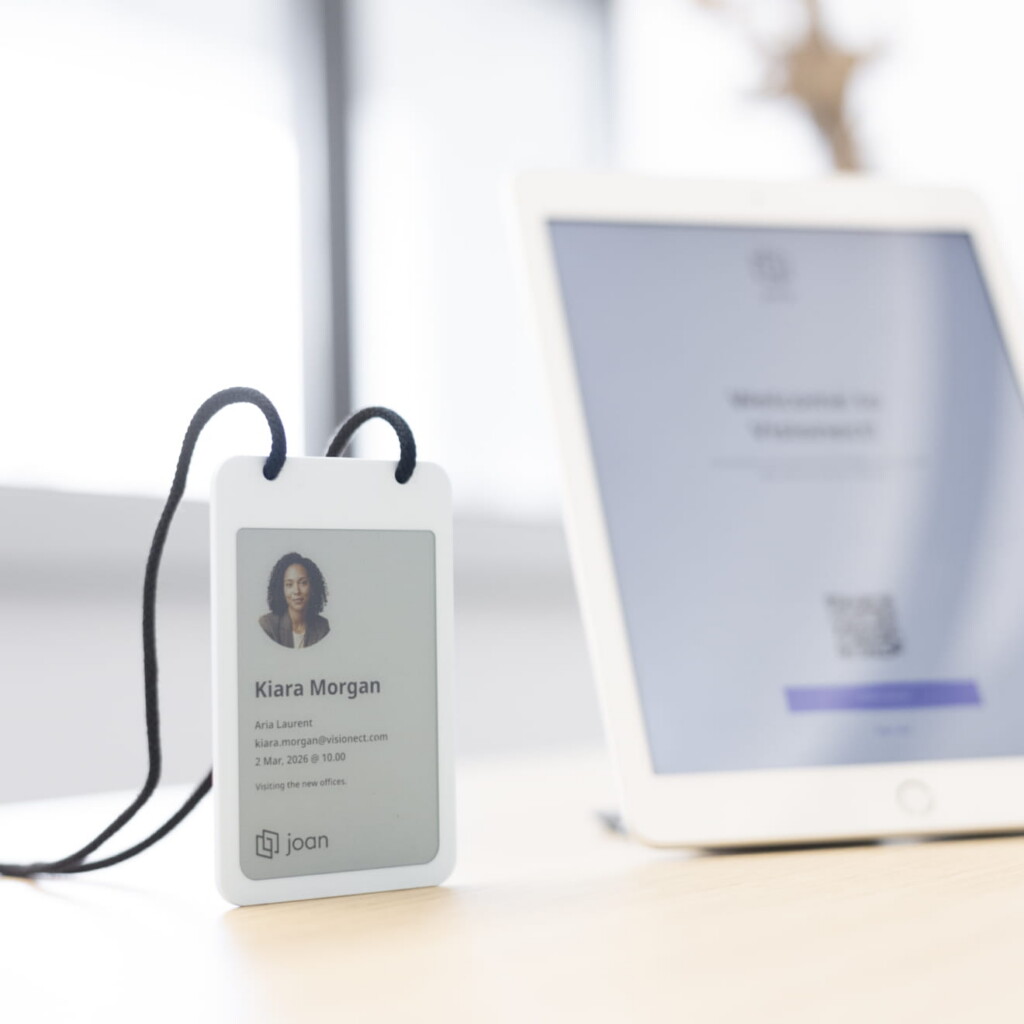
The goal stays the same whether you have a full-time receptionist or nobody at the desk: every visitor should feel expected, and you should always know who’s in the building.
Types of office visitors and what each one needs
Front desk visitor management works best when you stop treating every guest the same way. These are the visitors most offices see every week.
Clients and business partners
First impressions count most here. Send an invitation with the address, parking details and the host’s name before the day. When they arrive, they should check in within seconds, get a badge with their name on it and see their host already on the way. Nobody wants to spell their name twice at a counter.
Job candidates
Candidates are nervous enough. Tell them exactly where to go and who they’ll meet. Let them check in on their own phone with a QR code, so they’re not waiting at the desk for help, and alert the interviewer the moment they arrive. A calm, organized welcome says a lot about how your company treats people.
Contractors and service providers
Contractors care about speed and the right access. Invite regular contractors in one go, ask them to sign the documents they need before the first visit, and make sure their badge clearly shows they’re a contractor. Accurate arrival and departure times also help you check invoices and track project hours.
Deliveries and couriers
Couriers don’t need a badge or a host alert, but they do need to know where to leave a parcel. Agree on a drop-off point and who signs for packages, so deliveries don’t pile up at reception or wander into the office.
VIP and event guests
Board members, investors and event guests need a little extra: a reserved parking spot, a personal welcome and a meeting room booked in advance. For larger groups, invite everyone at once and have badges ready before the doors open. Our post on digital ID badges shows how one badge can work for visitors, employees and events.
From invite to check-out: the visit step by step
Most of a good visit happens before the visitor walks in. Here’s how each stage works with a reception management system.
Before the visit
The host invites the visitor, who gets a personal invitation with directions, parking information and a QR code. The visitor can sign an NDA or safety form before arriving, so there’s no paperwork at the desk. With Joan Visitor management, you can also import a CSV file to invite a whole group at once.
At the front desk
The visitor scans their QR code or checks in on the reception tablet, which takes under 30 seconds with Joan. The host gets an instant notification by email, Slack or Microsoft Teams, and the visitor’s details go straight to their badge. No typing, no handwriting, no queue.
During the visit
A clear visitor badge helps everyone. Employees can see at a glance who’s a guest, which company they’re from and who they’re visiting. That makes it easier to greet people by name and to notice someone who’s wandered into the wrong area.
Check-out
When the visit ends, the visitor signs out and returns the badge at reception. The digital log records the departure time, so your list of who’s in the building stays accurate. A reusable ePaper badge is cleared and ready for the next guest.
Visitor badges at reception: paper, printed or ePaper
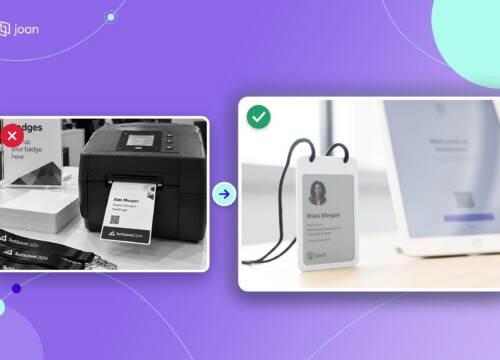
The badge is the one part of reception every visitor carries into your office, and it’s still the part many front desks handle by hand. A receptionist checks the guest in, then prints, writes or hands over a badge. Here’s how the three common options compare.

Visitor badge options compared
How the three most common visitor badge types work at the front desk. Joan price from the getjoan.com shop, November 2026.
| Paper sticker badge | Printed plastic badge | Joan ePaper badge | |
|---|---|---|---|
| What it shows | Name, sometimes a photo | Often a generic visitor card | Name, company, photo and arrival time |
| Reusable | No, one per visit | Yes, but the details stay the same | Yes, updated for every visitor |
| Equipment at reception | Label printer and label rolls | Card printer, cards and ribbons | A charger; updates arrive over Bluetooth |
| When the visit ends | Guests often keep it | Valid until someone collects it | You can clear it remotely |
| Waste | A new sticker every visit | Worn cards and used ribbons | Nothing thrown away per visit |
| Cost model | Ongoing supplies | Printer plus ongoing supplies | $29 per badge plus a Joan subscription |
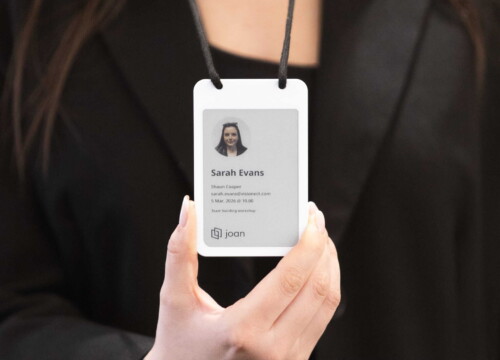
Joan visitor badges are reusable ePaper badges that work with Joan Visitor management. When a visitor checks in, their name, company and photo are sent to a badge over Bluetooth in seconds. The 4-inch screen shows black, white, red and yellow, so you can use color to tell visitors, contractors and VIPs apart. When access ends, you clear the badge remotely and it’s ready for the next guest.
ePaper only uses power when the screen changes, so one charge covers about 700 updates, and the badge recharges on a Qi wireless charger. The Joan ePaper badge costs $29 per badge, excluding tax (getjoan.com shop, November 2026), and each badge needs a Joan subscription. No printer, no ink and no pile of used stickers at the end of the week.
Security without losing the welcome
A friendly front desk and a secure one aren’t opposites. Let the system handle the checks, so your people can focus on the welcome.
- Know who’s in the building. A digital visitor log gives you a real-time evacuation list. In Joan, one click shows everyone currently signed in, which is exactly what a fire warden needs.
- Collect documents before the visit. Digital NDAs and safety forms are signed in advance, timestamped and stored with the visitor record.
- Keep personal data private. A paper sign-in sheet shows every earlier visitor’s name to the next one. A digital log keeps it out of sight, and you choose how long visitor data is kept. Our guide to visitor management and GDPR covers what to watch for.
- Make access visible. Color-coded badges help staff spot a visitor in the wrong area, and an ePaper badge can be cleared the moment access ends.
Front desk visitor management without a full-time receptionist
Plenty of offices don’t have someone at reception all day, especially hybrid offices that are busy on some days and quiet on others. You can still give every visitor a good welcome.
- Self check-in. A tablet at the entrance or a visitor badge kiosk lets guests check in on their own, and the QR code from the invitation makes it even faster. Our guide to touchless visitor check-in compares the options.
- Host alerts. The host is notified the moment the visitor checks in, so nobody waits in the lobby wondering who to call.
- Badges ready on arrival. With ePaper badges, the visitor’s details appear on the badge automatically. The visitor picks it up and goes.
- One platform for the whole office. If visitors also need a meeting room or a desk for the day, it helps to book everything in one place. Joan covers Desk booking and Meeting room booking alongside visitor management.
Comparing platforms? Our roundup of the best visitor management software shows how the main options handle check-in, badges and compliance.
Reception management checklist
Use this list to check your front desk. If you can tick every line, your visitors are in good hands.
- Every expected visitor gets an invitation with directions, parking and their host’s name.
- NDAs and safety forms are signed before the visit, not at the counter.
- Visitors can check in without waiting for staff.
- Hosts get an alert the moment their guest checks in.
- Every visitor wears a badge with their name, so staff can greet them properly.
- Contractors and VIPs are easy to tell apart on their badges.
- You can pull a list of everyone in the building in one click.
- Visitor data is stored digitally and deleted after a set period.
- Couriers know where to drop off parcels.
- Badges come back at check-out, and nothing ends up in the bin.
For the business case behind all this, read our post on the benefits of a visitor management system.
Make your front desk a great first impression
Visitors form an opinion of your company before the meeting even starts. A reception that knows they’re coming, checks them in quickly and hands them a badge with their name on it tells them they’re welcome and that their time matters.
Joan Visitor management gives you invitations, self check-in, host alerts, a digital visitor log and reusable ePaper visitor badges in one platform. Try it free for 30 days with no credit card, check Joan pricing, or book a demo to see how it fits your front desk.
Frequently asked questions
Does the receptionist have to check in guests and print badges?
Not with a self-service setup. Visitors check in on a tablet or with the QR code from their invitation, and the host is alerted automatically. With ePaper badges, the visitor’s details are sent to the badge over Bluetooth, so nobody has to print anything. The receptionist can focus on greeting people and handling exceptions.
What types of visitors come to an office?
Most offices see clients and partners, job candidates, contractors and service providers, couriers, and VIP or event guests. Some also host auditors, inspectors or employees’ family members. Each group needs a different level of welcome, access and paperwork, so set up separate visitor types in your system.
Is reception management software the same as a visitor management system?
Mostly, yes. Reception management software usually means a visitor management system used at the front desk: invitations, check-in, host alerts, badges and a visitor log. Some reception tools also cover deliveries or room displays, so check which parts of the front desk a product actually handles.
How do you keep reception secure without making it feel cold?
Move the checks out of sight. Ask visitors to sign documents before they arrive, let the system log every check-in, and use badges that make guests easy to recognize. Your staff can then spend their time greeting people instead of handing out forms.
Can I combine visitor management with desk and room booking?
Yes. In Joan, visitor management, desk booking and meeting room booking run on the same platform, so a host can invite a guest and book the meeting room in one place. It also means one set of integrations with Google Workspace or Microsoft 365.
Do visitors keep the ePaper badge?
No. Visitors return the badge at reception when they leave, and the screen is cleared for the next guest. If someone forgets to hand it back, you can clear the badge remotely, so it no longer shows their details.