16 Nov 2026
Hospital ID Badges Explained
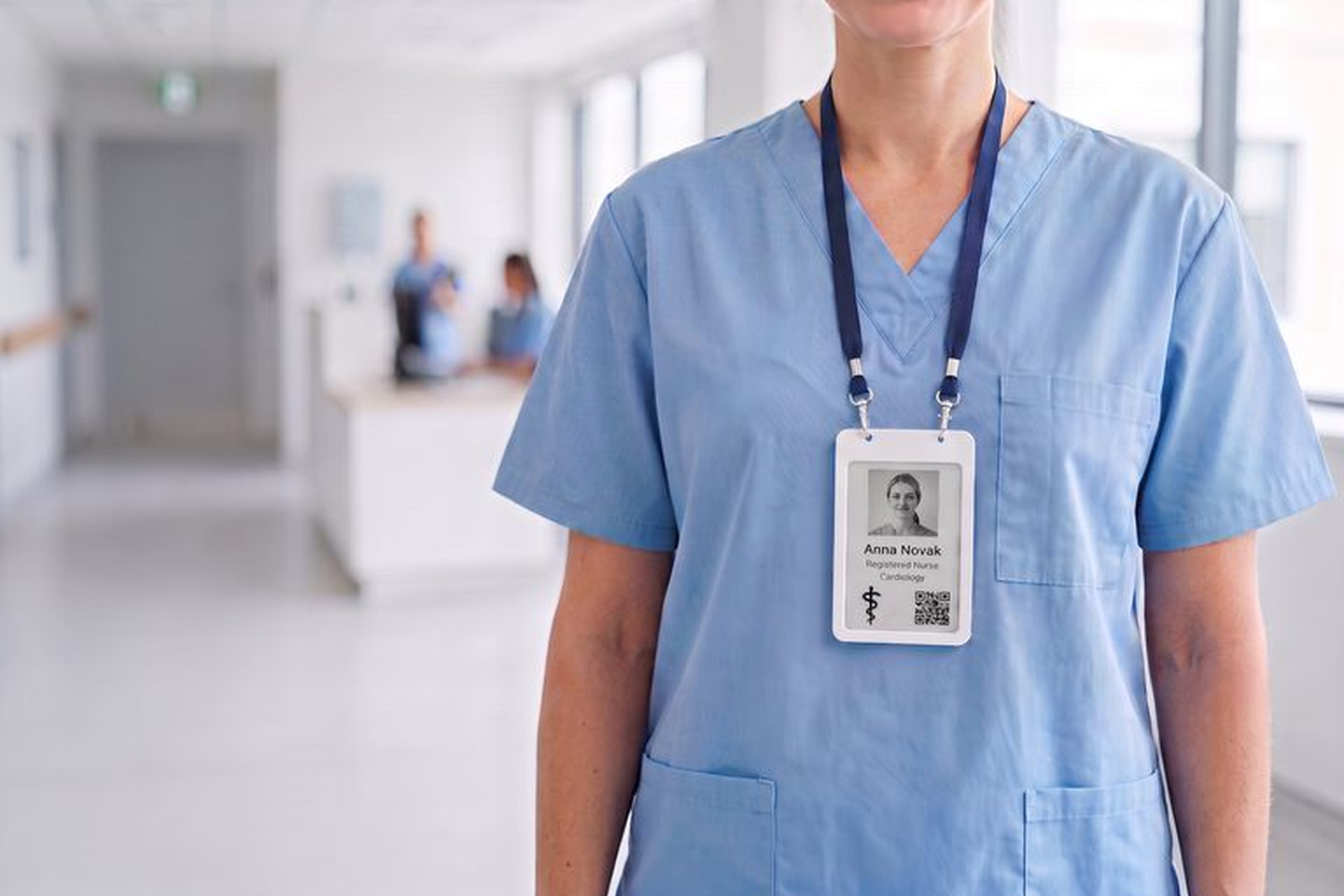
Hospital ID badges get read more often than almost any other badge. Patients check them to see who’s at the bedside, colleagues glance at them at the door of the ICU, and card readers check them many times a shift.
That’s a lot to ask of a printed plastic card, especially in a hospital, where floats, agency nurses and rotating residents change units and roles all the time. Every change means another trip to the badge office, and a badge that’s out of date is a badge patients and staff stop trusting.
This guide covers what a hospital ID badge has to do, what to put on it and what to leave off, the state rules worth knowing, and how reusable ePaper badges keep healthcare ID badges current without a card printer. It’s written for the teams that run badging, from security, HR and IT to the health facility manager who signs off on it.
Quickly jump to:
- What a hospital ID badge has to do
- What to put on a hospital ID badge
- Printed PVC cards vs Joan ePaper badges
- Badges for shift changes, floats and agency staff
- How to roll out ePaper badges in a hospital
- Badge every shift without a card printer
- Frequently asked questions
TL;DR
- A hospital ID badge has four jobs: identify staff to patients, show credentials where the law asks for them, open the right doors, and stay correct when people change roles or shifts.
- The usual fields are a photo, a name, a role or license type, and a department color. Door access lives on the chip, not on the printed face.
- Some states set rules. California, for example, requires health care practitioners to show their name and license status in at least 18-point type.
- Joan ePaper badges update over Bluetooth, carry an NFC chip (MIFARE DESFire EV3) for compatible access readers, and last about 200 days per charge with two updates a day.
Read on for what to print, what to leave off, and how a rollout works in practice.
What a hospital ID badge has to do
A badge in a hospital works harder than one in an office. Patients, families and colleagues read it many times a shift, often in a hurry. Here’s what it needs to do.
- Tell patients who’s at the bedside. A clear photo, a first name and a role let a patient know whether they’re talking to a nurse, a doctor or a transport aide.
- Show credentials where the law asks for them. In California, Business and Professions Code section 680 requires health care practitioners to wear a name tag with their name and license status in at least 18-point type, and licensed facilities must enforce it. Other states have their own rules, so check yours with your compliance team.
- Open the right doors, and only those. Pharmacy, ICU, maternity and the OR are usually badge-controlled. The badge has to work with your access control readers.
- Stay correct when people move. Floats, agency staff, rotating residents and promotions mean the details on a badge change often. A badge that’s wrong is a badge people stop trusting.
What to put on a hospital ID badge
Keep the face of the badge short and readable from across a patient room. For a full checklist, see our guide to employee badge elements.
- Photo. A recent head-and-shoulders photo on a plain background. Our tips on employee badges with pictures help you keep photos consistent.
- Name. Many hospitals show the first name only, to protect staff privacy. Whatever you choose, write it into your employee badge policy so every badge matches.
- Role or license type. RN, MD, PA or Respiratory therapist, in large type. If your state sets a minimum type size, check it against the template you pick.
- Department. A color band helps people spot a department at a glance. The Joan department template uses the badge’s four colors: black, white, red and yellow.
- Access. Leave access levels off the printed face. They belong on the chip and in your access control system.
Nurse ID badges, doctor ID badges and other roles
The fields stay the same across roles. What changes is the line people read first. On a nurse ID badge, that’s usually the credential (RN, LPN, CNA) and the unit. On a doctor ID badge, it’s the title and specialty, such as MD, Cardiology. For non-clinical staff like transport, food service or IT, a plain role name works better than a code patients won’t recognize.
Hospital name badges for volunteers and students should say so clearly, so patients know who can help with their care and who can’t.
For layout, color and branding choices, read our employee badge design guide.

Printed PVC cards vs Joan ePaper badges
What changes day to day when you replace printed hospital ID cards with reusable ePaper badges. Joan details from the Joan product page and help center, November 2026.
| Printed PVC ID card | Joan ePaper badge | |
|---|---|---|
| New role, title or department | Print and reissue a new card | Edit the details in MyJoan, then resync the badge over Bluetooth |
| Agency and float staff | A new card for each contract | Assign a badge, then unassign it to clear the display when they leave |
| Door access | Separate prox card or a card with a chip | Built-in NFC chip (MIFARE DESFire EV3), keyed by your access control vendor |
| Lost badge | Deactivate the card and print a new one | Mark it lost in Joan and block it in your access control system |
| Equipment | Card printer, ribbons, blank cards | No printer. Charges on a standard Qi wireless pad |
| Power | None needed | About 200 days per charge with two updates a day |
Badges for shift changes, floats and agency staff
A float nurse covers cardiology on Monday and the ICU on Wednesday. An agency nurse joins for six weeks. A resident moves to a new service every month. With printed cards, each change means a trip to the badge office and another card in the bin.
With Joan, an admin updates the person’s role or department in the MyJoan user directory and resyncs the badge from the Joan Workplace app while it’s in Bluetooth range. When an agency contract ends, unassigning the badge clears the display, and the same badge goes to the next person. Our guide to digital employee badges walks through that full cycle, from first day to offboarding.
Door access stays in your access control system, so security keeps full control of who gets into which ward.
How to roll out ePaper badges in a hospital
Most of the work happens before the first badge goes on a lanyard. Here’s the order that saves the most back-and-forth.
- Check your readers. Ask your access control vendor whether your readers support MIFARE DESFire EV3 (13.56 MHz NFC). Do this before you order badges.
- Set departments and pick a template. Set department colors in MyJoan, then choose one template for the whole organization: Default, Department, Informational or No picture.
- Get the directory ready. Check names, job titles, departments and photos in the MyJoan user directory. Staff can upload their own photo from their profile.
- Assign and sync badges. Assign each badge to a person in the Joan Workplace app and sync it over Bluetooth.
- Key the badges for access. Your access control vendor configures the NFC chip, usually by uploading a security certificate. After that, you can retire the old cards.
- Write the lost-badge process down. Mark lost badges in Joan and block them in your access control system. Joan can’t block door access for you.
The help article on using Joan employee badges for building access covers the access setup in more detail. Our page on how RFID employee badges work explains the readers, and the short guide to physical access control systems covers the rest of the door setup.
See your hospital badge before you order. Add a name, role and photo and preview what a Joan ePaper badge would look like for your staff. It runs in your browser.
Badge every shift without a card printer
Joan ePaper badges cost $29 per badge (USD, excluding tax, November 2026), plus a yearly Joan license per badge. Order a few for one ward first, check them with your access readers, then roll out to the rest of the hospital.
Joan already works in hospitals beyond badges. The University Children’s Hospital of Zurich uses Joan devices for room management in its open-plan spaces. For the wider picture, see our guide to facility management software for hospitals.
Frequently asked questions
Do hospital ID badges have to show license type?
It depends on the state. California requires health care practitioners to show their name and license status on a name tag in at least 18-point type, with exceptions in some psychiatric settings for safety reasons. Other states set their own rules, so confirm the requirements for each site with your compliance team.
Why do some hospitals leave last names off staff badges?
Mainly for staff safety. A full name makes it easy for anyone to look a person up online, so many hospitals show a first name plus role. Whatever you decide, put it in your badge policy so every badge follows the same rule.
Which areas of a hospital require an ID badge?
Hospital policies typically ask staff to wear a visible badge whenever they’re on duty. On top of that, areas such as the pharmacy, ICU, maternity, the OR and server rooms are usually behind badge-controlled doors, so the badge also has to work with your access readers.
Can a hospital ID badge also open doors?
A Joan ePaper badge can, if your readers support MIFARE DESFire EV3 NFC cards. Your access control vendor configures the chip, and Joan doesn’t connect to your access system. The display and door access are separate, so changing what the badge shows doesn’t change access.
What happens when a hospital badge is lost?
Mark the badge as lost in the Joan Workplace app or MyJoan, then block it in your access control system. When someone leaves, unassigning the badge clears the display, but you still need to remove their access in your access control system.
How long does the battery last on 12-hour shifts?
A full charge lasts about 200 days with two content updates a day. The ePaper display only uses power when its content changes, so shift length doesn’t drain it. You charge it on any Qi-compatible wireless pad.
Can the same badge be used for hospital visitors?
Yes. With Joan Visitor management, the reception tablet writes a visitor’s name and host to the badge at check-in, and the badge clears when it’s returned. See Joan visitor badges for how it works.