5 Oct 2026
Digital employee badges: setup, changes, loss and offboarding
Most badge problems are not badge problems. They are timing problems.
The badge is correct on the day it is printed and wrong every day after that. Someone moves team in March and carries the old department on their chest until the next print run. Someone is promoted and the title underneath their photo belongs to a job they no longer do. Someone leaves, hands back a card, and nobody is certain whether that was the only one they had.
A printed card cannot keep up, because the only way to change it is to make a new one. A digital employee badge changes the mechanism: the display is rewritten from a record, so the badge follows the person rather than freezing a snapshot of them.
What that looks like in practice is easiest to see across the life of one badge.
What a digital employee badge is
Joan ePaper badge is a 4-inch electronic paper display, 528 by 768 pixels at 236 PPI, in black, white, red and yellow. It weighs 29.4 grams. It carries Bluetooth 5.1, an NFC chip, and a 100 mAh battery that charges on a Qi pad, with one full charge covering around 700 screen updates.
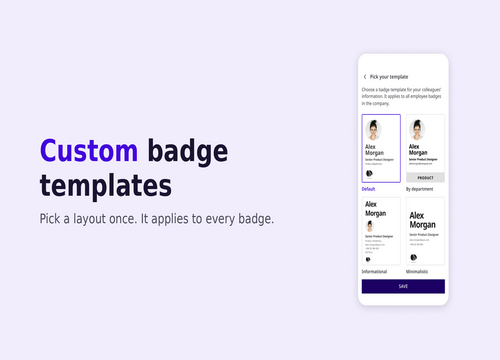
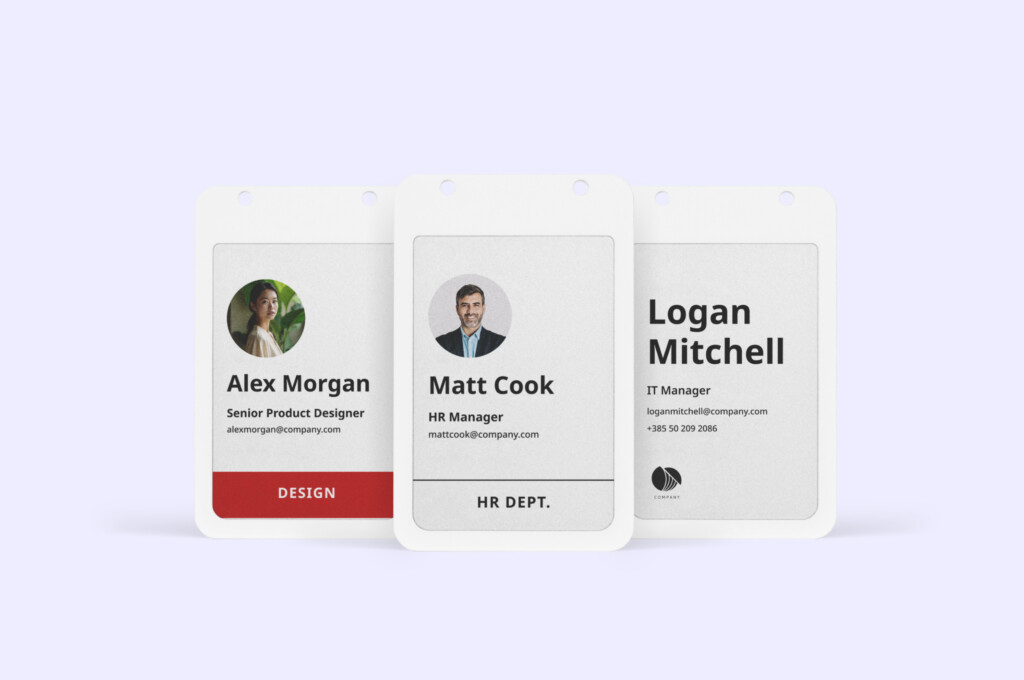
The badge holds no master copy of anything. It shows a rendering of a record in the Joan platform: photo, name, role, department, whatever the company template specifies. Change the record, re-sync, and the badge shows the change. Electronic paper holds its image with no power, so a badge displaying the same name all month costs nothing to display it.
Day one
Provisioning happens before the new hire arrives, which is the part that separates this from a card printer.
An office manager or HR admin opens the Joan Mobile App and scans the QR code on the back of a badge, or types its MAC address. They select the company template. They assign the badge to a person from the Joan user directory that already exists. Then they sync over Bluetooth.
That is the whole flow, and it runs in batches. Five new starters in one intake are five assignments in one sitting, done the week before, so the badges are sitting on the desk on Monday morning rather than being made on Monday morning.
The new hire does nothing. If they want their own photo rather than the one on file, they upload one, and that is the only action ever required of them. No printer, no laminator, no IT ticket, and no queue at facilities on someone’s first day.
If you are writing badge guidance for new starters, the photo rules are worth settling first. We covered what makes a usable one in employee badge pictures.
The first change
A promotion is a re-sync.
So is a department move, a legal name change, a new photo, a template redesign across the whole company. The record changes, the badge is re-synced over Bluetooth, and the wrong information stops being on display. There is no print run to schedule, no batch minimum, and no reason to let a stale title sit there for six months because reprinting one card is not worth the trip.
The cost model inverts here. With printed cards, changes are expensive, so organisations ration them and accept inaccuracy in between. With a re-syncable badge, changes are free, so there is no reason to accept it.
The lost badge
This is the gap worth understanding, because it is a security gap rather than an administrative one.
When someone loses a printed card, the card keeps working as identification. It still shows a real photo, a real name, a real company, and a real role. To every person who sees it in a corridor, it is valid. It stays valid until the loss is reported, and then it stays valid as an object even after the access rights behind it are switched off, because the plastic does not know.
RFID cards narrow the gap without closing it. The credential can be deactivated in the access system, but the visual identity printed on the front is unchanged, and cloning a static credential is a known attack. There is more on that comparison in our piece on RFID employee badges.
With a digital badge, revocation happens at the database level and takes effect immediately, before the physical badge has redrawn itself. The authority sits in the record, not in the object. A badge that has been revoked is no longer a valid credential the moment the admin says so, whether or not anyone has found it.
That distinction is also what makes a badge policy enforceable rather than aspirational. If yours is due a rewrite, we published a template in employee badge policy.
Doors
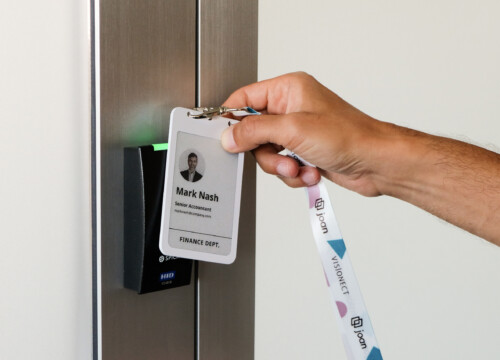
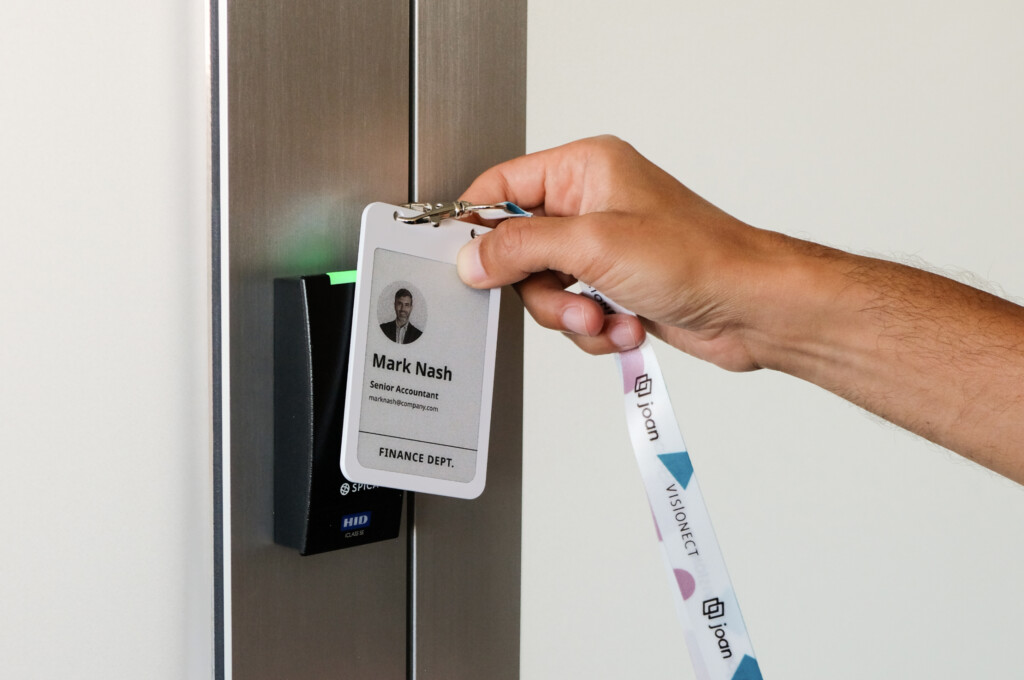
The badge carries NFC, so it can act as an access credential wherever your access control system supports one.
Whether that works in your building depends on which system you run and what it accepts. The Joan Employee badge easily integrates with your existing access control system.
Offboarding
Offboarding is the mirror of day one, and it is shorter.
The admin revokes the badge in the platform. Access, if the badge was integrated with door control, ends at the same moment. The badge itself comes back, gets cleared, and goes into the pool for the next person, because the hardware was never personalised in any permanent way. Nothing is shredded. Nothing is reordered.
Compare that to the printed equivalent, where the card is destroyed and the replacement is a new unit of consumable, and the difference compounds with headcount turnover rather than headcount.
Who actually runs this
An office manager or facilities lead, in a mobile app, against a directory they already maintain.
This matters more than it sounds. Badge systems usually stall because they sit between HR, who own the people data, IT, who own the access system, and facilities, who own the printer. Nobody owns the whole thing, so nobody fixes the parts that are wrong. Assignment through the Joan directory removes the printer from that triangle and puts the whole assignment flow with the person who already knows who started this week.
For the wider picture of what a badge programme involves, our page on employee badges walks through the system-level view.
Work this out before you roll it out
Four things, in the order they tend to cause trouble.
Is your directory accurate? The badge renders whatever the record says. An out-of-date directory produces out-of-date badges, faster and more visibly than printing did. This is usually a net positive, since the errors surface, but it will surface them.
What goes on the template? Photo, name, role and department is the common set. Adding a team, a site, or a colour-coded access level is a template decision made once and applied across the fleet. Design guidance is on our employee badge design page.
How many badges, and for what? A badge is assigned to one use case and stays there. Once a badge is paired for visitor management, it is not available for employee assignment, and the reverse applies too. This is enforced in the platform, so an office running both needs separate pools. Size the employee pool to headcount plus spares, not to the building.
Where does charging live? Qi pads, somewhere people pass. Around 700 updates per charge means a badge that changes rarely goes a long time between charges, but the pads need a home before rollout rather than after it.
Frequently asked questions about digital employee badges
How long does it take to set up one digital badge?
Scan the code, pick the template, assign the person, sync. It is a mobile app flow measured in minutes, and it batches, so the per-badge time falls as the batch grows.
Does the employee need to do anything?
Optionally upload a profile photo. Nothing else.
What if someone’s digital badge runs out of battery mid-day?
Electronic paper keeps its image with no power, so the badge continues to show the person’s name and photo. What stops working is the ability to sync a change until it is charged.
Can we change the whole company template at once?
Yes. Template changes push to the fleet and take effect on the next sync.
Is the digital badge a tracking device?
No. It syncs over Bluetooth when it is written to, and NFC is read at a door or reader. It does not report location on its own.
What happens to the digital badges when someone leaves?
Revoked in the platform, returned, cleared, reassigned. The hardware is reusable across people.
Can one digital badge cover both employees and visitors?
Yes. A digital badge can be reconfigured for a different use case, so the same badge can be used for employees and later reassigned to visitors if needed.
For example, if an organization has fewer employees and no longer needs all of its employee badges, those badges can be reconfigured and reused for visitor access rather than going to waste.