
Best Kadence alternatives (ranked for hybrid workplaces)
Kadence is a hybrid workplace platform built for team coordination — desk and room booking, visitor management, floor plan intelligence, and presence tracking in one place. Customers like NHS, Intel, and Starling Bank use it to manage complex, multi-location offices. For the right organisation, it does a lot.
The problem is that pricing is entirely opaque, analytics get overwhelming fast, and some core booking features — like recurring room reservations — require workarounds through Outlook. Those aren’t minor inconveniences; they’re friction that shows up every week. Teams looking for desk booking software that’s more transparent, more polished on reporting, or simply easier to roll out end up evaluating alternatives.
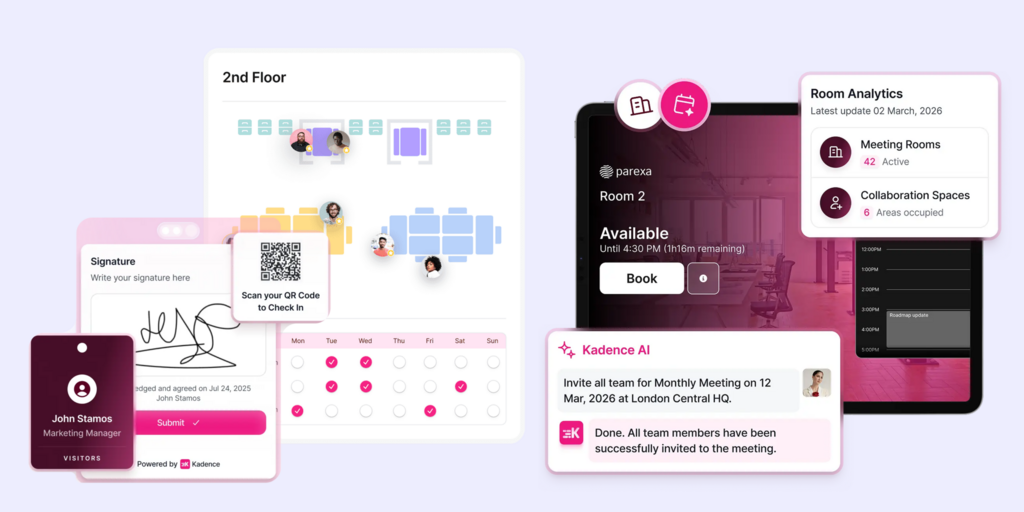
We compared six of the most common replacements across pricing, features, setup complexity, and day-to-day fit. Joan is included — and we’ll explain clearly who each tool is actually best for, not just who it’s marketed at. If you’re also evaluating Smartway2, see our Best Smartway2 Alternatives →, or check our Best Humly Alternatives → if hardware-integrated room displays are on your list.
Quickly jump to:
- Why teams start looking for Kadence alternatives
- Quick comparison table
- The 6 best Kadence alternatives
- How to choose the right Kadence alternative
- Joan vs. Kadence: quick comparison
- FAQ about Kadence alternatives
Why teams start looking for Kadence alternatives
No public pricing — and floor plan fees compound quickly
Kadence doesn’t publish pricing anywhere on its website. Every deployment runs through a custom quote, plus a $250-per-floor setup fee for floor plan integration. For organisations covering multiple floors or locations, those setup costs stack before the first monthly invoice. It’s not unusual to arrive at a number considerably higher than expected, with annual contracts required as the minimum.
Reporting is technically there — but hard to act on
Analytics is one of the areas where Kadence consistently draws criticism. “Reports come out with too many columns,” one Office Manager wrote on G2 in February 2026. “There are a lot of timestamps to take in in one hit — it’s hard to know which was the source of truth.” That review isn’t an outlier: in aggregate, five G2 reviews flag limited insights and four cite inadequate or overwhelming reporting. The raw data exists; the actionable summary often doesn’t.
Recurring room bookings require an Outlook workaround
Teams that run regular weekly standups or recurring client calls hit a ceiling that many only discover post-deployment: Kadence doesn’t support recurring room reservations natively. The workaround is to book recurring meetings through Outlook and let it sync — which means managing two interfaces and accepting that the booking experience is split across platforms. Multiple G2 reviewers flag this, with one management consultant noting it as a consistent friction point.
Quick comparison table
| Tool | Best for | Room booking | Desk booking | Starts at | Hardware? |
|---|---|---|---|---|---|
| Joan | Any office wanting physical ePaper displays + full workplace platform | ✅ | ✅ | $51/month | ✅ ePaper displays |
| Robin | Enterprise hybrid scheduling with Microsoft 365 depth | ✅ | ✅ | On request | ❌ |
| Deskbird | Transparent per-user desk booking | ✅ | ✅ | €2.75/user/month | ❌ |
| Tribeloo | Per-resource billing for mid-market offices | ✅ | ✅ | €3.00/resource/month | ❌ |
| YAROOMS | Hybrid scheduling with built-in analytics | ✅ | ✅ | €99/month | ❌ |
| Skedda | Simple booking without enterprise complexity | ✅ | ✅ | $99/month | ❌ |
| Kadence | Hybrid team coordination with space intelligence | ✅ | ✅ | On request | ❌ |
The 6 best Kadence alternatives in 2026
1. Joan — Best for teams that want an all-in-one workspace platform with physical ePaper displays
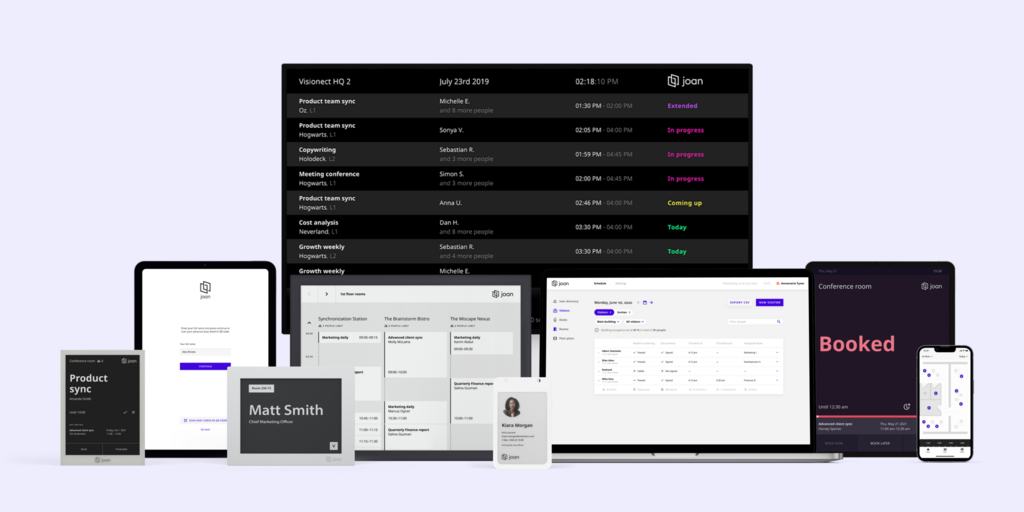
Joan is a full hybrid workplace platform covering room booking, desk booking, visitor management, parking, asset reservations, and digital signage — all managed from one portal. What sets it apart from every other tool on this list, including Kadence, is hardware: Joan sells its own battery-powered ePaper room display panels that mount without cables and run for months per charge. For teams that want physical presence at the door — not just a booking app — Joan is in a category of its own.
Where Kadence focuses on team coordination and space intelligence, Joan’s pitch is simpler and more complete: one platform, real hardware, transparent pricing, and analytics built in from day one.
What makes Joan stand out
- ePaper displays with no cable runs: Joan 6 RE, Joan 6 Pro, and Joan 13 Pro mount anywhere. They show live room status, book on the spot, and release no-shows automatically — without Power over Ethernet or an electrician.
- Recurring bookings work natively: No Outlook workaround. Recurring room and desk reservations are set up within Joan itself, with full calendar sync to Microsoft 365 and Google Workspace.
- Joan AI Agent for Microsoft Teams: Books rooms and desks directly from a Teams chat conversation — no portal login, no tab-switching. Relevant for teams already living in Teams who want booking to feel invisible.
- Analytics included at every plan level: Usage by room, by desk, by week. No extra tier needed, no consulting engagement to make sense of the data.
Joan pricing
Plans start at $51/month. Additional users are $1.09/user/month; additional device licenses are $10.99/device/month (annual billing). All platform features — rooms, desks, visitors, signage, analytics — are included. ePaper hardware is a one-time purchase, separate from the subscription. See current pricing.
Joan limitations
- Joan is a booking and workplace experience platform, not a full IWMS. Organisations that need space planning, lease management, or maintenance ticketing alongside booking will need a separate tool.
- Hardware makes the most sense if you’re managing physical meeting rooms — for fully remote or hotelling-only teams with no fixed rooms, the ePaper angle is less relevant.
Best for: Any organisation managing physical workspaces — from a small team with a few meeting rooms to a global enterprise across hundreds of locations.
2. Robin — Best for enterprise hybrid scheduling with deep Microsoft 365 integration
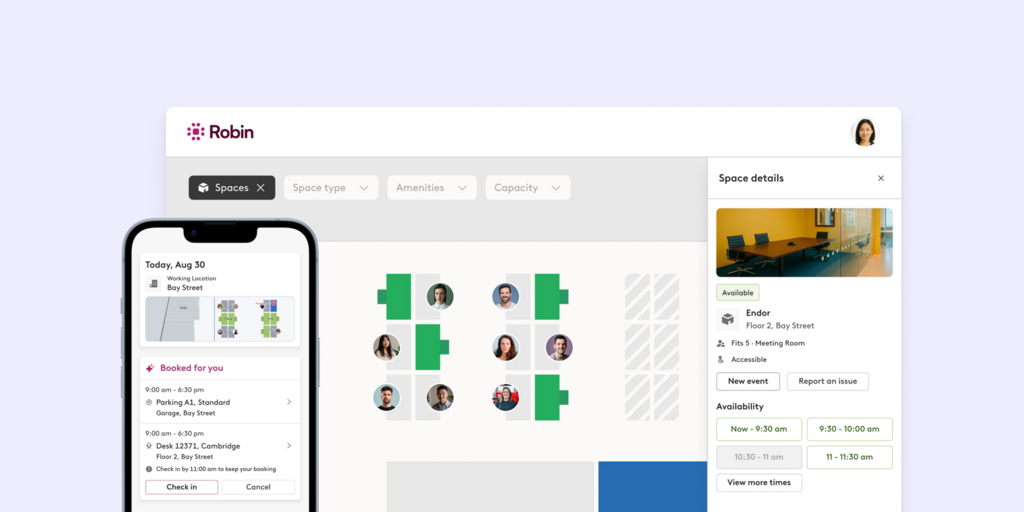
Robin is one of the most widely deployed hybrid workplace platforms in enterprise environments. Its core strength is the breadth of Microsoft 365 integration — booking rooms and desks from Outlook, tracking team presence, and syncing schedules across a large workforce without requiring employees to learn a new interface. NHS and similarly scaled organisations use it for this reason.
What makes Robin stand out
- Deep Outlook and Teams integration means employees rarely need to open the Robin app directly
- Neighbourhood and zone management for hotelling offices — teams can be routed to specific areas by schedule or role
- Strong analytics for space utilisation reporting, well-suited to facilities teams with regular stakeholder reporting needs
Robin pricing
Pricing is on request only. No public starting price is listed; every deployment goes through a sales conversation. Robin targets mid-market and enterprise, and pricing reflects that.
Robin limitations
- Seat-based billing counts all employees, not just active bookers — companies report costs running higher than expected as headcount grows
- No hardware: Robin is software-only; room displays require a separate tablet setup and mount, adding cost and complexity at the door
- The depth of the platform means onboarding and configuration take time; smaller or faster-moving teams often find it overbuilt for their needs
Best for: Mid-size to large enterprises heavily committed to the Microsoft 365 ecosystem that need robust scheduling without changing employee habits.
Looking for Robin alternatives instead? See our Best Robin Alternatives.
3. Deskbird — Best for per-user desk booking with transparent monthly pricing
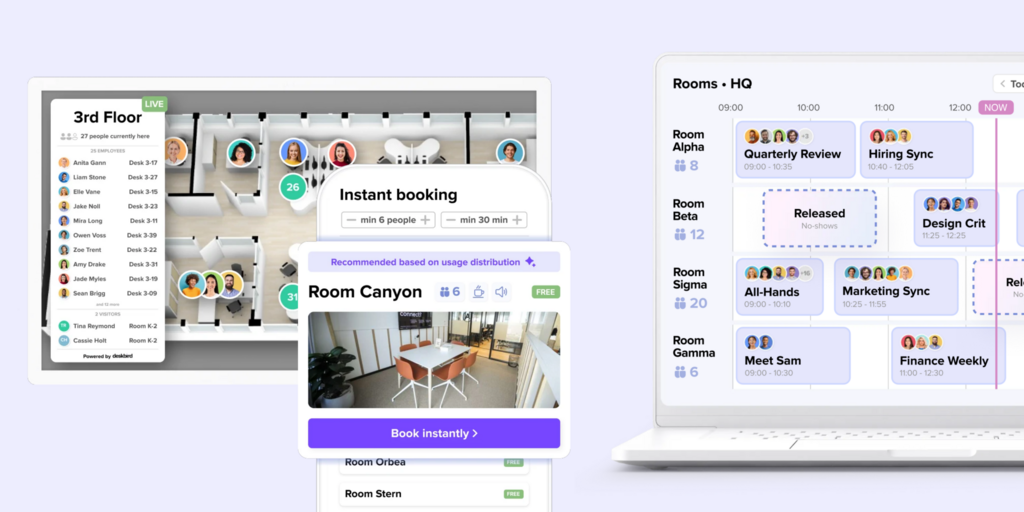
Deskbird is a desk-first booking platform with a clean interface and a pricing model Kadence notably lacks: a publicly listed per-user rate. Teams evaluating hybrid workplace software who want to know costs before talking to sales will find Deskbird refreshingly direct. It covers room booking too, but its product DNA is clearly desk-focused — the floor plan view, presence tracking, and “who’s in today” features are where it shines.
What makes Deskbird stand out
- Transparent per-user pricing published on the website — no sales call needed to understand what you’d pay
- Strong floor plan booking experience: employees book desks directly from an interactive office map, choose a spot near their teammates, and see who’s in that day
- Microsoft Teams and Slack apps let employees book without leaving their communication tool
Deskbird pricing
From €2.75/user/month (annual billing). See current pricing on Deskbird’s site.
Deskbird limitations
- Room booking exists but is secondary to desk booking — teams with complex room scheduling requirements (recurring meetings, multi-resource bookings, room display hardware) tend to find it less developed than dedicated room-management tools
- No hardware: purely a software platform; organisations that want physical displays at room doors need to source and configure tablets separately
- Visitor management is limited; it doesn’t cover the full visitor journey that dedicated tools offer
Best for: Hybrid teams that primarily need desk booking with a clean per-user cost structure and don’t have complex room management requirements.
Looking for Deskbird alternatives instead? See our Best Deskbird Alternatives.
4. Tribeloo — Best for mid-market offices that prefer per-resource billing
Tribeloo takes a different pricing approach from most booking tools: you pay per bookable resource (desk, room, parking space), not per user. That makes sense for offices where the number of resources is more predictable than the number of users who’ll book them. It’s also one of the few platforms in this space that publishes its pricing on the website — tiers and all.
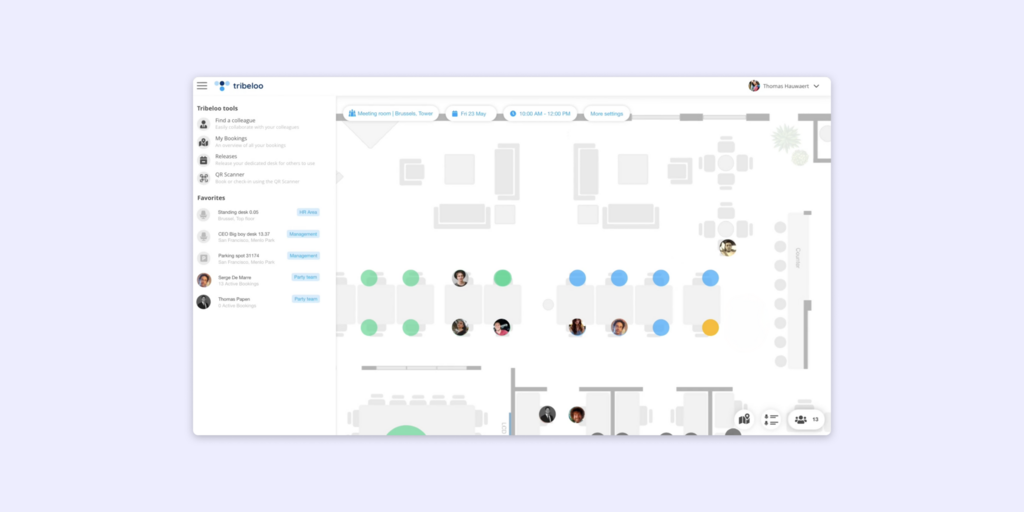
What makes Tribeloo stand out
- Per-resource billing means you’re paying for the space you’re managing, not for every employee who might book it — a meaningful distinction for offices with more desks than daily occupants
- Outlook and Google Calendar booking in the Pro tier: employees can reserve a desk or room from directly within their calendar invitation
- Tribeloo is known in reviews for responsive support and for iterating on customer feedback — a practical advantage for smaller teams without internal IT resources to manage tool rollouts
Tribeloo pricing
Starter: €3.00/resource/month (annual), Pro: €3.75/resource/month (annual), Premium: €4.00/resource/month (annual — includes Active Directory and SSO). Monthly billing is available at a ~20% premium.
Tribeloo limitations
- Per-resource billing surprises offices with large floor plans: 150 desks means 150 resource slots, regardless of how many employees actually book each month — at scale, this can run higher than per-user alternatives
- No hardware: Tribeloo is software-only; physical room displays need to be separately sourced and configured
- Calendar recurring booking limitations: users report that the recurring flag in Outlook calendar invites doesn’t always carry through — you may still need to manage the recurring series inside Tribeloo’s own interface, creating a split workflow
Best for: Mid-market offices with a stable, predictable number of bookable resources and a preference for per-space billing over per-user fees.
5. YAROOMS — Best for hybrid scheduling with built-in space analytics
YAROOMS is a hybrid workplace platform covering room booking, desk booking, and visitor management on a fixed-tier monthly subscription. Its appeal over Kadence is similar to Joan’s: pricing is published, tiers are clear, and you’re not entering a negotiation before understanding costs. The analytics sit within the platform and are designed to be understandable by office managers — not just facilities consultants.
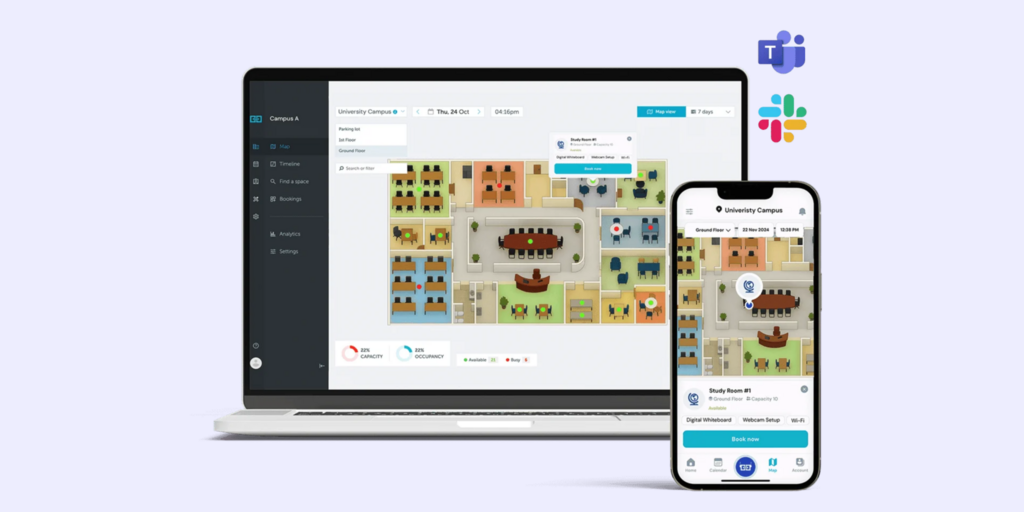
What makes YAROOMS stand out
- Transparent tiered pricing — Starter, Business, and Enterprise plans with clear user and location caps; no custom quote required to get started
- Hybrid scheduling features go beyond booking: teams can see who’s planning to be in, coordinate attendance, and manage hybrid work patterns across departments
- Visitor management is available as an add-on, covering pre-registration, badge printing, and visitor logs
YAROOMS pricing
Starter €99/month (up to 10 users, 1 location), Business €399/month (50 users, 2 locations), Enterprise €899/month (300 users, 5 locations). Visitor management is a separate add-on at $99/location/month.
YAROOMS limitations
- Visitor management is not bundled — it’s a separate line item per location; organisations that assumed it was included report billing surprises
- User caps per plan tier are strict; teams near the Starter ceiling (10 users) that grow even slightly need to jump to Business (€399/month), which is a significant pricing step
- No hardware: YAROOMS is software-only; room display panels are not offered
Best for: Hybrid teams that want transparent subscription pricing, hybrid attendance coordination, and the option to add visitor management when needed.
Looking for YAROOMS alternatives instead? See our Best YAROOMS Alternatives.
6. Skedda — Best for simple, predictable booking without enterprise overhead
Skedda is a booking platform that stays focused: rooms and desks, a clean interface, space-based pricing, and no feature bloat. It’s what teams reach for when they want scheduling software that works on day one without a lengthy configuration project. Compared to Kadence’s two-product suite and custom-quote model, Skedda is the opposite in every respect.
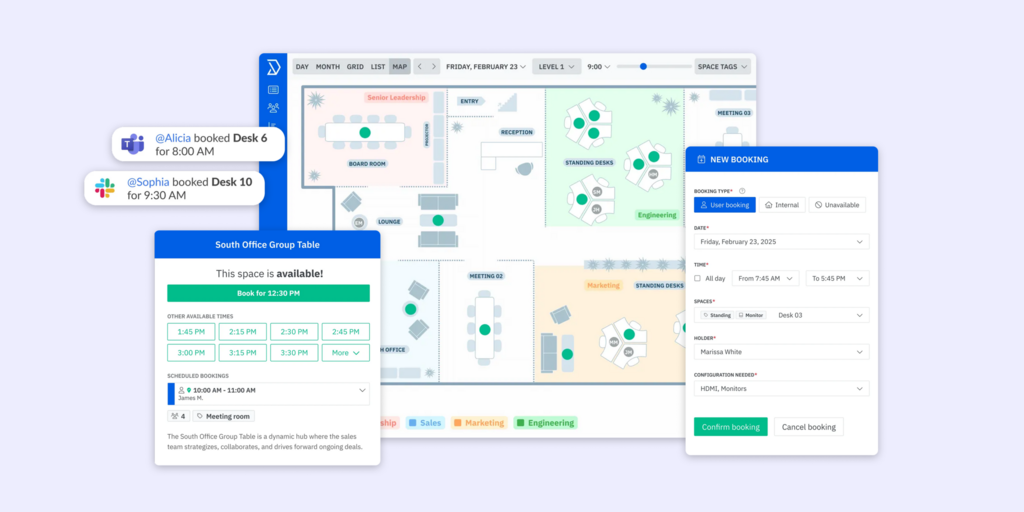
What makes Skedda stand out
- Space-based pricing: you pay for the number of bookable spaces, not the number of users — making it predictable for offices with a fixed room or desk count
- Self-serve setup: most teams are live within hours; no implementation consultant, no floor-plan setup fee
- Clean booking interface that non-technical employees actually use without training
Skedda pricing
From $99/month (Starter). See current pricing live at their website.
Skedda limitations
- Per-space billing counts every bookable resource — desks, rooms, parking — so large floor plans can run costs up faster than a per-user model would
- Analytics and visitor management are lighter than full-platform alternatives; teams that need detailed utilisation reporting or visitor workflows will hit limitations
- No hardware: software-only; room display panels require separate sourcing
Best for: Smaller offices and teams that want a simple, self-serve booking tool with no implementation overhead and predictable monthly costs.
Looking for Skedda alternatives instead? See our Best Skedda Alternatives.
How to choose the right Kadence alternative
If transparent pricing matters before you talk to sales
Four of the six alternatives on this list publish pricing publicly: Joan, Tribeloo, YAROOMS, and Skedda. If entering a custom-quote negotiation before understanding costs is a dealbreaker, any of these four sidestep that problem from the first search.
If you need physical displays at the door
Joan stands out by building its own purpose-built hardware, like the battery-powered, ultra-energy-efficient Joan 6 and Joan 13 ePaper panels. While Kadence does offer Room Displays software designed to turn standard third-party iOS/Android tablets or Neat hardware into at-the-door meeting room schedulers (complete with a live analytics feed), they do not manufacture physical screens. Furthermore, Kadence’s tool is strictly a room-booking interface. Joan provides a full Workplace Digital Signage CMS, allowing you to broadcast company announcements, custom corporate branding, and wayfinding maps across large TV and LCD screens throughout lobbies or breakrooms—giving you total control over your office visuals.
If your team lives in Microsoft Teams
The Joan AI Agent for Microsoft Teams allows employees to book rooms and desks straight from a Teams conversation without switching apps.Kadence also features a first-party Microsoft Teams integration, complete with Kadence AI to handle desk and room booking natively inside the chat interface. However, where Joan maintains its edge is simplicity: rather than overcomplicating your workflow with predictive AI forecasting setups, Joan focuses on providing a frictionless, plug-and-play scheduling ecosystem that seamlessly connects your digital chat apps with the physical ePaper displays right at your meeting room doors.
If budget clarity is the priority
Tribeloo (€3.00/resource/month) is the most granular and affordable option for offices with a predictable number of desks. Skedda at $99/month suits small offices that want a flat, known cost. Joan at $51/month covers the full platform — rooms, desks, visitors, signage, analytics — which often compares favourably once you account for what competing tools charge per-feature.
Why Joan is usually the best Kadence alternative
Kadence’s three most common friction points — opaque pricing, analytics that overwhelm rather than inform, and the absence of native recurring room bookings — are specific problems, and Joan addresses all three directly. Pricing is published. Analytics are built into every plan and designed to be readable by an office manager, not just a data analyst. Recurring bookings work natively. And Joan adds something Kadence can’t: physical ePaper displays that make the booking experience tangible at the room door. For teams that want a hybrid workplace platform they can deploy without a negotiation, understand without a consultant, and expand without changing platforms, Joan is the most complete starting point.
Also comparing other tools? See all our workspace software comparisons:
Joan vs. Kadence: quick comparison
| Joan | Kadence | |
|---|---|---|
| Room booking | ✅ | ✅ |
| Desk booking | ✅ | ✅ |
| Visitor management | ✅ | ✅ (WorkOps plan) |
| Physical displays | ✅ ePaper (Joan 6 RE, Joan 6 Pro, Joan 13 Pro, Joan ePaper badge) | ⚠️ software only — runs on third-party tablets or Neat hardware. |
| Digital signage | ✅ | ⚠️ room displays only |
| Recurring room bookings | ✅ native | ❌ (Outlook workaround only) |
| AI booking assistant | ✅ | ✅ |
| Public pricing | ✅ | ❌ (custom quote) |
| Analytics | ✅ built into all plans | ⚠️ available but frequently flagged as overwhelming |
| Calendar integrations | Microsoft 365, Google Workspace, Teams, Slack | Microsoft 365, Google Calendar, Teams, Slack |
| Floor plan setup fee | ❌ | ✅ $250/floor |
| Annual contract required | ❌ | ✅ minimum |
Ready to make the switch?
Joan is free to try for 30 days — no credit card, no sales call required to get started. If you’ve been living with Kadence’s pricing opacity or working around the reporting, the setup takes hours, not weeks.
Frequently asked questions about Kadence alternatives
Is there a free Kadence alternative?
No tool on this list offers a permanent free plan for workplace booking. Joan, Tribeloo, and Skedda all offer free trials — Joan’s runs 30 days and covers the full platform. Deskbird offers a trial period as well. None are free long-term, but several are significantly more affordable than Kadence once you factor in setup fees.
How much does Kadence cost?
Kadence doesn’t publish pricing. Every deployment goes through a custom quote, plus a $250-per-floor setup fee for floor plan integration. Kadence also requires a minimum annual contract. Third-party sources suggest active user billing in the range of ~$4/user/month, but you’d need to contact their sales team to confirm what applies to your setup.
What is Kadence’s biggest limitation?
The two complaints that recur most in G2 reviews are reporting complexity and the absence of native recurring room bookings. On analytics: users describe reports with too many columns and timestamps that make it hard to draw clear conclusions. On bookings: recurring room reservations aren’t supported within Kadence’s own interface — teams use Outlook as a workaround, creating a split workflow.
Does Kadence have physical room displays?
No. Kadence relies on native software for third-party iOS, Android, and Neat Pad devices. If you want physical displays at meeting room doors you’d need to source and configure tablets separately. On the other hand, Joan provides dedicated ePaper hardware solutions.
Joan is the only tool on this list that sells its own hardware: the Joan 6 RE, Joan 6 Pro, and Joan 13 Pro are battery-powered ePaper panels that mount anywhere and run months per charge without cables.
What’s the best Kadence alternative for small teams?
For small offices that want clear pricing and easy setup, Skedda ($99/month) or Tribeloo (from €3.00/resource/month) are the most accessible. Joan at $51/month makes sense even at small scale because the full platform — rooms, desks, visitors, signage — is included from the start, and ePaper hardware can be added as the office grows.
Does Kadence support recurring room bookings?
Not natively. Multiple G2 reviewers flag this gap: to set up a recurring conference room reservation, you need to create the series in Outlook and let it sync to Kadence. Joan, by contrast, handles recurring room and desk bookings natively within the platform, with full calendar sync to Microsoft 365 and Google Workspace.
What is the best desk booking software in 2026?
For teams that want an all-in-one hybrid workplace platform, Joan covers desk booking alongside room booking, visitor management, digital signage, and physical ePaper displays under one subscription. For desk-only needs with per-user pricing, Deskbird and Tribeloo are both strong options with transparent pricing. The right choice depends on whether you need just desk booking or the full workplace management stack — and whether physical hardware at the door matters.
Page last updated: August 2026. Pricing verified from public sources — always confirm live pricing directly with each vendor before purchasing.
About the author
