
Officely alternatives in 2026 with pricing and reviews
Officely (getofficely.com) is a Slack- and Microsoft Teams-native desk booking tool used by hybrid teams who want to manage office attendance without leaving their messaging platform. It does one thing well: letting employees book a desk or check who’s coming in, directly from a Slack or Teams message. Setup is fast, adoption tends to be high when the team already lives in Slack, and the per-user cost is among the lowest in the market.
The friction starts when teams need more than desk booking. Meeting rooms in Officely are a separate product at $12 per space per month — adding five rooms to a team already paying for desk access costs $60/month on top. Visitor management does not exist on any Officely plan. Physical room panels showing live availability at the door are not part of the product. And several features listed on the Officely pricing page are marked with an asterisk: “not currently available on Microsoft Teams.”
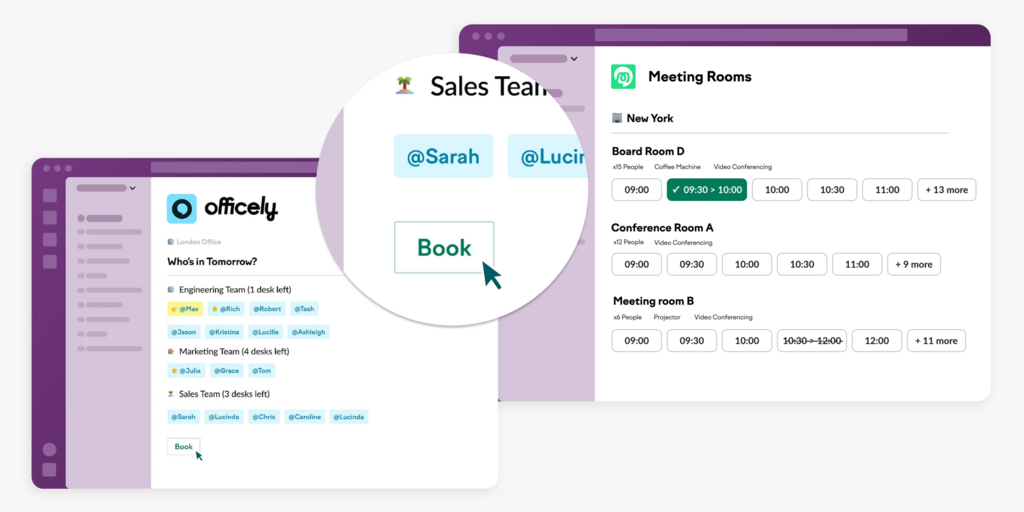
We’ve compared 7 Officely alternatives across pricing, features, setup complexity, and honest limitations — covering tools that range from Slack-integrated desk booking to full workplace platforms with hardware, visitor management, and digital signage — so you can decide whether to stay, extend, or switch.
If you’re also evaluating Robin or Deskbird, see our best Robin alternatives and best Deskbird alternatives.
Quickly jump to:
- Why teams start looking for Officely alternatives
- Quick comparison table
- The 7 best Officely alternatives in 2026
- How to choose the right Officely alternative
- Joan vs. Officely: Quick comparison
- Frequently asked questions about Officely alternatives
Why teams start looking for Officely alternatives
The meeting room bill is the first shock
Officely’s desk booking plans (Basic at $2.50/user, Premium at $3.50/user) cover desks only. Meeting rooms are a separate Officely product at $12 per space per month. A team of 50 paying $3.50/user for desk booking ($175/month) plus five meeting rooms adds another $60/month — pushing the total to $235/month for a setup that still does not include visitor management, physical displays, or parking. Several full-platform alternatives in this price range cover all of the above.
No visitor management, at any plan tier
There is no visitor check-in, pre-registration, NDA signing, or visitor log in Officely. Teams that need to track who enters their office — for compliance, security, or basic front-desk hygiene — must manage visitors with a completely separate tool. No add-on covers this gap — it simply isn’t part of the product. Reviewers who describe outgrowing Officely consistently mention visitor management as the gap that forces a platform switch rather than an upgrade.
Slack dependency becomes a single point of failure
Officely lives inside Slack (and Teams, with fewer features). If your organization switches messaging platforms, reduces Slack licenses, or has employees who are not active in Slack daily, booking adoption collapses. There is no standalone web or mobile experience outside the messaging platform. Multiple G2 reviewers note that employees who are less active in Slack simply stop booking, creating gaps in attendance data and making space utilization reports unreliable.
No physical presence at the door
Employees still need to open Slack to check if a room is free, or walk down the hall and look inside. There is no door panel, no screen outside the room showing live availability, and no display indicating who booked what. For organizations with more than a handful of shared spaces, this absence creates the same ghost meetings and walk-in interruptions that booking software is supposed to solve — and software-only tools cannot address it.
Quick comparison table
| Tool | Best for | Room booking | Desk booking | Visitor management | Starts at | Hardware |
|---|---|---|---|---|---|---|
| Joan | Teams wanting an all-in-one platform with physical ePaper displays | ✅ | ✅ | ✅ | From $51/month | ✅ ePaper displays |
| Deskbird | Hybrid scheduling + desk/room booking | ✅ | ✅ | ⚠️ add-on | $3.75/active user/month | ❌ |
| Skedda | Space booking with a configurable rules engine | ✅ | ✅ | ⚠️ add-on ($99/month) | $99/month | ❌ |
| Kadence | AI-powered hybrid coordination | ✅ | ✅ | ✅ included | On request | ❌ |
| Robin | Large enterprises (500+ employees) | ✅ | ✅ | ✅ included | On request | ❌ |
| Tribeloo | Per-resource desk and room booking | ✅ | ✅ | ❌ | €3/resource/month | ❌ |
| Archie | Coworking and multi-use offices | ✅ | ✅ | ⚠️ separate product | $159/month | ✅ Android + iPad |
The 7 best Officely alternatives in 2026
1. Joan — Best for teams that want an all-in-one workplace platform with physical ePaper displays
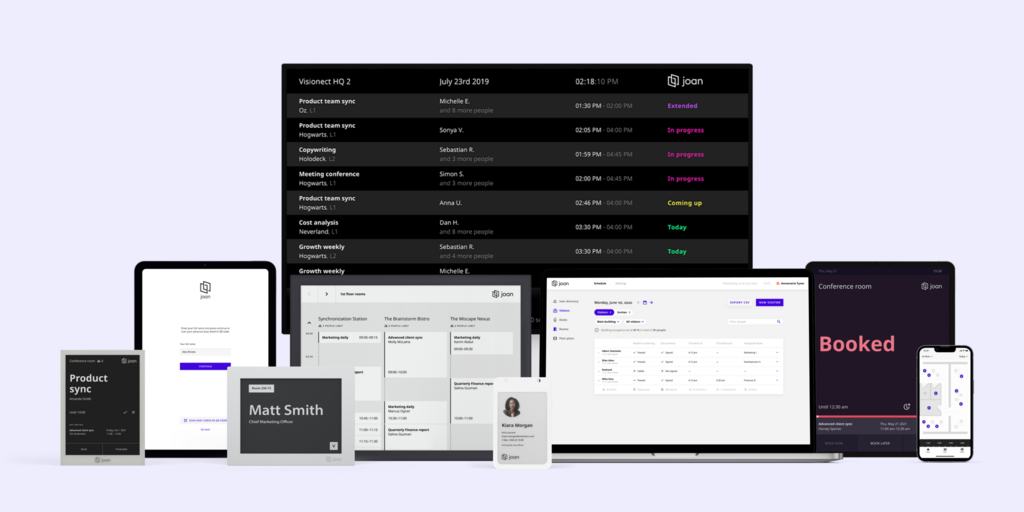
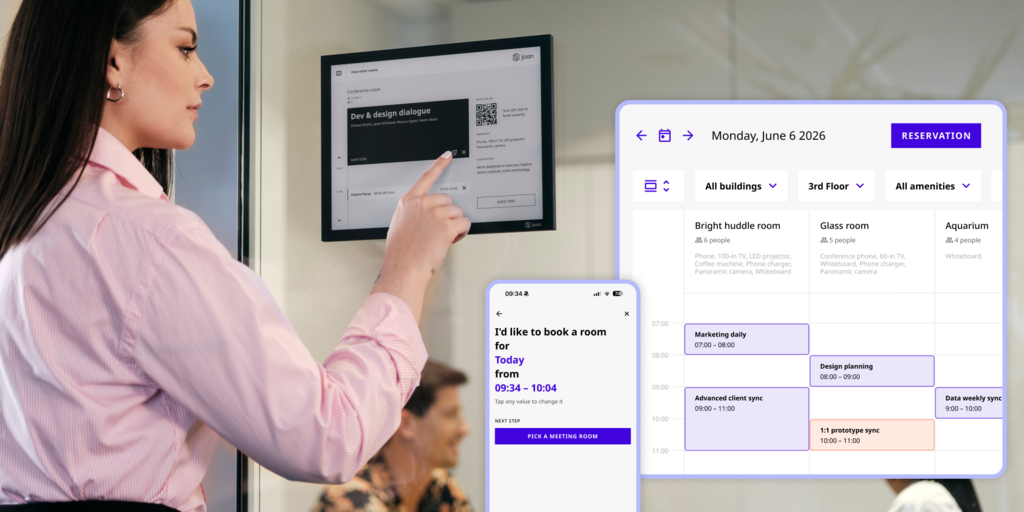
Joan is the most comprehensive alternative on this list for organizations that need more than desk booking from a messaging app. Where Officely requires Slack or Teams to function, Joan works standalone — employees book from Outlook, Google Calendar, Teams, Slack, a mobile app, or directly from the display mounted outside the room. Where Officely charges separately for rooms, desks, and parking, Joan covers all of it under one subscription.
The hardware angle is what separates Joan from every software-only tool on this page. Joan 6 RE, Joan 6 Pro, and Joan 13 Pro are battery-powered ePaper panels that mount outside meeting rooms and show live availability — no cables, no charging cycles, no screen burn. An employee walking past a room can see at a glance whether it’s free without opening any app. This is the problem Officely’s software-only model cannot address.
What makes Joan stand out
- One subscription covers rooms, desks, visitor management, parking, digital signage, and analytics — no separate product for each, no per-space fees stacking on top of per-user fees; see the full platform →
- Battery-powered ePaper displays at the door eliminate ghost meetings and walk-in interruptions that Slack-only booking cannot prevent; the Joan 6 RE installs in minutes with no cabling
- Visitor management is built in at every tier, including pre-registration, NDA signing, compliance logging, and the Joan ePaper badge — a physical battery-powered badge issued to visitors on arrival; very few competitors offer physical visitor badging of any kind
- Joan AI Agent for Microsoft Teams lets employees book rooms and desks directly from a Teams conversation — no app switching, no browser tab; see Joan AI Agent →
- Joan on any display means existing screens and tablets can run Joan software and CMS without purchasing new hardware
Joan pricing
Starts at $51/month. Additional users: $1.09/user/month (annual). Additional device licenses: $10.99/device/month (annual). Hardware is a one-time purchase with a 30-day money-back guarantee. A 30-day free trial is available — see getjoan.com/pricing.
Joan limitations
Getting the full Joan experience with ePaper displays at every door means an upfront hardware investment — not ideal for teams that want zero physical devices (though Joan on any display works if you already have screens). Joan is a workspace booking and presence platform, not a full IWMS — it doesn’t cover lease management, maintenance ticketing, or CAD floor plan editing.
Best for: Any organization managing physical workspaces that wants one subscription covering rooms, desks, visitors, and signage — and physical displays at the door so employees know space status without opening an app.
Start your free Joan trial here.
2. Deskbird — Best for hybrid scheduling and desk booking with Slack/Teams integration
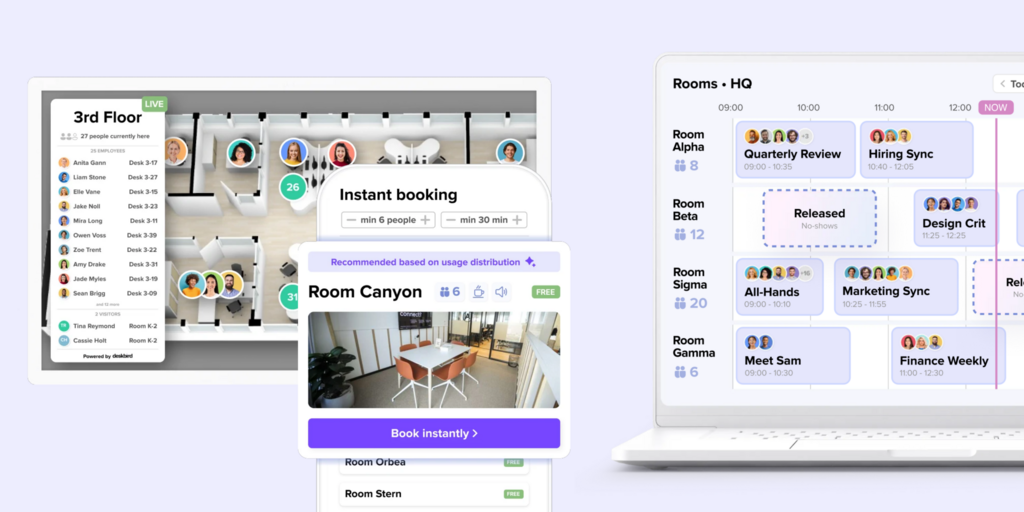
Deskbird covers desk booking, room booking, hybrid scheduling, and office attendance tracking. Like Officely, it integrates with Slack and Microsoft Teams — but unlike Officely, it also has a standalone web and mobile app, so employees who are not active in Slack can still book. Room booking is included in the base Business plan, not priced as a separate product.
The platform is strongest for desk-heavy hybrid teams that want to coordinate around team schedules. Its AI-powered booking recommendations suggest optimal office days based on when teammates are coming in — more sophisticated than Officely’s attendance visibility.
What makes Deskbird stand out
- Room booking is included in the base Business plan — not a separate product at an additional per-space charge
- Standalone web and mobile apps complement Slack and Teams integration — employees who don’t use Slack regularly can still book
- AI-powered desk and room recommendations suggest when to come in based on team schedules, not just space availability
- Hybrid scheduling and attendance policies configurable per team or department
Deskbird pricing
Business plan: from $3.75 per active user per month (billed annually). Professional and Enterprise: custom pricing. Important: visitor management (“Visitors Plus”) and advanced room display features (“Rooms Plus”) are paid add-ons — not included in the base plan. See deskbird.com/pricing for current figures.
Deskbird limitations
- Visitor management is a paid add-on — Visitors Plus is not included in Business or Professional; teams that need pre-registration, kiosk check-in, or badge printing pay extra on top of the subscription
- Room display kiosks also require a paid add-on — “Rooms Plus” covers interactive kiosks on meeting room screens; the base plan handles room booking in software but not physical screen management at the door
- Advanced analytics locked behind Professional — the Business plan includes basic office and workforce analytics, but custom reporting and data export require upgrading to a custom-priced tier
- No physical ePaper hardware — Deskbird integrates with existing displays and tablets but does not manufacture or sell dedicated door panels
Best for: Hybrid teams that want AI-powered scheduling recommendations and need Slack/Teams integration with a fallback standalone app, and where visitor management is not a current requirement.
→ Looking for Deskbird alternatives instead? See the full list of best Deskbird alternatives.
3. Skedda — Best for teams with complex space-booking rules across desks and rooms
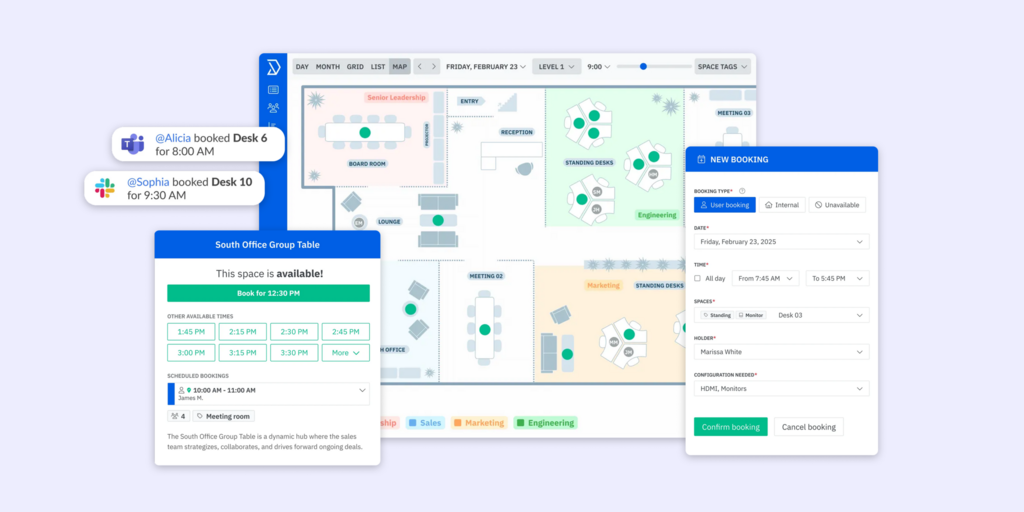
Skedda is a space booking platform built around a highly configurable rules engine. Organizations can set complex booking conditions — who can book which spaces, how far in advance, with what approval workflows, and at what quotas — without custom development. It is used in corporate offices, universities, government buildings, and healthcare facilities.
Unlike Officely, Skedda is a standalone platform, not a Slack plugin. Employees access it through a web or mobile app, a Microsoft Teams app, or a Slack integration. Interactive floor plans are included from the Starter tier.
What makes Skedda stand out
- Rules engine depth is genuinely exceptional — booking windows, quotas per user or group, approval workflows, and buffer times are all configurable; policies that would require custom development elsewhere are standard here
- Per-space pricing means the cost doesn’t compound with headcount — adding employees doesn’t change the bill if the number of bookable spaces stays fixed
- Interactive floor plans included at Starter tier ($99/month) with no separate setup fee
- Microsoft Teams and Slack apps let employees book without leaving their collaboration platform
Skedda pricing
Starter: from $99/month (15 spaces, billed annually). Plus: from $149/month (20 spaces). Premier: from $199/month (25 spaces). Enterprise: custom. Visitor management is a $99/month add-on on top of any plan tier. See skedda.com/pricing for current details.
Skedda limitations
- Visitor management costs $99/month extra on any plan tier — it’s an explicit add-on, not included anywhere in the base subscription
- Per-space model can surprise growing offices — adding spaces beyond the plan’s included count costs $4.99/space/month; organizations with many bookable desks, rooms, and parking spots should model total cost carefully
- Analytics data retention is limited on Starter — 30 days on the Starter plan; too short for space-planning decisions that require month-over-month trends
- No purpose-built hardware — Skedda supports tablets for room displays but does not manufacture dedicated ePaper panels
Best for: Organizations with complex space booking policies — multiple user groups, approval workflows, department quota limits — who want a standalone platform with a configurable rules engine from day one.
→ Looking for Skedda alternatives instead? See the full list of best Skedda alternatives.
4. Kadence — Best for AI-powered hybrid coordination with visitor management included
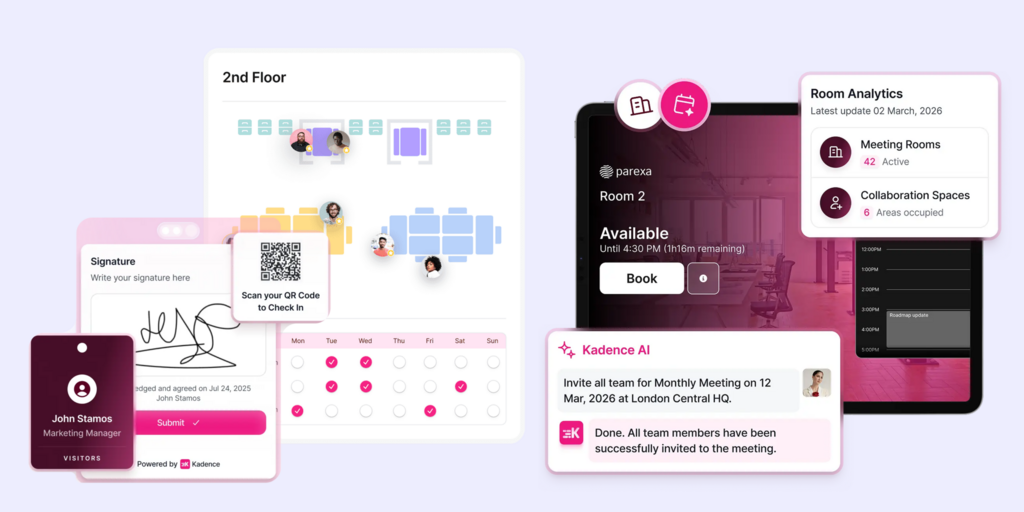
Kadence focuses on hybrid work coordination: helping employees plan which days to come in based on when teammates are in, then booking desks and rooms around that plan. It includes an AI booking assistant, visitor management, workplace analytics, scenario planning, and interactive floor plans — all in one product.
It integrates with Slack, Microsoft Teams, and HRIS systems. Unlike Officely, Kadence has a standalone web and mobile app and covers visitor management natively without a separate subscription or add-on.
What makes Kadence stand out
- AI booking assistant suggests desk and room bookings based on teammate schedules, not just real-time space availability
- Visitor management included — guest check-in, arrival displays, visitor tracking with no separate product or add-on required
- Team coordination built in — starred-colleague notifications, team day recommendations, and attendance broadcasting help hybrid teams plan around each other
- HRIS integrations keep user lists synchronized automatically without manual imports
Kadence pricing
Pricing is not published — all plans require a demo and a custom quote. Contracts are a minimum of one year, billed annually. Floor plan setup costs $250 per floor as a separate one-time fee. See kadence.co/pricing for current structure.
Kadence limitations
- No published pricing — every purchase requires a sales conversation and a custom quote; organizations that want to compare costs without a demo call cannot do so
- Annual commitment required — no monthly billing option at any tier; minimum one-year contract
- Floor plan setup costs extra — $250 per floor charged on top of the subscription; a multi-floor office adds meaningful setup cost before the platform is fully live
- No physical door panels — Kadence is software-only; it does not manufacture or sell room display hardware
Best for: Mid-market to enterprise teams where hybrid coordination — team scheduling, who’s-in visibility, attendance policies — is as important as booking mechanics, and who need visitor management included without a separate add-on.
5. Robin — Best for large enterprises (500+ employees) managing complex multi-floor workplaces
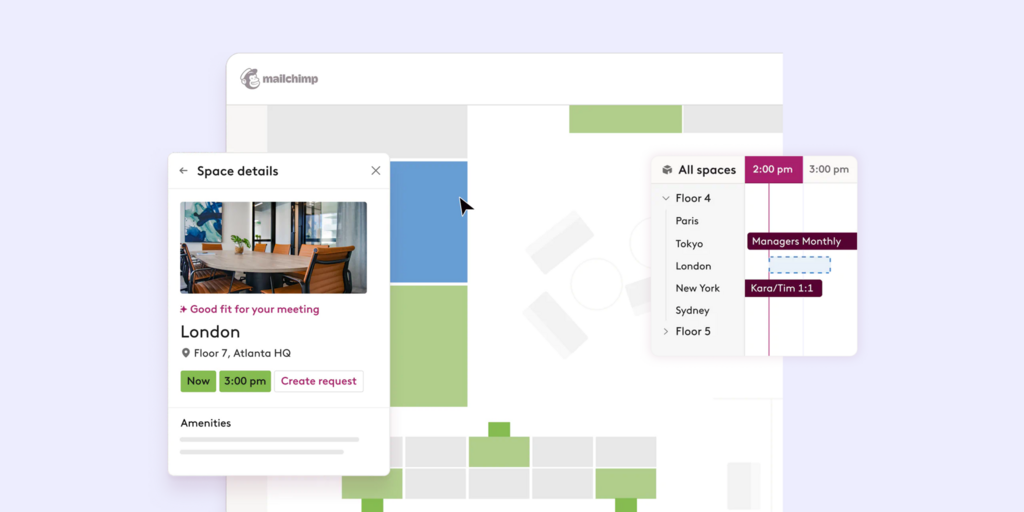
Robin is a full workplace platform covering desk booking, room scheduling, visitor management, workplace analytics, space management, and employee experience features. Robin explicitly targets organizations with 150+ hybrid employees using the office and states on its pricing page that the optimal fit is 500 or more. It is one of the most established names in enterprise workplace management.
Unlike Officely, Robin is a standalone platform — it integrates with Slack and Teams but has no dependency on either. Employees book from Outlook, Google Calendar, the mobile app, or the web portal.
What makes Robin stand out
- End-to-end enterprise feature set — rooms, desks, parking, lockers, visitor management, space management, and analytics under one contract; nothing locked behind an add-on
- Advanced analytics with occupancy tracking, sensor integrations, and custom reports built for facilities and real estate decisions
- Meeting management features include catering and AV requests, IT issue reporting, and real-time room optimization
- Established at scale — Shopify, Harvard, KAYAK, Sanofi, and Autodesk are listed as customers
Robin pricing
Pricing on request — requires a demo call. Annual billing only. Hardware (room displays, kiosks) is sold separately through Robin’s recommended hardware partner list. See robinpowered.com/pricing for current details.
Robin limitations
- Designed for 500+ employees — Robin states this on its own pricing page; smaller organizations will pay for enterprise features they don’t need and face a platform built around a scale they haven’t reached
- No self-serve trial and no published pricing — every evaluation starts with a sales conversation; multi-year contracts are typical at enterprise accounts
- Hardware not included — Robin does not sell displays; customers source and purchase third-party hardware from Robin’s partner list, creating a separate vendor relationship for physical space signage
- Complex implementation — G2 reviewers consistently note that initial setup takes weeks, particularly for organizations with complex Microsoft 365 room resource configurations
Best for: Enterprises with 500+ employees that need a full workplace operations platform and have dedicated IT and facilities teams to manage implementation and ongoing configuration.
→ Looking for Robin alternatives instead? See the full list of best Robin alternatives.
6. Tribeloo — Best for per-resource desk and room booking with predictable costs
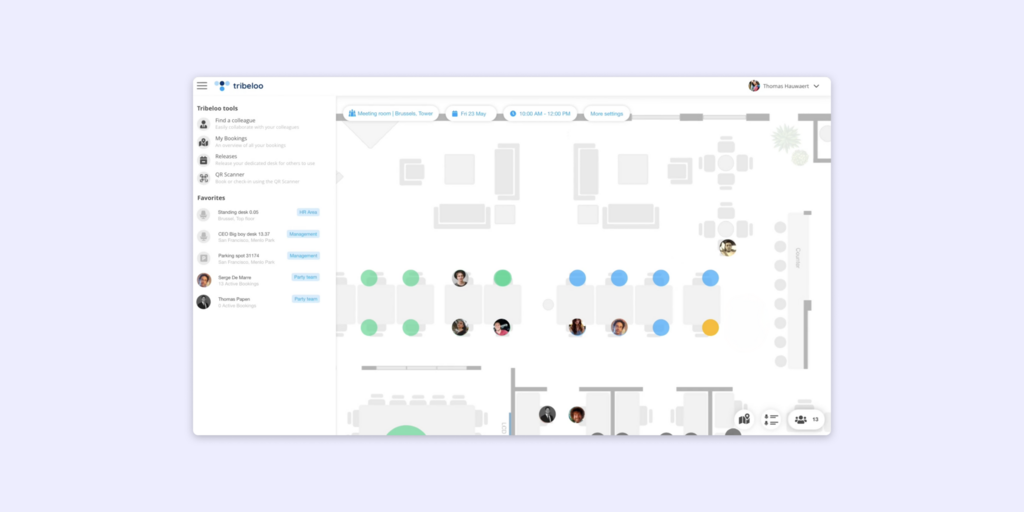
Tribeloo is a desk and room booking platform priced per bookable resource rather than per user. Every desk, meeting room, and parking space counts as a resource in the billing — which makes it cost-effective for offices where not every employee books regularly, and predictable when the number of spaces is fixed and headcount varies.
It integrates with Outlook, Google Calendar, Microsoft Teams, and Slack. Unlike Officely, Tribeloo has a standalone web and mobile app.
What makes Tribeloo stand out
- Per-resource pricing means headcount growth doesn’t automatically increase cost — adding ten more employees doesn’t change the bill if the number of bookable spaces stays the same
- Outlook and Google Calendar integration for room booking, not just Slack/Teams
- Active Directory integration (Pro and Premium plans) for automatic user provisioning without manual CSV imports
- Clean, fast setup — multiple G2 reviewers note deployment takes days, not weeks
Tribeloo pricing
Starter: €3.00/resource/month (billed annually). Pro: €3.75/resource/month. Premium: €4.00/resource/month. Monthly billing adds approximately 20%. See tribeloo.com/pricing for current figures.
Tribeloo limitations
- No visitor management on any plan — Tribeloo has no reception kiosk, pre-registration, NDA signing, or visitor tracking; organizations that need visitor management require a completely separate tool
- Analytics gated behind Pro tier — the Starter plan includes booking functionality but no workspace insights dashboard; organizations that want utilization data must upgrade to €3.75/resource/month
- Per-resource pricing compounds in large offices — a 200-desk office at €3.00/resource = €600/month before adding rooms or parking; the model that saves money for smaller offices becomes expensive at scale
- No AI booking suggestions or hybrid scheduling — Tribeloo handles space booking but has no team coordination or smart scheduling layer
Best for: Teams with a fixed number of bookable spaces and variable or growing headcount, where per-resource pricing creates more budget predictability than per-user models, and where visitor management is not a requirement.
7. Archie — Best for coworking and multi-use offices that need visitor management at the door
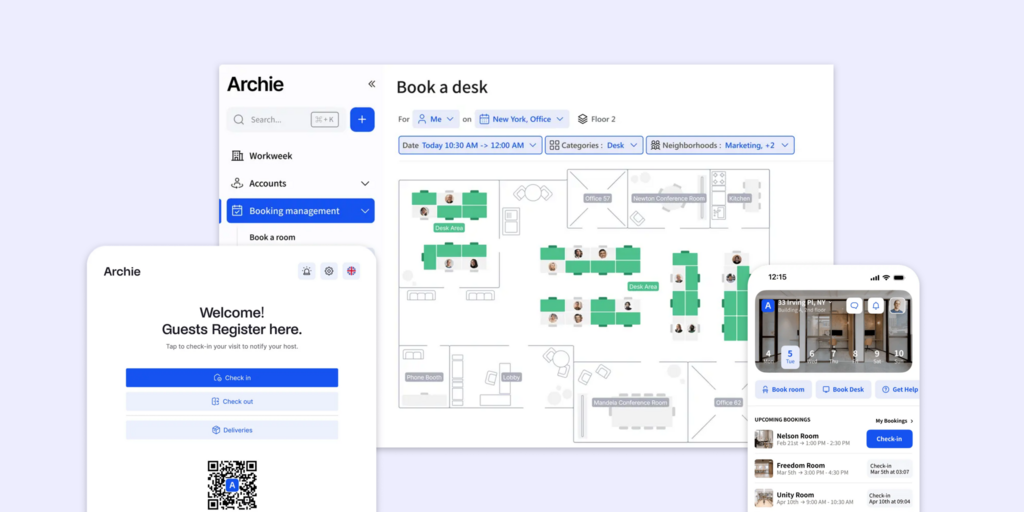
Archie is a coworking and office management platform covering desk booking, meeting rooms, and visitor management. Unlike Officely, it uses Android and iPad kiosks for room displays and visitor check-in, giving it physical presence at the door that software-only tools cannot replicate.
Archie is priced modularly — desk booking, room booking, and visitor management are separate products with separate monthly minimums.
What makes Archie stand out
- Physical kiosk support — Android and iPad displays show live room availability and handle visitor check-in at the door; a physical presence that Officely lacks entirely
- Visitor management available as a separate product — check-in, pre-registration, visitor logs for compliance and security
- Coworking-native features — neighborhood assignments, flex desk policies, and multi-tenant support make it useful for coworking operators and shared offices
- G2 4.9/5 — top-rated for ROI and most implementable, backed by a strong enterprise client list
Archie pricing
Desk Starter: $2.80/desk/month, minimum $159/month. Room Starter: $8/room/month. Visitor management: from $109/month (separate product, sold independently). Enterprise: custom. See archieapp.co/pricing for current details.
Archie limitations
- Separate subscriptions for each product — desk booking, room booking, and visitor management are three separate products with three separate minimums; a team using all three pays three bills regardless of usage level
- The $159/month desk minimum applies even to small teams — a 10-desk team at $2.80/desk = $28/month is billed $159/month regardless
- iPad and Android kiosk dependency — room displays require tablets that need charging, software updates, and eventual hardware replacement; no purpose-built ePaper hardware for cable-free installation
- No AI scheduling or hybrid coordination recommendations
Best for: Coworking operators and shared offices that need visitor check-in and room displays at the door, and where the modular per-product pricing model fits the flexible structure of the space.
→ Looking for Archie alternatives instead? See the full list of best Archie alternatives.
How to choose the right Officely alternative
If the meeting room cost is the issue
You’re paying $12/space on top of per-user desk fees — look at platforms where rooms are included in the base subscription. Joan, Deskbird, and Kadence all cover rooms without a per-space add-on charge.
If you need visitor management included — not quoted separately
Joan, Kadence, and Robin all include visitor management natively. Archie includes it as a separate product. Skedda offers it as a $99/month add-on. Tribeloo and Deskbird’s base plan do not cover it. Joan also provides physical Joan ePaper badges issued to guests on arrival — a physical visitor badge that very few competitors offer.
If Slack dependency is the concern
Every tool on this list has a standalone web and mobile app outside messaging platforms. Joan, Skedda, and Robin have no dependency on Slack or Teams at all. Officely is the only tool in this comparison where the product does not function without a messaging platform.
If you want physical displays at the door
Joan is the only tool on this list that manufactures and sells its own purpose-built ePaper panels. Skedda, Robin, and Archie support third-party tablets; Deskbird, Kadence, and Tribeloo are software-only. ePaper in particular — battery-powered, cable-free, always-on — is something no tablet on a bracket replicates.
If budget is the primary constraint
Tribeloo’s per-resource model is predictable at a fixed number of spaces. Joan’s subscription keeps software costs flat as features grow. Officely’s combination of per-user desk fees plus per-space room fees tends to escalate faster than it initially appears — especially once you add rooms.
Why Joan is usually the best Officely alternative
The most common reason teams leave Officely is discovering that the full cost is higher than the entry price, and that there are structural gaps — visitor management, physical displays, a standalone app — that no Officely plan tier covers. The case for Joan is one subscription covering everything Officely charges separately for: rooms, desks, visitors, parking, signage. For teams that want physical presence at the door — an always-on ePaper panel rather than a tool that only exists inside Slack — no other tool on this list ships the hardware.
→ Also comparing other tools? See all Joan workspace comparisons:
- Best Robin Alternatives
- Best Deskbird Alternatives
- Best Skedda Alternatives
- Best Archie Alternatives
- Best Envoy Alternatives
- Best Appspace Alternatives
- Best OfficeRnD Alternatives
Joan vs. Officely: Quick comparison
| Joan | Officely (getofficely.com) | |
|---|---|---|
| Room booking | ✅ | Separate product, $12/space/month |
| Desk booking | ✅ | ✅ From $2.50/user/month |
| Visitor management | ✅ built in at every tier | ❌ Not available on any plan |
| Physical door displays | ✅ ePaper (battery-powered, cable-free) | ❌ None |
| Joan ePaper badge | ✅ Joan ePaper badge | ❌ None |
| Parking & asset booking | ✅ included | Separate product (Parkly, $15/space/month) |
| Digital signage | ✅ workplace digital signage included | ❌ None |
| Standalone app | ✅ web + mobile + display | ❌ Slack/Teams only |
| AI booking assistant | ✅ Joan AI Agent for Microsoft Teams | ❌ None |
| Analytics | ✅ built in | ✅ Included |
| Full Microsoft Teams feature parity | ✅ | ⚠️ Several features not available on Teams |
| Free trial | ✅ 30 days, no credit card | ✅ Free plan up to 5 users |
Ready to make the switch?
Joan is free to try for 30 days — no credit card, no sales call required. Start with the full platform and see how rooms, desks, visitor management, and analytics work together before you commit.
Start your free Joan trial here.
Frequently asked questions about Officely alternatives
What is Officely (getofficely.com)?
Officely (getofficely.com) is a desk booking and hybrid work scheduling tool that operates natively inside Slack and Microsoft Teams. Employees book desks, check who’s coming in, and manage office attendance without leaving their messaging platform. It is not to be confused with Microsoft Office or Office 365.
Does Officely include meeting room booking?
Not in the base plans. Meeting room booking is a separate Officely product priced at $12 per space per month, on top of the per-user desk booking subscription. Organizations that need both desks and rooms pay for two separate products with two separate billing lines.
Does Officely have visitor management?
No. Visitor management — guest check-in, pre-registration, NDA signing, badge printing, visitor logs — is not available on any Officely plan or as an add-on. Teams that need visitor management require a completely separate tool.
Which Officely alternative includes visitor management?
Joan, Kadence, and Robin include visitor management natively. Archie includes it as a separate product. Skedda offers it as a $99/month add-on. Joan also provides physical Joan ePaper badges issued to guests on arrival — a physical visitor badge that very few competitors offer.
Which Officely alternative is best for small teams?
Joan works for teams of any size — plans start at $51/month and cover the full platform. Deskbird’s Business plan at $3.75/active user/month is also competitive for smaller teams. Officely’s Free plan (up to 5 users) remains a reasonable starting point for micro teams that only need basic desk visibility inside Slack.
Does any Officely alternative work without Slack or Teams?
Every tool on this list has a standalone experience outside of Slack and Teams. Joan, Skedda, and Robin have no dependency on messaging platforms whatsoever — employees book from Outlook, Google Calendar, a mobile app, or directly from a display at the door.
What is the best Officely alternative for hybrid scheduling?
Kadence and Deskbird both have AI-powered hybrid scheduling features that suggest optimal office days based on teammate schedules. Robin includes hybrid work policies and team coordination tools. Joan focuses on space booking and physical workspace management but integrates natively with all major calendar and messaging platforms, including Microsoft Teams via Joan AI Agent.
Page last updated: August 2026. Pricing verified from public sources — always confirm live pricing directly with each vendor before purchasing.
About the author
