
Corporate visitor management solutions for secure, multi-site offices
A corporate office can see every kind of visitor in one morning: a client arriving for a board meeting, a contractor here to fix the air conditioning, three interview candidates and a courier with a parcel nobody remembers ordering. Each one needs a different welcome, a different level of access and a record you can find later.
Corporate visitor management solutions handle all of that in one system. They replace the paper logbook with invitations, self check-in, visitor badges and a digital log, and they give security, IT and facilities teams the same view of who is in the building, at every site.
This guide covers what corporate visitor management includes, how it handles badges and building access, what security and compliance teams should expect, how it works for branch offices and regulated industries like banking and insurance, and how to compare your options.
Quickly jump to:
- What is corporate visitor management?
- Visitor badges and building access
- Security and compliance for corporate visitors
- Visitor management for multiple locations and branch offices
- Visitor management for banks, insurers and other regulated offices
- Arrival and visitor navigation
- Enterprise visitor management: what IT will ask for
- How to choose a corporate visitor management solution
- Corporate visitor management with Joan
- Frequently asked questions
TL;DR
- Corporate visitor management solutions invite, register, badge and log every visitor, from clients to contractors, with one record across all your offices.
- The must-haves for corporate teams: pre-registration with NDAs, badges that show who is who, a real-time evacuation list, automatic data deletion and single sign-on.
- Multi-location companies and regulated offices, like banks and insurers, need central policies with per-site rules and an exportable audit trail for every visit.
- Reusable ePaper visitor badges show live visit details, need no printer and are wiped the moment a visit ends.
- Joan Visitor management covers all of this alongside room and desk booking, with a 30-day free trial.
Read on for each requirement in detail, a checklist you can use with vendors, and answers to the questions corporate buyers ask most.
What is corporate visitor management?
Corporate visitor management is the process, and the software behind it, that a company uses to invite, register, identify and log everyone who comes into its offices without being an employee. It starts before the visitor arrives and ends when their data is deleted.
A small office can get by with a tablet at the door. Corporate offices usually can’t. They deal with more visitors, more visitor types, stricter security rules and often several buildings. A corporate visitor management solution gives each visitor type its own flow, while keeping one set of policies and one log for the whole company.
Clients and partners
They expect a polished welcome: an invitation with directions and parking, a quick check-in and a host who already knows they’ve arrived.
Contractors and vendors
They need the right documents signed and the right access for the right time. Regular contractors should be invited once in a batch, not registered from scratch on every visit.
Interview candidates
Clear directions and a named contact. A badge with their name means nobody has to ask who they are.
Deliveries and couriers
Usually no badge and no host alert, just a clear drop-off point and a record of what arrived.
For more on the hospitality side of a visit, read our guide to guest management.
Visitor badges and building access
The badge is the part of visitor management everyone in the building sees. It tells employees and security staff who a person is, who they’re visiting and whether they should be where they are.
Many corporate offices still use paper stickers or printed plastic cards. Stickers fall off and end up in the bin. Printed cards need a printer, consumables and someone to collect them, and the details can’t change once they’re printed.
Joan visitor badges are reusable ePaper badges. When a visitor checks in, their photo, name, company, check-in time and host appear on an available badge over Bluetooth. At sign-out the badge is wiped for the next guest, and you can clear a badge remotely the moment access ends. One badge can be reused thousands of times, with no printer and no consumables.
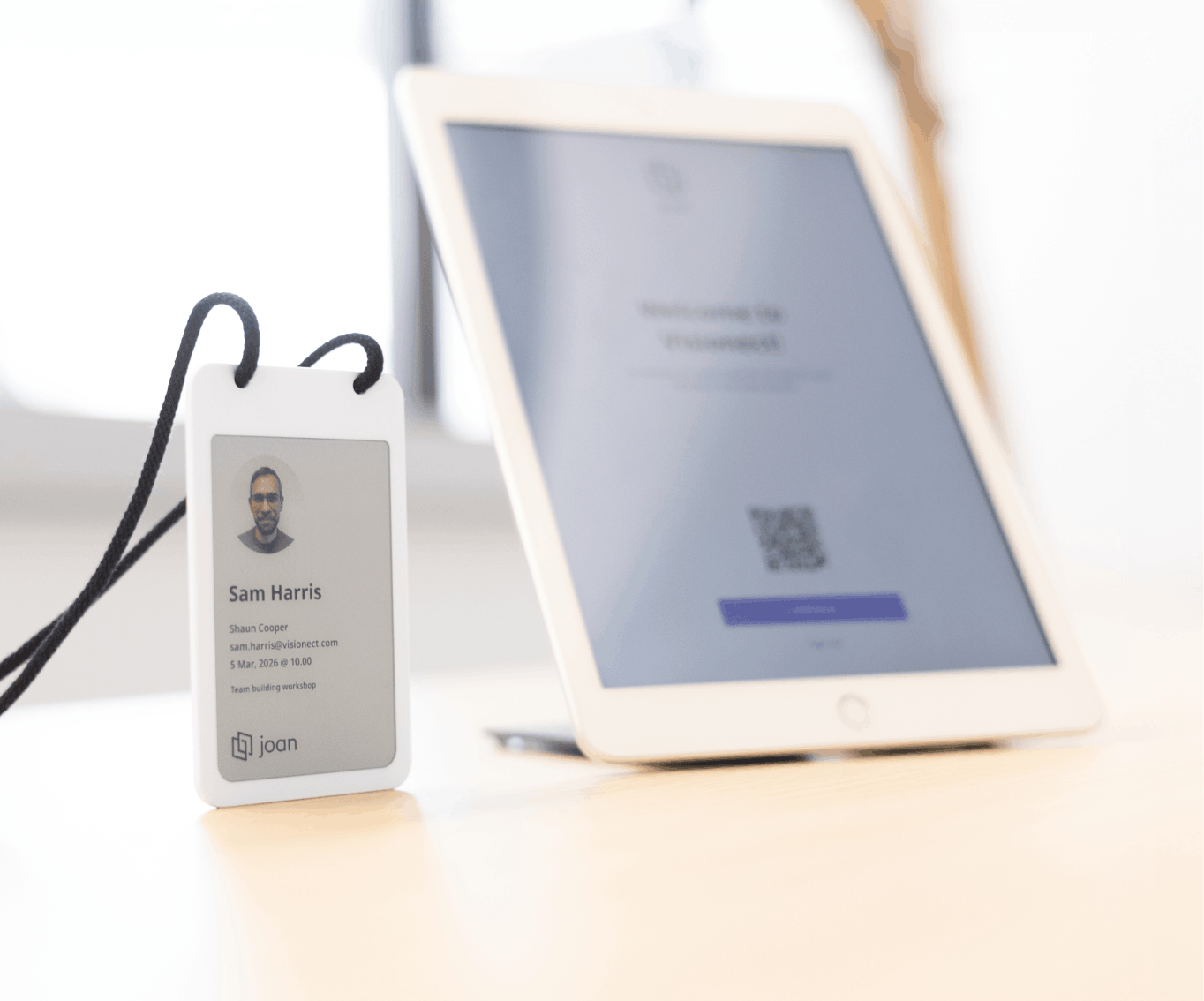
Badge design matters too. A different layout or color per visitor type helps staff spot a contractor in the wrong area. Our post on color-coded visitor badges shows how to set this up.
If visitors also need to open doors, check how the solution connects to your access control system. Access control integrations depend on the system you run, so talk to our team about yours.
Security and compliance for corporate visitors
Security and compliance teams want answers to three questions: who was in the building, did they have permission, and what happened to their data? A corporate visitor management solution should answer all three without anyone flipping through a logbook.
Approvals and access policies
Decide who can invite visitors and whether visits are escorted or self-guided. Joan lets you set this per access policy, and you can revoke a visitor’s access instantly if plans change. For high-security sites, ask each vendor how it handles identity checks and watchlist screening, and whether that fits your existing security process.
NDAs and documents
Visitors read and sign NDAs or safety rules during pre-registration, before they reach the desk. In Joan, each signed document is timestamped, linked to the visitor record and stored automatically.
Data retention and privacy
A paper sign-in sheet shows every visitor’s name to the next person in line. A digital log keeps entries private. Joan collects visitor data with consent and deletes it automatically after the period you choose, which supports GDPR and CCPA requirements. Visionect, the company behind Joan, is ISO/IEC 27001:2022 certified, and customer data is hosted in EU data centers. The details are in the Joan Security Center.

Evacuation lists and audit trails
In an emergency, you need to know everyone who is on site, right now. Joan gives you a real-time evacuation list and a one-click muster report from any device, plus a full audit trail for every visit that you can export for compliance reviews.
Visitor management for multiple locations and branch offices
Companies with several offices run into the same problem: every site handles visitors a little differently, so nobody has the full picture. Head office wants one standard, while a branch in another country needs its own legal text and has its own front desk habits.
A corporate visitor management solution should give you:
- One admin panel for every location, with different policies per site.
- Separate visitor logs per tenant in shared buildings, so each company’s data stays isolated.
- Branding per organization and per tenant, so every visitor sees the right company.
- Reports you can compare across sites, such as visits per day and week, invited versus walk-in visitors and visits per host.
- Check-in that works without a receptionist: a QR code scan at a tablet or visitor badge kiosk, with an instant host alert by email, Slack or Microsoft Teams.
That last point matters most for branch networks. A bank branch or a regional insurance office rarely has a full-time receptionist, so check-in has to work on its own.
Visitor management for banks, insurers and other regulated offices
Regulated industries need the same basics as any corporate office, with stricter proof. Auditors ask who was on site, when, who invited them and what they signed. The answers should take minutes to pull, not days.
Banks and credit unions
Branches see a mix of customers, contractors, auditors and service technicians, often with no one at reception. Use pre-registration for scheduled visitors, self check-in for walk-ins and an exportable log per branch. Keep visitor data only as long as your policy requires, then let the system delete it.
Insurance offices
Insurers deal with brokers, partners and claimants across regional offices. Central policies with per-site rules keep the process consistent, and digital NDAs cover any visitor who might see confidential information.
Law firms and professional services
Client confidentiality starts at the front desk. A private digital log means no client sees the names of earlier visitors, and badges show only the details you choose.
Whatever your sector, ask vendors for their certifications, data hosting location and a data processing agreement before you sign. Joan provides a DPA on request.
Arrival and visitor navigation
Corporate visitor navigation covers what happens between the front door and the meeting room. In a large building or campus, a lost visitor costs the host time and makes a poor first impression.
- Put directions in the invitation: the address, parking details, the entrance to use and the meeting room.
- Reserve the room before they arrive. In Joan, hosts can book a meeting room, and a desk if needed, as part of the visit. The same platform runs desk booking for employees.
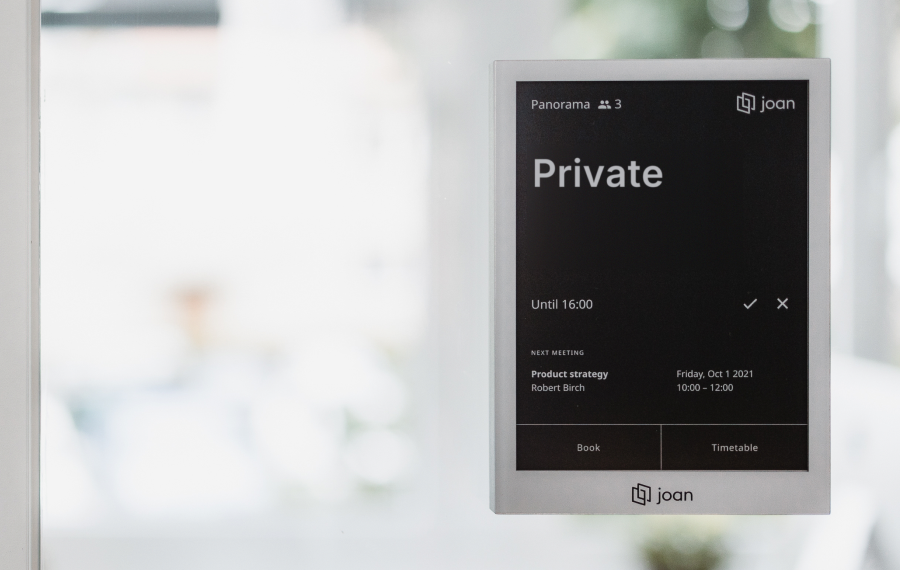
- Label rooms clearly. Meeting room displays at each door show the room name and who has it booked, so visitors can find the right room on their own.
- Update signs without reprinting. ePaper signage for lobbies and wayfinding shows today’s directions and welcome messages.
For the front desk itself, our article on how to impress your office visitors walks through a visit step by step.
Enterprise visitor management: what IT will ask for
Enterprise visitor management has to fit into the systems IT already runs. Otherwise every employee needs a separate account, and visit data ends up in yet another standalone tool. These are the points IT teams usually check:
- Single sign-on and user provisioning. Joan supports Microsoft Entra ID, Okta and Google Workspace, with SCIM-compatible provisioning and deprovisioning.
- Calendars. Visits connect with Google Calendar and Microsoft 365.
- Host notifications by email, in Slack or in Microsoft Teams.
- Admin roles. Role-based access control decides who can see and manage visitor data.
- Reporting. A searchable visit log with CSV export for your own reports.
- Security. ISO/IEC 27001:2022 certification, TLS 1.3 encryption in transit and annual external penetration tests.
Visitor management also works better as part of a wider workplace platform. If visitors need a room, a desk or a parking spot, one system saves your team from copying the same details between tools.
How to choose a corporate visitor management solution
Start with your hardest site, not your easiest one. If a solution works for your busiest headquarters and your smallest branch, it will work everywhere in between. Use this checklist when you compare vendors.
Corporate visitor management checklist
What to check when you compare corporate and enterprise visitor management solutions, and how Joan Visitor management handles each point.
| Requirement | What to look for | Joan Visitor management |
|---|---|---|
| Pre-registration | Personal and group invites, documents signed before arrival | Personal invites, CSV group invites, NDAs signed during pre-registration |
| Check-in | Self check-in that works without a receptionist | QR code or manual check-in at the kiosk, in under 30 seconds |
| Visitor badges | Clear ID that can’t be reused by the wrong person | Reusable ePaper badges, wiped at sign-out, cleared remotely |
| Host alerts | Instant notifications in the tools people already use | Email, Slack and Microsoft Teams |
| Multiple locations | Central admin with rules per site | One admin panel, policies per site, separate logs per tenant |
| Data privacy | Consent, private logs, automatic deletion | Configurable retention with automatic deletion, GDPR and CCPA support |
| Emergencies | A live list of everyone on site | Real-time evacuation list and one-click muster report |
| Audits | Searchable history and exports | Full audit trail per visit, CSV export |
| IT and security | SSO, provisioning, certifications | Entra ID, Okta and Google Workspace SSO, SCIM, ISO/IEC 27001:2022 |
| Pricing | A clear model that fits your size | One price for the solution within your plan, no per-visitor or per-user fees, badges are a one-time purchase, 30-day free trial |
Comparing vendors side by side? Our roundup of the best visitor management software covers the main platforms, their pricing and who each one suits.
Corporate visitor management with Joan
Joan Visitor management brings invitations, self check-in, reusable ePaper badges, host alerts and a private digital log together, and runs alongside Joan Meeting room booking and Desk booking in one platform. Companies including Sportradar, Sony, Cisco and IKEA use Joan in their offices.
Start with one office or roll it out to every branch at once. You only pay for the employees who use visitor management, and you can try it free for 30 days, no credit card needed.
Frequently asked questions
Which visitor management system is best for a busy corporate reception?
Look for self check-in that takes seconds, pre-registration so most visitors arrive with a QR code, instant host alerts and badges that don’t depend on a printer queue. With Joan Visitor management, check-in takes under 30 seconds and puts the visitor’s details on a reusable ePaper badge, which keeps the line short at peak times.
What visitor check-in works for banks, credit unions or insurance offices with multiple branches?
Choose a system with one admin panel for all branches, policies per site and self check-in for branches without a receptionist. Make sure every visit has an exportable audit trail and that visitor data is deleted automatically after your retention period.
Can one system handle employees, clients and contractors?
Yes. Corporate visitor management solutions let you set a different flow per visitor type, such as NDAs for contractors and a faster check-in for regular clients. Joan also offers ePaper employee ID badges, so visitor and employee badges can run on the same hardware.
Which workplace platforms combine booking and visitor management?
Several do, including Joan and Envoy. With Joan, hosts can reserve a meeting room and a desk for a visitor as part of the invitation, and the same platform runs room displays, desk booking and parking.
How do corporate visitor management solutions help with GDPR?
They replace open paper logs with private digital records, collect consent at check-in and delete visitor data automatically after a set period. Ask vendors where data is hosted and whether they sign a data processing agreement. Joan hosts customer data in EU data centers and provides a DPA on request.
How much does corporate visitor management cost?
Pricing models vary: some vendors charge per location, others per user or per number of sign-ins. With Joan, visitor management is priced per plan, not per visitor or user. ePaper badges are a one-time purchase, and you can try it free for 30 days. Current plans are on the Joan pricing page.
About the author
