14 Oct 2021
A guide to wayfinding and its most important tool
We all know what it’s like to walk into a large office floor and have no idea where to go. After one loop, you can’t even figure out how you ended up back at the entrance. Even employees who have worked at the same office for years can’t always remember room names or numbers. Still, we’re used to that, right?
The term wayfinding refers to an information system that guides people through an architectural environment, improving their understanding and experience of the space.
Wayfinding is one of those tools that you don’t know it’s missing until you try it out. Imagine the power of pulling out your mobile phone and having digital maps of the floorplan at your fingertips? Or having large 13-inch e-ink kiosks mounted around the office showing the floor plan?
Why wayfinding matters
If you manage an office or workspace, you’re endlessly in search of tools or systems to make the space run efficiently. Every minute wasted is a loss in productivity.
As office spaces are trying new directions, from open floor plans to hybrid and flexible workspaces, floorplans are getting less and less logical. Meeting rooms don’t always look as meeting rooms are supposed to, hallways don’t lead where they should, and bookable spaces, desks might not be where you expect, and where the heck are the elevators? The restrooms?
Wayfinding tools are designed to help with navigation by cutting back the confusion and adding some clarity back into your office layout. Portable wayfinding tools, such as mobile apps, help employees, new and veteran, with understanding the office. Digital signage can be used to share custom information, such as room schedules, seating arrangements, or directories.
How wayfinding works
Unlike static signs and static maps or signs posted on walls or doors around the office, a wayfinder is a digital, sometimes portable, solution. There are numerous tools that can contribute to wayfinding: where there’s a need, there’s a way.
Displaying interactive maps on in-office digital wayfinding tools can help visitors and new employees with orientation within the office, improving people’s experience of the space. Rather than printing out floor plans on paper that are printed anew with every desk rotation, a digital display is always up to date, connected via WiFi for real-time updates.
Also, sharing meeting room schedules outside of every meeting space helps employees know if they’re at the right meeting at the right time, or if a room is available for the taking.
Additionally, some floor plans are always changing. Many companies like to mix up the employees and teams to encourage interaction and relationships. Others simply move teams around as the company grows, making room for new hires. Showing seating plans on a digital display can help minimize confusion.
With a customizable display, the options are endless.
Tips for effective wayfinding
It’s easy to say wayfinding solutions help; choosing the right solution is the difficult part. Here are some best practices to keep in mind when picking a wayfinding system for your office:
Choose easy-to-use solutions
Talk about time wasted: according to Elite Business, the average employee wastes 46 minutes per day due to technology delays. With an easy-to-use system with easy implementation, you can cut that time down.
The average employee should be able to set up your new wayfinding program and keep them running. Rather than sending a request into IT, waiting for IT to respond, and then waiting for IT to fix it, the average Joe should be able to figure out your wayfinding solution.
You get bonus points if you pick a customizable tool that does it all: floor plans, meeting room schedules, customizable displays… The less time your company spends trying to sync multiple tools to each other, the better. Invest in one that covers all your needs.
Match your needs
Talking about needs, consider your company’s needs when considering indoor wayfinding solutions, including…
- Simplicity
- Style
- Sustainability
- Affordability
Now, we’ve talked about simplicity and will address affordability next, but how about the solution’s physical qualities?
Modern companies need a solution that fits their image. A clean, sleep look with easy-to-hide wires or no wires at all would fit most companies’ standards.
Not to mention, taking care of the environment will not only improve your company’s image, but also cut back on facility utility bills too. If your company is concerned with its environmental footprint, look for a more sustainable solution.
Aim for affordability
Many solutions designed for large companies come with a high price tag. Companies have money, right? Why not milk them?
Search for an affordable solution with a company you can trust. Although, if it comes down to it, pick ease of use and reliability over cost. A poorly designed tool with poor customer support will only cost you money in the long run.
Check out our blog to see a cost comparison of the most popular meeting room booking solutions.
Meet Joan’s wayfinding tool
Joan’s solutions are all about improving the efficiency of the office. It’s amazing how much the right signage can enhance the office experience.
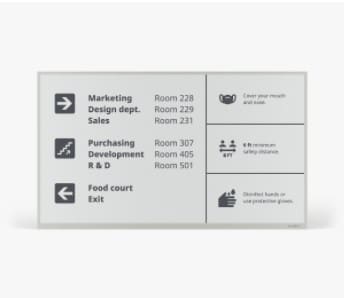
Joan’s solutions were designed primarily as room bookings systems, complete with e-ink displays that show meeting room schedules. However, the company has grown to include so much more in the grand scheme. Now, our wayfinding software works on all of our three e-ink displays and even some other displays you might already have in the office.
With Joan, you can display any content from floor plans to room schedules. Mounting Joan 13 displays around the office can help visitors and new hires learn the ins and outs of your office building and easily find their destination.
The Joan sign system is easy to customize, showing anything from schedules to seating plans. The paperlike look and feel of Joan 6 pro is classic and familiar while being something entirely new.
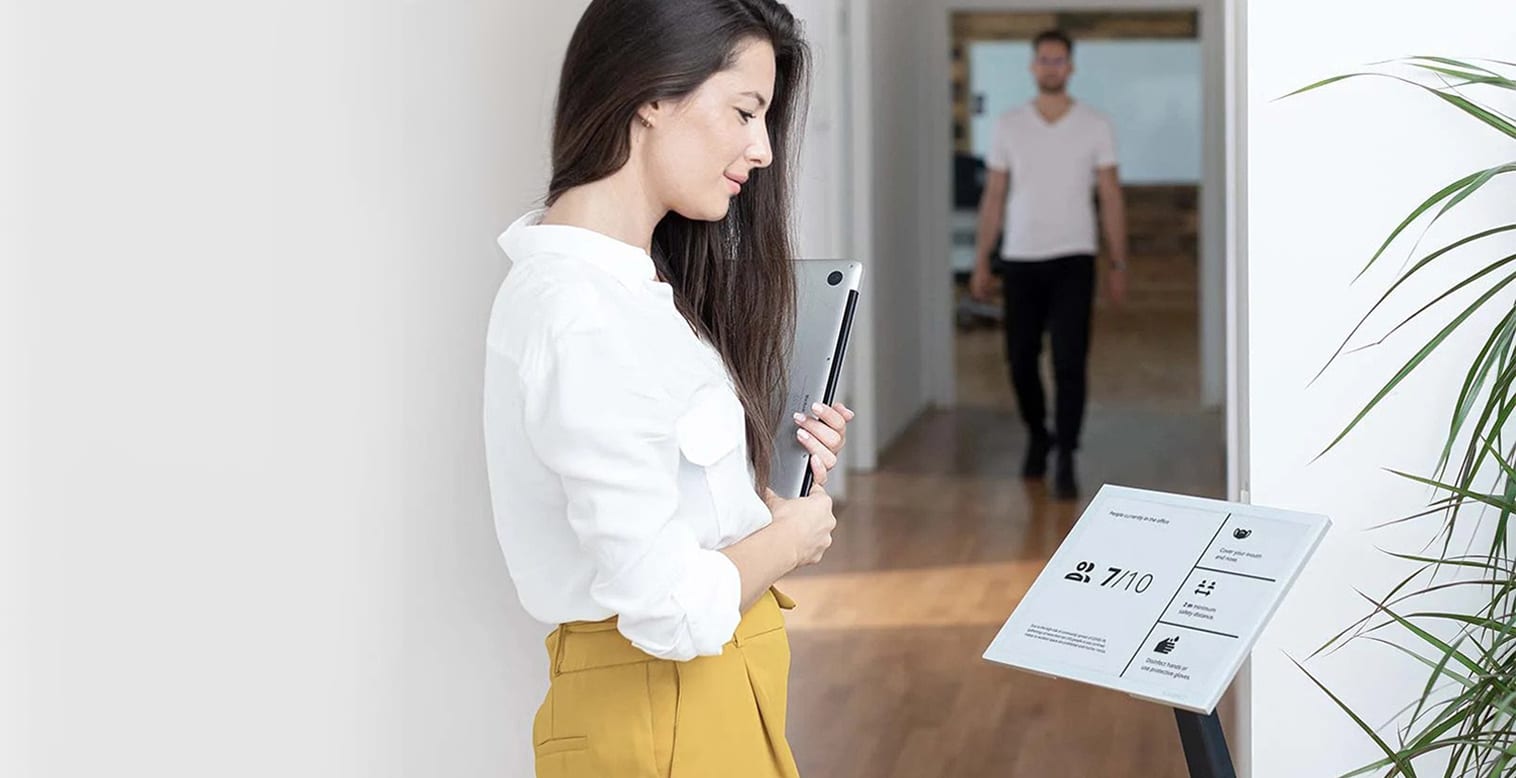
With COVID-19 bringing more safety precautions than ever, Joan displays can be customized to show safety messages and other essential information.
What’s more, Joan devices are virtually wireless. Each display can last three to twelve months on a single charge, depending on the device. Aside from being energy efficient, Joan displays are made primarily from highly recyclable materials, including glass and aluminum, packaged in recyclable cardboard.
As for reliability, Joan devices are built to last at least 5 years with a failure rate of only 0.63% – the lowest in the industry.
Last but not least: the Joan desk booking app offers a wayfinding map so employees can access your office floor plan remotely from their smartphone or tablet. With the desk booking feature, they can locate and book a desk before even entering the physical environment.
As for affordability, you’d be hard put to find a reliable solution more affordable than Joan — we haven’t yet.
Get in touch to learn more about how Joan can improve wayfinding in your office.