Desk booking
Your office has desks. You just don’t know which ones are actually being used.
Joan desk booking software gives every employee a confirmed seat, and gives facilities the data to stop guessing about space.
0
%average desk utilisation in hybrid offices on non-peak days
0
%of desk-related friction comes from teams not sitting together
0
%employees would come in more often if they could have a desk near their team
simplify your workday
Before & After
Before Joan
Everyone crowds the same desks.
Everyone books the same cluster of desks on the same days. Half the floor is empty. The other half is chaos.
Teams end up split across floors.
A team lead books a desk on the wrong floor. Three teammates follow without knowing. Nobody sits together.
Nobody knows what was actually used.
At the end of the quarter, FM asks how many desks were actually used. No one knows. The spreadsheet stopped being updated 3 months ago.
With Joan
Live floor plan, one-tap booking.
Every employee sees a live floor plan and books the desk next to their team in seconds.
Unused desks release themselves.
Desks auto-release when nobody shows up. No wasted space on the books.
A real utilisation dashboard.
Facilities has a real utilisation dashboard. Lease decisions are backed by data, not intuition.

Joan makes desk booking the easiest part of someone’s day.
Three steps, and nobody has to think about desks again.

1. See who’s in and where
Open the app or portal. See your team’s bookings for the week. Decide which days are worth commuting.

2. Pick a desk and book it
Browse the floor plan or search by colleague name. Tap the desk. Done. Confirmation on your phone.

3. Check in when you arrive
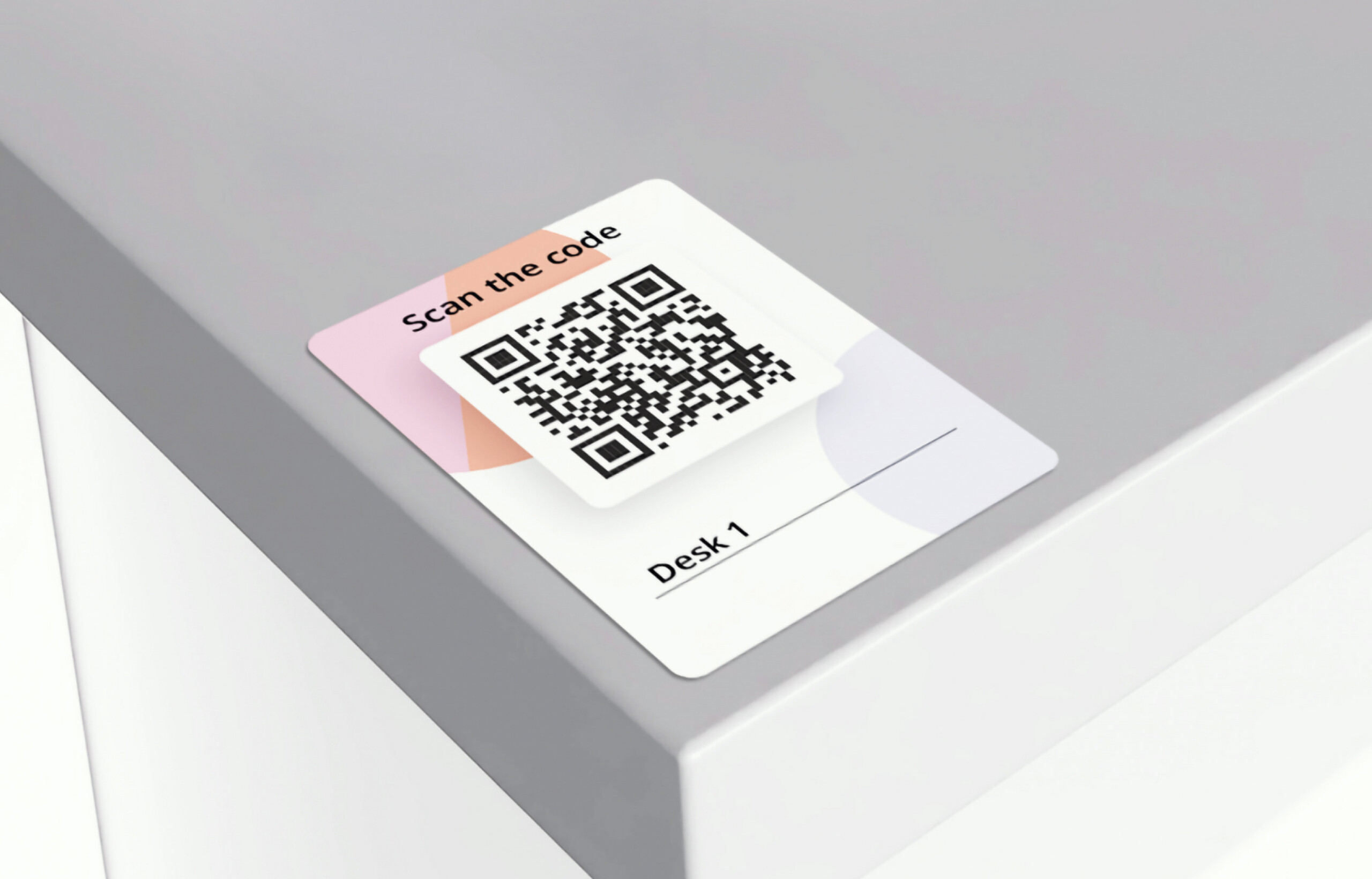
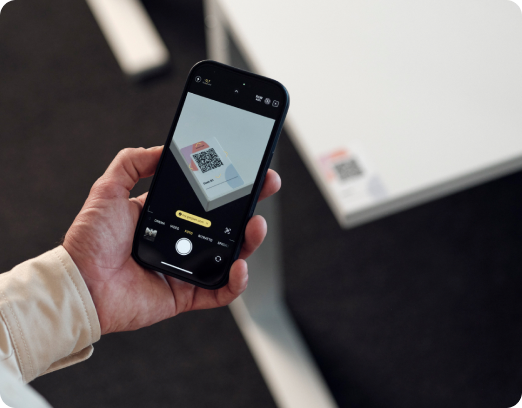
Scan the QR code at the desk or use geolocation. Desk confirmed. If you don’t show up, it auto-releases for someone else.
Booking desk features at a glance
Everything you need to run a desk reservation system across a hybrid office.
Floor plan booking
Live visual map. Employees pick a desk by location and availability.
Colleague finder
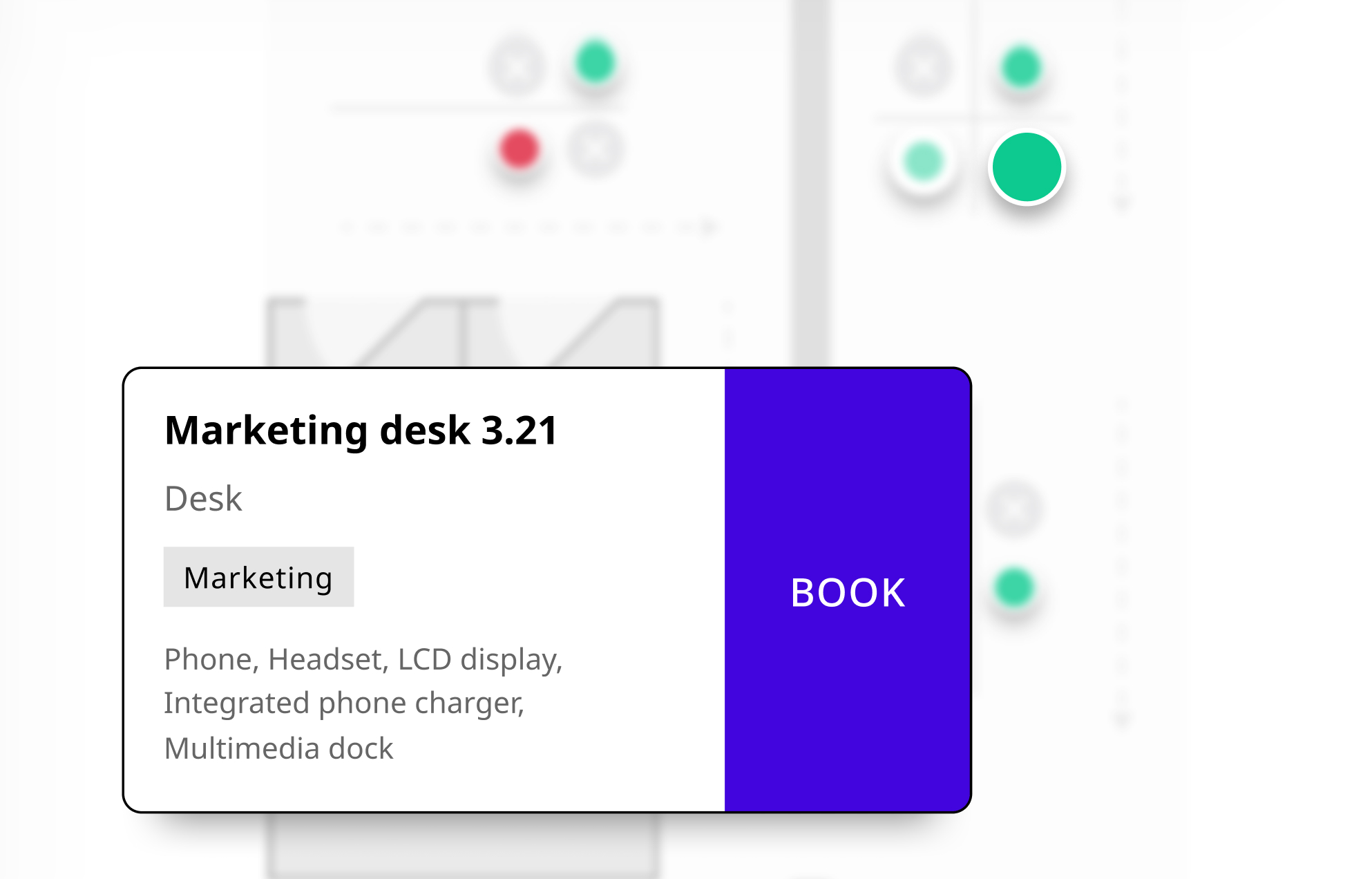
Search by name, see where teammates are sitting, book nearby in one tap.
Mobile app booking
Book, extend, or release a desk from any device.
MyJoan web portal
Browse availability and reserve from any browser.
QR code check-in
Scan to confirm. Desk released automatically if no one shows up.
Auto-release of unconfirmed bookings
If no one checks in, the desk is freed.
Geolocation check-in
Confirm presence on-site without scanning a QR code.
Booking windows and limits
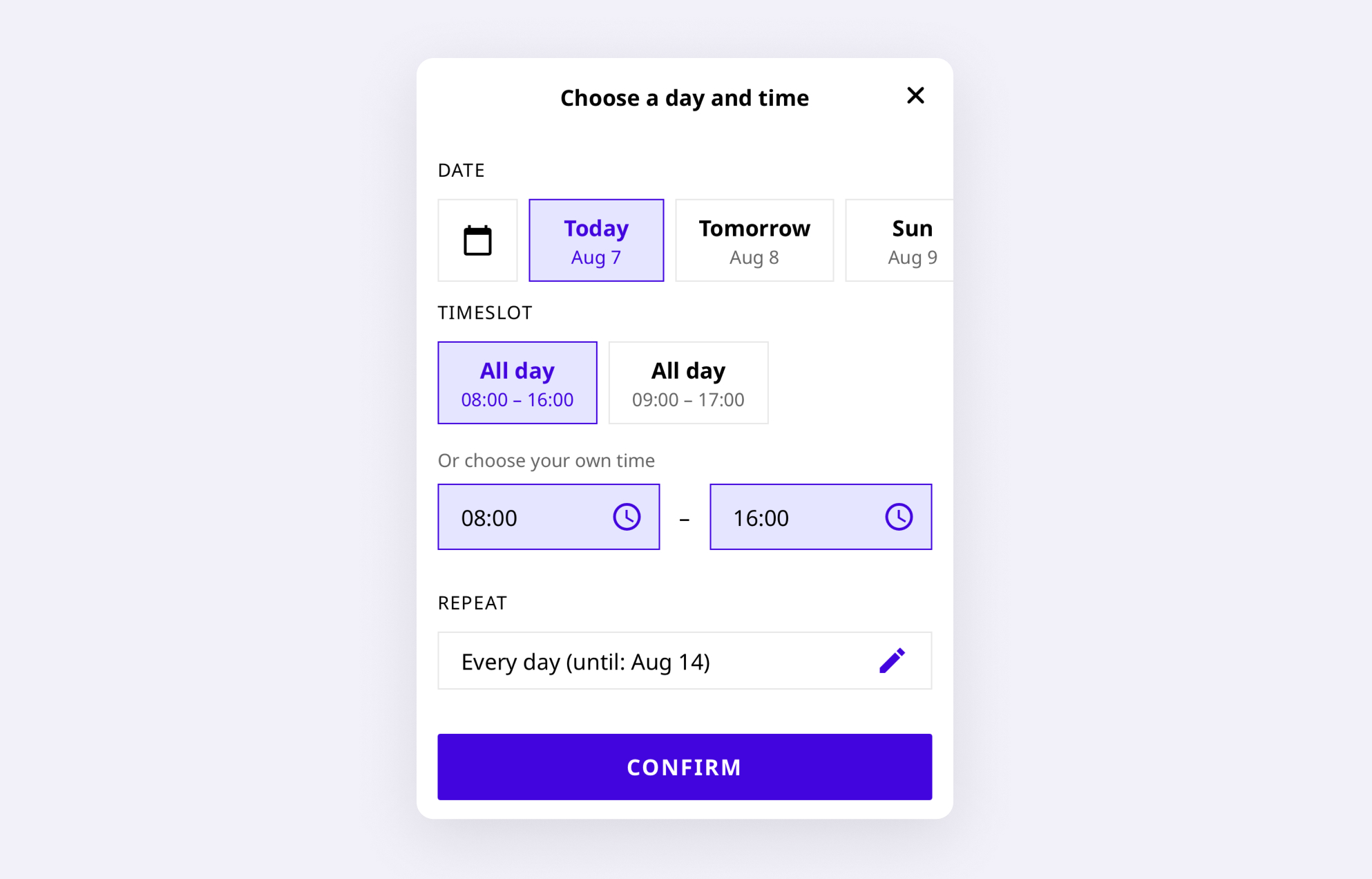
Define how far in advance bookings can be made, and for how long.
Permanent desk assignment
Reserve specific desks for individuals or teams who need them fixed.
Team attendance view
See which colleagues are booked in and where, before you leave home.
Desk availability in real time
Live floor plan refreshes continuously across all devices.
Announcements
Company or team messages displayed when employees log in to book.
Utilisation dashboard
Desk and floor occupancy rates over time. Identify underused areas.
Attendance tracking
Auditable attendance record by day, team, and location.
Peak-day patterns
See which days drive demand and plan accordingly.
Book it your way
Different teams have different habits. Joan supports them all.


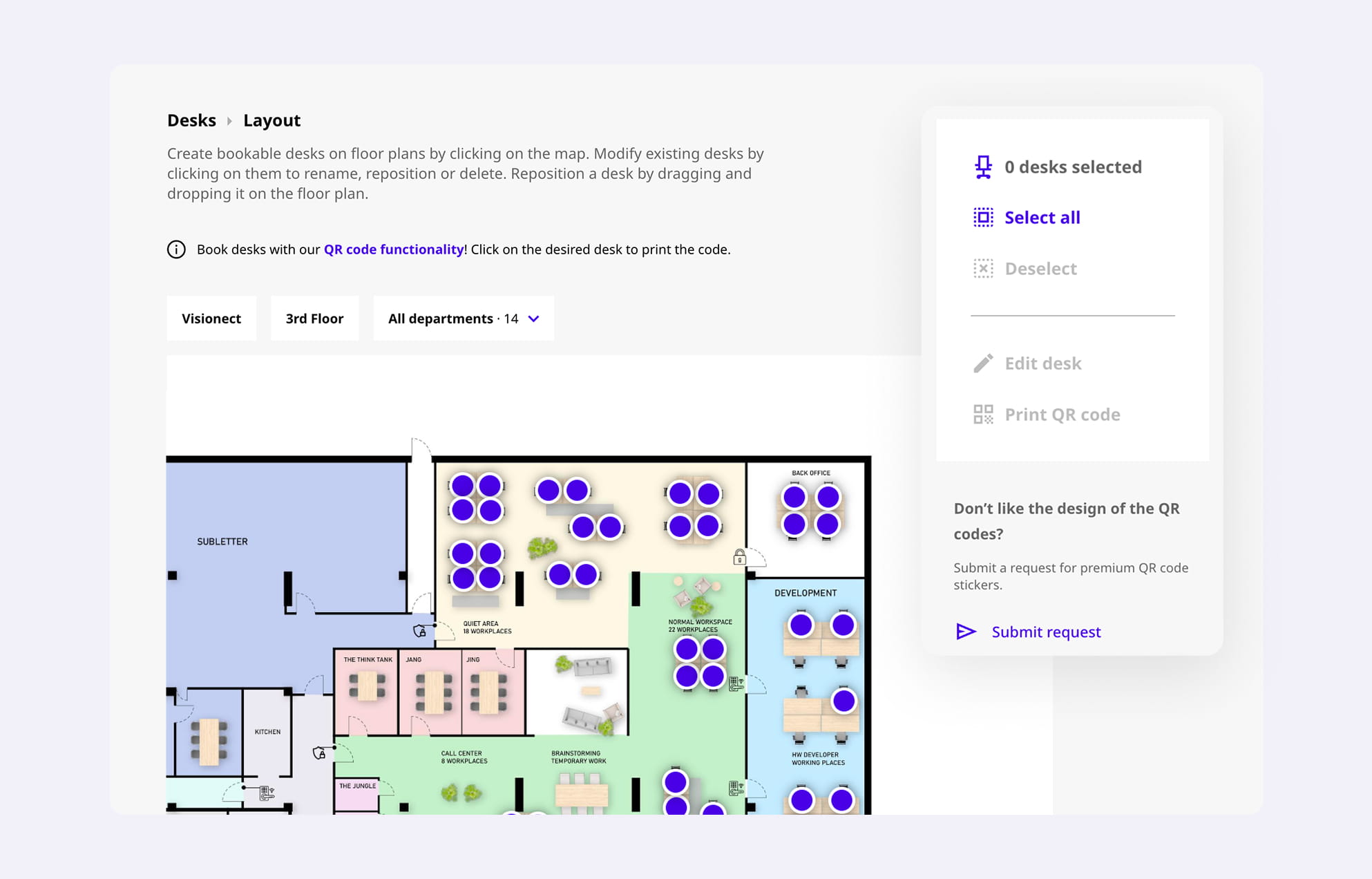
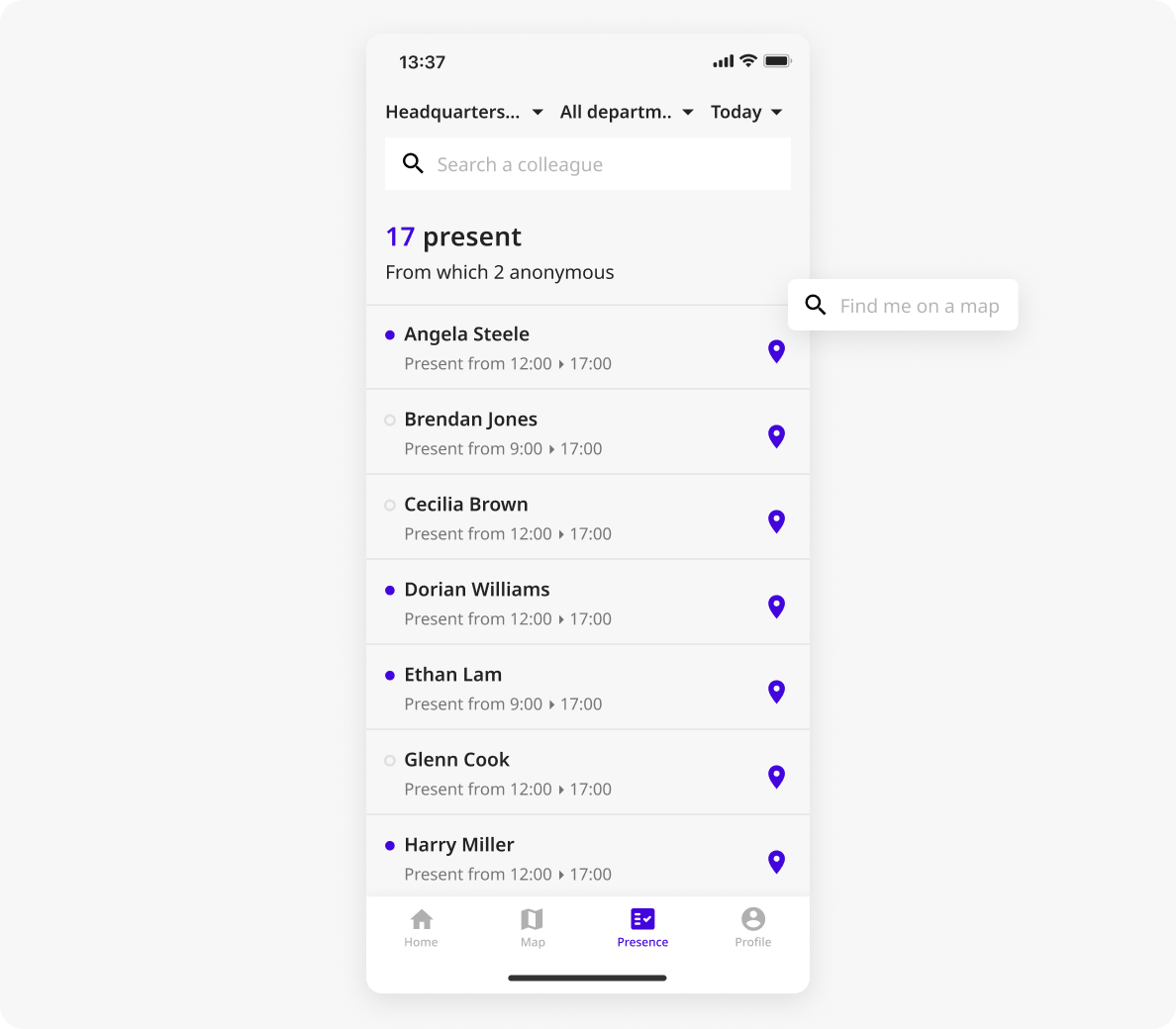
BOOK NEAR YOUR TEAM
The desk matters less than who’s sitting nearby.
Joan lets employees in hot desking offices search for colleagues by name and book a desk next to them. No more floor-plan guessing, no more arriving to find the team on a different level.
See who’s in, where they’re sitting, and book near them.
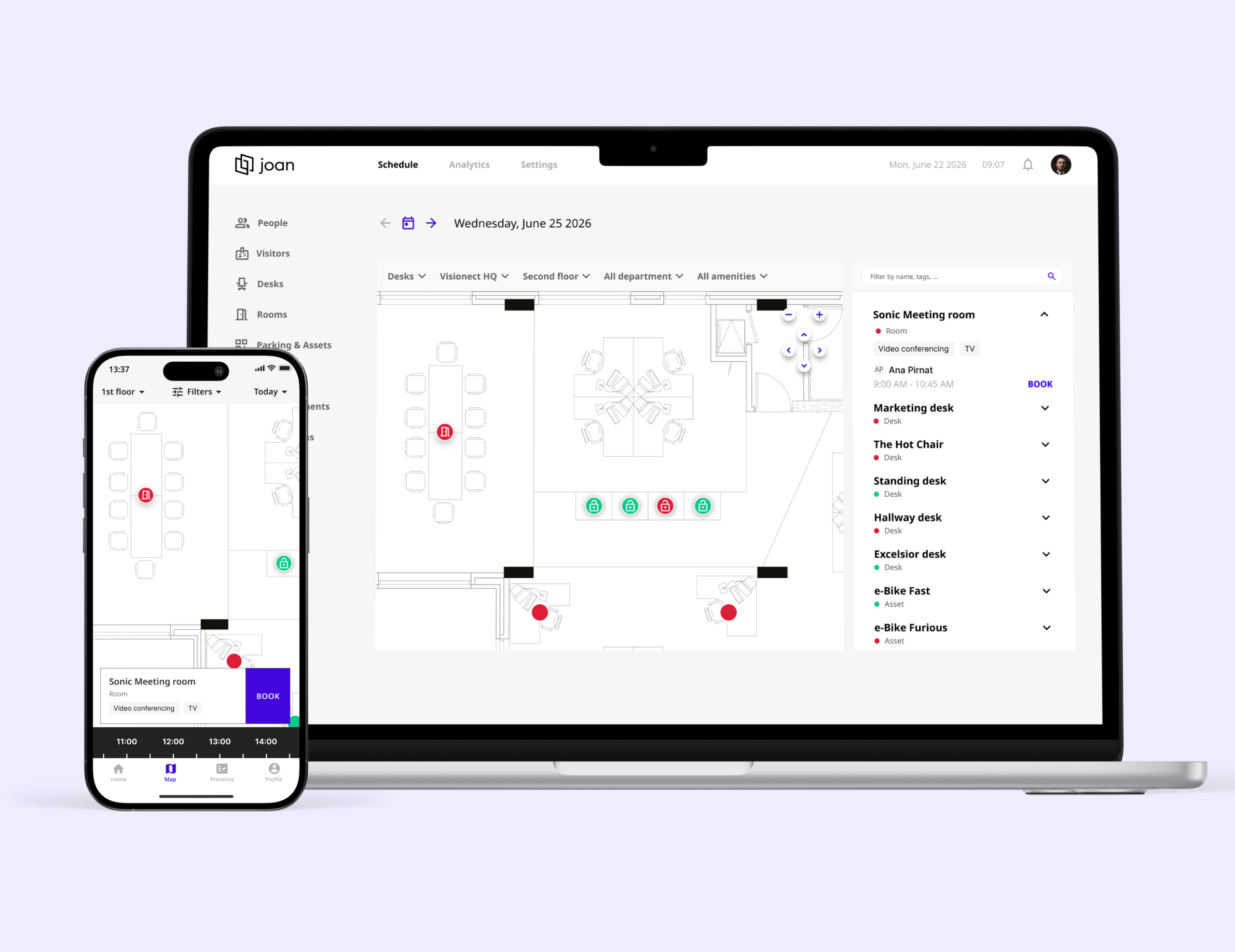
BOOK FROM FLOORPLAN
One floor plan for all your bookings
Place rooms, desks, parking spaces, lockers, and equipment on one floor plan. Give your team a simple way to find, navigate, and book everything from one place.
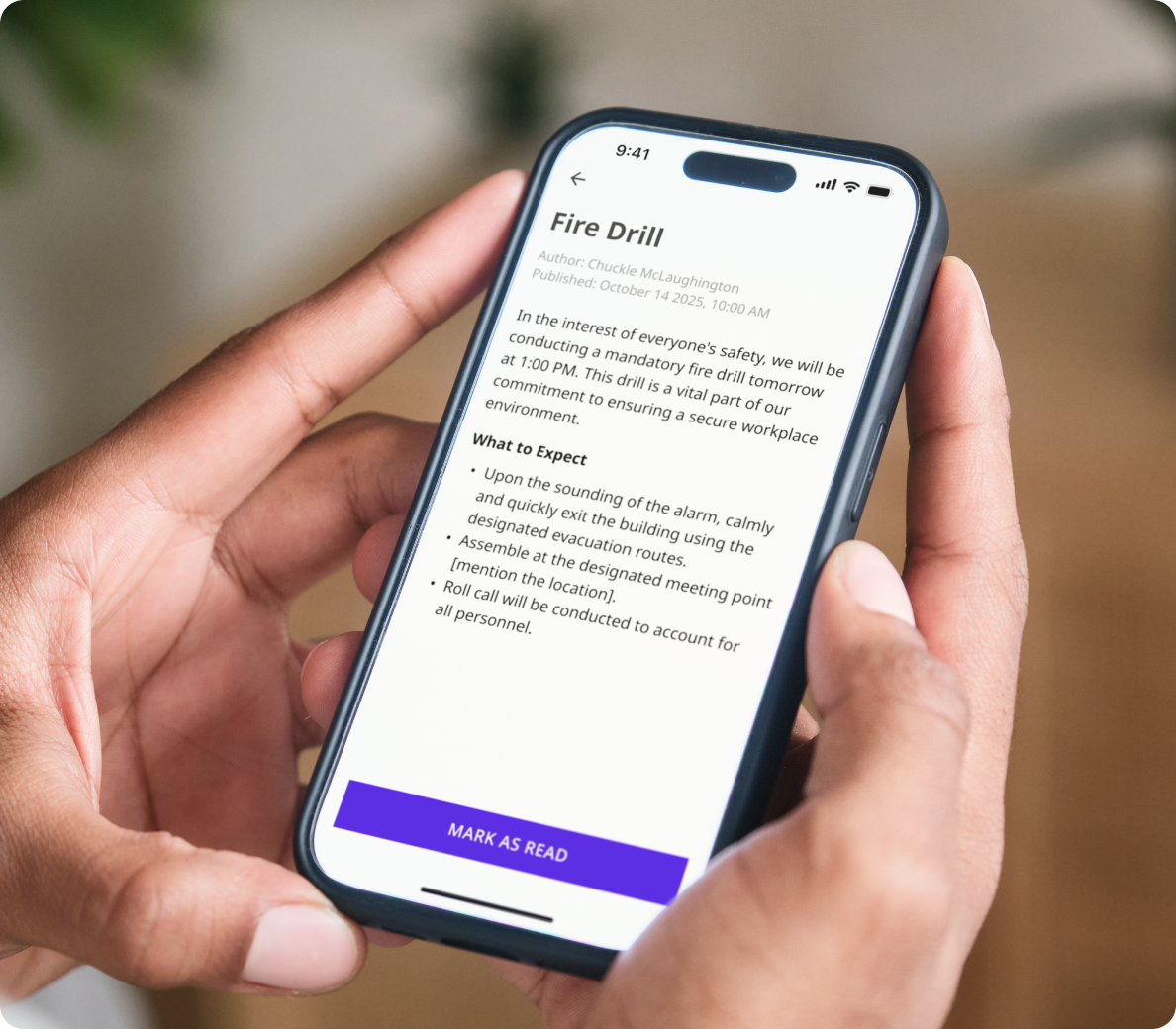
ANNOUNCEMENTS
Every booking is a moment of attention. Use it.
When an employee opens Joan to book a desk, they’re focused and present. Joan lets you show announcements at that exact moment: office updates, policy reminders, event notices, and anything else worth seeing.
GEOLOCATION CHECK-IN
Arrive. Confirm. No scanning needed.
Joan’s geolocation check-in detects when employees arrive at the office and confirms their desk booking automatically. No QR code, no app interaction, no front-desk process.
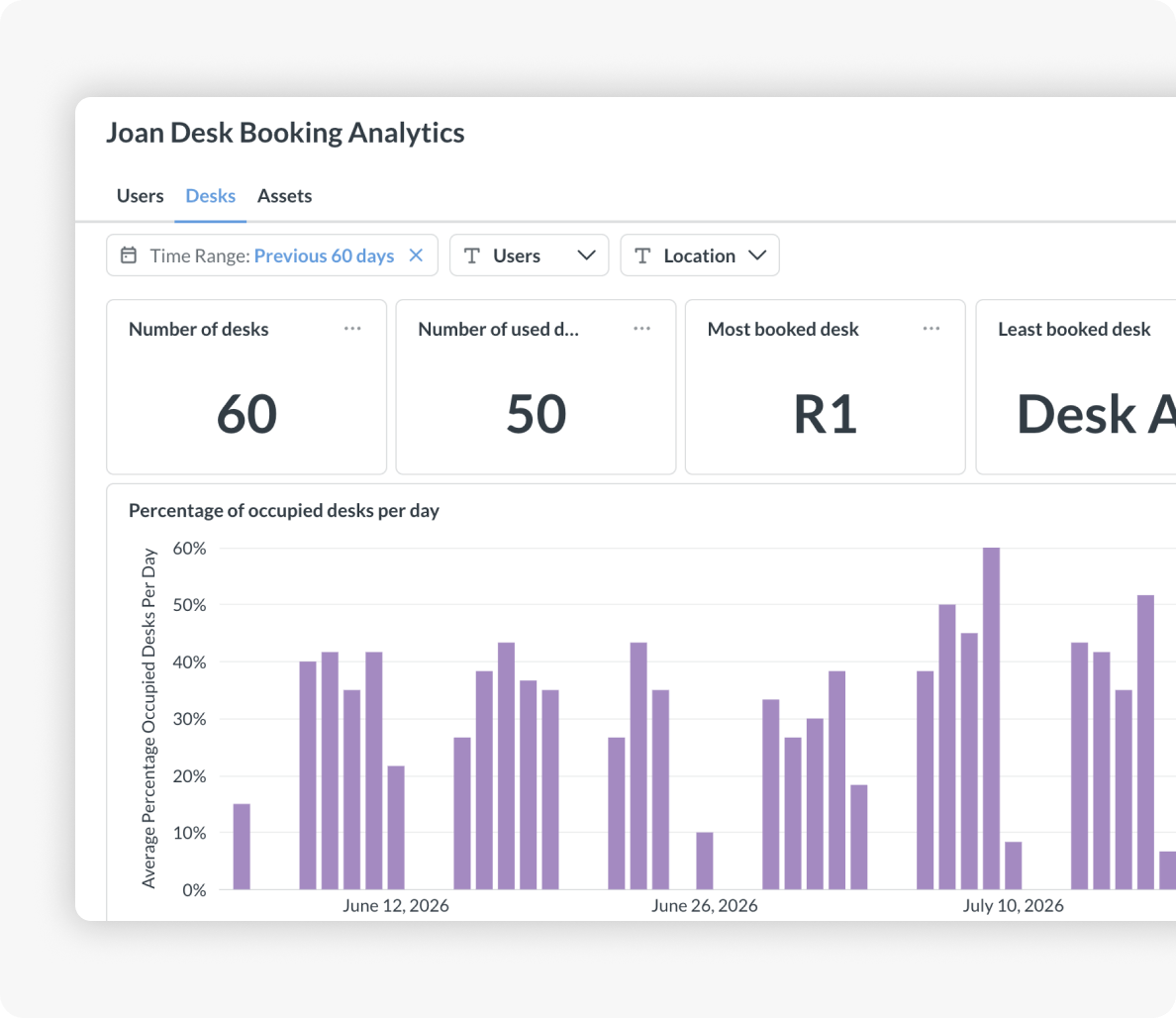
ANALYTICS AND SPACE INTELLIGENCE
Know what your office is actually doing
Joan gives facilities managers a real utilisation picture, not a headcount guess. Use the data to adjust desk-to-headcount ratios, identify underused floors, and make lease decisions with confidence.
Built for your office. Whatever shape it’s in.


Joan connects desk booking with rooms, visitors, and signage.
Joan desk booking is part of a complete workplace platform. Everything managed from MyJoan Portal.
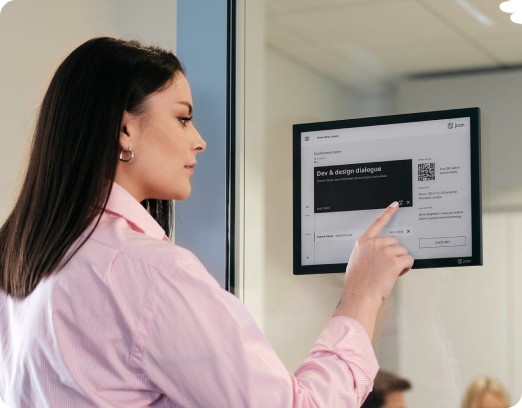
Desk booking
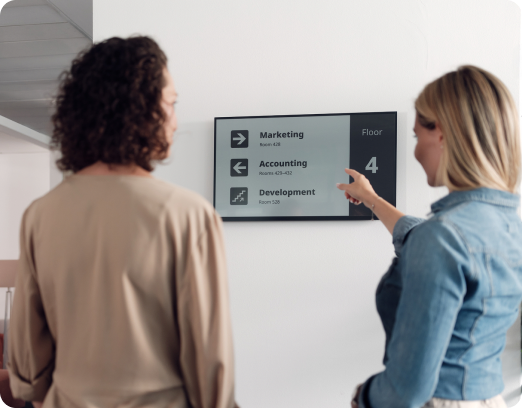
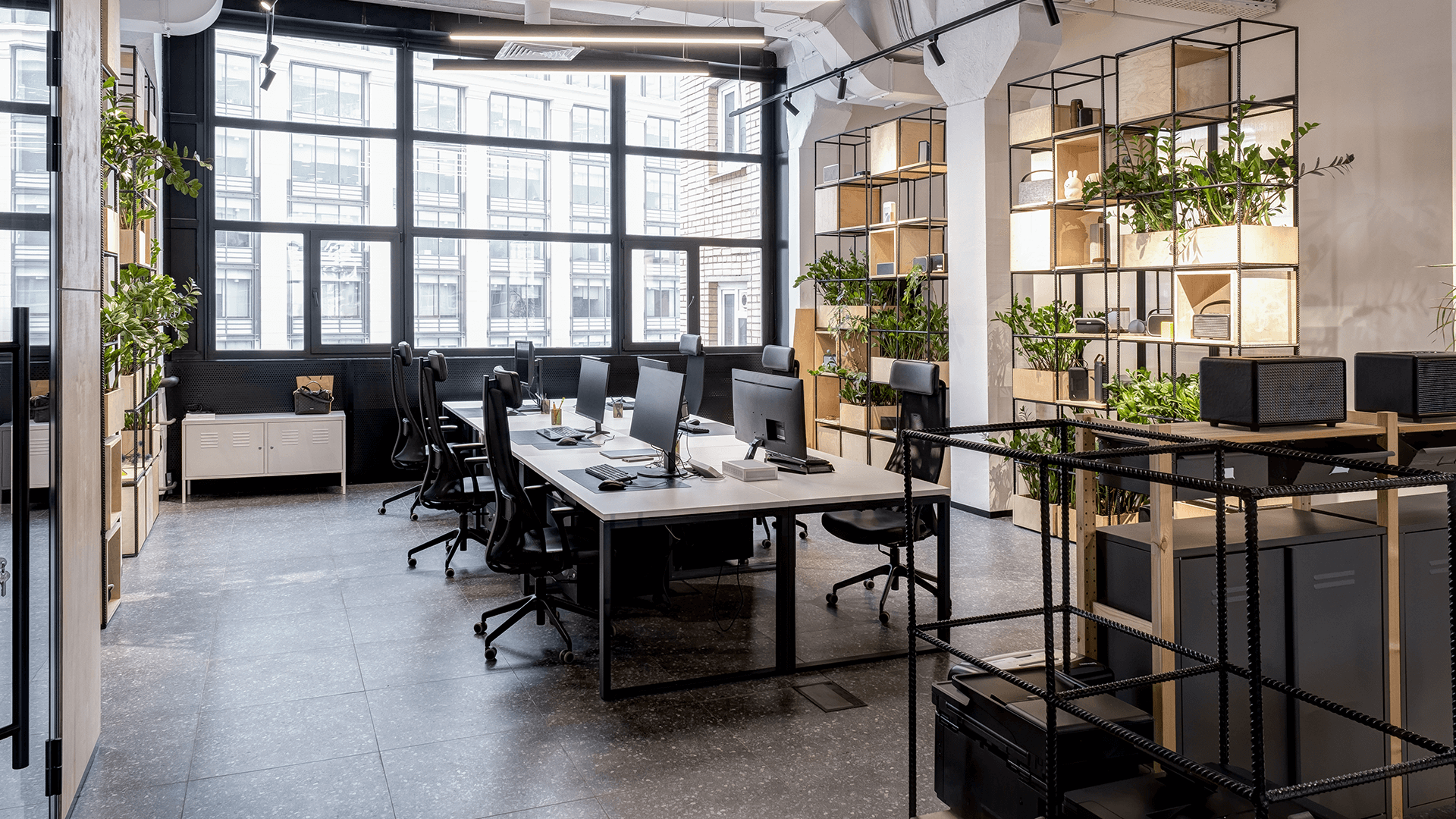
Reserve a desk in advance or claim one on arrival, and see where your team sits.
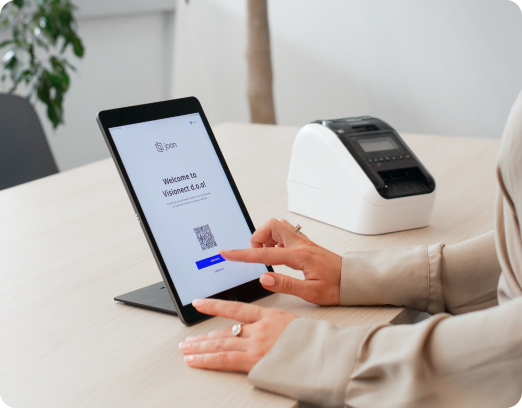
desk booking subscription
Simple pricing that grows with your team
You can start booking desks by having an active Joan subscription. You only pay for the employees who have a Joan account and book or reserve desks.
Still researching?
See which platforms actually make sense for your office
Pricing, features, and real comparisons across the most popular workplace platforms. Already done for you.
Joan is trusted by the best








The Joan team have been some of the most helpful, friendly and professional people I have ever had the pleasure of working with. No matter what needs to be done, there’s always someone ready with a solution. The focus on sustainability with Joan’s product lines is a great initiative that I think more companies should adopt. I especially enjoy the slick design and the simplicity in everyday use.
Joan has been a great partner for National Source AV Inc., offering one of the most complete workplace management portfolios on the market. From room booking, desk booking, visitor management, parking and asset reservations to workplace digital signage and their unique, industry-leading ePaper displays and e-badges, Joan provides our reseller and integrator partners with a simple, reliable, and sustainable way to address the evolving needs of hybrid workplaces.
Energy & Utilities: e.group
E.group’s meeting rooms had no status display at the door — checking availability meant going back to a computer, and booking from the corridor was not possible. Two companies, multiple locations, all coordinating through Microsoft Teams. Here’s how e.group did it with Joan.
Software: LBMX
Two workplace problems were creating unnecessary friction at LBMX: meeting room conflicts and an informal visitor process. Here’s how they brought both under one roof with Joan — simplifying room booking while creating a more structured, audit-ready visitor experience.
Technology & Consulting: BE-terna
BE-terna went from having 150% of the desks they needed to rethinking how their offices worked in a hybrid world. Here’s how they used Joan to make hybrid work easier to manage across Europe
4.5 out of 5 on G2 · 248 reviews
Happy users worldwide share their satisfaction with Joan solutions and devices every day. And here’s the proof.
The only room booking tablet an idiot like me could implement
Great Tool for Desk and Workplace Management
Makes people happy
What shifts when desks stop being a daily mystery.
0
-30%of empty desks identified and reclaimed
Joan Analytics shows exactly which desks and floors are consistently underused. Facilities teams use this to right-size desk-to-headcount ratios before the next lease renewal, with actual data, not a floor walk.
0
+minutes recovered per employee per in-office day
Finding a desk, then discovering the team is on a different floor, then moving again, is a daily tax on in-office time. Colleague finder eliminates it. Employees arrive knowing where to go.
0
%of desks sit empty on any given day
Without data, you’re guessing which space is actually used. Joan shows you which desks are occupied, which floors are underutilized, and where to consolidate. Most teams discover they’re paying for more space than they need.
Frequently asked questions
What is a desk booking system?
A desk booking system lets employees reserve workstations in advance, check in on arrival, and see where colleagues are sitting. Joan adds a live floor plan, colleague finder, and utilisation analytics so both employees and facilities managers get what they need from one platform. This streamlines the office experience for employees and optimizes workspace usage for businesses.
What is the difference between a desk reservation system and hot desking?
Hot desking means any desk, first come first served. A desk reservation system adds advance booking, confirmed availability, and colleague visibility before you arrive. Joan supports both: hot desks and permanently assigned desks, managed from the same admin console.
Why have a desk booking system?
In today’s hybrid work environment, a desk booking system offers a win-win for both businesses and employees. These systems eliminate the frustration of desk hunting and guarantee a designated workspace, boosting productivity. It streamlines both office operations and empowers employees.
Joan user-friendly desk booking system eliminates the morning scramble for a workspace, guaranteeing employees a dedicated spot to focus and be productive. This not only reduces stress but also helps maintain a sense of routine.
For businesses, desk booking systems like Joan provide valuable data on space utilization. This allows them to optimize their office layout, potentially reducing real estate costs and creating a more agile work environment that caters to different work styles. Ultimately, desk booking systems like Joan foster a smoother office experience for everyone.
How does desk booking help with hybrid work?
Desk booking solves the two main hybrid problems: unpredictability (will there be a desk?) and isolation (where is my team?). Joan’s colleague finder shows where teammates are booked, and auto-release ensures empty desks are available to anyone who needs them.
Does desk booking software track employee attendance?
Joan produces an auditable attendance record by day, team, and location as a by-product of the desk reservation system. It is a facilities planning tool, not a surveillance system. Check-in is via QR scan or voluntary geolocation, not mandatory badge swipes.
How much does desk booking software cost?
Joan pricing is based on the number of desks under management. Contact Joan for a quote or start a free 30-day trial.
How does desk check-in work, and what happens if nobody shows up?
Employees confirm a booking by scanning the QR code at the desk, or automatically through geolocation check-in when they arrive on site. If nobody checks in, the desk auto-releases and becomes available to anyone else that day.
Can we keep permanent desks for specific people or teams?
Yes. Joan supports permanently assigned desks alongside bookable ones, managed from the same admin console. Admins can also set booking windows and limits: how far in advance a desk can be booked, and for how long.
Does Joan work with our existing SSO and directory?
Yes. Joan connects to Azure Active Directory, Google Workspace, and Okta, so user provisioning and sign-in follow the identity infrastructure you already run. Employees book with their existing work account.
Where can I find desk booking analytics?
Desk analytics are in the Joan portal. The utilisation dashboard shows desk and floor occupancy over time, the most and least booked desks, daily occupancy percentages, and peak-day patterns — the numbers facilities teams use to right-size desk-to-headcount ratios before a lease renewal.
What does it mean to book a desk in an office?
Booking a desk in an office refers to securing a specific workspace for yourself on a particular day or time slot. This is often done through a desk booking system, like Joan. Joan makes booking desks quick and easy, ensuring you have a designated spot to work productively when you head into the office.
How do I book a desk using the Joan Desk booking app?
To book a desk with the Joan Desk booking app, simply log in, select your location, pick a date and time, and choose an available desk from the interactive floor plan. Green desks indicate availability. Once selected, confirm your reservation, and you’re all set. Bookings can also be edited or canceled directly within the app.
Can I restrict which desks a team or department can book?
Yes, Joan Desk booking supports departmental booking rules, as follows. Some desks can be fixed to a particular user (non‑reservable by others). You can create Departments, assign users, and assign desks to those Departments so only members of that Department can reserve them. You can also set occupancy limits per department to maintain distancing.
How are office floor plans used in the Joan desk booking app?
Admins can upload floor plan images in JPG or PNG format to visually represent your office layout. Desks are then added and positioned on the floor plan. Users can see the live floor plan in the Joan desk booking app and reserve desks based on real-time availability.
Does the Joan Desk booking system offer analytics or reporting?
Yes, Joan provides analytics tools that give insights into desk usage, occupancy trends, and booking behaviors. Admins can filter data by location, date, or department and export reports for further analysis. This helps optimize office space and supports data-driven decisions.
Can I manage multiple buildings or floors with Joan Desk booking?
Absolutely. The Joan Desk booking app supports unlimited floors and buildings. You can configure separate layouts for each space and manage them all from one central admin dashboard.
Can I create recurring desk bookings?
Yes, the Joan Desk booking app supports recurring reservations, ideal for employees with consistent in-office schedules. You can set up daily, weekly, or custom recurring bookings to save time.
What happens if someone doesn’t check in to their reserved desk?
If a user fails to check in within the designated timeframe, the Joan Desk booking system will automatically release the reservation, making the desk available to others. This helps prevent no-shows from reducing available workspace.
How does QR code check-in work with the Joan Desk booking system?
With the Joan Desk booking app, QR codes make reserving and checking into a desk quick, secure, and contactless. You can secure your preferred desk in advance using the mobile app, and when you arrive at the office, simply scan the QR code at the desk to confirm your reservation.
If you haven’t booked in advance, you can also scan a QR code on the spot to instantly book an available desk. If your first choice isn’t free, the Joan desk booking system will recommend nearby alternatives in real-time, so you’ll always find a great place to work with zero hassle. Plus, the app sends you a reminder notification when it’s time to check in, so you’ll never miss your reservation.