
12 Nov 2026
How to choose the right work badge for your team
Everyone at work wears one, and nobody thinks about it until it goes wrong. A badge that won’t open the door. A new hire waiting two days for a card. A name that’s been out of date since last spring’s promotion.
If you’re the person who has to sort out work badges for your team, you’ll find plenty of shops selling cards, reels and lanyards. What’s harder to find is a plain answer to the questions that come first: which kind of badge do you need, what does it really cost to run, and how do you get one onto every person without creating a new admin job?
This guide covers all of it. The main types of work badge, what goes on them, how to wear them, what a badge program costs beyond the card, and how to choose between printed cards and reusable ePaper badges.
Quickly jump to:
- What is a work badge?
- Types of work badges
- What to put on a work badge
- Work badge holders, lanyards and reels
- What a work badge really costs
- How to get work badges for your team
- Printed vs. reusable ePaper work badges
- How to choose the right work badge
- Frequently asked questions about work badges
TL;DR
A work badge is the ID an employee wears to show who they are and that they belong on site. Most work badges are credit-card-sized PVC cards with a photo, name, job title, company logo and an ID number, and many also carry an RFID or NFC chip that opens doors. You can print them in-house, order them from a print service, or use reusable ePaper badges that update over the air. Printed cards cost little upfront but need a reprint every time something changes. A Joan ePaper badge is assigned from an app, updates without a reprint, and is revoked instantly if it’s lost.
What is a work badge?
A work badge is a wearable ID that identifies an employee at their workplace. It tells colleagues, security and visitors who someone is, what they do, and that they’re allowed to be there. People also call it a work ID badge, a workers badge, a workplace ID or simply an employee badge. They all mean the same thing.
A modern work badge usually does two jobs at once. The printed side identifies a person to other people. The chip or code inside identifies the badge to machines: door readers, turnstiles, printers or time clocks. That second job is why a work badge often doubles as a key, and why losing one is a security issue as well as a hassle.

One note on the term: “work badge” also turns up in learning and HR tools, where it means a digital credential or recognition badge you earn and share online. This guide is about the physical badge people wear at work.
Types of work badges
Most workplaces choose from five kinds of badge. Many end up combining two of them.
Reusable ePaper badges
The newest option. Instead of ink on plastic, the badge has a small electronic paper screen, like an e-reader. You write the photo, name and title to it wirelessly, and change them whenever you need to. The same badge can be reassigned when someone leaves, so nothing ends up in a drawer. We cover this option in detail below.
Photo ID cards
The classic option. A PVC card in the standard CR80 size (85.6 × 54 mm, the same as a credit card, set by ISO/IEC 7810) with a photo, name, title and logo. It’s cheap to produce and easy to recognize. The catch: everything on it is fixed the moment it’s printed.
Name badges
A simpler badge with a name and sometimes a title, often on a pin, clip or magnet. Common in retail, hospitality and healthcare, where customers need to know who’s helping them. Name badges identify people but usually don’t control access.
Access badges (RFID and NFC)
A card with a chip that opens doors and gates. Some are blank white cards; most are printed as photo IDs too. If you want one badge for both identity and access, the chip matters as much as the print. Our guide to RFID employee badges explains how they work and what to look for.
Color-coded and role badges
A badge whose color or label shows who someone is at a glance: staff, contractor, visitor, or a security level. It lets anyone spot a person in the wrong area without scanning a thing. Pair color with a word, so the badge works for people with color vision deficiency too.
What to put on a work badge
Keep the front of the badge to what someone needs to read in a second or two:
- A recent photo, large enough to recognize across a room
- Full name, the most legible text on the card
- Job title or department
- Company name and logo, which makes the badge harder to fake
- An employee ID number, so a lost badge can be traced and switched off
- A role or access indicator, if you have staff, contractors and visitors on site
Leave off anything sensitive, like a home address, date of birth or national ID number. If a door reader or system needs data, put it in the chip, not on the face of the card.
For a full, field-by-field checklist, see our guide to employee badge elements. For layout, fonts and photo standards, see employee badge design, and for headshot tips, employee badge pictures.
Work badge holders, lanyards and reels
A badge only works if people wear it, and the holder decides whether they do. Here are the common options:
- Lanyards are easy to see at chest height and work well in offices. Choose breakaway lanyards where staff work near machinery.
- Retractable badge reels let people tap a reader without unclipping. They’re popular in hospitals, labs and anywhere with lots of doors.
- Clips attach to a pocket, collar or belt and keep the badge out of the way.
- Magnets hold a badge to clothing without pin holes. Good for name badges and uniforms.
- Hard or soft card holders protect a printed card from scratches and bending.
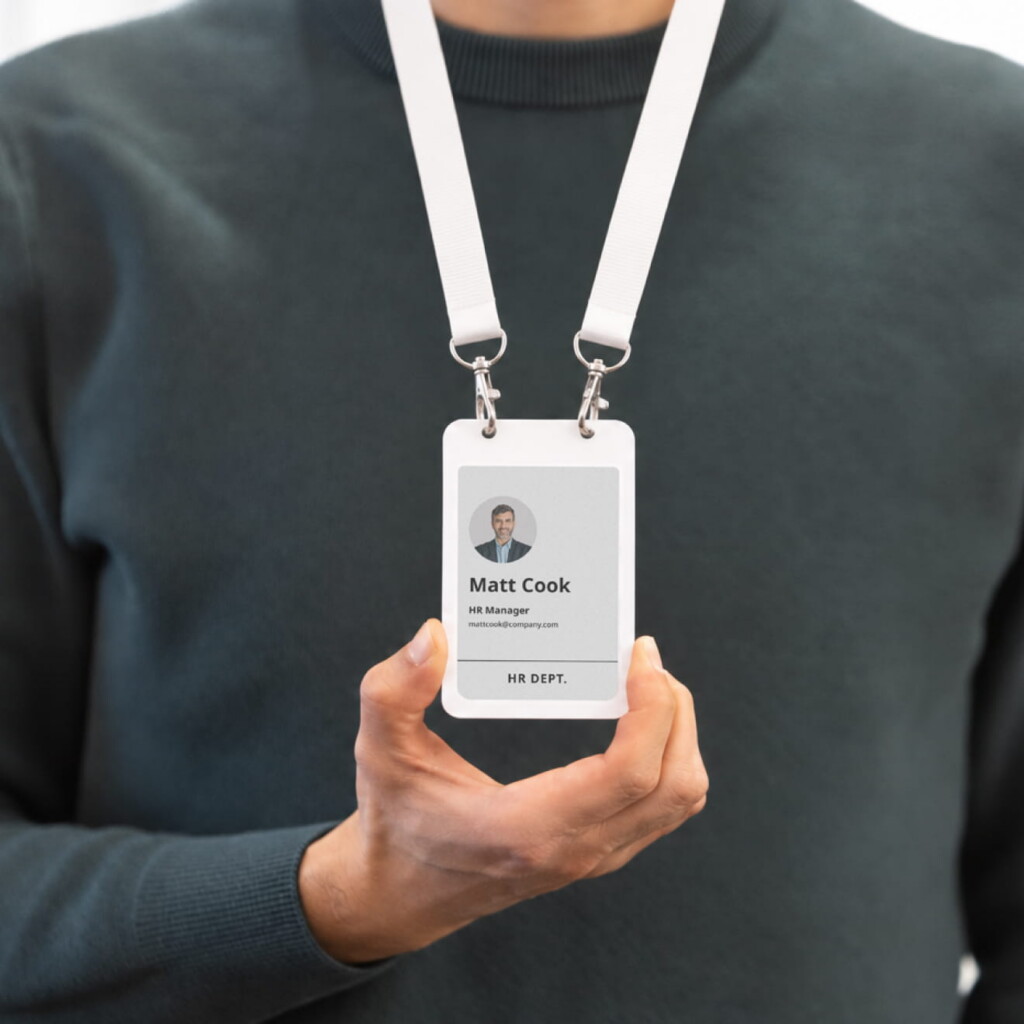
Two quick tips. Make sure the badge hangs face out, because a badge that flips round shows nothing. And check the size before you order: standard holders fit CR80 cards, while larger ePaper badges may need a different holder.
What a work badge really costs
The card is the cheapest part. The real cost sits around it. The upfront part is what most people price: blank cards, a card printer, ink ribbons, a laminator or overlay, holders and lanyards. Or, if you order from a print service, a price per card plus shipping time.
The running part is what shows up later:
- Reprints. Every promotion, department move, name change, new photo or rebrand means a new card.
- Lost and broken badges. Each one is a new card and some admin time.
- Waiting time. New hires can’t get in until their badge is printed and delivered.
- Security gaps. A lost printed card keeps working as ID until someone notices and switches it off.
- Admin. Someone has to run the printer, keep the stock and keep track of who has which badge.
None of these show up on the card supplier’s quote. For a small, stable team, they barely matter. For a company that hires often, moves people around or has a lot of contractors, they add up to most of what the badge program costs.
How to get work badges for your team
There are three ways to get work badges for your team. Which one fits depends on how many people you badge and how often their details change.
1. Print them in-house
You buy a card printer, cards and supplies, design a template, and print badges yourself. You control the timing and can print a replacement the same day. In return, you own the printer, the consumables and every reprint.
Best for: sites that already have a printer and a person to run it.
2. Order from a print service
You upload a design and a list of names and photos, and the service sends you finished cards. There’s no hardware to buy, but each change means a new order and a wait.
Best for: small teams whose details rarely change.
3. Use reusable ePaper badges
You assign badges from an app, and the details are written to each badge over Bluetooth. Updates happen by re-syncing the badge, not by reprinting it. When someone leaves, the badge is cleared and handed to the next person.
Best for: growing teams, multi-site companies, and anyone who wants identity and access on one badge without a reprint cycle.
Whichever route you pick, the steps are the same:
Decide what goes on the badge, and what goes in the chip.
Choose the badge type and how people will wear it.
Set up one company template.
Collect current photos.
Issue badges, ideally before day one for new hires.
Agree how lost badges are reported and switched off, and write it into your employee badge policy.
Printed vs. reusable ePaper work badges
Here’s how the two main options compare.
| Printed PVC work badge | Reusable ePaper work badge | |
|---|---|---|
| Upfront cost | Low per card, plus printer and supplies | Higher per badge, no printer needed |
| When details change | Reprint the card | Re-sync the badge, no reprint |
| New hires | Wait for printing or delivery | Badge prepared ahead, in batches |
| Lost badge | Works as ID until someone switches it off | Revoked in the database right away |
| Door access | With an RFID or NFC chip | NFC chip, with an access control integration |
| When someone leaves | Card is thrown away | Badge is cleared and reused |
| Space for information | One printed face | Up to six screens on one badge |
How a Joan work badge works
The Joan employee badge is a reusable badge with a 4-inch electronic paper screen in black, white, red and yellow. An office manager or HR admin assigns it in the Joan Mobile App: scan the badge, pick a company template, choose the person from the Joan user directory, and a Bluetooth sync writes their photo, name and title to the screen. You can prepare a whole batch ahead of time, and employees can upload their own profile photo if you allow it.
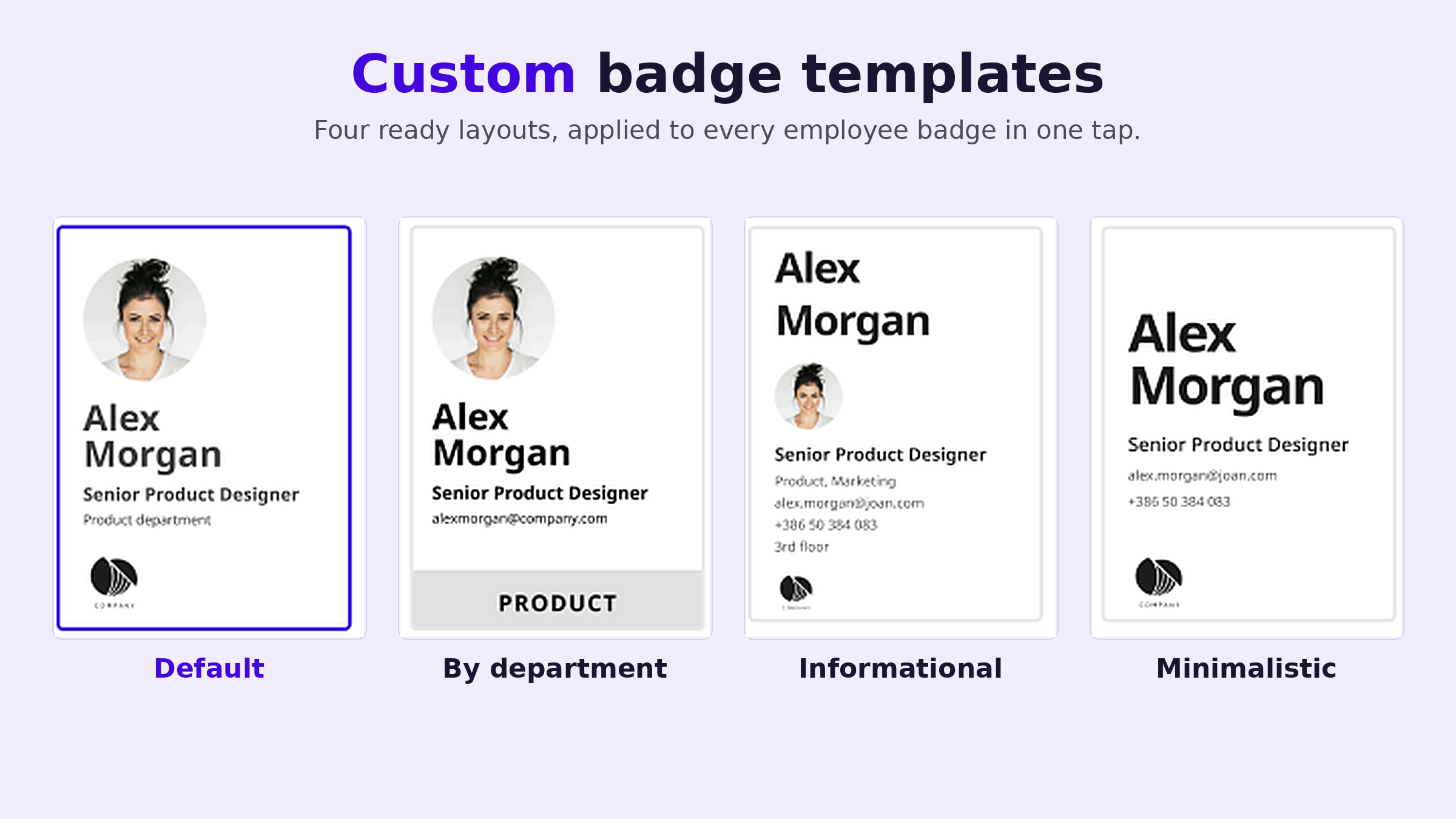
When someone gets promoted, changes department or needs a new photo, you re-sync the badge. No printer, no laminator, no IT ticket. If a badge is lost, you revoke it at the database level and it stops counting straight away, before anyone has found it.
The badge has an NFC chip (NXP MIFARE DESFire EV3), so it can open doors where your access control system supports it. That needs an integration, and requirements depend on your system, so it’s worth raising early with your integrator. Our page on smart badge technology covers the details. A few practical specs:
- 4-inch ePaper display, 528 × 768 pixels
- Bluetooth 5.1 and NFC
- Holds its image with no power, so a badge that doesn’t change uses no battery
- About 700 updates per charge, recharged on a standard Qi wireless pad
- 66.25 × 104 × 2.8 mm and 29.4 g, a little bigger than a credit card
The same hardware also runs visitor badges at reception and event badges for conferences. Each badge serves one use case at a time, so offices that run both employee and visitor badges keep a separate set for each.
How to choose the right work badge
Run through these five questions before you order anything.
How often do badge details change?
If people rarely change roles and you hire a few times a year, printed cards are fine. If titles, teams or photos change every month, a badge that updates without a reprint saves the most time.
Does the badge need to open doors?
If yes, choose the chip first and the print second. Check which credential formats your access control system reads, and prefer encrypted credentials over older formats that are easy to copy.
How fast do you need to switch off a lost badge?
For sites with sensitive areas, the gap between “badge lost” and “badge disabled” matters. Make sure your process, or your system, closes it quickly.
How many sites and people?
A printer works for one office. Several offices, several time zones and hundreds of people usually need central management, so one admin can see and update every badge.
Who else needs a badge?
Contractors, temps and visitors need badges too. A system that handles all of them with one platform means one set of tools and one place to check who’s on site.
Give your team a work badge that keeps up
A badge has one job: show who someone is and let them in where they belong. Printed cards do that well on the day they’re made. After that, every change is a reprint, and every lost card is a gap until someone notices.
If your team changes often, a reusable badge takes that work off your desk. You set it up once in the app, update it whenever you need to, and switch it off the moment it goes missing. Take a look at Joan employee badges, check the ePaper badge specs, or see pricing.
Frequently asked questions about work badges
What is a work badge?
A work badge is an ID that employees wear at their workplace to show who they are and that they’re allowed on site. It usually shows a photo, name, job title and company logo. Many work badges also have an RFID or NFC chip that opens doors.
What should be on a work ID badge?
At minimum: a recent photo, the person’s full name, job title or department, the company name or logo, and an employee ID number. Add a color or label for role or access level if you have contractors or visitors on site. Leave off home addresses, dates of birth and national ID numbers.
How big is a work badge?
Most printed ID badges use the CR80 size, 85.6 × 54 mm (about 3.375 × 2.125 inches), the same as a credit card. ePaper badges with a screen are usually a little larger. The Joan badge measures 66.25 × 104 mm.
How do I get a work badge for my employees?
You can print badges in-house with a card printer, order them from a print service, or use reusable ePaper badges that you assign from an app. For a small team that rarely changes, printing works. For teams that grow or change often, a reusable badge avoids the reprint cycle.
What happens if I lose my work badge?
Report it right away so it can be switched off. With most printed access cards, the card has to be disabled in the access control system. With a Joan badge, the admin revokes it in the database and it stops counting immediately.
Can a work badge open doors?
Yes, if it has an RFID or NFC chip and your access control system can read it. The Joan badge has an NFC chip (NXP MIFARE DESFire EV3) and can open doors once it’s integrated with your access control system.
Is a work badge the same as a digital badge?
Not usually. A digital badge often means an online credential for a skill or achievement, shared on a profile. A work badge is the physical ID you wear on site. A digital employee badge, like an ePaper badge, sits in between: a physical badge whose content is managed digitally. Read more in our guide to digital employee badges.