10 Sep 2026
The vendor lock-in trap
The pitch is always the same. One platform. One vendor. One place to manage everything. Sign here, and your workplace problems go away.
The reality, of course, is different. Three years later, you’re locked into a contract, your team is using workarounds, and the “one platform” doesn’t talk to the two other tools that crept in through the side door. The workplace is fragmented. Again.
This is the vendor lock-in trap. And a surprising number of organizations are still walking into it.
The cost of the walled garden
Vendor lock-in isn’t just an IT inconvenience. It’s an operational liability.
When your room booking system can’t read from your HR platform, you’re manually syncing data that should flow automatically. When your visitor management tool doesn’t connect to your access control system, a receptionist is doing the work that software should be doing. When your digital signage CMS is a closed system that only works with the vendor’s own displays, you’ve bought yourself into a renovation every time the hardware needs replacing.
The costs are quiet. They don’t show up as line items. They show up as extra admin hours, data inconsistencies, and the slow erosion of trust in the tools your team is supposed to rely on.
What vendor-agnostic actually means
Vendor-agnostic doesn’t mean using everything from everywhere without a plan. That’s just a different kind of mess.
It means choosing tools that are built to interoperate — software that exposes proper APIs, hardware that isn’t artificially locked to a single platform, and integrations that connect your existing stack rather than replacing it. The goal is a workplace that grows with you, where swapping out one component doesn’t require rebuilding everything else.
In practice, this looks like a room booking system that reads directly from Microsoft 365 or Google Workspace, rather than maintaining its own separate calendar. It looks like a visitor management tool that logs data into your HR system automatically. It looks like displays that can surface content from multiple sources — meeting schedules, company announcements, wayfinding — without requiring a dedicated, proprietary CMS for each.
The connective tissue is the integration layer. Get that right, and the rest follows.
The interoperability checklist
Before committing to any new workplace tool, it’s worth asking a few questions that vendors don’t always volunteer answers to.
Does it have an open API? Not just “we support integrations” — but a documented, accessible API that your team or a third party can actually build on. Vague promises about future integrations are not integrations.

What happens to your data if you leave? Can you export it cleanly, in a format that’s useful elsewhere? Or does the data stay in the vendor’s ecosystem, effectively becoming their asset?
Which calendar systems does it support? Microsoft 365 and Google Workspace should be table stakes in 2026. If a room booking tool only works with one, that’s not a product decision — it’s a trap.
Does the hardware require the software? Some vendors sell displays or devices that only function with their own platform. That might seem fine at the point of purchase. It’s less fine when the platform raises prices, discontinues features, or gets acquired.
Building the connected workplace in practice
The organizations that get this right tend to share a few habits.
They treat the integration layer as infrastructure, not an afterthought. Before choosing a new tool, they map how it connects to what already exists — not just in theory, but in practice, with a test environment if possible.
They prefer platforms that reduce the number of places data lives. Not because fewer vendors is always better, but because every additional data store is another sync to maintain, another place for inconsistencies to breed.
And they ask vendors hard questions early. Not about features — features change. About architecture: how data flows, what dependencies exist, what the exit path looks like.
Joan take on this
Joan was built to work with the tools organizations already use, not to replace them. Room scheduling, desk booking, visitor management, and digital signage all run through a single platform, but that platform is designed to read from and write to the calendar systems, identity providers, and workplace tools companies already have. Joan full list of supported integrations covers the systems most enterprise teams are already running.
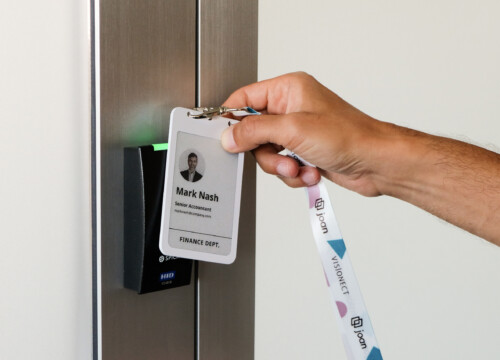
The displays — both Joan own e-paper screens and third-party hardware — are managed through the same CMS. That means a facilities team isn’t choosing between the screens they want and the software they need. They get both.
That’s not a feature. It’s a philosophy. The workplace should be connected, not dependent on any single vendor to stay that way.
The better question
When evaluating workplace technology, the question isn’t “does this tool do what we need today?” It’s “what does this tool cost us if we ever need to change?”
A connected, vendor-agnostic workplace isn’t built in a day. But it starts with the decision to stop buying walls and start building bridges.
Also worth reading: 7 Best Conference Room Display Software Platforms for 2026 — a hands-on comparison of room display options and what to look for before you commit.