
Best YAROOMS alternatives in 2026
YAROOMS is a workplace management platform covering desk booking, room scheduling, hybrid work scheduling, visitor management, and digital signage — all wrapped in a clean, intuitive interface. For teams that need a polished hybrid scheduling tool with strong Microsoft 365 integration, it ticks a lot of boxes.
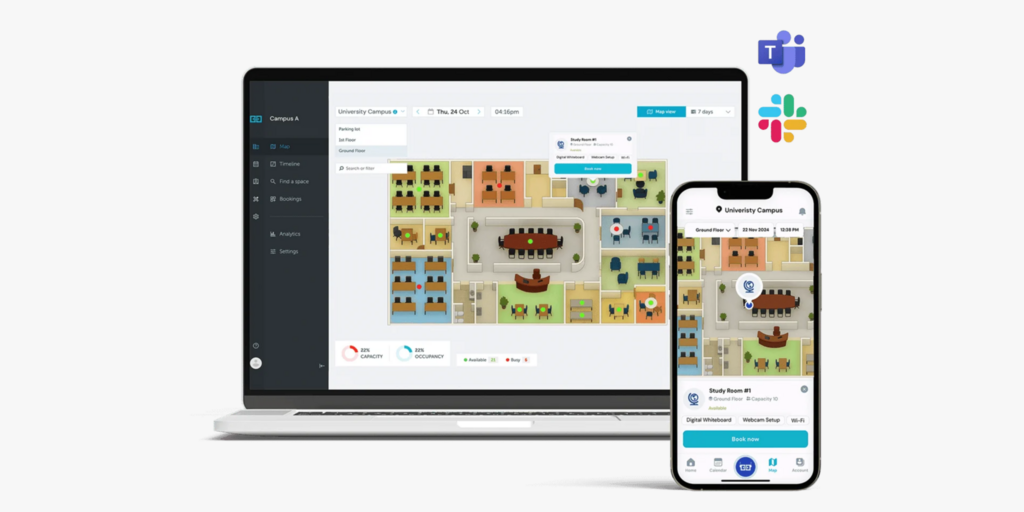
But a consistent pattern emerges when teams start evaluating their bill after year one. The $99/month Starter price is not what most organizations actually pay. Visitor management is a completely separate product at $99 per location per month. Room displays are an add-on on every plan. Analytics are absent on Starter and capped at 90 days on Business. A mid-sized company with two locations, visitor management, and the Business tier lands at $597/month before a single display is connected — and that’s before the Teams integration or SSO kicks in (both Business and above). Users on SoftwareAdvice also report real-time sync issues: canceled bookings sometimes still show as occupied, which defeats the purpose of having a booking system in the first place.
We compared 10 alternatives across pricing, feature completeness, setup complexity, and fit. Joan is included and we’ll explain exactly why — and who each tool actually suits.
→ Also evaluating other tools? See our comparisons for Eptura alternatives, Robin Powered alternatives, Condeco alternatives, and Skedda Alternatives.
Quickly jump to:
- Why teams start looking for YAROOMS alternatives
- Quick comparison table
- The best 10 YAROOMS alternatives in 2026
- How to choose the right YAROOMS alternative
- Joan vs. YAROOMS: Quick comparison
- Frequently asked questions about YAROOMS alternatives
YAROOMS reviews: why teams start looking for alternatives
The base price hides what you actually need
YAROOMS Starter looks affordable at $99/month, but almost everything that makes it genuinely useful costs extra. Visitor management is a completely separate product at $99 per location per month — it is not included in any YAROOMS plan. Room displays and lobby screens are add-ons on every tier, including Business ($399/month). Analytics are entirely absent on Starter. Hybrid work scheduling and calendar sync with Outlook and Google are Business-only features. A team that signs up for Starter and then adds the features they assumed were included discovers their bill looks nothing like what they expected. For a company with two locations, Business plan, and visitor management, that’s $399 + $198 = $597/month before a single display is plugged in.
Location and space caps push growing teams to expensive enterprise tiers
YAROOMS pricing is structured with hard caps that create cliff edges. Starter is locked to one location and 20 bookable spaces. Business allows 2 locations and 150 spaces. Three offices — even a small company with branches in two cities — forces you onto Enterprise at $899/month. Users on GetApp note that the team is responsive when issues arise, but the pricing structure punishes growth in a way that isn’t obvious from the headline number. There is no free trial to discover this before you commit — only a sales demo.
Real-time sync gaps let ghost bookings linger
A booking system’s core job is to keep the physical and digital states of a room or desk in sync. Multiple reviewers on SoftwareAdvice flag a specific pattern: when a booking is canceled, the display sometimes still shows the space as occupied, meaning someone else is sitting at a desk that the system says is free. This isn’t a reported edge case — it surfaces across independent reviews. The same reviewers note intermittent slowness and glitchy behavior when the app loads booking states, which undermines confidence in the system for teams where space availability matters in real time.
Quick comparison table
| Tool | Best for | Room booking | Desk booking | Visitor management | Analytics | Starts at | Free trial |
|---|---|---|---|---|---|---|---|
| Joan | Physical workspaces wanting hardware + full platform in one subscription | ✅ | ✅ | ✅ included | ✅ all plans | $51/month | ✅ 30 days |
| Deskbird | Hybrid desk booking at per-user pricing | ✅ | ✅ | ✅ add-on | ✅ all plans | $3.75/user/month | ✅ |
| Skedda | Space booking with powerful scheduling rules | ✅ | ✅ | ✅ add-on | ✅ Plus+ | $99/month | ✅ 30 days |
| Robin | Large hybrid enterprises (500+ employees) | ✅ | ✅ | ✅ | ✅ | Pricing on request | ❌ |
| Officely | Slack-first teams wanting affordable desk booking | ✅ | ✅ | ❌ | ✅ | $2.50/user/month | ✅ free plan |
| Tribeloo | Desk-heavy hybrid teams in Europe | ✅ | ✅ | ❌ | ✅ Pro+ | €3.00/resource/month | ✅ |
| Archie | Hybrid offices + coworking needing desk + visitor mgmt | ✅ | ✅ | ✅ | ✅ | $2.80/desk/month | ✅ 14 days |
| Kadence | Hybrid scheduling with AI space intelligence | ✅ | ✅ | ✅ | ✅ | Pricing on request | ❌ |
| Envoy | Visitor-management-first offices with strong iPad kiosk setup | ✅ | ✅ | ✅ | ✅ | Free (Basic); Premium: on request | ✅ free plan |
| Ronspot | Hybrid offices wanting desk, room, and parking booking in one | ✅ | ✅ | ❌ | ✅ | Pricing on request (20 space min.) | ✅ 7-day trial (demo required) |
| YAROOMS | Hybrid teams needing hybrid scheduling + booking in one | ✅ | ✅ | ✅ add-on | ⚠️ paywalled | $99/month (Starter) | ❌ |
The 10 best YAROOMS alternatives in 2026
1. Joan — Best for teams that want an all-in-one workspace platform where room booking actually shows at the door
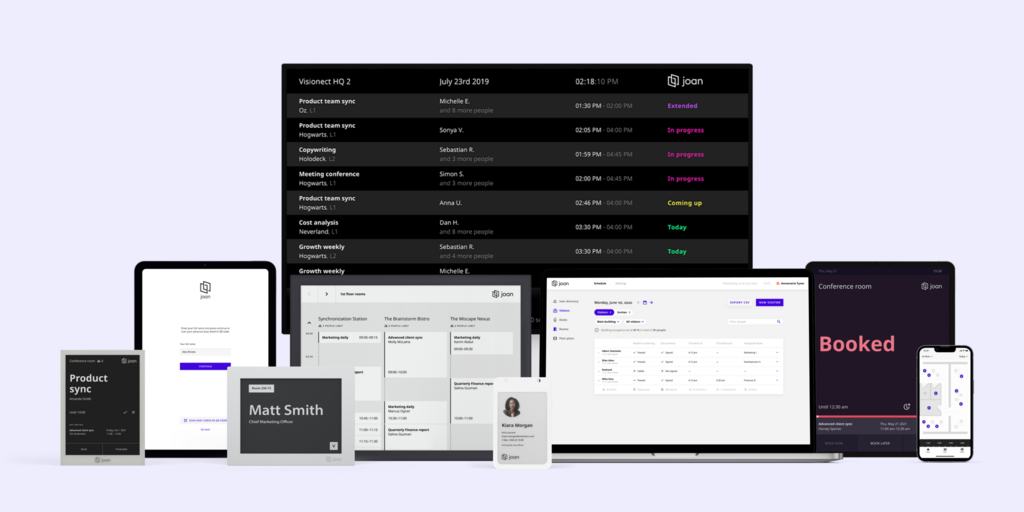
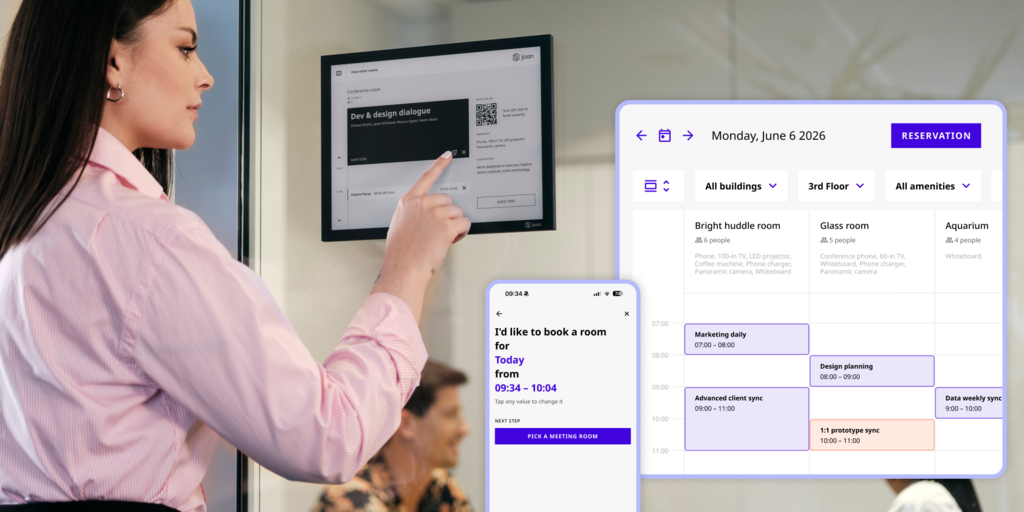
Joan is a workplace management platform that combines purpose-built ePaper hardware with a full software platform covering rooms, desks, visitor management, digital signage, parking, and asset reservations — all in one subscription. The core difference from YAROOMS is that Joan ships its own hardware: the Joan 6 RE, Joan 6 Pro, and Joan 13 Pro are battery-powered ePaper displays that mount outside meeting rooms without cables, showing live booking status without anyone opening an app or checking their phone. Joan also ships a Joan ePaper badge — a physical, battery-powered badge issued to visitors on arrival, which almost no competitor offers.
What makes Joan stand out
- No add-on trap — visitor management, digital signage, parking, and analytics are all included in every Joan plan. There is no “$99/location/month extra” for visitor management and no analytics tier-gating. The subscription covers the full platform; you pay by the number of users and devices, not by which features you turn on.
- No location caps or space caps — Joan does not cap the number of locations, floors, or bookable spaces by plan. A company with three offices pays the same model as a company with one.
- Physical displays that work without the app — YAROOMS offers room displays as an add-on running on third-party hardware. Joan ePaper displays are purpose-built, battery-powered, and always-on — no charging cycles, no screen burn, readable in any light. The room status is visible at the door whether or not the booking was made through the app, via Outlook, or from Google Calendar.
Joan pricing
Plans start at $51/month. Additional users are $1.09/user/month; additional device licenses are $10.99/device/month. Hardware (Joan 6 RE, Joan 6 Pro, Joan 13 Pro, Joan ePaper badge) is a separate one-time purchase. Full platform — rooms, desks, signage, visitor management, parking, analytics — included at every tier. 30-day free trial, no credit card required. See Joan pricing →
Joan limitations
- The full experience requires purchasing ePaper displays, which is a higher upfront cost than a software-only tool. Joan on any display covers some of this gap — Joan software runs on existing tablets or screens.
- Joan is a booking and presence platform, not a full IWMS. It does not cover lease management, CAD editing, or maintenance ticketing.
Best for: Any organisation managing physical workspaces — from a small team with a few rooms to a global enterprise across multiple locations.
Start your free Joan trial here.
2. Deskbird — Best for hybrid teams that want per-user pricing and clean mobile-first booking
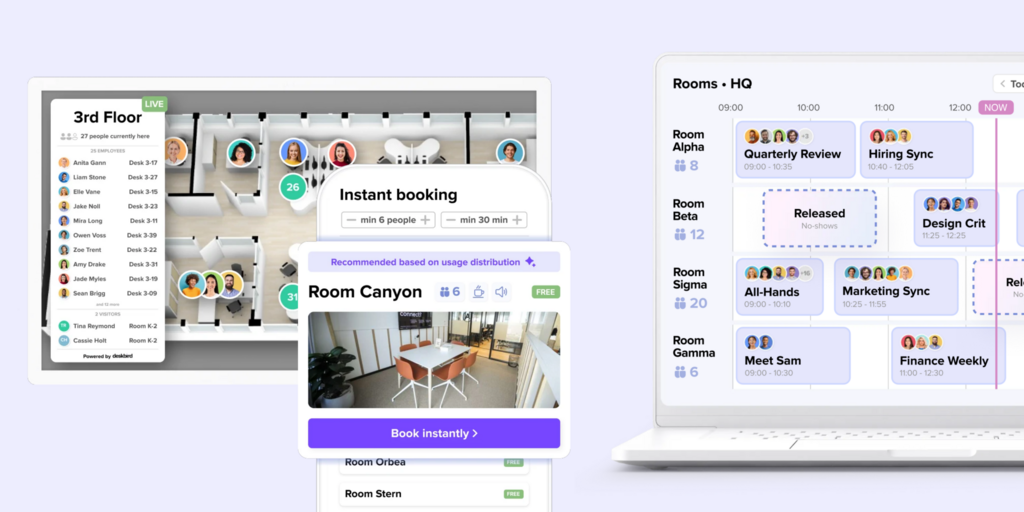
Deskbird is a desk and room booking platform built around per-active-user pricing and a polished mobile experience. Its hybrid scheduling layer — showing who’s coming in when, coordinating team days, and suggesting optimal days based on attendance — is a direct YAROOMS competitor and is frequently cited as more intuitive. It’s built and hosted in Germany, making it a strong choice for European teams with data residency requirements.
What makes Deskbird stand out
- Per-user pricing means small teams pay small prices — no minimum monthly floor like YAROOMS Starter’s $99
- All locations and unlimited desks/parking included in Business; no location cap
- Native Microsoft Teams, Slack, and Outlook add-in included in Business; no tier-gating for core integrations
Deskbird pricing
Business: $3.75/user/month (USD, annual). Professional and Enterprise: custom pricing. A free trial is available; a 15-user Starter plan is available post-trial. Room displays and visitor management are available as paid add-ons (Rooms Plus and Visitors Plus)
Deskbird limitations
- Visitor management is a paid “Visitors Plus” add-on — not included in Business. Teams expecting it out of the box will need to budget separately, same as YAROOMS.
- The Rooms Plus add-on (interactive kiosks, catering requests for rooms) is also separate, meaning full room display functionality has extra cost.
- Reviewers on G2 note that the mobile app occasionally lags on first load when syncing large floor plan updates, particularly for multi-floor offices.
Best for: Hybrid teams of 20–500 people who want transparent per-user pricing, strong Outlook and Teams integration, and unlimited location scaling.
→ Looking for Deskbird alternatives instead? See the list for the best Deskbird Alternatives here.
3. Skedda — Best for space booking with highly customizable scheduling rules
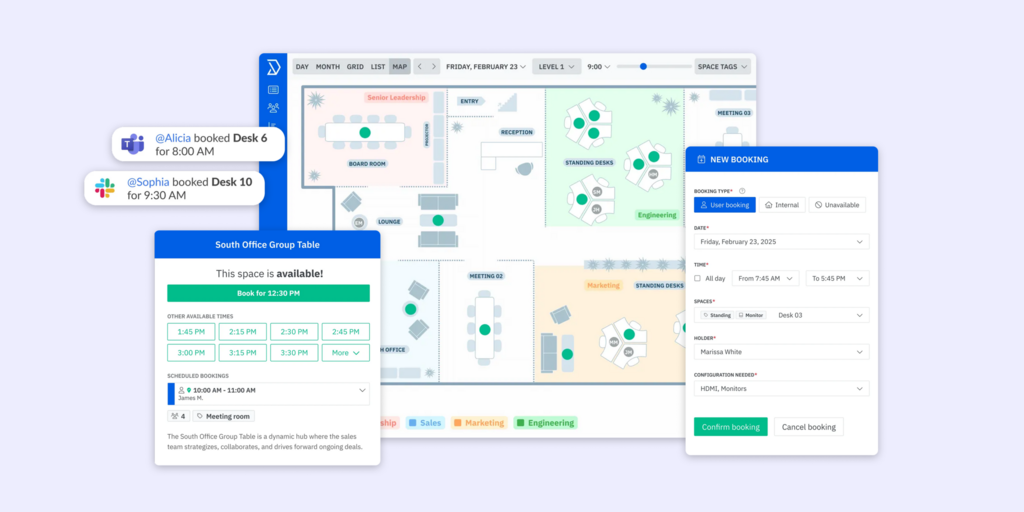
Skedda is a space booking platform built around deep scheduling rule customization — booking windows, quotas per user, approval workflows, buffer times, and conditional logic that most platforms can’t match. It’s used across offices, universities, labs, and coworking spaces, and its per-space (not per-user) pricing model works well for organizations with many users per room.
What makes Skedda stand out
- Unlimited users at all plans — pricing is per bookable space, not per person, so large teams don’t pay more as headcount grows
- Interactive floor plans included from Starter; strong two-way Microsoft 365 and Google Workspace sync on all plans
- One of the most customizable rules engines in this category: booking conditions, quotas, color rules, and approval workflows scale with plan tier
Skedda pricing
Starter: $99/month (15 spaces included, annual). Plus: $149/month (20 spaces). Premier: $199/month (25 spaces). Additional spaces are priced per space beyond the included count. Visitor management is a $99/month add-on. 30-day free trial available.
Skedda limitations
- Visitor management requires the $99/month add-on — same add-on structure as YAROOMS
- Skedda has no native physical hardware; room displays work on standard tablets, which need charging and can have screen issues over time
- Advanced analytics (full occupancy tracking, WiFi check-in) are only on Premier and above; Starter analytics are limited
- The per-space pricing model can become expensive for offices with many small bookable areas — a lab with 30 spaces quickly moves to custom pricing
Best for: Organizations with complex booking rule requirements, universities, labs, or offices that want unlimited users without per-seat pricing.
→ Looking for Skedda alternatives instead? See the list for the best Skedda Alternatives here.
4. Robin — Best for large enterprises (500+ employees) that need a full hybrid operations platform
Robin is an enterprise workplace operations platform covering desk booking, room scheduling, visitor management, space analytics, employee experience, and move management. It’s a genuinely comprehensive platform for large organizations — but it’s explicitly designed for companies with at least 150 hybrid employees and works best at 500+. Its own pricing page says: “If you are looking for a point solution, there are better options.” Pricing is entirely on request.
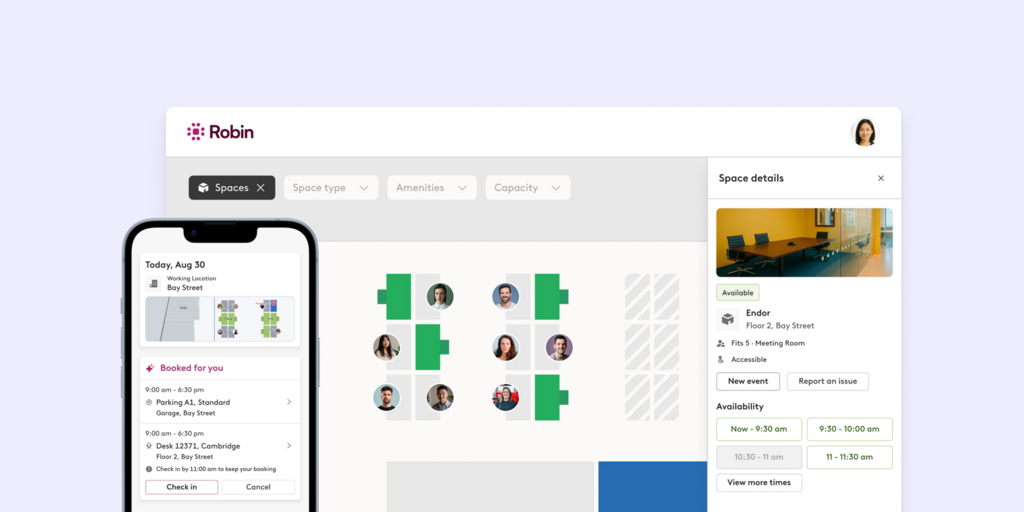
What makes Robin stand out
- Deep hybrid work layer: office announcements, team coordination, hybrid work policies, and experience surveys are built in alongside booking
- Strong move management and scenario planning tools — useful for large facilities teams doing space redesigns
- Extensive integration ecosystem including access control, sensor hardware, and badge readers
Robin pricing
All pricing on request — no published tiers. Annual billing only. No free trial; demo-led sales process.
Robin limitations
- Robin’s pricing page explicitly states it’s designed for 500+ employees with at least 150 hybrid office users — smaller teams will find it oversized and overpriced
- No hardware sold by Robin; all displays and hardware sourced through third-party recommended partners, creating split vendor relationships
- Pricing on request with no published rates means you can’t self-evaluate cost fit without a sales conversation
- Users on G2 report that the auto-release feature (which cancels unconfirmed bookings) can be aggressive, with employees arriving slightly late losing their desk to whoever grabs it next
Best for: Large enterprises (500+ employees) that need a full hybrid operations platform covering booking, analytics, move management, and employee experience in one system.
→ Looking for Robin alternatives? See the list for the best Robin Alternatives here.
5. Officely — Best for small to mid-sized teams that live in Slack or Teams
Officely is a desk and room booking tool that operates entirely inside Slack and Microsoft Teams — there’s no separate app to install, no separate login, and no separate URL. If your team already lives in Slack, booking a desk is one interaction inside the tool they already have open. It has one of the most generous free plans in the category (up to 5 users, no credit card).
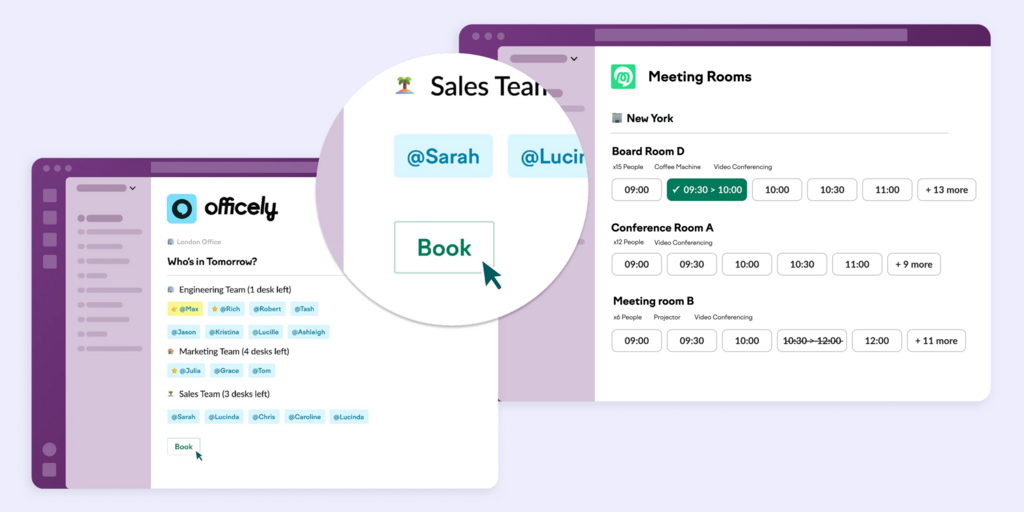
What makes Officely stand out
- Slack-native and Teams-native — no context-switching; booking feels like a Slack command
- Free plan for up to 5 users; paid plans from $2.50/user/month (annual USD), the most affordable full-featured option in this comparison
- Strong hybrid visibility features: who’s in, who’s remote, office attendance trends — all surfaced in Slack without any admin overhead
Officely pricing
Basic: $2.50/user/month (annual USD). Premium: $3.50/user/month (annual). Meeting room booking is a separate add-on at $12/space/month. Free plan available for up to 5 users
Officely software limitations
- Meeting room booking is a separate paid product at $12/space/month — not bundled in the per-user plans. A team with 5 rooms adds $60/month on top of the per-user cost
- No physical hardware integration — Officely works in Slack, but there’s nothing showing room status at the door without a separate display solution
- Visitor management is not available; for teams that need guest check-in and compliance logging, Officely is not sufficient as a standalone tool
- Some Slack-native features are not yet available in the Teams version — check the feature parity table before committing if your team uses Teams
Best for: Small to mid-sized teams (10–200 people) that are Slack-first, want affordable desk booking without a big rollout, and don’t need visitor management.
6. Tribeloo — Best for European desk-focused hybrid teams on a per-resource budget
Tribeloo is a hybrid workplace platform focused on desk booking with clean Outlook and Google Calendar integration. Its per-resource (not per-user) pricing model makes it cost-predictable for offices with more employees than desks — a common setup in hot-desking environments. It’s headquartered in Belgium and priced in EUR, making it a natural fit for European teams.
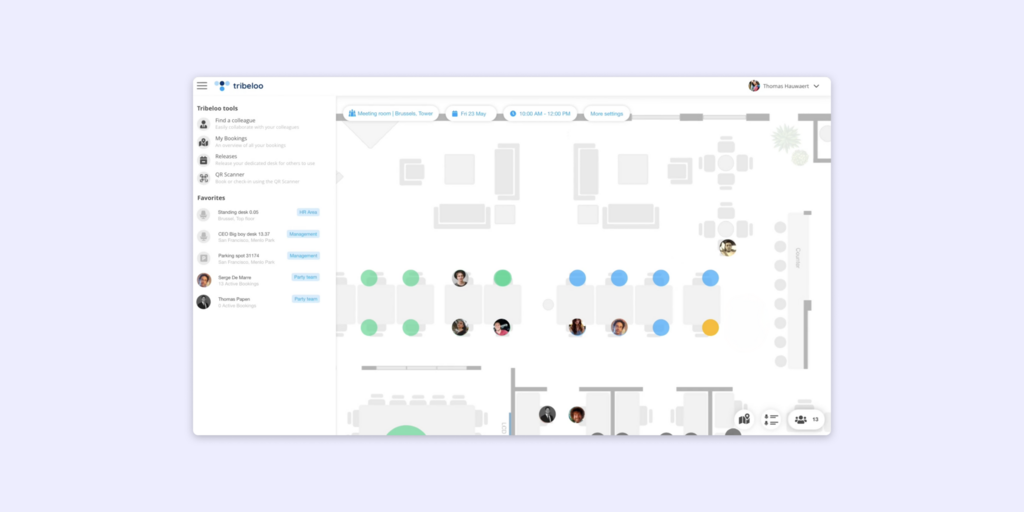
What makes Tribeloo stand out
- Per-resource pricing means adding users doesn’t increase cost — only the number of desks, rooms, and parking spots you want to manage
- Outlook and Google Calendar integration included from Pro tier ($3.75/resource/month annual); booking directly from a calendar invite
- Clean analytics on Pro and above; SSO and Active Directory sync on Premium
Tribeloo pricing
Starter: €3.00/resource/month (annual). Pro: €3.75/resource/month. Premium: €4.00/resource/month. Monthly billing is available at a slight premium.
Tribeloo limitations
- No visitor management — Tribeloo has no guest check-in or compliance logging feature. If visitors are part of your workflow, you’d need a separate tool
- Priced in EUR; US-based teams may find pricing slightly unpredictable as exchange rates move
- Reviewers on Capterra note that recurring desk bookings from Outlook don’t always sync correctly — the recurring flag from calendar invites can be missed, forcing users to build the series inside Tribeloo’s interface instead of in their calendar
- Starter tier is limited to one location, and Outlook integration requires Pro tier
Best for: European hybrid teams in the 20–300 user range where the number of desks is significantly lower than the number of employees, and visitor management isn’t a requirement.
7. Archie — Best for hybrid offices that also need visitor management and coworking functionality in one tool
Archie covers desk booking, room scheduling, visitor management, and coworking management in a single platform. It’s rated 4.9/5 on both G2 and Capterra — one of the highest-rated platforms in this category — and is used by organizations ranging from Amazon and Shopify to universities and coworking spaces. Its per-desk pricing means room scheduling and visitor management are included on top, not billed separately.
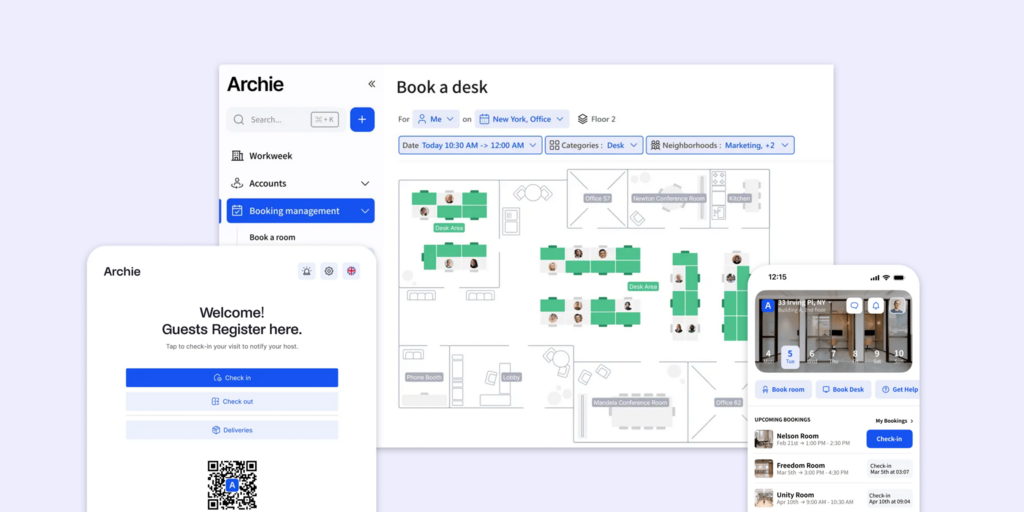
What makes Archie stand out
- Visitor management is part of the platform — not a separate $99/month product like YAROOMS; hosts get pre-registration, branded check-in, QR code sign-in, and a real-time visitor log
- Exceptionally strong G2 ratings for setup speed and ROI; reviewers consistently note onboarding takes days, not weeks
- Room booking and desk booking work on both iOS and Android; purpose-built visitor kiosk app for iPad and Android tablets
Archie pricing
Desk Starter: $2.80/desk/month, minimum $159/month (1 location). Desk Pro: $3.50/desk/month, minimum $249/month (multiple locations, SSO, Teams and Outlook integration). Room scheduling and visitor management pricing separate; contact for bundled quote. 14-day trial available post-demo.
Archie limitations
- Room booking and visitor management are separate Archie products — the desk pricing above covers desk booking only. A full bundle quote requires talking to sales, so self-serve pricing evaluation isn’t completely transparent
- No purpose-built hardware; room displays run on standard tablets, which require charging and maintenance over time
- Per-desk minimum pricing ($159/month on Starter) can be expensive for very small offices with only a few bookable desks
Best for: Mid-sized hybrid offices (50–500 people) that need a polished all-in-one platform covering desks, rooms, and visitor management — especially those coming from a tool that charges extra for visitor management.
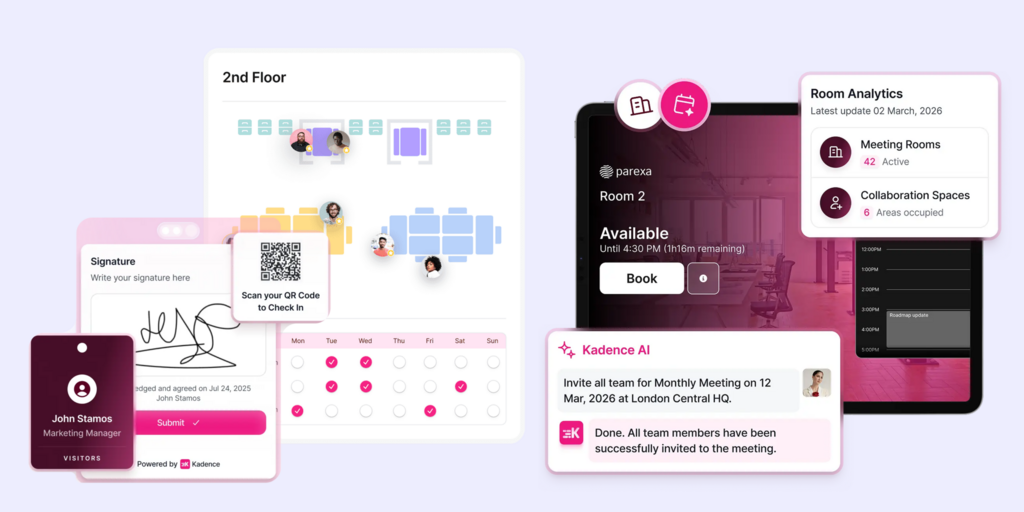
8. Kadence — Best for teams that want AI-driven hybrid scheduling and workforce intelligence
Kadence is a hybrid work platform with a strong AI layer for team coordination and scheduling. Its standout feature is active-user billing — you only pay for users who actually make a booking in a given month, rather than provisioning seats for everyone in the organization. Nick Bloom (Stanford economics professor) is an investor and advisor, which reflects Kadence’s focus on research-backed hybrid work patterns rather than just booking logistics.
What makes Kadence stand out
- Active-user billing model means large organizations don’t pay for people who rarely book — a meaningful savings for teams with irregular office attendance
- AI assistant and team coordination layer suggest optimal office days based on who else is coming in and calendar patterns
- Covers desk booking, room booking, visitor management, and scenario planning across two products (WorkOps and SpaceOps)
Kadence pricing
All pricing on request — Kadence does not publish rates. WorkOps covers desk/room/visitor management; SpaceOps adds AI-powered space intelligence and move management. Floor plan upload costs $250 per floor. Minimum 1-year contract, billed annually. No free trial.
Kadence limitations
- No published pricing makes self-serve budget evaluation impossible; every assessment requires a sales conversation
- Floor plan setup is billed at $250/floor — a cost that appears when you go to implement and wasn’t visible in any pre-sales communication
- No free trial; demo-only evaluation process means you’re signing a 1-year contract without hands-on testing time comparable to Joan’s 30-day full trial
- Reviewers on G2 note that the mobile app can be slow to reflect real-time booking changes, particularly at larger organizations
Best for: Mid-to-large enterprises (200+ employees) where hybrid attendance patterns are complex, active-user billing creates real savings, and AI-assisted scheduling is a genuine priority.
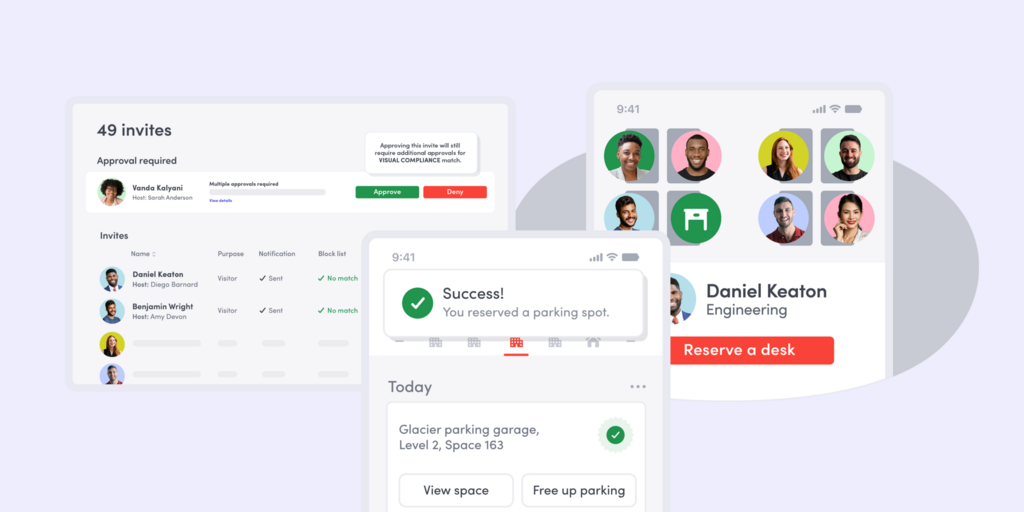
9. Envoy — Best for visitor-management-first offices that want a modular approach
Envoy started as a visitor management platform and expanded into desk and room booking as a modular add-on. It’s best known for its polished iPad kiosk check-in experience — the Envoy Visitors product is one of the most recognizable in workplace reception. Organizations that prioritize visitor flow, compliance logging, and delivery tracking, with desk/room booking as a secondary need, will find Envoy’s model natural. It’s a US-headquartered product with a strong enterprise customer base.
What makes Envoy stand out
- Visitor management is the core product — pre-registration, NDA collection, badge printing, watchlist screening, and delivery management are all in the base platform
- iPad kiosk check-in is among the most polished in the market; Envoy’s hardware kiosk is purpose-built for reception environments
- Modular structure means you only pay for the features you use; desk and room booking are add-ons, not forced on every plan
Envoy pricing
Envoy’s Basic plan is free — up to 100 visitor entries/month and 50 employees in the directory. Premium and Enterprise are both pricing on request (“Get a quote” on their pricing page — no published rates). Desk and room booking (Workplace) are separate products not included in any Visitors plan.
Envoy limitations
- No published pricing above the Basic tier — Premium and Enterprise both require a sales conversation before you know what you’d pay. For a team evaluating budget fit, that’s the same wall you hit with YAROOMS’ “schedule a demo” process
- The Basic free plan caps out at 100 visitor entries per month — a busy office with daily visitors will hit that within a week and need to upgrade blind
- Desk and room booking are entirely separate Workplace products — they’re not bundled with Visitors plans at any tier
- Envoy runs entirely on iPad hardware for visitor kiosks — Android-first offices or non-Apple stacks are limited
- Users on G2 flag that the delivery management feature occasionally misfires on arrival alerts, sending notifications to the wrong employee when multiple deliveries arrive in close sequence
Best for: Offices where visitor management and compliance are the primary driver, with desk and room booking as secondary needs. Particularly strong for US enterprises in regulated industries.
10. Ronspot — Best for small teams that want freemium desk booking with zero commitment
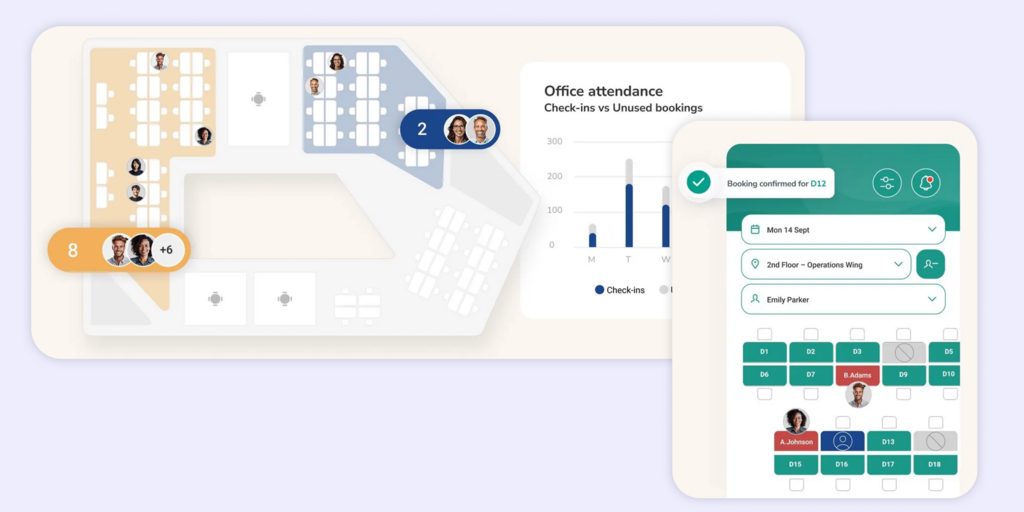
Ronspot is a workplace booking platform covering desk booking, meeting room booking, and parking management — with a particular strength in enterprise-grade parking management that most competitors don’t match. It’s ISO 27001:2022 certified (since 2020), built on AWS with EU data hosting, and used by organizations like American Express, Allianz, Novartis, and Bank of Ireland. It’s headquartered in Galway, Ireland, making it a natural fit for European teams with data residency requirements.
What makes Ronspot stand out
- Parking management is a genuine core product — purpose-built for corporate car parks with EV/vehicle type matching, space-specific restrictions, conflict resolution, and waitlist management; most competitors treat parking as an afterthought
- ISO 27001:2022 certified and EU-hosted — for regulated industries or teams with strict data residency requirements, that’s a box few competitors in this list can check
- Advanced booking rules including credit systems, booking windows, timed restriction lifts, and scheduled bookings — one of the most configurable rule engines in the mid-market
Ronspot pricing
All pricing on request — Ronspot does not publish rates. Pricing is per space (desks, rooms, parking spots). Minimum 20 spaces required. Annual billing only; 2- and 3-year discounts available. A one-off setup fee applies. 7-day free trial available, but requires a demo call to configure the test account first. Room displays (Roomz/Android tablets) are part of the Ronspot Connect add-on, priced separately.
Ronspot limitations
- No published pricing and a required demo call before even accessing the trial — the barrier to self-serve evaluation is high, similar to YAROOMS’ “schedule a demo” process
- Minimum 20 spaces — teams with fewer than 20 bookable desks/rooms cannot use Ronspot at any price
- No visitor management in the traditional sense — Ronspot allows admins to reserve spaces for external visitors, but there is no guest check-in portal, NDA collection, badge printing, or compliance log
- Room displays (Roomz/Android tablets) require the Ronspot Connect add-on at extra cost — not included in the base subscription
- Once-off setup fee adds to the total cost of switching, which isn’t visible until the quote conversation
Best for: Offices where visitor management and compliance are the primary driver, with desk and room booking as secondary needs. Particularly strong for US enterprises in regulated industries.
→ Looking for Envoy alternatives? See the list for the best Envoy Alternatives here.
How to choose the right YAROOMS alternative
If you want the full platform — visitor management, analytics, and signage — without add-on pricing
Joan is the clearest choice. Every Joan plan includes visitor management, digital signage, desk booking, room booking, parking, analytics, and the Joan ePaper badge for visitors. Nothing is gated behind an add-on or a separate product. For a team that signed up to YAROOMS and then discovered the real cost after adding visitor management and displays, Joan’s one-subscription model eliminates that structure entirely.
If you want per-user pricing that scales down as well as up
Deskbird’s $3.75/user/month (annual, USD) or Officely’s $2.50/user/month (annual) are the most cost-efficient choices here. Both have transparent published pricing, both include analytics on all plans, and both scale naturally with headcount without location caps or space limits.
If self-serve floor plans are critical
Deskbird’s $3.75/user/month (annual, USD) or Officely’s $2.50/user/month (annual) are the most cost-efficient choices here. Both have transparent published pricing, both include analytics on all plans, and both scale naturally with headcount without location caps or space limits.
If your team lives in Slack and you just need simple desk booking
Officely might be your choice — it lives inside Slack or Teams and requires no onboarding of a new tool. The free plan covers up to 5 users for evaluation.
If you have complex scheduling rules or a non-corporate space (university, lab, coworking)
Skedda’s customizable rules engine and per-space pricing model were built for this. The booking conditions, quotas, and approval workflow logic go significantly deeper than YAROOMS or most alternatives.
If visitor management is the priority and desk/room booking comes second
Envoy is purpose-built for reception and compliance. Its iPad kiosk check-in, watchlist screening, and delivery management are best-in-class for organizations where who comes through the door matters more than who sits where. Just watch the per-location pricing as you scale.
If parking management is as important as desk booking
Ronspot is purpose-built for organizations where the car park is a genuine operational challenge — EV charging slots, restricted spaces, vehicle matching, and anti-tailgating rules. If your facilities team manages parking as seriously as meeting rooms, Ronspot’s depth here is unmatched in this list.
If you need a large-enterprise platform and employee count isn’t a constraint
Robin covers the full spectrum — booking, analytics, move management, employee experience — but explicitly targets 500+ employee organizations. Go in knowing you’re entering a sales process with no self-serve pricing.
Why Joan is usually the best YAROOMS alternative
YAROOMS users leave for a predictable set of reasons: the visitor management add-on was unexpected, the room displays cost extra, or they hit a location cap and got pushed into Enterprise pricing. Joan addresses all three directly: visitor management is included, purpose-built ePaper displays come from the same vendor under the same support contract, and there are no location caps at any plan tier. The 30-day free trial also lets you validate the full stack before committing — something YAROOMS doesn’t offer at all.
→ Also comparing other tools? See all our workspace software comparisons:
Joan vs. YAROOMS: Quick Comparison
| Joan | YAROOMS | |
|---|---|---|
| Room booking | ✅ | ✅ |
| Desk booking | ✅ | ✅ |
| Visitor management | ✅ included in subscription | ❌ $99/location/month add-on |
| Physical displays | ✅ ePaper — Joan 6 RE, Joan 6 Pro, Joan 13 Pro, Joan ePaper badge | ⚠️ Add-on (third-party tablet hardware) |
| Digital signage | ✅ included | ⚠️ Digital reception add-on |
| Parking & asset reservations | ✅ included | ❌ Not available |
| Analytics | ✅ included on all plans | ❌ Not on Starter; 90-day limit on Business; unlimited on Enterprise only |
| Calendar integrations | Microsoft 365, Exchange, Google Workspace, Teams, Slack | Microsoft 365, Google Workspace (Business+ only) |
| SSO | ✅ | Business+ only |
| Location caps | None | Starter: 1 · Business: 2 · Enterprise: 5+ |
| Free trial | ✅ 30 days, no credit card | ❌ Demo only |
| Hardware vendor | Joan (unified hardware + software support) | Third-party |
| Starting price | $51/month (full platform) | $99/month (limited; key features add-on) |
Ready to make the switch?
Joan is free to try for 30 days — no credit card, no sales call required. You get access to the full platform: room booking, desk booking, visitor management, digital signage, and analytics from day one. No add-ons, no location caps, no surprises when the bill arrives.
Frequently asked questions about YAROOMS alternatives
Is there a free YAROOMS alternative?
Officely has a permanent free plan for up to 5 users — all features included, no time limit. It works inside Slack or Microsoft Teams and covers desk booking, hybrid scheduling, and meeting room booking (meeting rooms are a separate paid product at $12/space/month). Joan isn’t free long-term but offers a 30-day free trial of the full platform — rooms, desks, visitor management, signage, and analytics — with no credit card required
How much does YAROOMS cost?
YAROOMS pricing starts at $99/month for Starter (20 users, 1 location, no analytics, no Teams app, no calendar sync). Business is $399/month (50–200 users, 2 locations, 90-day analytics). Enterprise is $899/month (300+ users, 5+ locations, unlimited analytics). Visitor management is a completely separate product at $99 per location per month, charged on top of any plan. Room displays are an add-on on every tier. A mid-sized company at Business with two locations and visitor management pays a minimum of $597/month before displays. There is no free trial — only a sales demo.
What are YAROOMS’s biggest limitations?
The most consistent complaints across reviews are pricing complexity (visitor management and displays are add-ons, not included), location caps that push growing teams to expensive Enterprise tiers, and real-time sync issues where canceled bookings can still show as occupied on displays and in the interface. Reviewers on SoftwareAdvice note the system is “slow and glitchy” at times and that booking cancellation is cumbersome. Analytics are absent on Starter entirely.
Does YAROOMS have physical room displays?
Yes — YAROOMS sells room panels and lobby displays, but they are add-ons on every plan, including Business. They run on third-party tablet hardware. Joan ePaper displays (Joan 6 RE, Joan 6 Pro, Joan 13 Pro) are purpose-built, battery-powered hardware that mounts without cables, shows live room status in any light, and doesn’t require charging cycles or maintenance that tablet-based displays do. Joan displays also come under the same support contract as the software — there’s no split between a hardware vendor and a software vendor.
What is the best YAROOMS alternative for small teams?
For small teams on a tight budget, Officely ($2.50/user/month, annual) or Deskbird ($3.75/user/month, annual) are the most affordable. Both have free trials and no minimum monthly floor. Joan makes sense even for small teams — the $51/month base plan includes everything including visitor management and signage, and there’s no per-user cost for employees who book through Outlook or Google Calendar without a Joan account.
Does YAROOMS include analytics on all plans?
No. Analytics are not available on the Starter plan at all. Business includes 90 days of analytics history. You need Enterprise ($899/month) for unlimited analytics history. By contrast, Joan includes analytics on all plans with no history cap, and Deskbird includes analytics on its $3.75/user/month Business plan.
Page last updated: June 2026. Pricing verified from public sources — always confirm live pricing directly with each vendor before purchasing.