14 Oct 2026
Physical access control systems: what they are and how they fit into workplace operations
Most buildings have some form of access control, whether that’s a lock on the front door or a badge reader at a turnstile. The hardware keeps people out, but it rarely tells you who’s actually in the building right now, which floor they went to, or whether they were supposed to be there in the first place.
As hybrid schedules make daily headcounts unpredictable, the disconnect between having badges and understanding building activity is getting harder to ignore. This post covers what a physical access control system actually does, what it’s made of, why it matters for more than security, and how to choose one that fits the way your workplace operates today.
Quickly jump to:
- What is a physical access control system (PACS)?
- Components of a physical access control system
- Benefits of a physical access control system
- How physical access control has changed
- 5 physical access control best practices
- How Joan ePaper badges connect to physical access control
- Frequently asked questions about physical access control systems
TL;DR: A physical access control system manages who can enter your building and specific areas within it, while providing real-time visibility into occupancy, supporting compliance, reducing operating costs, and integrating with the broader set of tools that keep your workplace running.
What is a physical access control system (PACS)?
A physical access control system (PACS) is a set of hardware and software that controls who can enter a building or a specific area inside it.
At its most basic, that means verifying a person’s identity at an entry point and granting or denying access based on predefined rules.
In practice, a PACS logs every entry and exit, tracks which credentials were used and when, and gives facility teams a running record of who is onsite. That record becomes critical during emergencies, compliance audits, and day-to-day space planning.
The system replaces manual processes like key management, paper sign-in sheets, and security guards checking names against a list. Instead, access decisions happen automatically based on credentials, time of day, clearance level, and location.
Components of a physical access control system
Access points
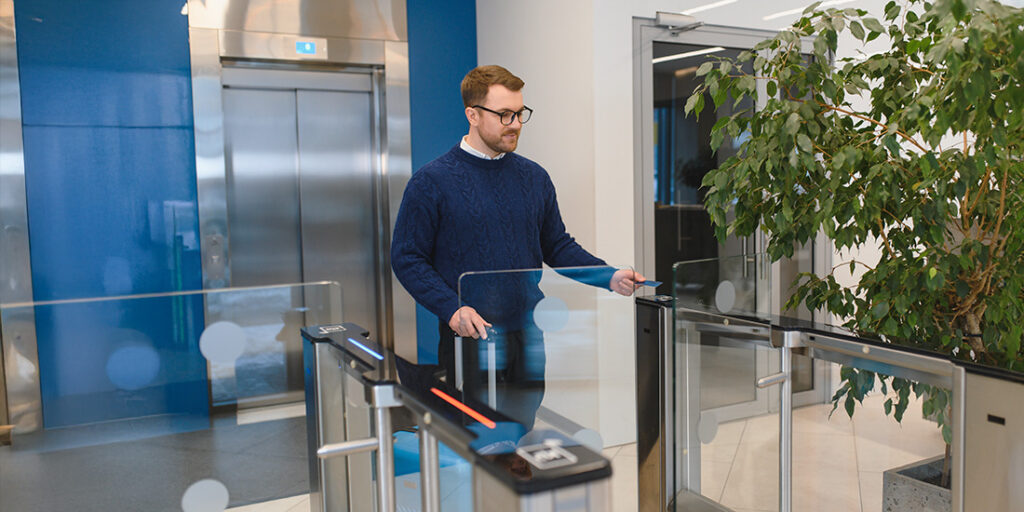
Access points are the physical barriers where control happens. Doors with electronic locks, turnstiles, gates, and parking barriers all qualify, and these are programmed to stay locked until a valid credential is presented.
Credentials
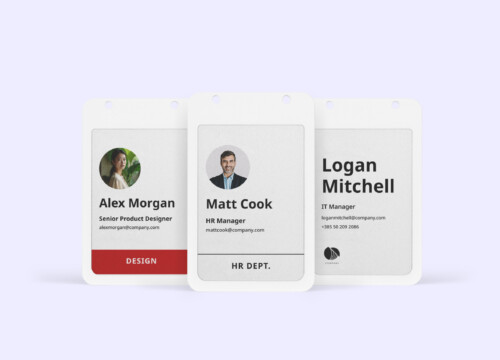
Credentials are what a person uses to prove they’re authorized. Key cards, fobs, PINs, mobile apps, and biometric identifiers like fingerprints or facial recognition all serve this purpose, and the credential type you choose affects both security level and user experience. A newer category, reusable ePaper badges, adds a digital display that updates wirelessly with the holder’s name, photo, and role, keeping the visible credential in sync with the system behind it rather than going stale the moment someone changes departments.
Readers and keypads
Readers and keypads sit at access points and capture credential data. A card reader scans a badge, a keypad accepts a PIN, and a biometric reader verifies a fingerprint before sending that data to the control panel for authorization.
Control panels
Control panels receive data from readers and make the access decision. If the credential matches an authorized user with the right clearance for that location and time, the panel signals the lock to release, and if not, access is denied and the attempt is logged.
Access control server
The access control server stores user profiles, access rules, credential assignments, and audit logs. This can live on a physical server onsite or in the cloud, and cloud-based servers allow remote management, which is increasingly important for organizations with multiple locations.
Benefits of a physical access control system
Stronger zone-level security
A PACS lets you set different clearance levels for different areas, so everyone might access the lobby while only authorized personnel enter the server room, lab, or executive floor. This layered approach reduces exposure to both external intrusions and internal risks. The average annualized cost of insider risk incidents reached $17.4 million per organization in 2025, up from $15.4 million in 2022, and controlling internal movement is a direct way to reduce that exposure.
Lower operating costs
Automated entry management eliminates the recurring expense of issuing and replacing physical keys, rekeying locks, and staffing security checkpoints. Energy costs can also drop when areas are secured or opened based on actual occupancy rather than fixed schedules.
Compliance support
Industries like healthcare, finance, and defense require documented proof of who accessed what and when. A PACS generates that audit trail automatically, standardizes security protocols across locations, and reduces the risk of human error in manual logging.
Real-time visibility
Knowing exactly who is in the building at any given moment matters for emergency response, capacity management, and daily operations. In hybrid environments where headcounts shift daily, this visibility is no longer optional.
Better visitor and contractor experiences
Modern systems support pre-registration, QR code check-ins, and mobile-based access that eliminate long waits at reception, allowing visitors to complete documentation before arrival and check in within seconds.
How physical access control has changed
Traditional access control was static by design. You issued a set of keys or programmed a badge, and unless someone left the company or changed roles, the setup didn’t change much, which worked when the same people showed up to the same building five days a week.
Hybrid work broke that pattern almost overnight. Global office utilization reached just 54% in 2025, up from 49% the year before, and 62% of organizations now require fixed in-office days, a sharp increase from 28% in 2022. Buildings are fuller on some days, half-empty on others, and the mix of people onsite changes constantly.
That shift pushed access control toward cloud-based platforms, mobile credentials, and systems that can adapt access rules on the fly. Modern PACS platforms let administrators update permissions remotely, issue temporary access for visitors or contractors, and pull utilization data that helps with space planning. The system has moved from a static gatekeeper to an active layer of workplace operations.
What to look for in a physical access control system
Integration capability
The system should connect with your existing workplace tools: visitor management, room booking, video surveillance, and calendar platforms. Isolated systems create data silos and extra work for administrators.
Ease of use
Both the admin dashboard and the end-user experience need to be straightforward. If adding or revoking access takes more than a few clicks, the system will slow your team down rather than help them.
Scalability
A system that works for one building should scale to five without a full rebuild. Cloud-based platforms handle this better than on-premise installations, especially for organizations with distributed locations.
Compliance and reporting
Look for automated audit trails, exportable reports, and the ability to set retention policies that match your regulatory environment.
Visitor and contractor handling
Temporary access is a daily reality for most workplaces, so the system should support pre-registration, time-limited credentials, and automatic expiration without manual intervention.
5 physical access control best practices
Use role-based permissions
Set permissions by role rather than by individual, wherever possible. Role-based access is easier to manage and less prone to errors when people change positions or leave the organization.
Choose cloud-based management
Choose a cloud-based system if you manage multiple locations or need remote administration. The ability to update access rules, respond to incidents, and pull reports from anywhere adds a layer of operational resilience.
Train your administrators
Train your team on the full capabilities of the system, because even the best PACS is only as effective as the people managing it. Make sure administrators know how to issue and revoke credentials, generate reports, and trigger emergency protocols like building lockdowns.
Write clear access policies
Document your access control policies so that everyone involved knows who approves access to restricted areas, how quickly credentials are revoked after someone leaves, and what the process looks like for visitor access. Written policies create accountability and make compliance audits far less stressful.
Connect your workplace systems
Integrate your PACS with other workplace systems, because when access control talks to your visitor management platform, your room booking tool, and your digital signage, the result is a connected workplace where information flows instead of getting stuck in separate systems.
How Joan ePaper badges connect to physical access control
Most physical access control systems handle door hardware and credential verification well, but the badge itself is often the weakest link. Paper visitor stickers are unverifiable, easy to forge, and disconnected from any live system. Printed employee ID cards go stale the moment someone changes departments or titles. Both create a blind spot in an otherwise automated security chain.
The Joan ePaper badge is a reusable digital credential that works for employees and visitors on the same hardware, and stays connected to a live record throughout its use.
How it works with visitor check-in
When a visitor registers at a reception tablet or via QR code, the Joan Portal assigns their data to an available ePaper badge. Via Bluetooth 5.1, the badge updates in seconds with name, photo, company, host, and check-in time pushed directly to the display. An LED confirms the update, the host receives an automatic notification, and the visitor’s credential is now tied to a verified check-in record rather than a handwritten sticker. At checkout, the badge resets and is ready for the next guest.
How it works for employees
For employees, the same badge displays name, photo, department, and role, updating wirelessly whenever details change in the system. No reprinting when someone switches teams, no reordering when a title is updated. Badge details stay current without manual intervention, which means the credential someone is wearing always matches the access permissions assigned to them in the PACS. The next gen of ePaper badges also includes a new NFC chip equipped with secure cryptography.
Want to see how ePaper badges fit into your access control setup? Connect with Joan Workplace specialists to explore how the system works for your workplace.
Frequently asked questions about physical access control systems
What credentials do physical access control systems use?
The most common credentials are key cards and fobs, which use RFID or NFC technology to communicate with readers. Mobile credentials are gaining ground, using smartphone apps with Bluetooth or NFC to grant access. Biometric methods like fingerprint scanning, facial recognition, and iris scanning offer the highest security because they’re tied to a person rather than an object. PINs and passwords are also used, often as a secondary layer alongside another credential type.
How does a physical access control system support compliance?
A PACS automatically logs every access event, creating a timestamped, auditable trail of who entered which area and when. This documentation is essential in regulated industries like healthcare, finance, and defense, where organizations must prove that sensitive areas are restricted to authorized personnel. Automated logging removes human error from the equation and makes audit preparation significantly faster.
Can a PACS integrate with visitor management software?
Yes, and the combination is increasingly common. When a PACS connects with a visitor management system, temporary credentials can be issued automatically based on pre-registration data, hosts receive notifications when their guests arrive, and the visitor’s access is limited to approved areas and time windows. The integration gives security teams a single view of both permanent and temporary building occupants.