
Employee badge software: what it does and how to choose the right one
Most organizations buy badge systems to solve a security problem. Over time, they discover the software behind those badges can do a lot more: tracking who is actually in the office, automating visitor workflows, and feeding occupancy data into the tools that manage space.
Getting the most out of that requires choosing the right platform from the start.
This article covers what employee badge software actually does, the types of badges it supports, the benefits worth knowing about, a look at the top platforms available, and what to evaluate when it comes time to choose one.
Quickly jump to:
- What is employee badge software?
- 5 benefits of employee badge software
- Types of employee badges (and which software supports them)
- The top 5 employee badge software platforms
- What to look for when choosing employee badge software
- How Joan Workplace supports badge-connected operations
- Frequently asked questions about employee badge software
TL;DR: Employee badge software manages how people access your building, tracks who is on-site, and feeds data back into the systems that run your workplace. The right platform depends on your security requirements, how complex your building is, and whether you need access control alone or a solution that covers the full picture of how your space is used.
What is employee badge software?
Employee badge software controls which badges can open which doors, logs every access event, manages credentials for employees and visitors, and in more advanced setups, connects to HR systems, desk booking tools, and workplace analytics platforms.
The badge itself, whether a physical card, a key fob, or a digital credential on a smartphone, is just the interface. The software decides what happens when that badge is presented, who gets notified, what gets recorded, and what the data means.
5 benefits of employee badge software
Stronger physical security
The most direct benefit is control over who can go where. Physical keys can be copied and passed around. A badge credential tied to an individual’s profile can be deactivated the moment someone leaves the company, and that change takes effect immediately across every door they had access to.
Role-based permissions mean that access can be granted and adjusted without a physical handover. A promotion, a department change, or a new project requiring access to a restricted area can all be handled in the software admin panel rather than through a request to facilities.
Accurate attendance without manual tracking
Hybrid work has made it genuinely difficult to know who is in the office and when. Badge software solves this without adding friction to employees’ days. The act of entering the building creates the attendance record. There is nothing extra to do, no sign-in sheet to find, no app to open.
For managers who need to verify in-office attendance or for facilities teams planning cleaning and catering around actual occupancy, this kind of passive, automatic tracking is far more reliable than anything that depends on human memory or self-reporting.
Better visibility into how space gets used
When badge data flows into a workplace management platform, it stops being just a security record and starts being operational intelligence.
Facilities teams can see which floors, zones, and meeting areas are consistently busy and which ones are not earning their square footage.
That visibility supports better decisions about real estate, renovation, and layout. It also helps organizations avoid over-investing in space that employees are not actually using or under-supporting areas that have quietly become collaboration hubs.
Reduced admin overhead
Managing physical keys, issuing visitor passes manually, and updating access permissions through a legacy panel all take time. Badge software automates the administrative layer. Onboarding a new employee, issuing a temporary visitor credential, or revoking access for someone who has left can all happen in seconds from a single dashboard.
For growing organizations, this is where the operational case for investing in proper software becomes clear. The overhead of managing access manually does not scale.
A more sustainable credential strategy
Sustainability has become a real factor in access control decisions. According to the 2024 State of Physical Access Control report by HID Global and IFSEC Insider, 63% of respondents said that those responsible for sustainability in their organization have either some influence or are fully consulted when upgrading physical access control systems. Digital credentials reduce plastic waste from cards that get lost, damaged, or discarded when employees leave. Same goes for ePaper badges, which present a much more sustainable alternative to PVC ones.

Types of employee badges (and which software supports them)
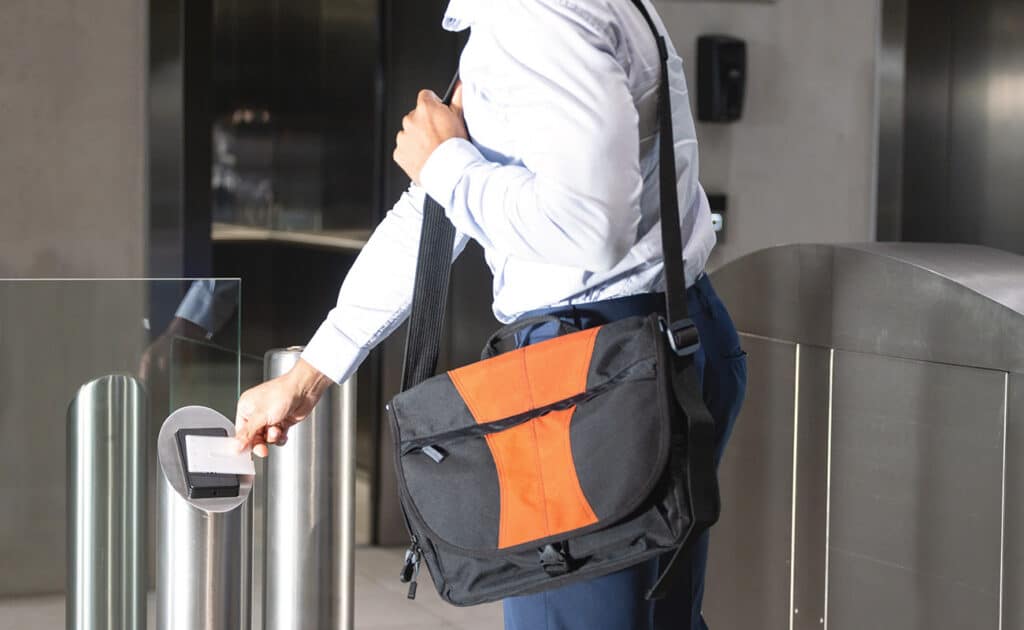
RFID badges are the most common in workplace settings. Employees hold their card near a reader and the door unlocks. RFID badges are reliable, durable, and widely supported by most access control platforms. A lost card is a security risk until it is deactivated, which is worth factoring into how you manage credential issuance.
Magnetic stripe cards work by swiping through a reader. They are less common in new installations because the stripe degrades with repeated use and the technology offers limited data storage compared to more modern alternatives.
ePaper badges are a newer category that sits between traditional physical cards and fully digital credentials. They look like a standard badge but have a small electronic display that can be updated remotely, showing a name, photo, role, or access level that changes dynamically as needed. They are particularly useful in environments where employees rotate between roles or sites, since updating the displayed information does not require printing a new card. Battery life on ePaper displays is long, and the badges work with standard NFC readers, so they slot into existing infrastructure without a hardware overhaul.
Digital and mobile credentials store badge information on a smartphone rather than a physical card. Employees present their phone or watch to a reader, and access is granted. Digital badges are harder to lose, easier to deactivate, and can be secured behind biometric authentication on the device itself.
Most modern badge software platforms support multiple credential types, giving organizations the flexibility to run RFID for most employees while issuing digital credentials for contractors or executives who prefer not to carry an extra card.
The top 5 employee badge software platforms
Joan
Joan Workplace approaches badge-connected operations from the workplace management side rather than from the solely security side.
Its ePaper badges use the same platform that manages bookable assets across the workplace. Information displayed on a badge can easily be updated without printing a new card and it is a natural fit for hybrid offices that want their badge data to do more than log entries.
Joan connects badge and check-in data to desk booking, room scheduling, visitor management, and space analytics, giving facilities and HR teams a single platform to manage both who is in the building and how the building is being used. It is a natural fit for hybrid offices that want their badge data to do more than log entries.
Kisi
Kisi is a cloud-based access control platform built for organizations that want modern, mobile-first badge management without the complexity of legacy systems. It supports RFID, NFC, and digital credentials through smartphones and Apple Wallet, and the admin dashboard makes it straightforward to manage permissions across multiple locations.
Kisi is a strong fit for tech-forward offices and growing companies. Organizations with more complex integrations or enterprise-scale requirements may find the platform’s customization options more limited than some alternatives.
Brivo
Brivo is a cloud-native access control platform with a long track record in commercial real estate and multi-tenant environments. It handles large numbers of users and locations well, supports a range of credential types, and integrates with a broad ecosystem of HR, visitor management, and property management tools.
Brivo works particularly well for property managers and enterprise teams who need centralized oversight across several buildings. Smaller organizations may find the platform more extensive than their needs require.
HID Global
HID Global is one of the most established names in physical access control, covering everything from credential issuance to reader hardware to cloud-based management software.
HID’s strength is in flexibility. It supports more credential types and hardware configurations than most platforms, which makes it a reliable choice for complex environments like healthcare, government, and large corporate campuses. The breadth of the platform can mean a steeper implementation process compared to cloud-first alternatives.
Genetec
Genetec Security Center combines access control, video surveillance, and analytics in a unified platform. For organizations that want badge software to be one part of a broader integrated security operation, Genetec is a serious option.
It is particularly well suited to enterprise and government environments where physical security and cybersecurity need to work together. The platform’s depth comes with a corresponding investment in setup, administration, and licensing.
What to look for when choosing employee badge software
Integration with your existing systems
Badge software that operates in isolation is limited in what it can do. The platforms worth shortlisting are those that integrate cleanly with the systems already in place: HR software for automated onboarding and offboarding, calendar tools for access tied to bookings, visitor management for unified credential workflows, and workplace platforms for space utilization data.
Check which integrations are native versus requiring custom development. Native integrations are maintained by the vendor and stay current. Custom-built connections can work well at first but require ongoing attention as both platforms update.
Reporting and audit trails
Every access event should be logged and retrievable. Good badge software makes it easy to pull a complete access history for a specific door, a specific employee, or a specific time window. This matters for security investigations, compliance audits, and understanding how building usage changes over time.
Scalability and admin controls
A platform that works well for 50 people should also work at 500. Check how the platform handles permission groups, bulk updates, and multi-site management before committing. Growing organizations change faster than expected. Hiring in batches, opening new locations, restructuring teams are all situations where the admin overhead of managing access should decrease, not increase.
Role-based admin access is also worth checking. Facilities managers, HR teams, and IT administrators often need different levels of access to the same platform.
How Joan Workplace supports badge-connected operations
Most employee badge programs run on two separate systems: a printed photo ID that people wear, and an access card or fob that opens doors. Employees carry both, lose one or the other, and facilities teams spend time issuing replacements. The Joan ePaper badge is built to change that.
The ePaper employee badge combines identification and building access in a single credential. An NFC chip with secure cryptography is built into the badge, so the same badge that displays an employee’s name, department, and company logo can also unlock doors and authorize access to restricted areas.
.
The employee badge template is built around what HR and facilities teams have asked for: name, surname, department, and company logo displayed on a 4-color ePaper screen that stays sharp in any lighting. The display draws virtually no power between updates, so the badge lasts through thousands of uses without the recurring cost of paper, ink, or a printer to maintain.
The badge layout is fully customizable from the Joan platform. Facilities teams can define exactly what each badge shows and set different templates for employees, contractors, and temporary staff, all managed from the same system that handles desk booking, room scheduling, and workplace analytics.
Want to see how it fits your setup? Connect with Joan Workplace specialists to explore how the ePaper employee badge works for your organization.
Frequently asked questions about employee badge software
What is the difference between access control software and employee badge software?
The terms are often used interchangeably, and in practice they describe the same category. Access control software is the broader term covering any system that manages who can enter a space. Employee badge software typically refers to the credential management side of access control: issuing badges, setting permissions, and logging access events. Most platforms today handle both.
Can employee badge software integrate with HR systems?
Most modern platforms support HR integration, either natively or through middleware connectors. The practical benefit is automated provisioning. When a new employee is added to your HR system, their badge credential can be created and configured automatically, and when someone leaves, their access can be revoked the same day without a manual step from the facilities team.
How does badge software help with hybrid work?
Badge software creates a passive record of when employees enter and exit the building, which removes the need for manual check-in processes in hybrid environments. That attendance data can feed into desk booking and room scheduling tools, giving facilities teams accurate occupancy information for planning and giving employees visibility into who else is coming in on a given day.
What should small organizations look for in employee badge software?
Small organizations are usually better served by cloud-based platforms with straightforward pricing and low setup complexity. The priority is a system that can be administered by a non-specialist, someone in HR or operations who is not a dedicated IT resource, and that integrates with the tools already in place, like a Google or Microsoft calendar. Scalability matters even at small scale, since the last thing a growing team needs is to migrate badge systems mid-growth.
About the author
