
Best Deskbird alternatives in 2026
Deskbird is one of the more polished desk booking tools in the European market. It looks clean, syncs well with Microsoft Teams and Google Calendar, and the Business plan at $3.75 per user per month sounds like a bargain. If all you need is hot-desking, it works well.
But most teams come looking for more than desk booking. They want meeting room management, visitor check-in, physical displays on room doors, and the analytics to understand whether their hybrid setup is actually working. That’s where the picture changes. Visitor management, room display kiosks, and advanced analytics are all separate add-ons in Deskbird — none of them with published pricing. And anything beyond basic booking rules — geo-location check-in, hybrid schedule approvals, access control integration — requires the Professional tier, which sends you straight to a sales call.
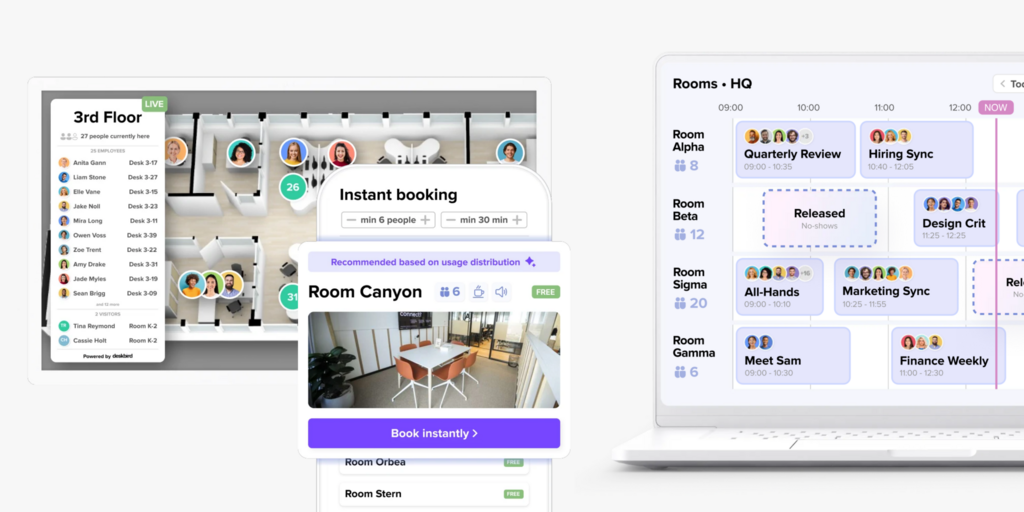
We’ve compared 9 alternatives across pricing, features, setup complexity, and honest limitations so you can make the switch with clear expectations. Joan leads the list; we’ll explain who each tool is actually best for.
If you’re also evaluating Skedda or Robin, see our best Skedda alternatives and best Robin alternatives. Or check Joan vs. Deskbird.
Quickly jump to:
- Why teams start looking for Deskbird alternatives
- Quick comparison table
- The 9 best Deskbird alternatives in 2026
- How to choose the right Deskbird alternative
- Joan vs. Deskbird: Quick comparison
- Frequently asked questions about Deskbird alternatives
Why teams start looking for Deskbird alternatives
Visitor management, room displays, and advanced analytics all cost extra
The $3.75/user Business plan includes desk booking, room booking, parking, and basic analytics. That covers a lot — but everything most teams add in year two is an add-on with no published price. Visitor management (pre-registration, reception kiosk, badge printing) requires Visitors Plus. Interactive kiosks on meeting room doors require Rooms Plus. Advanced analytics — the data most space planners actually need for headcount decisions — require the Professional tier. None of these add-ons list a price on the Deskbird website. That’s three separate discovery calls before you know what your real cost is. Reviewers on GetApp score Deskbird’s value for money at 4.4/5, noticeably lower than its overall 4.7 rating — a gap that tracks directly with post-sales pricing surprises.
Recurring meeting bookings don’t work from the mobile app
Multiple Software Advice reviewers flag the same issue: booking a room for a recurring meeting requires manual entry every time from the mobile app. Deskbird doesn’t pick up the recurring flag from calendar invites for room reservations via mobile; users have to either use the web interface or manually create each instance. For teams where booking happens on the go, this creates a split workflow that undermines the seamlessness the tool otherwise delivers.
Advanced booking rules are locked behind custom pricing
Basic booking rules are included in the Business plan — enough for most teams at launch. But geo-location check-in requirements, weekday access restrictions, hybrid schedule approvals, and integration with access control systems all require Professional. There’s no published price for Professional, no trial, and no self-serve upgrade path. Teams that grow into those features discover they need a new negotiation with sales rather than a straightforward plan upgrade.
Quick comparison table
| Tool | Best for | Room booking | Desk booking | Visitor management | Starts at | Hardware |
|---|---|---|---|---|---|---|
| Joan | Teams wanting an all-in-one workspace platform with physical ePaper displays | ✅ | ✅ | ✅ | From €49/month | ✅ ePaper displays |
| YAROOMS | Mid-size offices needing room booking + visitor mgmt as core features | ✅ | ✅ | ⚠️ add-on | $99/month | ❌ |
| Skedda | Teams needing highly customisable booking rules for desks and rooms | ✅ | ✅ | ⚠️ add-on | $99/month | ❌ |
| Robin | Large enterprises (500+) managing complex multi-floor workplaces | ✅ | ✅ | ✅ | On request | ❌ |
| Tribeloo | European SMBs wanting straightforward hybrid scheduling | ✅ | ✅ | ❌ | €3.00/resource/month | ❌ |
| Kadence | Hybrid teams wanting AI-assisted scheduling and team coordination | ✅ | ✅ | ❌ | On request | ❌ |
| Archie | Mid-to-large offices wanting per-desk pricing and high G2 ratings | ✅ | ✅ | ⚠️ separate product | $2.80/desk/month (min. $159/month) | ❌ |
| Officely | Slack-/Teams-first teams that want zero-training desk booking | ✅ | ✅ | ❌ | Free (up to 5 users) | ❌ |
| Dibsido | Budget-conscious small teams wanting a permanent free tier | ✅ | ✅ | ⚠️ add-on | Free (up to 20 users) | ❌ |
| Deskbird | Desk-first hybrid teams in Europe who don’t need visitor management | ✅ | ✅ | ⚠️ add-on | $3.75/user/month | ❌ |
The 9 best Deskbird alternatives in 2026
1. Joan — Best for teams that want an all-in-one workspace platform with physical ePaper displays
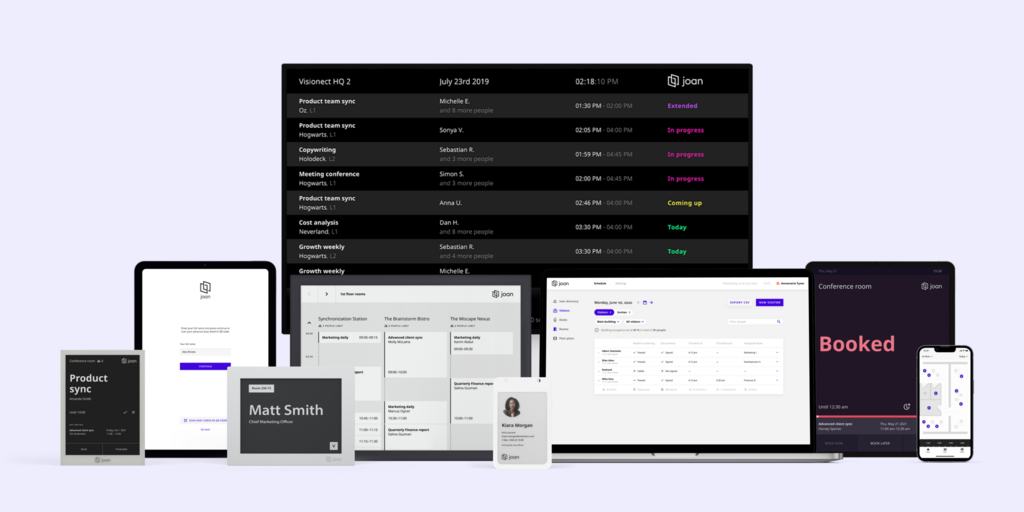
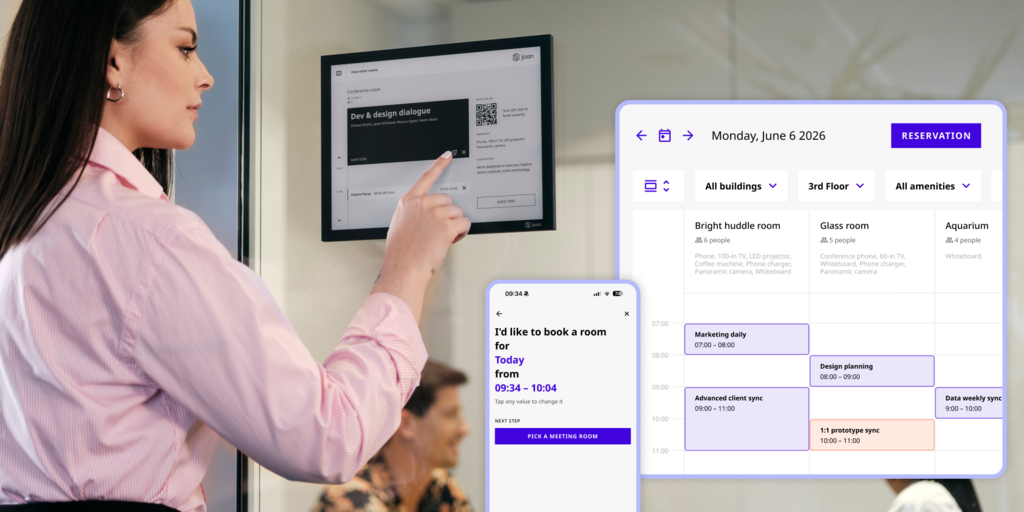
Joan does something none of the other tools on this list do: it ships the hardware. The Joan 6 RE, Joan 6 Pro, and Joan 13 Pro are physical ePaper displays that mount on room doors and walls, showing live availability without requiring power cables. The Joan ePaper badge extends the same concept to employees. Where Deskbird’s room management is software-only (with room display kiosks as a paid add-on), Joan treats the physical panel as the centrepiece — and the platform as what makes it smart.
On the software side, Joan covers rooms, desks, visitor management, parking, asset reservations, digital signage, and analytics in a single subscription. Nothing is gated. There’s no equivalent of Deskbird’s Visitors Plus or Rooms Plus — the full feature set is included from day one.
What makes Joan stand out
- Physical ePaper displays consume near-zero power in standby and work in any environment — no cables, no tablet brackets, no ongoing hardware subscription
- Visitor management is built in at every plan tier, not a separate product or add-on
- One subscription covers all workspace use cases — rooms, desks, visitor management, parking, digital signage, and analytics; no separate quotes, no add-on surprises
- Works on any display — Joan on any display means you can run Joan software on existing screens or tablets if you already have them
Joan pricing
Starts at €49/month. Additional users: €0.99/user/month (annual). Additional device licences: €9.99/device/month (annual). Hardware (Joan 6 RE, Joan 6 Pro, Joan 13 Pro, Joan ePaper badge) is a one-time purchase. Full platform included at every tier — no add-ons. See current pricing at getjoan.com/pricing.
Joan limitations
- Getting the full Joan experience with ePaper displays at every door means an upfront hardware investment — not ideal for teams that want zero physical devices (though Joan on any display works if you already have screens)
- Joan is a workspace booking and presence platform, not a full IWMS — it doesn’t cover lease management, maintenance ticketing, or CAD floor plan editing
Best for: Any organisation managing physical workspaces — from a 10-person team with a handful of rooms to a global enterprise running hundreds of locations.
Start your free Joan trial here.
2. YAROOMS — Best for offices that need room booking and visitor management as core features
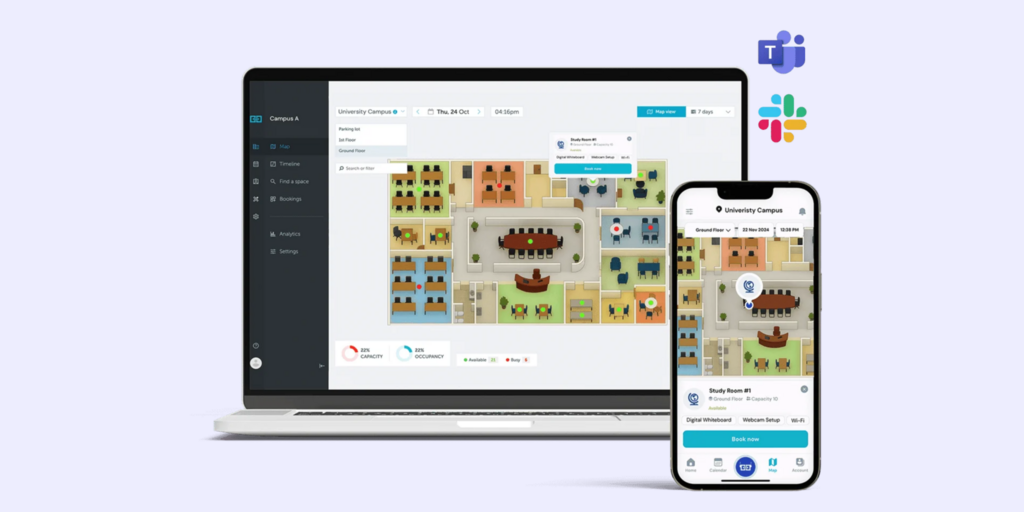
YAROOMS is a room and desk booking platform with visitor management built into higher plan tiers. It’s a reasonable alternative if your primary frustration with Deskbird is the visitor management add-on trap — YAROOMS does include it, though not on the entry-level Starter plan.
The platform includes room booking, desk booking, hybrid work scheduling, and a workplace map. Room displays are supported from Starter tier and above with compatible hardware. Analytics improve meaningfully at the Business tier. YAROOMS integrates with Microsoft 365 and Google Workspace.
What makes YAROOMS stand out
- Visitor management included on Business plan and above — not a completely separate product
- Hybrid workplace scheduling and capacity tracking built into the platform
- Room display support across all plans
YAROOMS pricing
Starter from $99/month (annual, unlimited users). Visitor management is a $99/location/month add-on — not included at Starter. Advanced analytics require the Business plan. A Business plan at $399/month with visitor management across two locations adds up to $597/month before a single display is connected. Confirm current pricing at yarooms.com/pricing.
YAROOMS limitations
- Visitor management is still a per-location add-on even on paid plans — it’s not simply included at a flat rate
- The pricing gap between Starter ($99/month) and the plan you actually need for a comparable Joan setup ($597+/month) is significant and not obvious from the pricing page
- No ePaper hardware — YAROOMS relies on third-party tablets or screen hardware
Best for: Mid-size offices already committed to Microsoft 365 that want room booking and visitor management as core features, and have budget for the Business tier.
→ Looking for YAROOMS alternatives instead? See the list for best YAROOMS alternatives here.
3. Skedda — Best for teams with complex space-booking rules across desks and rooms
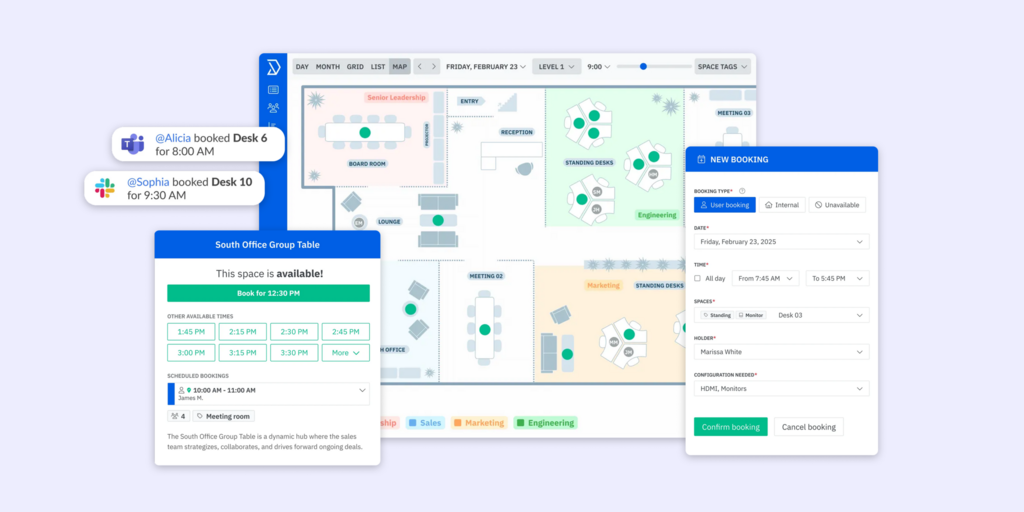
Skedda is a space-booking platform built around a highly configurable rules engine. It handles desks, meeting rooms, parking, and any other bookable resource, and lets administrators define granular conditions — who can book what, when, for how long, with what approval chain. It’s particularly strong for organisations where booking policies are non-trivial.
The Starter plan at $99/month covers 15 spaces with Microsoft 365 and Google Workspace sync. Interactive floor plans are included from the first tier. Analytics are present across all plans but data retention is 30 days on Starter (90 days on Premier). Visitor management is a $99/month add-on across all Skedda plans.
What makes Skedda stand out
- Rules engine depth is genuinely exceptional — Skedda users can construct booking policies that would require custom development elsewhere
- Space-based pricing means the cost doesn’t compound with headcount the way per-user tools do
- Microsoft Teams app and Slack integration included across all plans
Skedda pricing
Starter: $99/month (15 spaces, annual). Plus: $149/month (20 spaces). Premier: $199/month (25 spaces). Visitor management: $99/month add-on across all plan tiers. Additional spaces beyond included allowance: $4.99/space/month. Free 30-day trial available.
Skedda limitations
- Visitor management costs extra on every plan — $99/month regardless of which Skedda tier you’re on; there’s no plan where it’s included
- Starter analytics data retention is 30 days — too short for space-planning decisions that require month-over-month trends
- No native hardware — room displays use third-party tablets running the Skedda display interface
Best for: Organisations with complex booking rules and space-based pricing models — universities, professional services firms, and multi-team corporate offices where who can book what matters as much as booking itself.
→ Check out the best Skedda Alternatives here.
4. Robin — Best for large enterprises (500+ employees) managing multi-floor workplaces
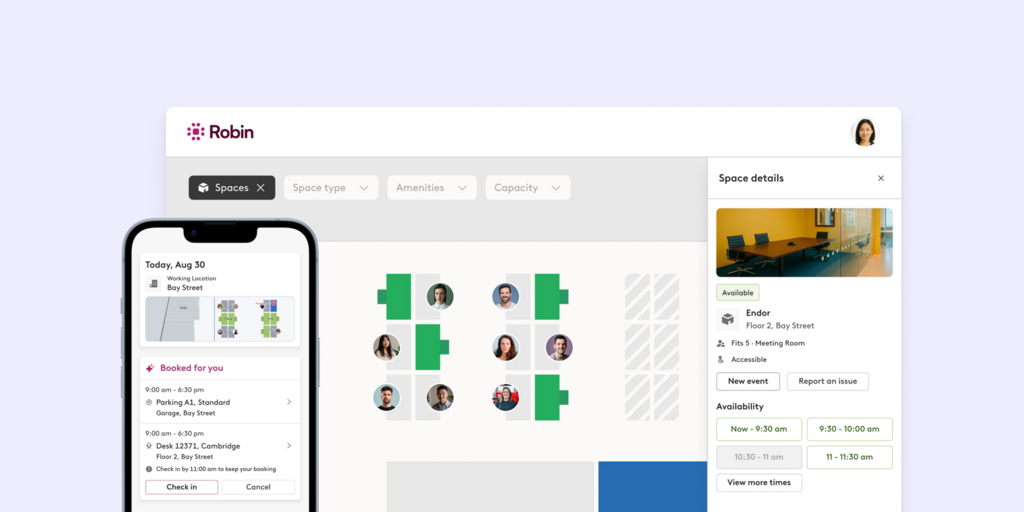
Robin is an enterprise workplace platform covering desk booking, room scheduling, visitor management, workplace analytics, and employee experience features. The positioning is explicit: Robin’s own pricing page states the platform is designed for companies with 500 employees or more, with at least a third using the office regularly.
Robin doesn’t publish pricing — every engagement starts with a demo. The platform covers the full stack: resource booking, space management, meeting management, analytics, visitor management, and employee experience in one product. It integrates with Microsoft 365, Google Workspace, Teams, Slack, and a range of access control systems.
What makes Robin stand out
- End-to-end enterprise feature set with nothing locked behind add-ons — the platform is sold as a complete suite
- Advanced analytics with occupancy tracking, sensor integrations, and custom reports
- Strong access control integrations for enterprise security requirements
Robin pricing
Pricing on request. Annual billing. Robin explicitly positions itself for 500+ employee organisations — smaller teams are directed to other options on their own pricing page. Note: custom reports and the Analytics AI assistant require an optional add-on.
Robin limitations
- No self-serve trial and no published pricing — every evaluation starts with a sales conversation; unsuitable for teams that want to test before committing
- Minimum scale requirement — Robin’s own guidance suggests it’s a poor fit for teams under 150 people or those looking for a point solution for room displays only
- No integrated hardware story — hardware sold separately through a recommended partner list
Best for: Large enterprises with complex multi-floor, multi-building workplace management needs and a procurement team that can navigate a full sales process.
→ Looking for Robin alternatives instead? See the list for the best Robin alternatives.
5. Tribeloo — Best for European SMBs wanting simple hybrid scheduling
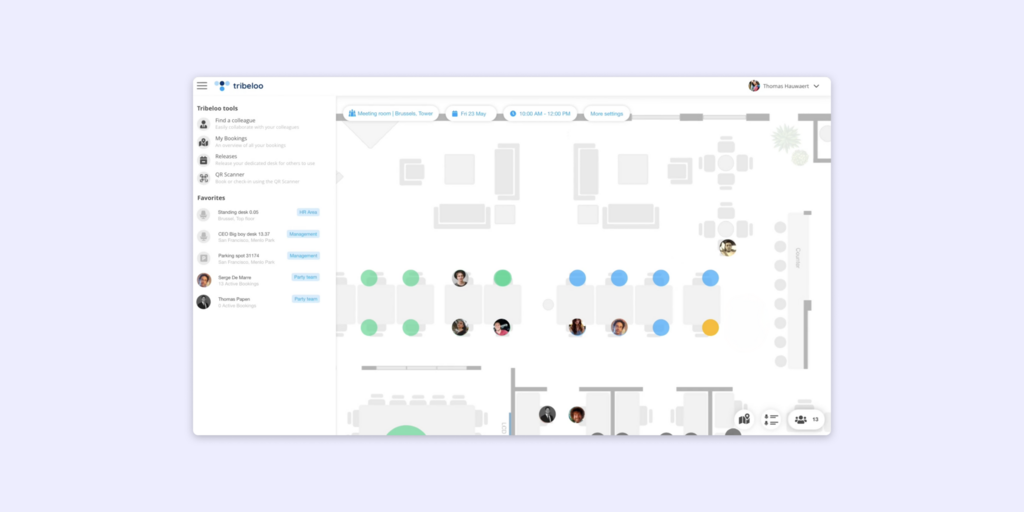
Tribeloo is a Belgian hybrid workplace platform focused on desk booking, meeting room scheduling, and team coordination. It’s built around the concept of neighbourhoods — groups of employees who prefer to sit near each other — and helps hybrid teams coordinate who’s coming in on which days. The interface is straightforward and the per-resource pricing model keeps costs predictable.
Tribeloo’s customer list includes BP, Porsche, and Financial Times, but it’s most at home in mid-size European organisations. It integrates with Microsoft 365 and Google Workspace. The Analytics dashboard appears on the Pro plan (€3.75/resource/month annual); the Starter plan (€3.00) doesn’t include it.
What makes Tribeloo stand out
- Neighbourhood and team-based scheduling helps hybrid teams coordinate attendance without top-down mandates
- Per-resource pricing is transparent and doesn’t inflate with headcount
- GDPR-compliant European infrastructure
Tribeloo pricing
Starter: €3.00/resource/month (annual). Pro: €3.75/resource/month (adds Outlook/Google calendar booking and insights). Premium: €4.00/resource/month (adds Active Directory SSO). Monthly billing available at slightly higher rates. Free trial available.
Tribeloo limitations
- No visitor management on any plan — Tribeloo has no reception kiosk, pre-visit registration, or visitor tracking feature
- Analytics locked behind the Pro tier — Starter gives you booking functionality but no data on how your space is being used
- No native hardware for room displays — tablet-based display options exist via third-party integration only
- Recurring desk bookings from Outlook don’t always sync cleanly — a pattern flagged by multiple users who rely on calendar-first booking workflows
Best for: European SMBs and mid-market organisations running hybrid schedules where team coordination is the primary pain point and visitor management isn’t a requirement.
6. Kadence — Best for hybrid teams wanting AI-assisted scheduling and team coordination
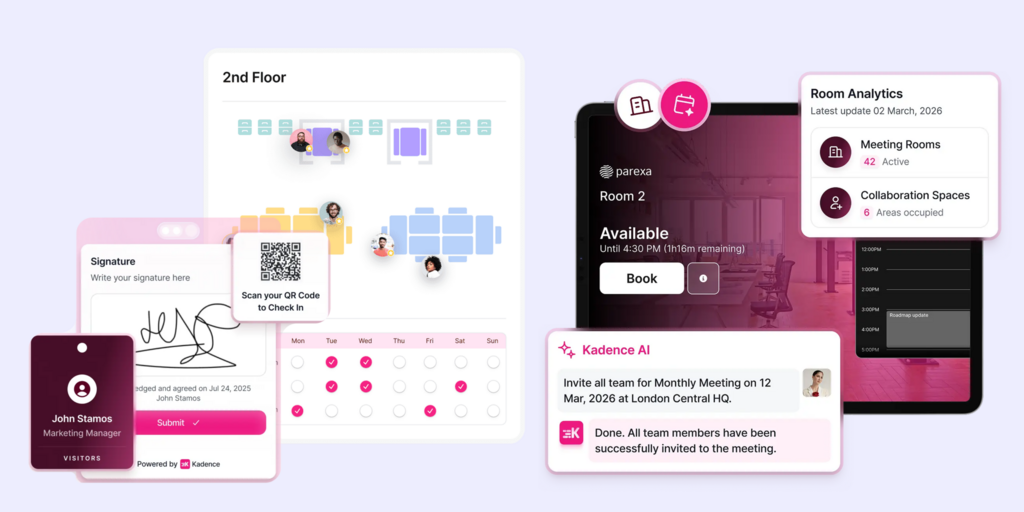
Kadence approaches hybrid work from the scheduling-first direction: it helps employees coordinate which days to come in based on when their teams are present, then layers desk and meeting room booking on top. The AI scheduling assistant suggests days based on meeting patterns and team habits. It’s a genuinely different angle from Deskbird’s booking-first model.
Kadence covers desk booking, room booking, hybrid policies, and team directory, with integrations into Microsoft 365 and Slack. It’s used by organisations like Dropbox and Trustpilot. No published pricing — all plans go through a sales process.
What makes Kadence stand out
- AI-assisted scheduling suggests which office days make sense based on who your team is meeting with — reduces the friction of hybrid coordination
- Team-level visibility (see which colleagues are in before deciding whether to commute) as a first-class feature
- Strong Microsoft Teams integration for booking directly within existing workflows
Kadence pricing
Pricing on request. No self-serve trial. Confirm current offering at kadence.co/pricing.
Kadence limitations
- No visitor management on any plan — Kadence is focused on employee scheduling, not external visitor workflows
- No published pricing and no trial — getting a real number requires a demo conversation, which adds friction to evaluation
- Analytics and reporting present but not the platform’s primary focus — teams needing deep space utilisation data may find them limited
- No proprietary hardware — Kadence relies on third-party screen solutions for room displays
Best for: Hybrid-first organisations where the core problem is getting employees to coordinate attendance — and where desk and room booking should be a downstream consequence of that coordination, not the starting point.
7. Archie — Best for mid-to-large offices wanting per-desk pricing and high G2 ratings
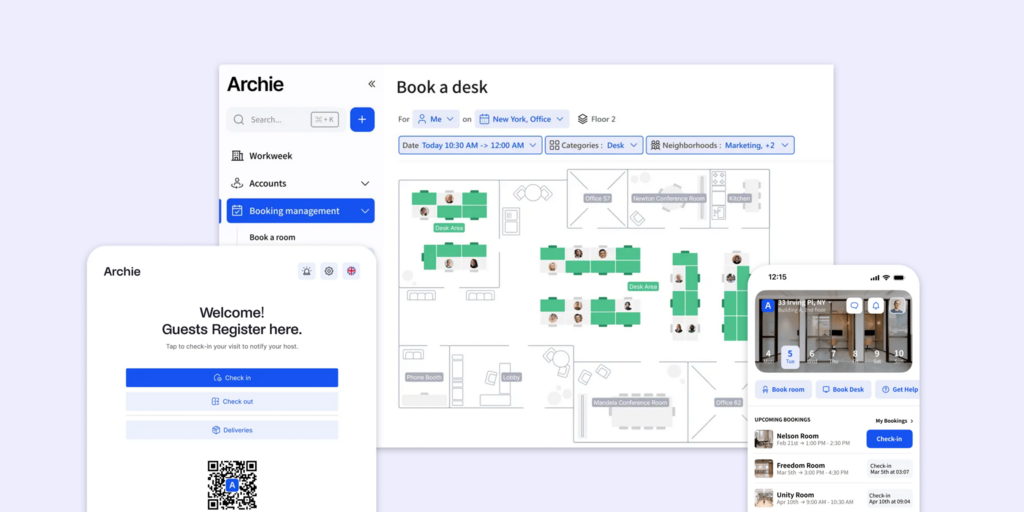
Archie charges per desk rather than per user, which makes costs predictable in a way per-user tools don’t. A 200-person office with 80 desks pays for 80 desks — not 200 employees. That pricing logic also makes it easier to justify to finance. The platform covers desk booking, room scheduling, interactive floor plans, and occupancy analytics. Customers include Amazon, Deloitte, BBC, Shopify, and AstraZeneca. On G2 it holds 4.9/5 with recognition for highest ROI and best usability.
What makes Archie stand out
- Per-desk pricing structure is consistently easier to budget than per-user in offices with more employees than desks
- G2 4.9/5 — top-rated for ROI and most implementable, backed by a strong enterprise client list
- Multiple locations, Teams/Outlook/Slack booking, and SSO all available on the Pro tier
Archie pricing
Starter: $2.80/desk/month, minimum $159/month. Pro: $3.50/desk/month, minimum $249/month. Visitor management is a separate Archie Visitors product — not included in any desk booking plan tier. Enterprise: custom. 14-day trial available after a demo call.
Archie limitations
- No self-serve trial — a demo call is required before accessing the 14-day test environment; teams that want to evaluate independently before talking to sales can’t do so
- The $159/month Starter minimum means a 5-desk team pays the same as a 56-desk team; per-desk pricing only starts saving money once you have enough desks to offset the floor cost
- Visitor management is a separate procurement conversation, not a checkbox on the plan comparison table
Best for: Mid-to-large offices (50+ desks) where headcount significantly exceeds desk count, and where the procurement team will appreciate an enterprise-grade client list.
8. Officely — Best for Slack-/Teams-first teams that want zero-training desk booking
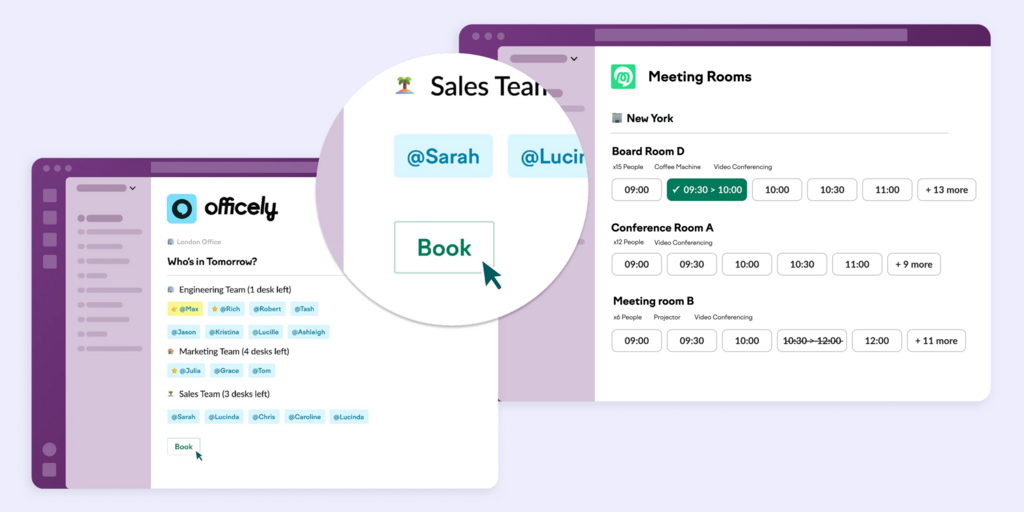
Officely’s core premise is that booking should happen inside the tools employees already use. It plugs into Slack and Microsoft Teams natively — there’s no separate app to log into, no training required. Employees book a desk for Tuesday, check who else is in, and get analytics on attendance patterns, all from within Slack. For teams where low adoption killed previous booking tools, that frictionless model is the appeal.
The free plan covers up to 5 users with all features. The Basic plan at $2.50/user/month (annual) removes the cap. Note: meeting room booking is an entirely separate Officely product at $12/space/month (annual) — it’s not included in any desk booking tier. If you need both desk and room booking, you’re combining two separate subscriptions.
What makes Officely stand out
- Zero-training rollout: booking inside Slack/Teams means adoption doesn’t require change management
- Genuine free plan with real functionality for up to 5 users
- Honest, self-serve pricing — everything is visible on the website without a demo
Officely pricing
Free: up to 5 users, all desk booking features. Basic: $2.50/user/month (annual). Premium: $3.50/user/month (annual). Meeting Rooms: separate product, $12/space/month (annual) — not part of any desk booking plan. Enterprise: custom. Free trial available.
Officely limitations
- Meeting rooms require a completely separate subscription — a 10-desk team paying $25/month for Basic plus 3 meeting rooms at $36/month for Meeting Rooms is paying $61/month total, before even combining both into a single bill
- No visitor management on any plan — not offered at any tier
- Several features are Slack-only — Office Check-Ins and Smart Office Day Recommendations are not available on the Microsoft Teams version despite Teams being a supported platform
- No hardware or room display story — Officely is software-only
Best for: Slack-heavy teams (under 100 people) where the biggest obstacle to previous booking tools was asking employees to learn a new app — and where visitor management and room displays aren’t requirements.
9. Dibsido — Best for budget-conscious small teams that want a permanent free tier
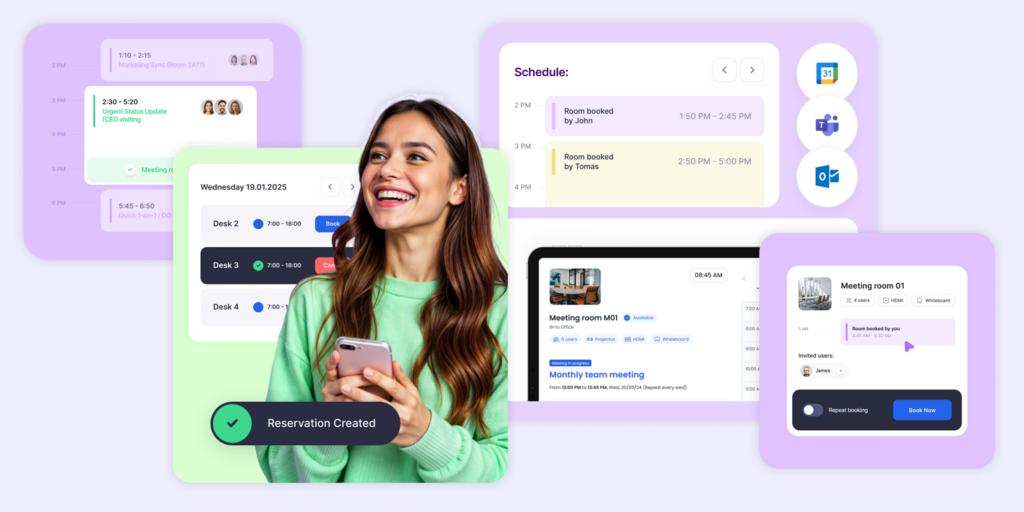
Dibsido is a Czech hybrid workplace platform with one of the genuinely useful free plans in this category. Up to 20 users get desk booking, one meeting room, interactive floor plans, analytics, parking (up to 5 spots), and iOS/Android apps — permanently, without a credit card. That’s meaningful functionality, not a hobbled trial. The Growth plan at €1.70/user/month (annual) removes user limits. The All-in-One plan at €2.50/user/month covers desks, rooms, and parking together.
Visitor management — guest registration, incident reporting, package tracking — is the Front Desk Tools add-on at €55/location/month. Like almost every other tool in this category, it’s not included in the base plans.
What makes Dibsido stand out
- Permanent free plan for up to 20 users with real features — not a 14-day trial
- Lowest published pricing for paid plans in this comparison at €1.70/user/month (annual)
- Clean UX rated 4.8/5 on G2 and 4.7/5 on Capterra; notably intuitive for non-technical admins
Dibsido pricing
Free: €0, up to 20 users (includes 1 meeting room, 5 parking spots, analytics, floor plans). Growth: €1.70/user/month (annual). All-in-One: €2.50/user/month (annual). Front Desk Tools (visitor management): €55/location/month add-on. Enterprise (200+ users): custom pricing.
Dibsido limitations
- Visitor management costs extra on every plan — the Front Desk Tools add-on at €55/location/month is required for any visitor check-in functionality
- SAML/Active Directory only on Enterprise (custom pricing) — SMBs that use SSO for access management can’t get it without going to the top tier
- Smaller integration ecosystem than Archie or Skedda — limited HRIS connectors and API access outside Enterprise
- No hardware or room display support
Best for: Small teams under 50 people who want a free or near-free booking solution with genuine functionality — and who are comfortable adding visitor management as a paid add-on if they need it later.
How to choose the right Deskbird alternative
If you need visitor management included — not quoted separately
Joan is the clearest choice. Visitor management is part of the core platform at every tier, with no separate demo or add-on conversation required. Skedda and YAROOMS both offer visitor management but bill it as a $99/month add-on (Skedda) or a $99/location/month add-on (YAROOMS) — the comparison table above shows the real cost.
If you need rooms, desks, displays, and visitor management on one subscription
Joan covers all of this without add-ons. The physical ePaper displays are purpose-built hardware, not a third-party tablet running borrowed software. The subscription includes the platform; the hardware is a one-time purchase. No Rooms Plus, no Visitors Plus, no Professional upgrade required.
If complex booking rules are the primary requirement
Skedda’s rules engine is the deepest in this category. If your workplace has intricate policies around who can book what, when, and with what approval — Skedda handles it more flexibly than any other tool on this list. Budget for the visitor management add-on and analytics data retention limitations at the Starter tier.
If you’re 500+ employees with serious enterprise requirements
Robin is the only fully enterprise-positioned platform here, with the analytics, access control integrations, and professional services to match. Be prepared for the sales process — there’s no self-serve evaluation path.
If you want a permanent free tier
Dibsido’s free plan covers up to 20 users with desk booking, one meeting room, floor plans, and analytics — no credit card, no expiry. Officely is free for up to 5 users inside Slack. Both free plans are genuine: they don’t expire into a forced upgrade. Joan has a 30-day free trial but no permanent free tier — though at €49/month for the full platform it’s often cheaper in real terms than assembling desk + room + visitor management from tools with cheaper per-unit prices.
If budget is the primary constraint
Dibsido’s Growth plan at €1.70/user/month (annual) is the lowest published per-user price in this comparison. Tribeloo’s Starter at €3.00/resource/month is the lowest for space-based pricing. Both come with trade-offs (visitor management add-on, analytics gating) — but for teams where basic hybrid scheduling is the job and visitor management genuinely isn’t needed, either is a solid starting point.
If your team lives in Slack or Teams
Officely is the clearest choice: booking happens without ever leaving the communication tool. The zero-training rollout is its defining strength. Note that meeting rooms require a separate Officely subscription — budget for both if you need desk + room booking.
Why Joan is usually the best Deskbird alternative
The most common reason teams leave Deskbird is discovering that the work isn’t done at $3.75/user. Visitor management, room display kiosks, and advanced analytics are all separate line items, and none of them have published prices. The case for Joan is simple: one subscription, full platform, no surprises. For teams that have already learned to distrust a cheap headline price, that transparency has real value. And for teams that want physical presence at every room door — an always-on ePaper panel rather than a tablet in a bracket — no other tool on this list ships the hardware.
→ Also comparing other tools? See all Joan workspace comparisons:
- Best Robin Alternatives
- Best OfficeSpace Alternatives
- Best Envoy Alternatives
- Best Appspace Alternatives
- Best Condeco alternatives
- Best OfficeRnD Alternatives
Joan vs. Deskbird: Quick comparison
| Joan | Deskbird | |
|---|---|---|
| Room booking | ✅ | ✅ |
| Desk booking | ✅ | ✅ |
| Parking & asset reservations | ✅ | ✅ (parking on Business) |
| Physical room displays | ✅ ePaper (Joan 6 RE, Joan 6 Pro, Joan 13 Pro) | ⚠️ Rooms Plus add-on required (price not published) |
| Joan ePaper badge | ✅ | ❌ |
| Digital signage | ✅ | ❌ |
| Visitor management | ✅ all plans | ⚠️ Visitors Plus add-on (price not published) |
| Advanced analytics | ✅ all plans | ⚠️ Professional plan (custom pricing) |
| Hybrid schedule management | ✅ | ✅ (restrictions require Professional) |
| Calendar integrations | Microsoft 365, Google Workspace, Teams, Slack | Microsoft Teams, Slack, Outlook, Google |
| SCIM / SAML | ✅ | ⚠️ UDM Plus add-on |
| Access control integration | ✅ | ⚠️ Professional plan |
| Published pricing | ✅ | ⚠️ Add-ons and Professional: pricing on request |
| Free trial | ✅ 30 days, no credit card | ✅ (no credit card) |
| Hardware | ✅ ePaper displays (one-time purchase) | ❌ Software only |
Ready to make the switch?
Joan is free to try for 30 days — no credit card, no sales call required. Start with the full platform and see how rooms, desks, visitor management, and analytics work together before you commit.
Start your free Joan trial here.
Frequently asked questions about Deskbird alternatives
Is there a free Deskbird alternative?
Yes — two on this list. Dibsido has a permanent free plan for up to 20 users, including desk booking, one meeting room, floor plans, and analytics (no credit card required). Officely is free for up to 5 users, with all desk booking features included inside Slack. Both free plans are permanent, not time-limited trials. Joan, Skedda, and Tribeloo all offer 30-day free trials but no permanent free tier. Deskbird itself has a free trial with a 15-user Starter plan post-trial.
How much does Deskbird cost?
The Business plan starts at $3.75/user/month (USD, annual billing) — or €2.75/user/month in EUR. That covers unlimited users, desk booking, room booking, and basic analytics. However, visitor management (Visitors Plus add-on), interactive room display kiosks (Rooms Plus add-on), and advanced analytics (Professional tier) all carry additional costs with no published prices. SCIM, SAML, and HRIS integrations also require the User & Data Management Plus add-on. The entry price is genuine; the total cost of a comparable full-platform setup requires a sales conversation.
What is Deskbird’s biggest limitation?
The most consistent frustration in Capterra and Software Advice reviews is the add-on structure. Visitor management, room display kiosks, and advanced analytics are separate purchase decisions without published pricing — meaning teams discover the real cost only after the initial onboarding. A secondary complaint is the mobile app: recurring room bookings cannot be set up from the mobile interface and must be created manually each time, which creates a split workflow for teams that book on the go.
Does Deskbird have physical room displays?
Deskbird supports interactive meeting room kiosks through its Rooms Plus add-on, which adds catering requests, service manager roles, and room display functionality. This is a software-based display add-on — Deskbird does not manufacture or sell display hardware. Joan takes the opposite approach: ePaper display panels (Joan 6 RE, Joan 6 Pro, Joan 13 Pro) are purpose-built hardware that ship with the subscription. They’re always-on, require no power cables in standby, and are specifically designed for room and desk booking visibility.
What’s the best Deskbird alternative for small teams?
For small teams (under 25 people), Joan at €49/month is typically the most cost-effective full-platform option — it covers everything in one subscription with no per-user charges for standard bookings. Tribeloo’s Starter at €3.00/resource/month is cheaper on a per-resource basis but lacks visitor management and limits analytics to the Pro tier. Skedda’s Starter at $99/month covers 15 spaces, which is fine for a small office. The right answer depends on whether visitor management matters — if it does, Joan flat-rate pricing looks better as headcount grows.
Is Deskbird GDPR-compliant?
Yes. Deskbird is built and hosted in Europe (AWS EU), is ISO 27001:2022 certified, GDPR-compliant, and SOC 2 Type 2 certified. Joan is also GDPR-compliant and ISO 27001:2022 certified. Both tools are a reasonable choice for European organisations with strict data residency requirements.
Page last updated: July 2026. Pricing verified from public sources — always confirm live pricing directly with each vendor before purchasing.
About the author
