
A guide to digital signage for conference rooms & meeting spaces
Digital signage for conference rooms has evolved beyond simple screens. Today, it serves as a live communication hub that synchronizes office calendars with physical spaces.
This guide explores how digital meeting room displays eliminate scheduling conflicts, improve office flow, and utilize e-paper technology to create a sustainable, wire-free workplace.
Key advantages of implementing digital room displays
Moving from a manual scheduling system to a digital interface does more than just show names on a door. It optimizes the physical footprint of your office.
Eliminate ghost meetings and underutilized space
One of the biggest drains on office productivity is the “no-show” meeting, where a room is booked in the calendar but remains empty.
- The solution: Advanced signage allows for “check-in” functionality. If no one confirms their presence on the display within 15 minutes, the room is automatically released back into the pool.
- The result: Increased room availability without needing more square footage.
Stop accidental interruptions & shoulder taps
Nothing kills a meeting’s momentum like someone cracking the door to ask, “Is this room free?”
- The solution: Real-time status indicators (Red for busy, Green for free) provide immediate visual cues from down the hallway.
- The result: Teams can focus on their work without the constant distraction of “room-peeking.”
Data-driven facility management
Informational signage provides more than just current status; it collects data on how your office is actually used.
- The solution: Use integrated analytics to see which rooms are high-demand and which are ignored.
- The result: Facilities managers can make informed decisions about repurposing space or adding huddle booths where they are needed most.
Sustainable, cable-free installation
Traditional tablets require constant power and complex wiring, often making them impossible to mount on glass walls.
- The solution: By using e-paper technology, displays use 99% less power and can run for months on a single charge.
- The result: A 3-minute installation process with no drilling, no cables, and a significantly lower carbon footprint for the office.
Selecting the right digital signage for your meeting spaces
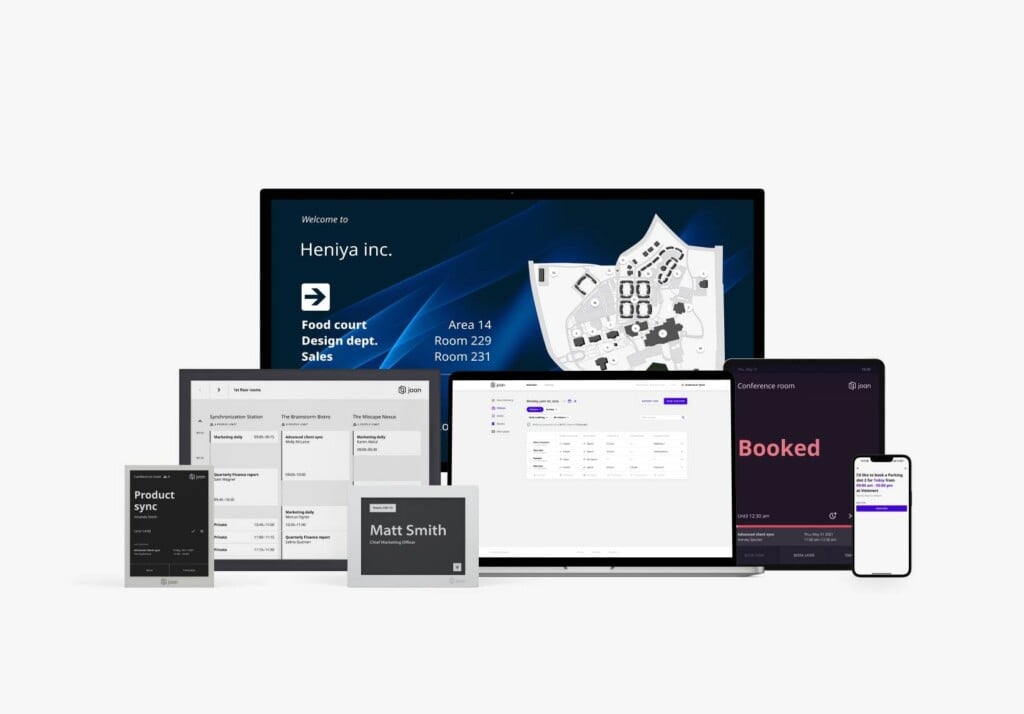
Choosing the right display depends on your office traffic, mounting surfaces, and the number of rooms you need to manage. Below is a breakdown of the Joan hardware family and how each fits into a modern workspace infrastructure.
The essential room scheduler: Joan 6 RE
The Joan 6 RE is our most efficient 6-inch e-paper display, designed for organizations that prioritize sustainability and simplicity.
- Best for: Individual room scheduling, huddle spaces, and focus booths.
- Key specs: Up to 6 months of battery life on a single charge.
- Why it wins: It provides a high-contrast, easy-to-read interface that eliminates the need for expensive wiring or professional installation.
The enterprise-grade solution: Joan 6 Pro
For demanding office environments, the Joan 6 Pro offers enhanced performance and advanced security features.
- Best for: High-traffic conference rooms and glass-walled boardrooms.
- Smart magnet technology: Features a smart magnet for effortless, secure mounting. The magnet stores the room’s unique ID, making device swaps and charging completely frictionless.
+1 - Power: 6-month battery life with an optional PoE (Power over Ethernet) wall mount for a permanent, wired connection.
The overview & central directory: Joan 13 Pro
When you need to manage larger areas, the Joan 13 Pro provides the high-visibility real estate required for central hubs.
- Best for: Lobbies, reception areas, and elevator banks.
- Key capability: Unlike smaller units, the 13-inch display can show a centralized overview of schedules for up to 9 meeting rooms simultaneously.
- Battery: An industry-leading 12 months of battery life.
Versatile deployment: Joan on any display brand
We believe your software shouldn’t be limited by your hardware. While our e-paper devices offer unmatched battery life, our platform is designed for total flexibility.
- Best for: Organizations with existing hardware (tablets, LCDs, or TVs).
- Integration: Run the Joan software on your existing tablets or displays to create a unified room booking experience across different hardware brands.
Joan workplace digital signage
Joan capabilities extend far beyond simple meeting room booking. Our comprehensive Workplace Digital Signage (WDS) solutions empower you to utilize your digital signage for meeting rooms for a wide array of communication and operational needs across your entire facility.
Seamless integration with your existing calendar systems
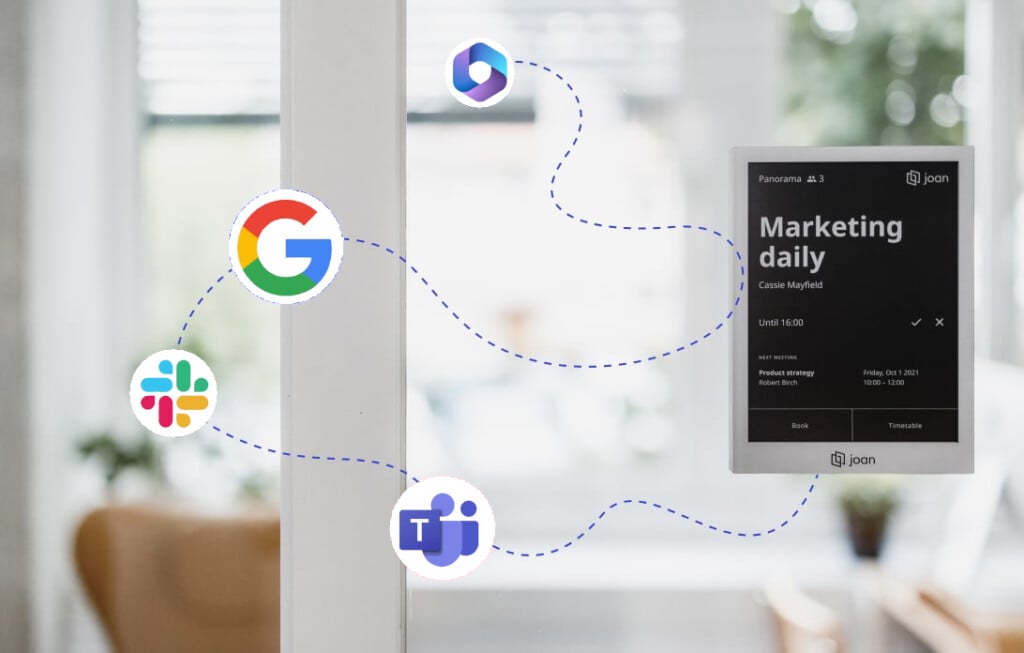
For digital room signs to be effective, they must be a “single source of truth.” Joan syncs instantly with your existing ecosystem to ensure that what’s on the door matches what’s in your calendar.
- Microsoft ecosystem: Full support for Office 365, Microsoft Teams, and Outlook.
- Google Workspace: Native integration with Google Calendar.
- Legacy & Custom Systems: Compatibility with Microsoft Exchange (2010, 2013, 2016) and iCal (.ics) feeds.
- Developer API: For complex environments, the Joan API allows for custom integrations into proprietary enterprise resource planning (ERP) systems.
Advanced features for modern conference room management
Digital signage for conference rooms has evolved. Joan provides a complete suite of tools to manage not just the door, but the entire office experience.
- Status signals (red/green): Eliminate “door-peeking” with clear visual indicators that show room status from a distance.
- On-the-spot booking: Allow employees to reserve a room directly from the touchscreen or via a QR code, perfect for ad-hoc brainstorms.
- Custom branding: Tailor your digital conference room signage with your company logo and colors to maintain a professional, cohesive office aesthetic.
- Occupancy analytics: Gain insights into ghost meetings, rooms that were booked but never used, and optimize your real estate footprint based on actual data.
Frequently asked questions about digital conference room signage
What is digital signage for conference rooms?
Digital signage for conference rooms refers to electronic displays, typically placed outside meeting spaces, that provide real-time information about room availability, current schedules, and upcoming meetings. These systems integrate with your existing calendar platforms to automate updates and streamline room management, making digital meeting room signs an indispensable tool for modern offices.
How many digital signage displays I need for my office?
The number of digital signage displays needed depends on the size and layout of your facility, as well as your specific management goals for your meeting room signage. Joan offers various models, from individual room signs like the Joan 6 RE, Joan 6 Pro to the Joan 13 Pro, which can display the availability of up to nine rooms at a glance, allowing for flexible deployment across any number of spaces requiring digital conference room signage.
Why use digital signage for conference rooms?
Using digital meeting room signs significantly improves efficiency by eliminating manual scheduling and reducing interruptions. They enhance professionalism, optimize space utilization through real-time data, and create a more tech-savvy, productive work environment. This makes digital signage for meeting rooms a smart investment for any organization.
Why is digital signage important?
Digital signage is important because it transforms traditional, inefficient room management into a streamlined, real-time, and data-driven process. It boosts productivity, reduces scheduling conflicts, enhances communication, and provides valuable insights for optimizing your workspace, making digital conference room signage a critical asset.
What is e-paper display technology?
E-paper technology mimics the appearance of ink on paper, offering superior readability from any angle and in any lighting condition (even direct sunlight) without glare. Crucially, it only consumes power when the content changes, making it exceptionally energy-efficient (99% less power than LCDs) and truly sustainable compared to traditional screens, making it ideal for digital signage for meeting rooms.
Why use e-paper for digital conference room signs?
E-paper technology is the gold standard for room signage because it requires 99% less power than LCD screens. This allows for a completely wireless, battery-powered installation that lasts up to a year, making it ideal for glass walls where cabling is impossible.
How do digital signs prevent ghost bookings?
Joan’s digital signage includes a “Check-in” feature. If a meeting isn’t confirmed on the display within a set timeframe, the room is automatically released back into the calendar, maximizing your office’s space utilization.
Which calendar systems does Joan integrate with for room booking?
Joan provides seamless, real-time synchronization with all leading calendar platforms, including:
- Microsoft Office 365 (Outlook, Teams)
- Google Workspace (Google Calendar)
- Microsoft Exchange (2010, 2013, 2016)
- iCal (.ics)
We also offer a robust Joan API for custom integrations into other enterprise systems. This comprehensive integration ensures that your meeting room signage is always up-to-the-minute, reflecting every booking, extension, or cancellation instantly across your entire organization.
How long does Joan battery last on a single charge?
Joan e-paper devices are designed for extreme energy efficiency. Depending on the model and usage frequency:
- Joan 6 RE can last up to 6 months on a single charge.
- Joan 6 Pro can achieve up to 6 months of autonomy.
- The larger Joan 13 Pro can achieve up to 12 months of autonomy.
This significantly reduces energy consumption and maintenance needs compared to constantly powered LCDs, making Joan digital conference room signage a truly sustainable choice.
Is Joan difficult to install?
Absolutely not! Joan devices feature a true wireless design with magnetic mounting, allowing for self-installation in minutes on virtually any flat surface – no drilling, wiring, or IT expertise required. Just unbox, stick the magnetic mount, and connect to your Wi-Fi to get your digital meeting room signs up and running.
Can I use Joan software on my existing LCD screens or tablets?
Absolutely. Joan powerful software platform is flexible and can be deployed on a wide range of existing LCD displays, including tablets (iPad, Android) and large-format screens, allowing you to integrate Joan comprehensive workplace management capabilities without needing new e-paper hardware for every space.
Which calendar systems does Joan integrate with for room booking?
Joan provides seamless, real-time synchronization with all leading calendar platforms, including:
- Microsoft Office 365 (Outlook, Teams)
- Google Workspace (Google Calendar)
- Microsoft Exchange (2010, 2013, 2016)
- iCal (.ics)
We also offer a robust Joan API for custom integrations into other enterprise systems, ensuring your digital meeting room signs are always perfectly synced.
Can Joan displays show more than just meeting schedules?
Yes! While primarily designed for meeting room booking, Joan devices, especially when combined with our Workplace Digital Signage solutions, can display a wide range of custom content. This includes company branding, news, safety information, organizational charts, KPIs, and even emergency alerts. The Joan 13 Pro is also specifically designed to show an overview of multiple rooms’ schedules simultaneously, expanding the utility of your digital conference room signage.
How does Joan prevent “ghost” bookings or meeting room squatters?
Joan employs an intelligent auto-release feature. If a scheduled meeting doesn’t check in on the Joan device within a pre-set timeframe, the system automatically releases the room, making it instantly available for others to book and ensuring optimal space utilization. This effectively eliminates wasted “ghost” booked rooms, a common problem solved by effective digital meeting room signs.
What are the differences between Joan 6 RE, Joan 6 Pro, and Joan 13 Pro?
- Joan 6 RE: Our most compact and efficient 6-inch e-paper display, ideal for individual room scheduling and basic booking with up to 3 months battery life. A perfect entry point for digital meeting room signs.
- Joan 6 Pro: An enhanced 6-inch e-paper display with advanced security features (WPA3, TLS 1.3), full capacitive touchscreen, and extended battery life (up to 6 months), suited for enterprise environments seeking robust digital conference room signage.
- Joan 13 Pro: A larger 13-inch e-paper display designed to provide a centralized overview of schedules for up to 9 rooms simultaneously, in addition to single-room scheduling, perfect for lobbies or high-traffic areas. It boasts up to 12 months battery life, making it a powerful digital signage for meeting rooms solution.
Is Joan secure?
Yes, data security is a top priority. Joan (and our parent company Visionect) adheres to ISO 27001, the internationally recognized standard for information security management. This certification ensures we maintain rigorous, independently audited security measures to protect your sensitive data from unauthorized access and risks, ensuring your digital conference room signage operates with the highest security.
About the author
