
Listing the best Appspace alternatives
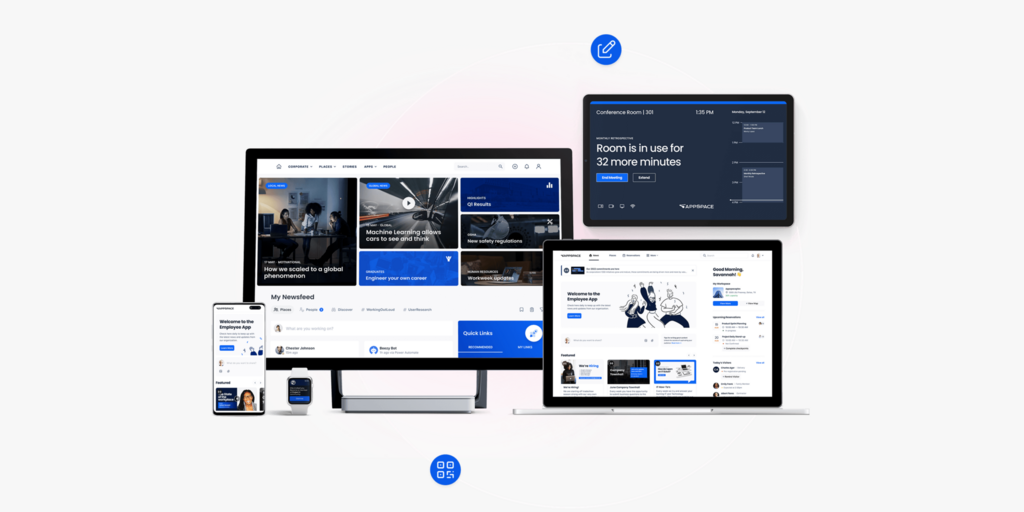
Appspace is a broad digital workplace platform that does a lot — employee communications, intranet, digital signage, room and desk booking, visitor management, and wayfinding, all in one subscription. For large enterprises that need the full suite, it’s a credible choice: Appspace is a Gartner Magic Quadrant Leader in Workplace Experience Applications, and it counts Fortune 500 companies among its customers.
The problem is that most teams searching for Appspace alternatives don’t need all of that. They need a reliable way to book meeting rooms and desks — and they’ve landed on a platform that was built for enterprise-wide digital communications first, with space reservation bolted on alongside it. The result: pricing that’s hard to get without speaking to sales, an onboarding process that requires IT involvement, and a feature surface far broader than most workplace teams actually use.
We’ve compared six alternatives to Appspace across pricing, feature depth, setup complexity, and fit — so you can make the switch with confidence. Joan is included and recommended for most teams. We’ll explain clearly who each tool is actually best for.
→ Also evaluating other tools? See the lists for the best Robin alternatives and best Skedda alternatives.
Quickly jump to:
Why teams start looking for Appspace alternatives
Pricing is opaque, and the minimum spend adds up fast
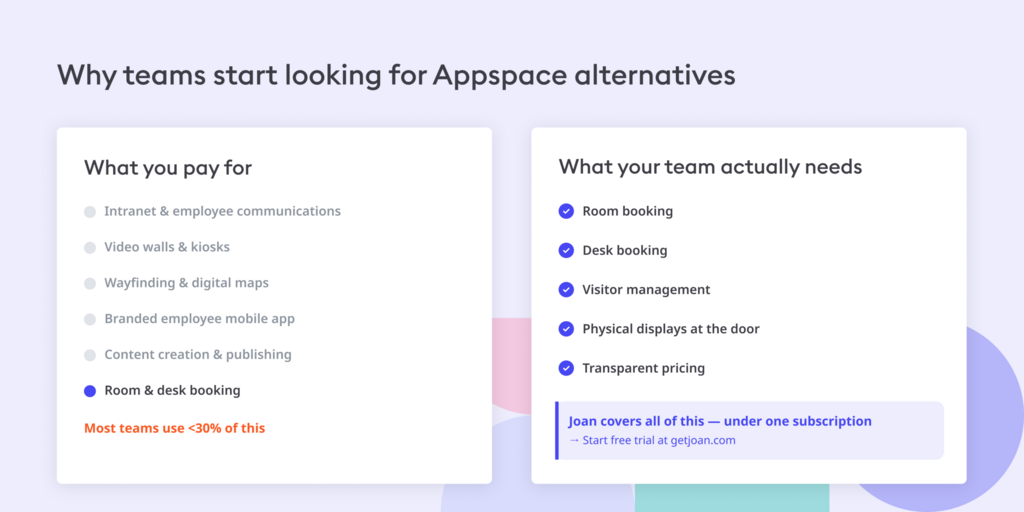
Appspace doesn’t publish pricing for its paid plans. To find out what you’ll pay for Express or Enterprise, you speak to sales. The pricing model charges separately for both users and devices — every person who books rooms or desks, and every screen running Appspace, adds to the bill. For teams that just want 10 rooms on panels and 100 employees booking desks, the cost of bundling in digital signage, an employee intranet, and a comms platform they won’t touch is real and unavoidable.
It’s a digital workplace platform, not a room booking tool
Appspace was built around digital signage and employee communications. Room and desk booking are genuine features — they work well — but they sit inside a product that also includes employee intranet, video walls, kiosks, wayfinding, content creation and publishing, and a branded employee mobile app. Workplace teams who just need space management consistently find themselves onboarding to a platform with far more surface area than they need. Users on review platforms note a noticeable learning curve and the need for IT involvement that simpler tools don’t require.
Setup is an IT project, not a self-serve install
Appspace is enterprise-grade, which is a strength at scale but a friction point for teams that want to move fast. Getting it running properly — devices configured, integrations connected, floor plans uploaded, booking rules set — typically requires IT resources and a deployment process. For a 50-person team that just needs room booking panels up and running this week, there are tools on this list that go from sign-up to live display in the same afternoon.
Quick comparison: Appspace alternatives at a glance
| Tool | Best for | Room booking | Desk booking | Visitor management | Digital signage | Hardware | Starts at |
|---|---|---|---|---|---|---|---|
| Joan | Teams wanting workspace booking + physical ePaper displays in one platform | ✅ | ✅ | ✅ | ✅ built in | ✅ ePaper displays | From €49/mo (annual) |
| Robin | Mid-to-large teams wanting a dedicated workspace platform | ✅ | ✅ | ✅ | ❌ | ❌ | Custom pricing |
| Envoy | Offices prioritising visitor management + room/desk booking | ✅ | ✅ | ✅ | ✅ add-on | ❌ | From $131/location/mo (annual) |
| Skedda | Offices wanting clean, simple space booking without enterprise complexity | ✅ | ✅ | ✅ add-on ($99/mo) | ❌ | ❌ | $99/mo (15 spaces, annual) |
| Tribeloo | Teams wanting affordable per-resource pricing + calendar sync | ✅ | ✅ | ❌ | ❌ | ❌ | From €3.00/resource/mo (annual) |
| Deskbird | Teams wanting per-user pricing with a free starter tier | ✅ | ✅ | ❌ | ❌ | ❌ | Free (≤15 users); from €2.75/user/mo |
| Appspace | Large enterprises needing a full digital workplace suite (comms + signage + booking) | ✅ | ✅ | ✅ | ✅ | ❌ | Contact for pricing |
The 6 best Appspace alternatives in 2026
1. Joan — Best for teams that want an all-in-one workspace platform with physical ePaper displays
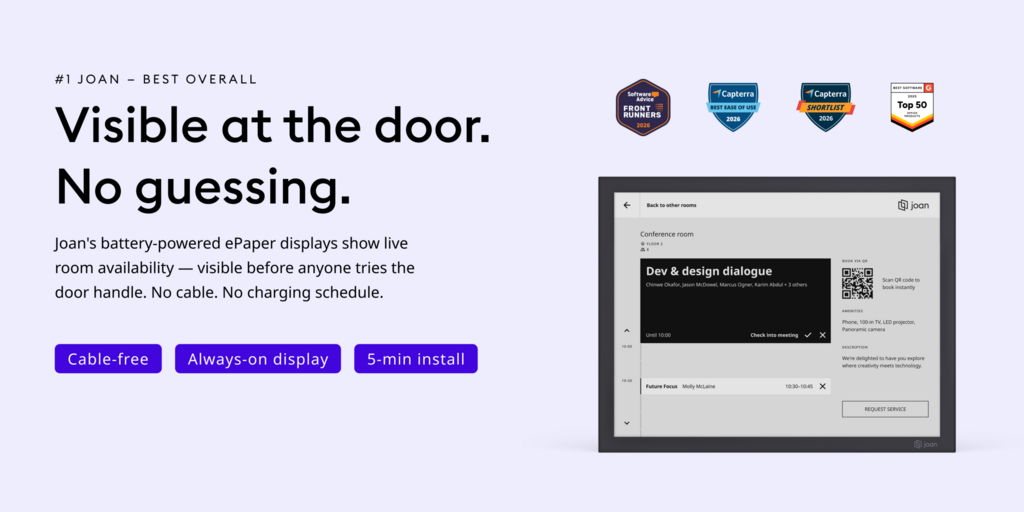
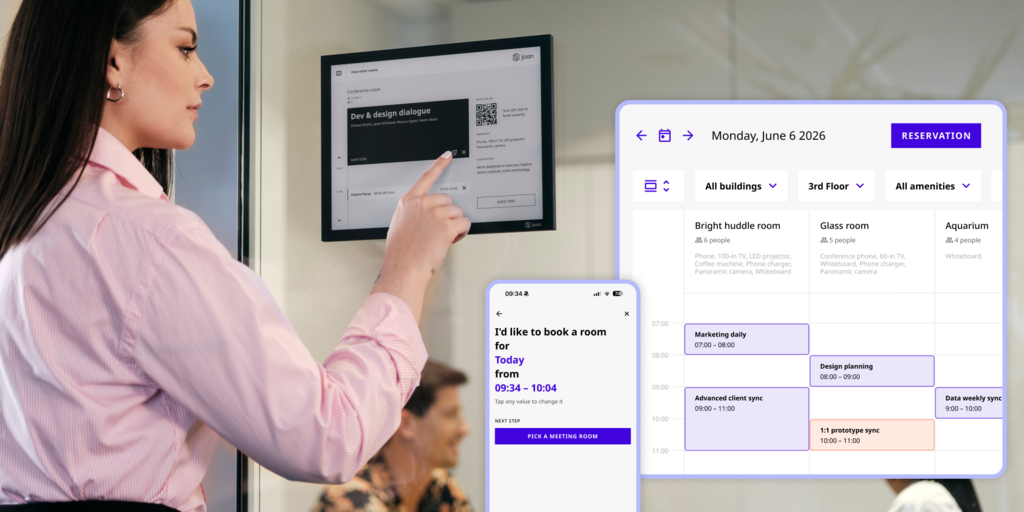
Joan is the most complete like-for-like alternative to Appspace’s workspace management layer, without the digital workplace overhead. The platform covers room booking, desk booking, visitor management, digital signage, parking reservations, and asset reservations under a single subscription — and it adds something Appspace doesn’t: battery-powered ePaper displays that show live room and desk availability at the door, without anyone opening an app.
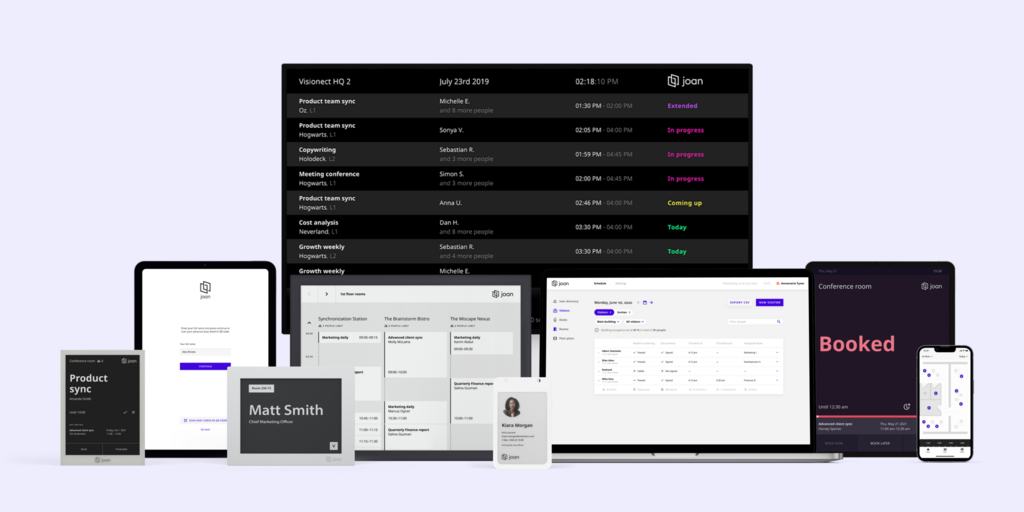
Joan displays (Joan 6 RE, Joan 6 Pro, Joan 13 Pro) are always-on, cable-free, and install in minutes — peel, stick, connect. There’s no screen burn, no charging to manage, and no “is this room actually free?” ambiguity because the display at the door answers the question before anyone even tries the handle. For teams that already have screens, Joan on any display lets you run Joan software on existing third-party screens with no hardware purchase required.
What makes Joan stand out
- Physical ePaper room and desk displays that eliminate booking confusion without requiring anyone to open an app — a differentiator Appspace doesn’t offer
- One subscription covers rooms, desks, visitors, signage, parking, and assets: no separate modules to buy or configure
- Joan ePaper badges are issued to visitors on arrival — a physical, battery-powered badge that very few competitors offer; makes visitor management tangible, not just a check-in screen
- Transparent pricing with a free trial; hardware is a one-time purchase, not a recurring cost
Joan pricing
Joan pricing is subscription-based. Plans start from €49/month on an annual plan (Team plan; includes 2 devices and up to 20 users). Hardware (Joan 6 RE, Joan 6 Pro, Joan 13 Pro, Joan ePaper badge) is a separate one-time purchase. Free trial available. Calculate your estimated price here.
Joan limitations
- Teams that want the full ePaper display experience (wireless, cable-free, at the door) will need to purchase Joan hardware — though teams with existing screens can run Joan on any display with a software-only subscription, no hardware purchase required
- Not a full IWMS — does not cover lease management, CAD floor plans, or maintenance ticketing
Best for: Any organisation managing physical workspaces that wants workspace booking plus physical displays — from a small team with a few rooms to a global enterprise across multiple sites.
Start your free Joan trial here.
2. Robin — Best for mid-to-large teams wanting a mature workspace platform
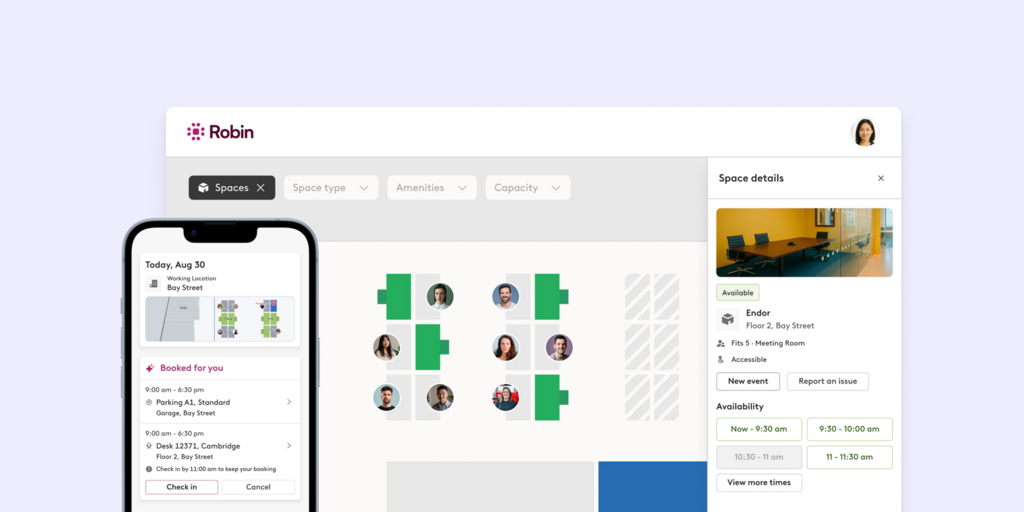
Robin is a dedicated room and desk booking platform aimed at mid-market and enterprise companies. It handles meeting room booking, hot desking, and office capacity planning with strong Microsoft 365 and Google Workspace integrations — and it adds more workplace analytics depth than most tools at this tier.
What makes Robin stand out
- Clean room and desk booking experience tightly integrated with Outlook and Google Calendar — employees book without leaving the tools they already use
- Floor plan view with live availability makes it easy for employees to find and claim a desk visually
- Workplace analytics give facilities teams utilisation data, peak-hours tracking, and no-show rates across rooms and desks
Robin pricing
Robin does not publish pricing publicly — quotes are available on request via robinpowered.com/pricing. Robin is designed for companies with 500+ employees, so pricing reflects enterprise contract sizes; smaller teams often find the minimum commitment disproportionate to their needs.
Robin limitations
- Custom-only pricing with no published tiers means you can’t evaluate cost without going through a sales process
- Designed for 500+ employees — smaller or mid-size teams often find it oversized for their actual requirements
Best for: Mid-to-large enterprises with 500+ employees that need a dedicated room and desk booking platform and can commit to an enterprise deal.
→ Looking for Robin alternatives instead? See our best Robin alternatives here
3. Envoy — Best for offices prioritising visitor management alongside room and desk booking
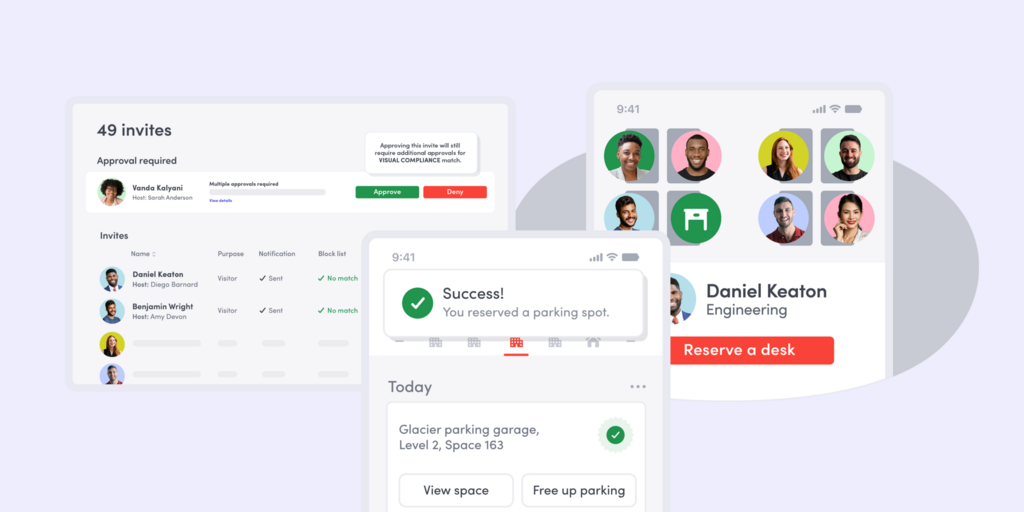
Envoy started as a visitor management tool and has grown into a broader workplace platform covering room booking, desk reservation, digital signage, and mass notifications. Its visitor management module is one of the strongest in the market at this price point — detailed pre-registration, compliance screening, and audit-ready check-in logs — which makes it a natural Appspace alternative for teams where visitor flow is as important as room booking.
What makes Envoy stand out
- Visitor management is a first-class feature, not an add-on: pre-registration, host notifications, badge printing, and compliance workflows are all included
- Per-location pricing keeps costs predictable for single-site offices — one flat rate covers everyone at that location
- Digital signage available as a product add-on for teams that want to keep a screen-based presence alongside booking
Envoy pricing
Envoy uses per-location pricing. Rooms from $131/location/month (billed annually); Desks from $109/location/month (billed annually); Visitors from ~$362/location/month (billed annually). A limited free tier is available for testing. Enterprise plans are custom. Pricing is confirmed live at envoy.com/pricing.
Envoy limitations
- Per-location pricing works well for a single office but gets expensive quickly for multi-site deployments — each additional location adds the full per-location fee
- No physical room or desk displays — booking visibility relies entirely on the app; there’s no at-the-door presence without separate screen hardware
Best for: Single-site offices where visitor management is a genuine priority alongside room and desk booking, and where per-location flat pricing is a budget advantage.
→ Looking for Envoy alternatives instead? See our Envoy alternatives here.
4. Skedda — Best for offices wanting clean, simple space booking without enterprise complexity
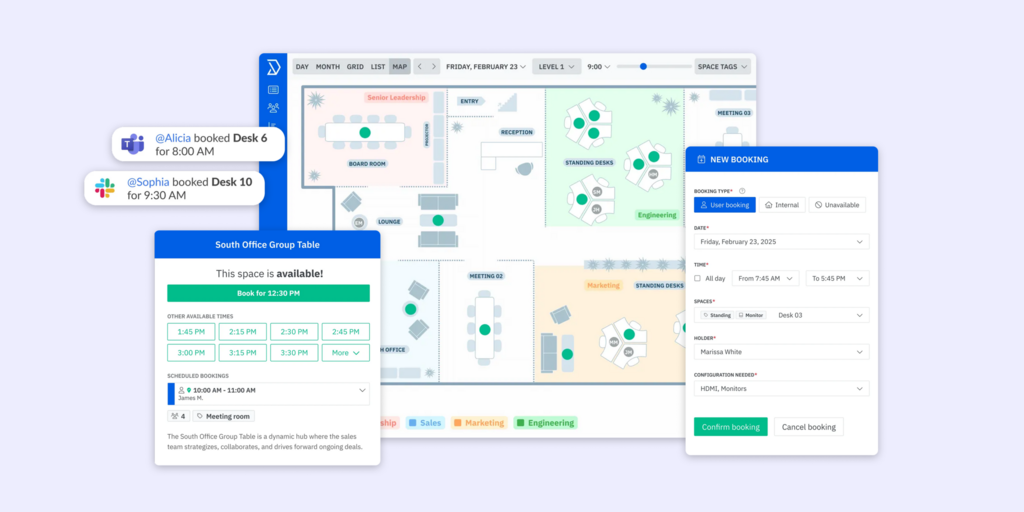
Skedda is a focused space booking tool. It handles room reservations, desk bookings, and space rules without the broader digital workplace overhead — no intranet, no employee comms, no digital signage. What Skedda does well, it does cleanly: the booking interface is one of the most intuitive in the market, and setup is genuinely self-serve.
What makes Skedda stand out
- Clean, map-based booking interface that requires no training — employees see the floor plan and pick what’s available
- Booking rules engine (who can book what, when, for how long) covers complex scenarios without needing IT to configure
- Strong calendar sync with Google Calendar and Microsoft 365 — bookings appear in both systems without workarounds
Skedda pricing
Skedda Starter begins at $99/month (billed annually) for 15 spaces. Every bookable resource — desks, rooms, lockers, parking spots — counts toward the space limit. Visitor management is available as a separate add-on at $99/month on top of any plan. Pricing confirmed live at skedda.com/pricing.
Skedda limitations
- Per-space pricing means the real cost of running a full office (with both rooms and desks counted as spaces) often lands significantly higher than the $99/month headline
- No physical room or desk displays — Skedda is software-only; booking status at the door requires a separate hardware solution
Best for: Offices and venues that need a clean, powerful space booking tool and are happy to manage displays and visitor management separately.
→ Check out the best Skedda Alternatives here.
5. Tribeloo — Best for teams wanting affordable per-resource pricing with strong calendar sync
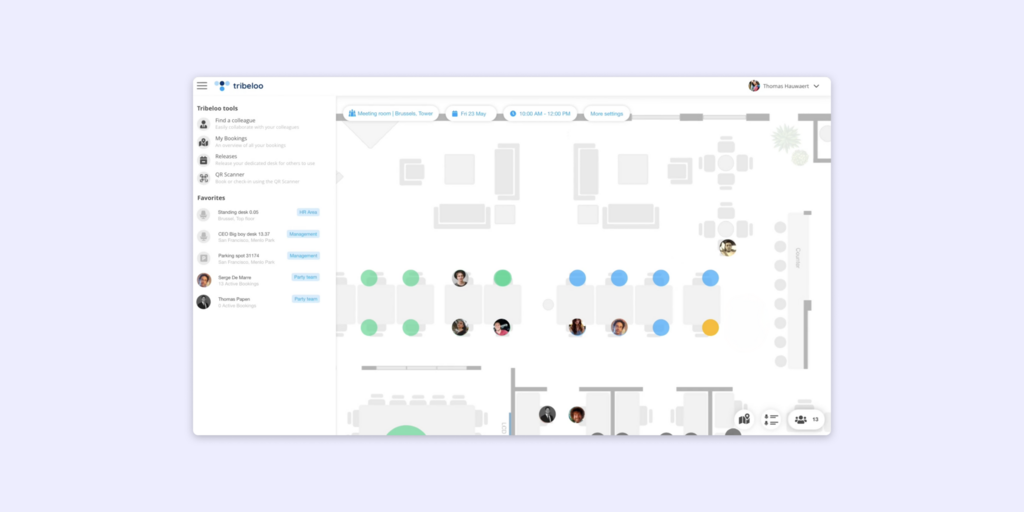
Tribeloo is a lean room and desk booking platform built around per-resource pricing — you pay per bookable space, not per user, which makes it one of the most cost-predictable tools in this category. It syncs with Google Calendar and Microsoft 365 and covers the core booking use cases without unnecessary complexity.
What makes Tribeloo stand out
- Per-resource pricing (not per user) means adding employees doesn’t increase the bill — ideal for teams where most of the office needs to book but only a fixed number of spaces exist
- Strong native integrations with Google Calendar and Microsoft 365 — no additional middleware needed
- Clean interface with floor plan support at all plan tiers, including the entry Starter plan
Tribeloo pricing
Tribeloo Starter: €3.00/resource/month (annual); Pro: €3.75/resource/month; Premium: €4.00/resource/month. Pricing confirmed live at tribeloo.com/pricing.
Tribeloo limitations
- No visitor management at any tier — if visitor check-in and pre-registration matter, Tribeloo isn’t the answer
- Relatively narrow product surface compared to broader platforms — no digital signage, no employee comms, no parking or asset reservations
Best for: Teams wanting straightforward per-resource pricing for room and desk booking with solid calendar sync, and no need for visitor management or signage.
6. Deskbird — Best for teams wanting per-user pricing and a strong free starter tier
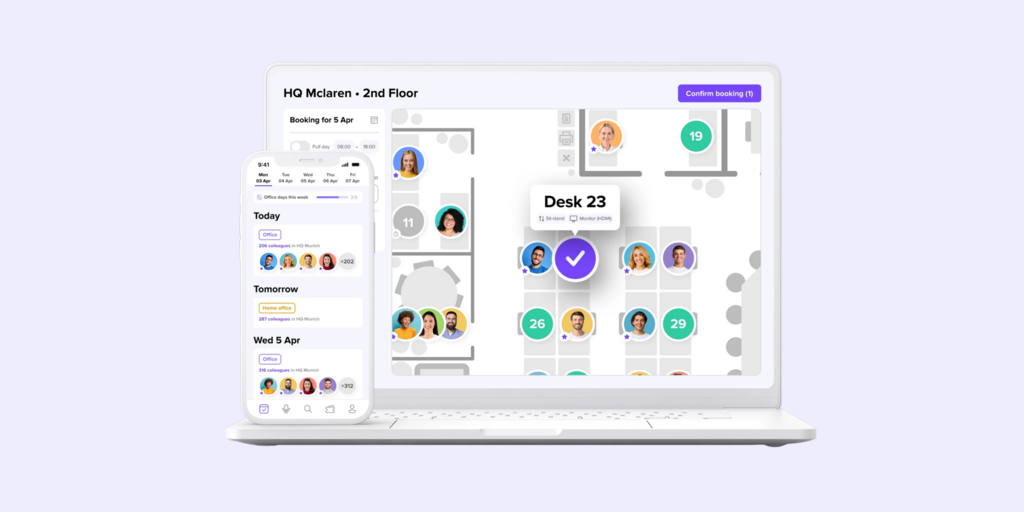
Deskbird is a hybrid work and desk booking platform with per-user pricing and a generous free tier for smaller teams. It’s built for companies transitioning to hybrid work: employees can see who’s coming in on which days, claim desks, book rooms, and coordinate office attendance — all from a single app with integrations for Slack and Microsoft Teams.
What makes Deskbird stand out
- Permanent free plan for up to 15 users — no time limit; includes desk booking, floor plans, and calendar integrations
- Per-user pricing is predictable and scales cleanly — you pay for the people using it, not for every bookable resource on your floor plan
- Hybrid scheduling features (who’s in the office, on which day) are more developed than in most pure booking tools
Deskbird pricing
Deskbird Free: permanent, up to 15 users. Business: from €2.75/user/month (billed annually; ~$3.75 USD). Advanced features are on higher tiers — pricing on request. Confirmed live at deskbird.com/pricing.
Deskbird limitations
- Advanced analytics and integrations are gated to higher (custom-priced) tiers — the entry plan is feature-limited compared to some competitors
- Visitor management is not a core feature — teams needing check-in workflows will need to look elsewhere
Best for:Teams wanting per-user pricing with a hybrid scheduling layer, especially smaller teams that benefit from the free starter tier before committing.
→ Looking for Deskbird alternatives instead? See the list for the best Deskbird alternatives here. live]
How to choose the right Appspace alternative
If you want physical room and desk displays alongside your booking software
Joan is the only tool in this comparison that gives you ePaper displays as part of the platform. Status is visible at the door without anyone opening an app — which eliminates the “is this room actually free?” problem that every software-only tool leaves unsolved. If physical presence at the room matters to you, that’s the clearest decision.
If you need rooms, desks, signage, and visitor management on one platform
Joan covers all of this under one subscription — rooms, desks, visitor management, digital signage, parking, and asset reservations. It’s the closest functional match to Appspace’s workspace management layer without the employee comms and intranet overhead.
If visitor management is the top priority
Envoy has the deepest visitor management feature set in this group — compliance-grade check-in, pre-registration, host notifications, badge printing. If running a tight visitor workflow is as important as room booking, Envoy is the right call.
If budget is the primary constraint
Deskbird’s free plan (up to 15 users) and Tribeloo’s per-resource pricing are both strong entry points. For teams just getting started, Deskbird’s free tier is hard to beat — full desk booking, floor plans, and calendar integrations at no cost. Joan also offers a free trial of the full platform — worth running before committing to any paid alternative.
If you’re replacing Appspace specifically because it’s overbuilt
The most common reason teams leave Appspace is that they need room booking without the digital workplace platform surrounding it. Skedda, Tribeloo, and Deskbird all deliver focused booking with no enterprise overhead. Joan goes a step further by adding physical displays — solving the “status at the door” problem that Appspace’s software-only booking doesn’t address.
Why Joan is usually the best Appspace alternative
The core frustration with Appspace for most teams is paying for a digital workplace platform when you need a workspace booking tool. Joan solves that directly: it’s purpose-built for booking and physical presence — rooms, desks, visitors, and displays — with pricing you can see before you talk to anyone. Where Appspace requires an IT project to deploy, Joan installs in an afternoon. Where Appspace prices both users and devices in ways that require a sales conversation, Joan offers a transparent subscription with hardware as a one-time purchase. And where Appspace shows booking status only in apps, Joan shows it on a physical display at the door.
→ Also comparing other tools? See all Joan workspace comparisons:
Joan vs. Appspace: Quick comparison
| Joan | Appspace | |
|---|---|---|
| Room booking | ✅ | ✅ |
| Desk booking | ✅ | ✅ |
| Physical ePaper displays | ✅ Joan 6 RE, Joan 6 Pro, Joan 13 Pro, Joan ePaper badge | ❌ uses third-party screens |
| Digital signage | ✅ | ✅ |
| Visitor management | ✅ with physical ePaper badge | ✅ |
| Parking & asset reservations | ✅ | ❌ not standard |
| Calendar integrations | Microsoft 365, Google Workspace, Teams, Slack | Microsoft 365, Google Workspace, Teams, Slack, Webex |
| Analytics | ✅ built into all plans | ✅ built in |
| Employee intranet / comms platform | ❌ | ✅ |
| Pricing model | One subscription, full workspace platform; hardware one-time purchase | Contact for pricing; per-user + per-device model |
| Free trial | ✅ | ✅ Free tier (2 users, 1 device) |
| Setup | Self-serve; displays install in minutes | IT-involved; enterprise deployment process |
Ready to make the switch?
You’ve already decided Appspace isn’t the right fit — the next step is seeing whether Joan is. The free trial gives you the full platform with no commitment. If you also have Joan hardware in mind, the trial lets you configure everything before any purchase decision.
Frequently asked questions about Appspace alternatives
How much does Appspace cost?
Appspace does not publish pricing for its paid plans. The Free tier includes 2 users and 1 device. The Express and Enterprise plans are priced per user and per device — both add to the monthly bill — but the actual dollar figures require a conversation with sales. Third-party buyer platforms suggest the minimum monthly spend for a paid Appspace account is substantial, making it more practical for large enterprise teams than for small or mid-size offices. Visit appspace.com/pricing to start the conversation or request a quote.
What is Appspace’s biggest limitation?
For most teams considering alternatives, the core issue is that Appspace is a full digital workplace platform — not a room booking tool. You get intranet, employee mobile app, digital signage, kiosks, video walls, wayfinding, and space reservation all bundled together. If you need all of that, Appspace is well-suited. If you need room and desk booking and nothing else, you’re paying for a significant amount of platform you won’t use.
Is there a free Appspace alternative?
Yes. Deskbird offers a permanent free plan for up to 15 users with desk booking, floor plans, and calendar integrations. Officely (getofficely.com) is free for up to 5 users and runs inside Slack or Microsoft Teams. Joan isn’t free long-term but offers a free trial of the full platform — worth running before committing to any paid alternative.
Does Appspace have physical room displays?
Appspace runs on third-party screens — it doesn’t manufacture its own displays. You’d pair Appspace with a compatible room scheduling panel (from partners like IAdea or Crestron) and mount it at the door. Joan is the only tool in this comparison that ships its own battery-powered ePaper displays (Joan 6 RE, Joan 6 Pro, Joan 13 Pro) designed specifically for room and desk status — no screen sourcing, installation projects, or charging infrastructure needed.
What’s the best Appspace alternative for a small team?
For teams under 15 people, Deskbird’s free plan covers desk booking and floor plans at no cost. For teams that want physical room displays alongside booking, Joan’s Team plan starts from €49/month on an annual plan and includes the full platform. Tribeloo and Skedda are also strong options if budget is the primary driver and the team doesn’t need physical displays.
Is Appspace a good fit if I only need room booking?
Probably not. Appspace is best when you need the full digital workplace layer — comms, signage, intranet, and booking together. If room and desk booking is the core requirement, purpose-built tools like Joan, Robin, or Skedda will get you to live faster, with less setup overhead and pricing that’s easier to evaluate without a sales conversation.
Page last updated: April 2026. Pricing verified from public sources — always confirm live pricing directly with each vendor before purchasing.
About the author
