The Joan 6 device has been discontinued. Take a look at our online shop for our latest offers.
How to activate this feature?
- Log in to MyJoan.
- Go to Settings > Rooms > Device settings.
- Under Global device settings, find Cleaned and tick the box.
- Click Save.
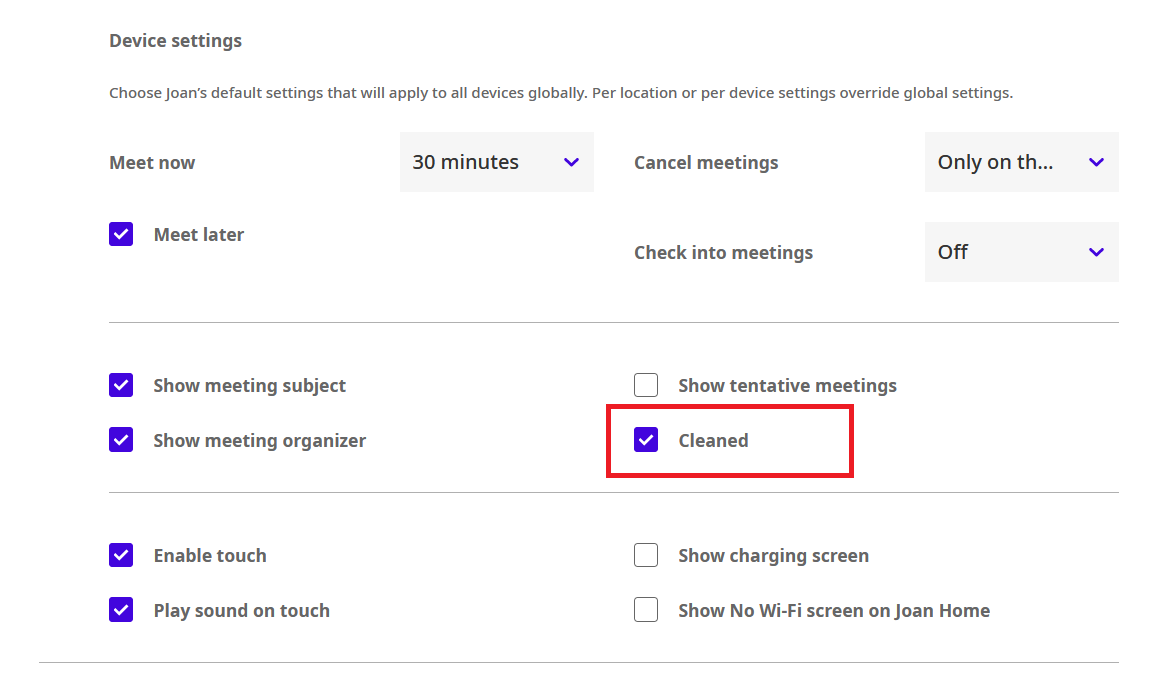
The Cleaned button now shows on all your Joan 6 devices in place of Meet Later.
How does it work?
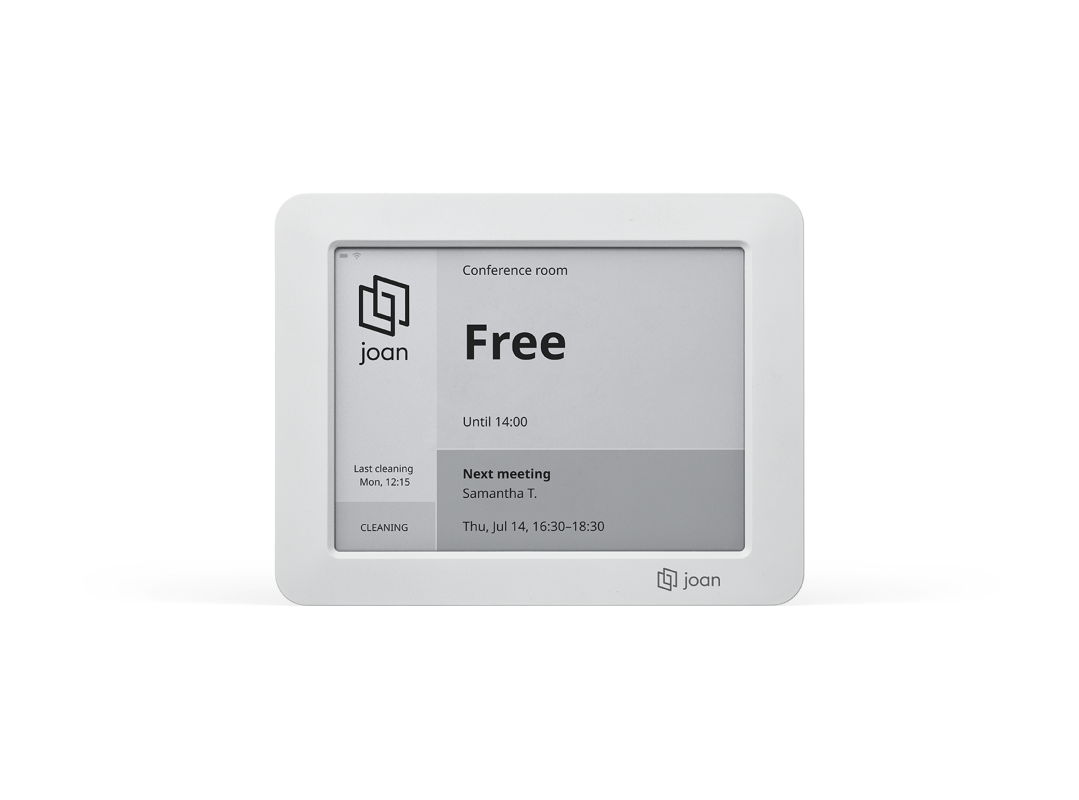
By clicking this button on the device, the user is confirming that the meeting room was cleaned and is ready to be used again. This button will replace the standard “Meet Later” button on your screen and will display a timestamp each time it is used. The button can also be used if you have the touch screen disabled on Joan.
This feature can be set also as a building or device-specific setting. Allowing you to further customize your office experience. To learn more about these levels of settings, see MyJoan settings - per device, per building, and global.
See the example below:
If you encounter any issues, please contact support@getjoan.com.