In order to enable time slots, please follow the instructions below:
- Open your MyJoan (Click on “Settings” at the top of the page
- From the left-hand side menu, click on Desks -> Time slots. The default time slot is from 9 AM to 5 PM
- Click on New time slot and add the required details
- Click Create.
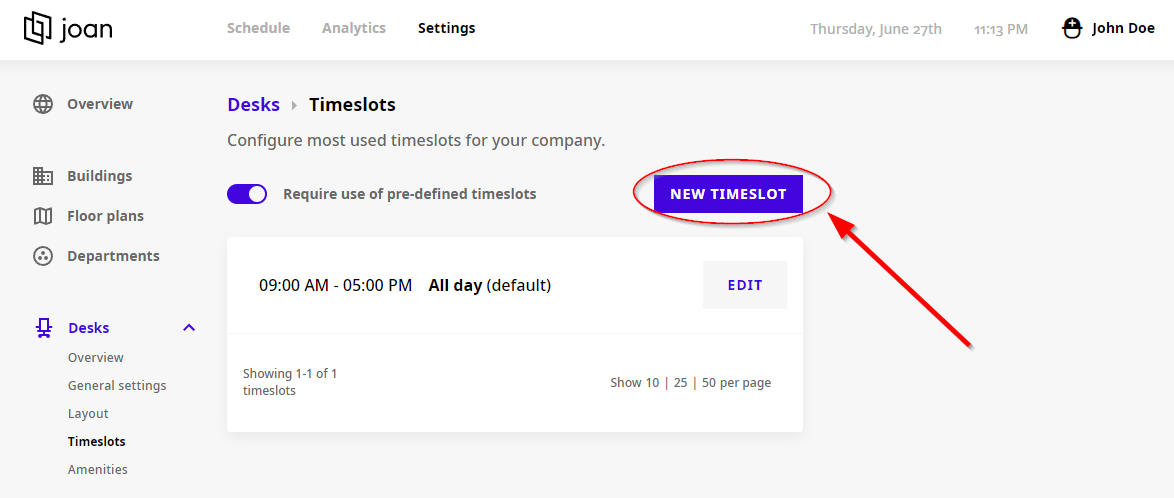
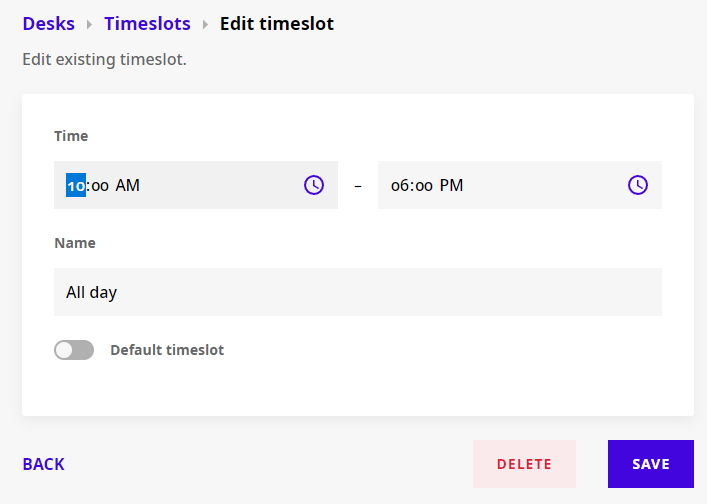
Select the time slot you wish to edit/delete, and click the Edit button.
- To edit the time slot, simply change the details, and Click Save.
- To delete the time slot click Delete.
And that's it!
If you encounter any issues, feel free to reach us via support@getjoan.com or submit a ticket via our support ticket form.