Health screening lets you ask employees and visitors to fill in a short questionnaire before their desk reservation or visit, for example about health, safety, satisfaction or engagement. You set it up per building in MyJoan under Settings > Health.
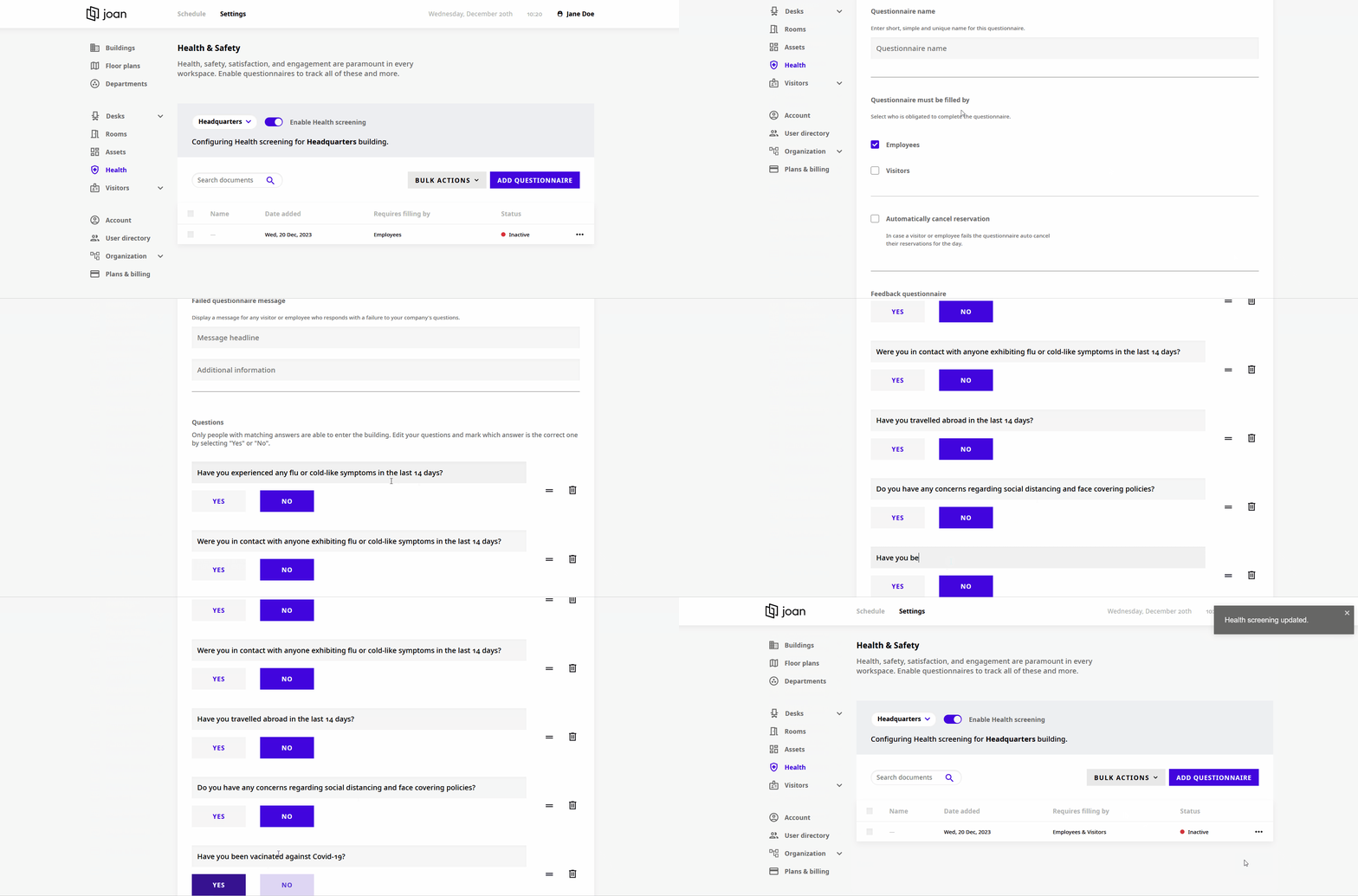
- Log in to MyJoan
- Click on Settings at the top of the page
- Choose Health from the menu on the left. The Health & Safety page opens.
- Select the building from the drop-down menu
- Turn on the Enable Health screening toggle
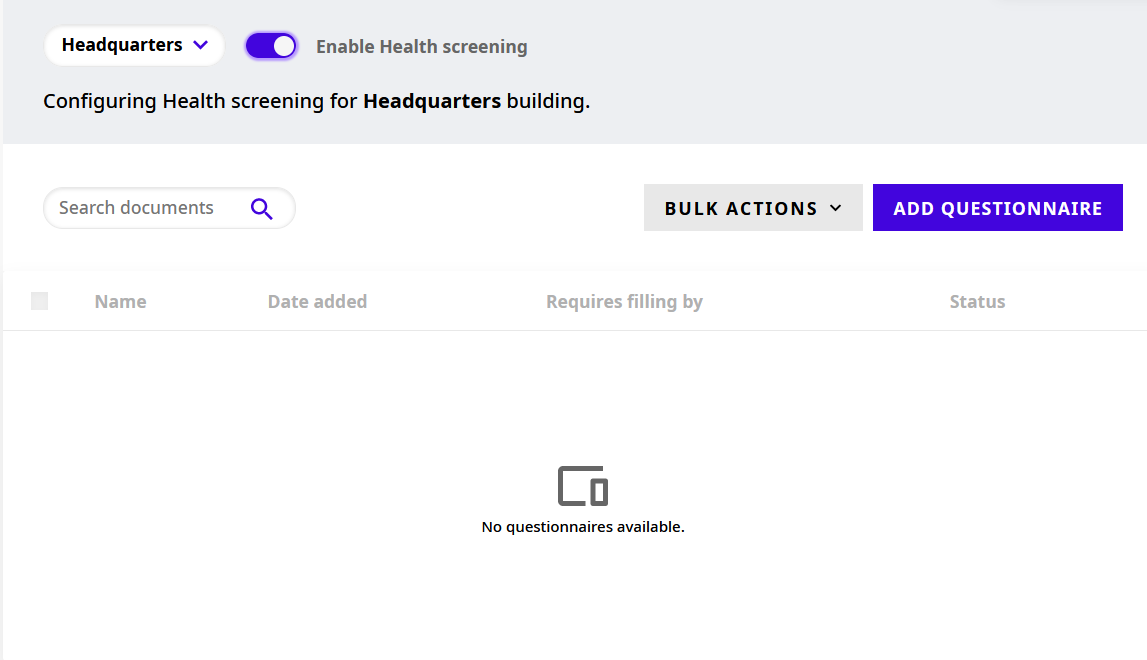
- On the Health & Safety page, click Add questionnaire
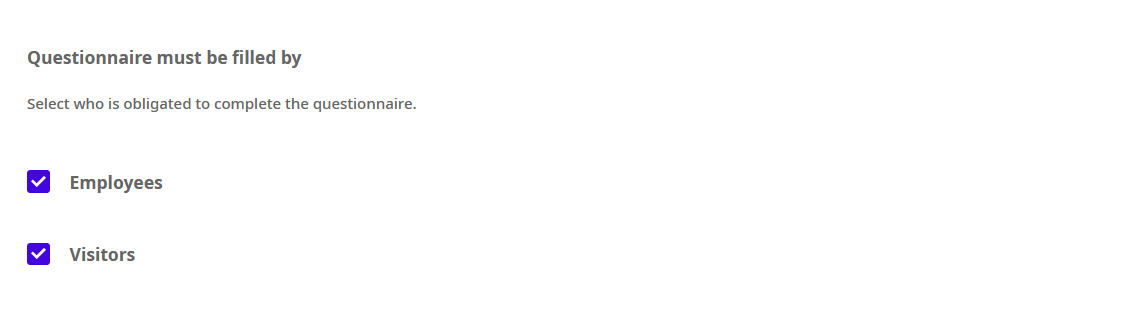
- Choose whether the questionnaire must be filled in by visitors, employees or both
- If you wish, you can automatically cancel the desk reservations of people who failed the screening by checking that box

- If you want a specific person to be notified when someone fails the screening, enter their email in the Feedback questionnaire field. For visitors, the host who sent the invite is notified automatically.

- Click Save. The questionnaire appears in the list on the Health & Safety page, with its name, the date it was added, who must fill it in and its status.
You can change the questions of a questionnaire and the messages people see:
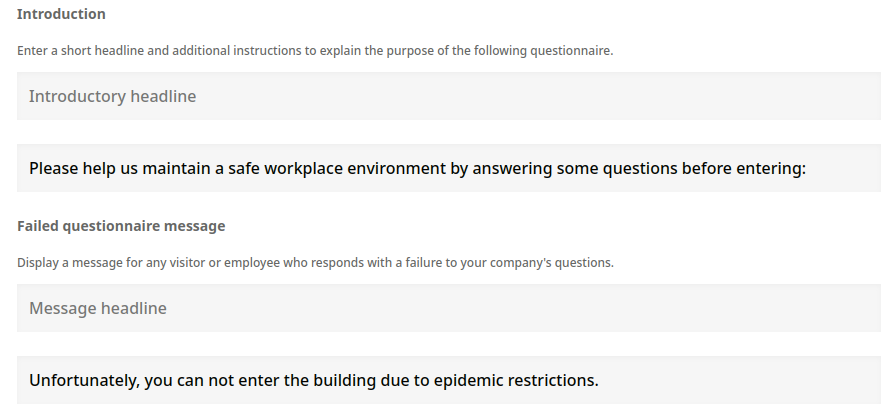
- Edit the instructions or messages displayed when somebody passes or fails the screening
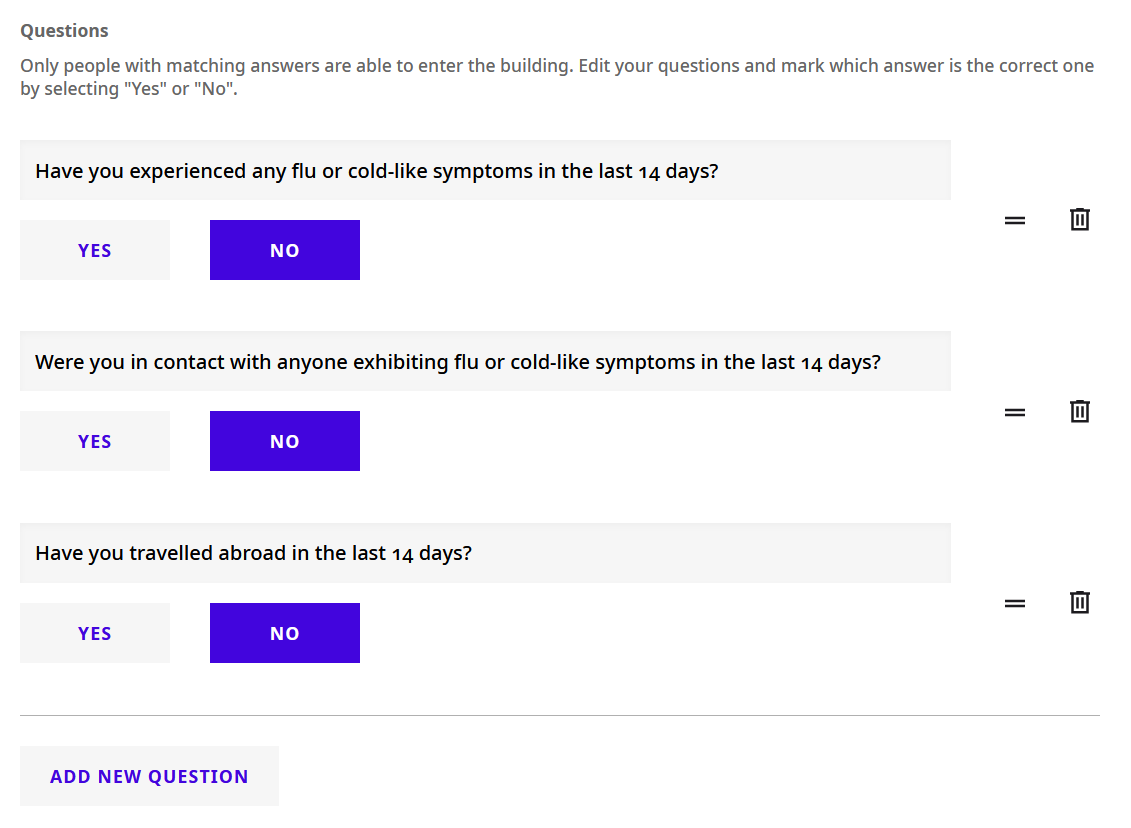
- Edit the questions
- Mark which answer is the positive one by selecting "Yes" or "No"
- Add new questions with the Add New Question button
The questionnaire is sent 12 hours before the desk reservation. If the reservation is created later than that, for example it starts in 3 hours, the questionnaire is sent about 5 minutes after the reservation is created.
The questionnaire email is sent only once per day per employee or visitor, not for every reservation the person has that day.
If you encounter any issues, feel free to reach us via support@getjoan.com or submit a ticket via our support ticket form.