- Log in to https://calendar.google.com/
- In the left-hand menu, search for the room you are trying to add
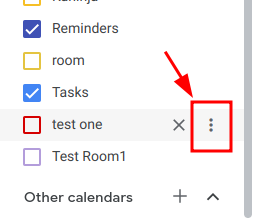
- Click on the three dots, next to the room's name
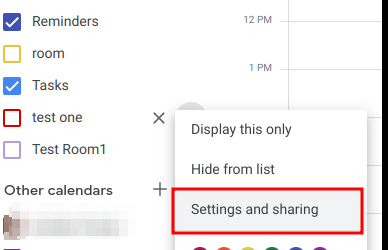
- Click on Settings and sharing
- Scroll down to Integrate calendar, and copy the Calendar ID

Once you have the Calendar ID, you just need to enter it to the MyJoan account
- Log in to my.getjoan.com
- Navigate to Manage -> Rooms
- Click on Add a room
- Paste the Calendar ID
- Click ok
That's it! In case you need any assistance with the above, feel free to contact our support team via chat or email at support@getjoan.com.