Skip to content
Joan Help

Connect Joan with a free Google email account

Joan is compatible with a Google Workspace account as well as a regular Google account (Gmail).

If you would like to connect Joan with your free Google personal email (Gmail), please follow the steps below.

First, select 'Google Workspace' in the 'Calendar' step of the Joan onboarding process in the MyJoan Portal:
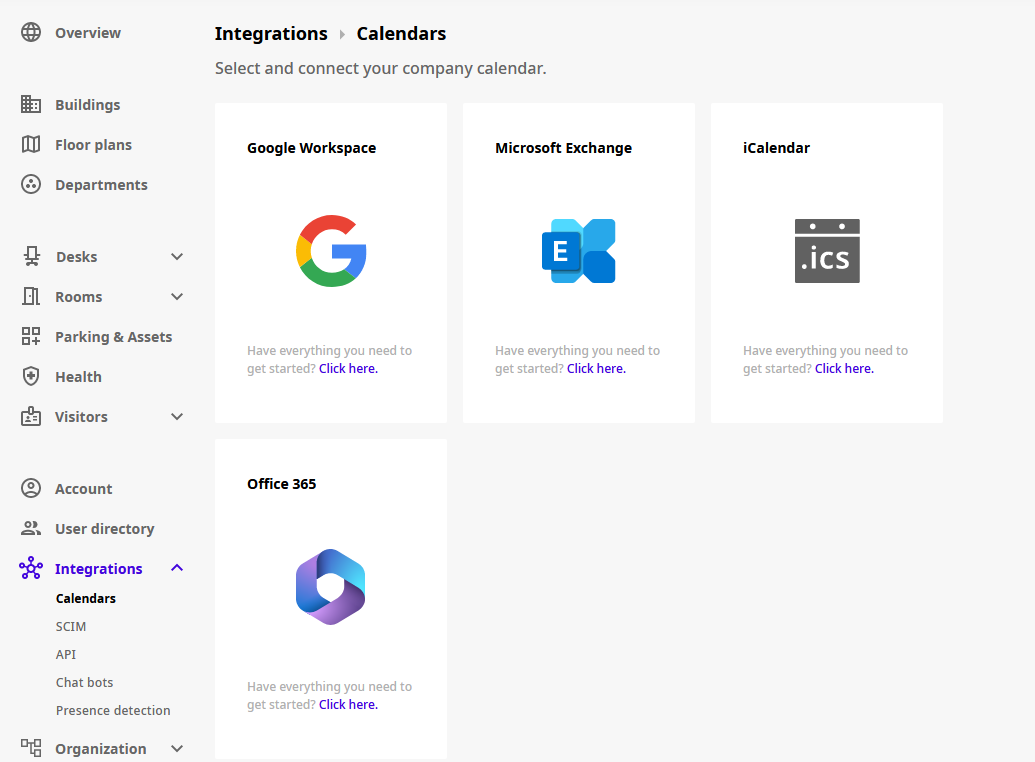
Joan portal Integrations > Calendars page with Google Workspace, Microsoft 365, iCalendar and Office 365 options

Allow Joan to manage your free Google personal email (Gmail):
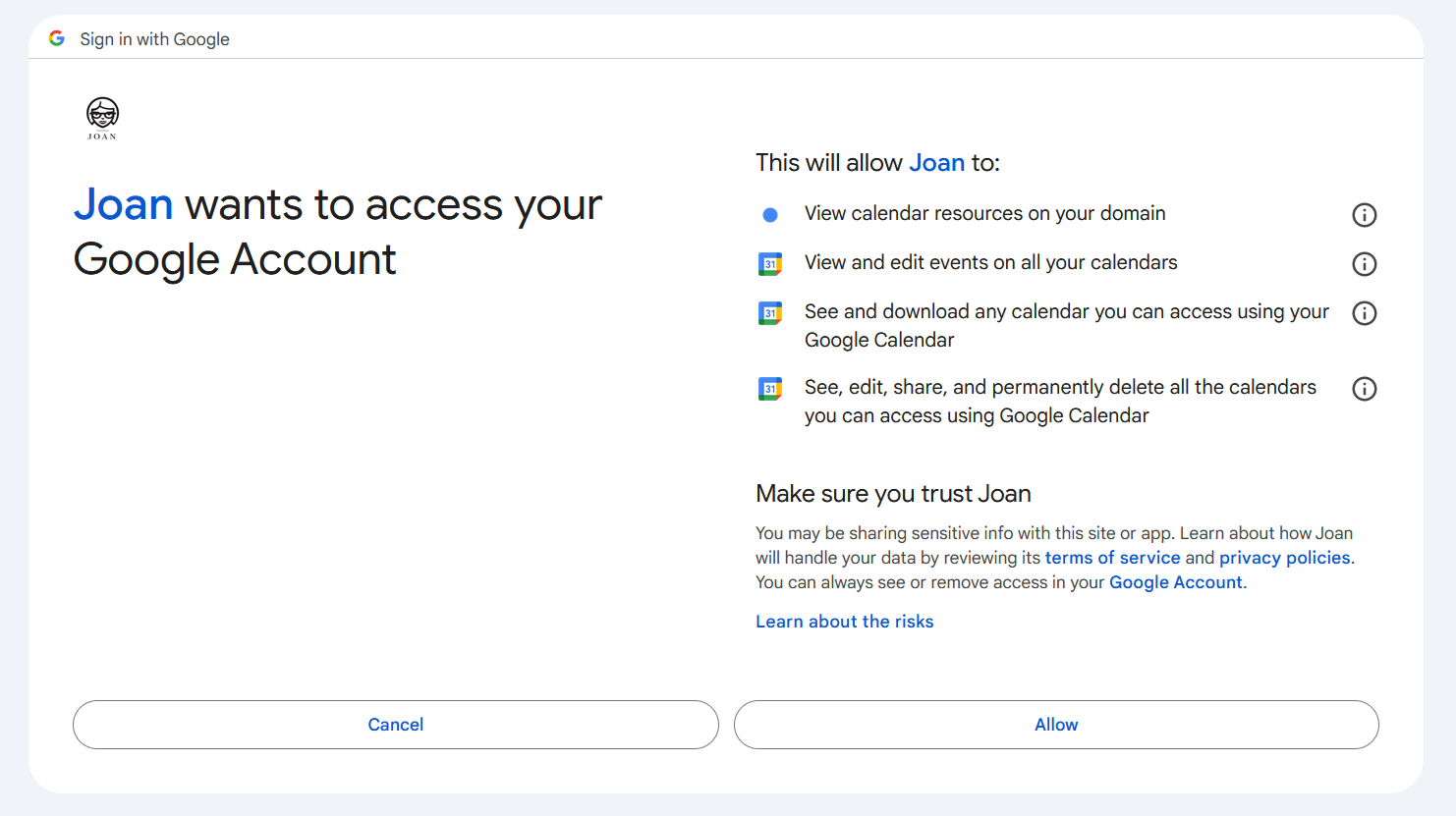
Google consent screen: Joan wants to access your Google Account, with the requested calendar permissions

Add your free Google personal email (Gmail) as a "Room resource":
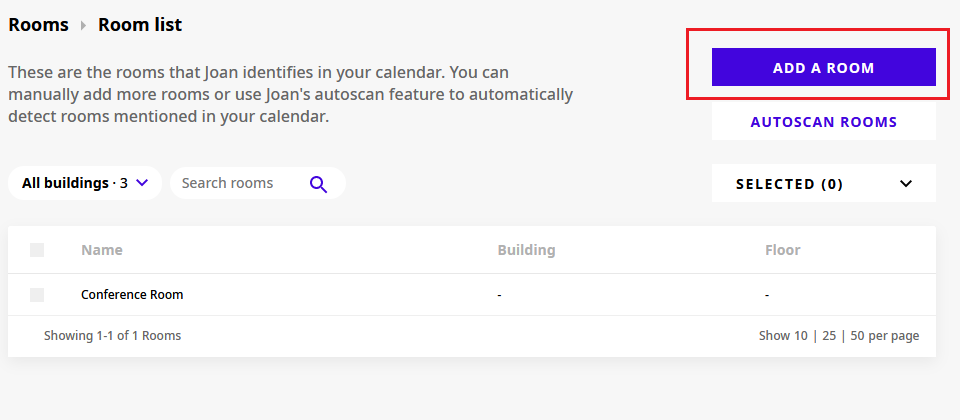
MyJoan Rooms > Room list page with the Add a room button highlighted

Type in your email (Gmail) and click 'Ok':
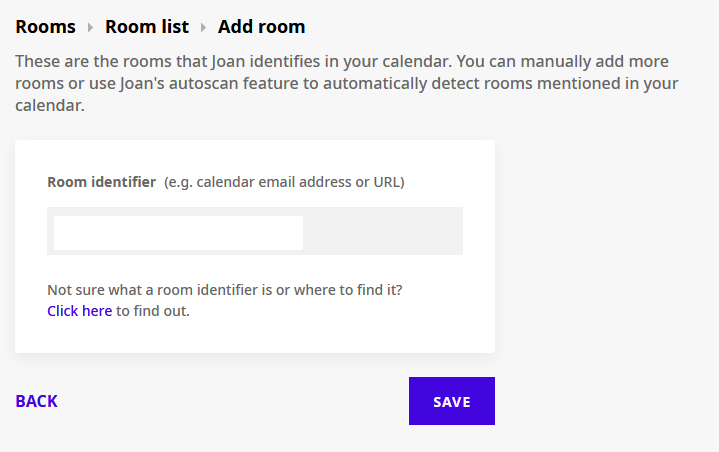
MyJoan Add room page with the Room identifier field for the calendar email address or URL

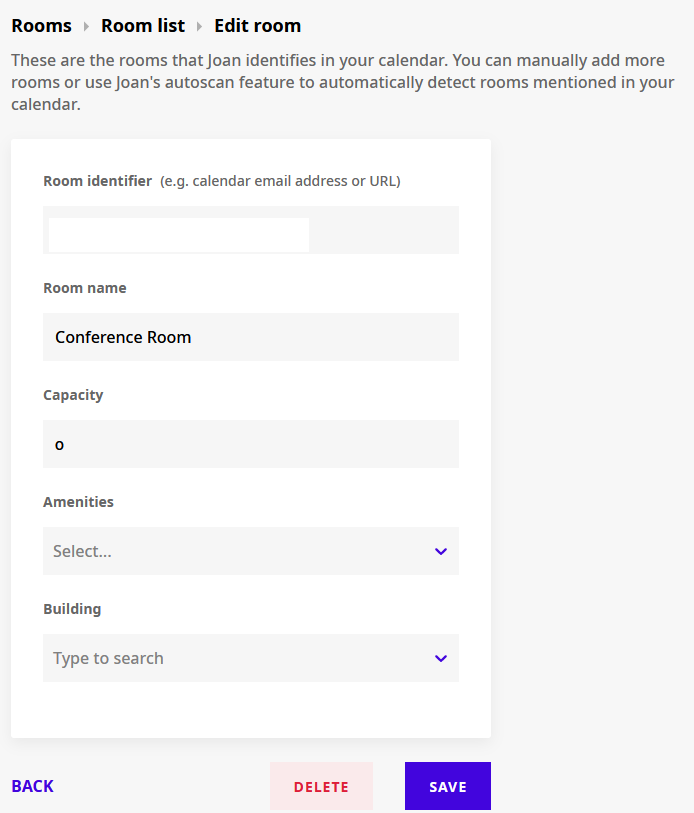
And then 'Save':

MyJoan Edit room page with room identifier, room name, capacity, amenities and building

If you would like to use your free Google personal email (Gmail), and use it as a Room resource, follow Google's help article on room resources.

*If you encounter any issues, please contact support@getjoan.com.

Was this helpful?

Connect Joan with a free Google email account | Joan Help