Note: This functionality is exclusive to Joan 13 devices. See What are the differences between the Joan devices? to learn more.
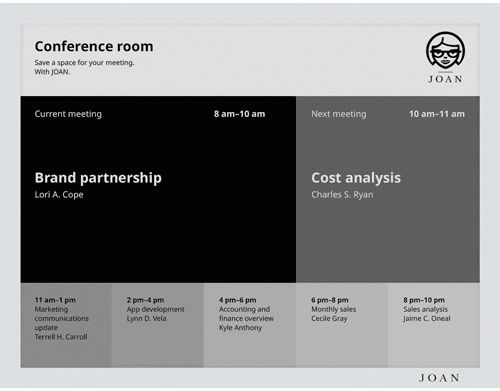
Schedule board is the default single-resource functionality for Joan 13 devices. It provides information about the current and up to six following meetings/calendar events for any single resource.
Meeting subject and organizer are also displayed by default, but can be hidden if needed. If you wish to learn how, see How to show/hide the meeting subject and organizer on your Joan devices.
There are two layouts available for the Schedule board:
- Default
- Classroom
Default layout | Classroom layout |
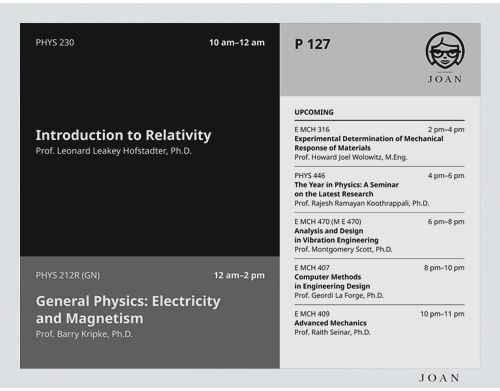
Both have the same feature set and display the same type of information, just in different formats.
Default is a more landscape-oriented layout that breaks down the interface in separate segments for each event, while Classroom displays large segments for the current and upcoming event, while all of the others are displayed in a list on the left-hand side.
No matter which layout you opt for, the schedule board is a perfect functionality for any conference room, classroom, lecture hall or personal schedule.
Features:
- Single-resource functionality
- Information about the current and 6 upcoming events
- Meeting subject, organizer, and time. All the information you need is displayed
To learn more about other Joan functionalities, see Joan Functionalities.