Joan devices do not have a power on/off button, so they remain active even when the last person leaves your office for the day.
To preserve the battery life of your Joan device, they have office hours enabled by default. The default office hours are from 7 AM to 7 PM.
- Log in to the MyJoan account
- Navigate to the “Settings” page via the top navigation menu
- Select "Rooms" and then “Device Settings” from the left-hand side menu. Make sure to select the buildings and the devices at the top of the page where you want the changes to apply.
- Locate the "Office hours" section. Select the starting and ending hours, or opt for the "start of the day" and "end of the day" options.
- Go to the bottom of the page and click "Save"
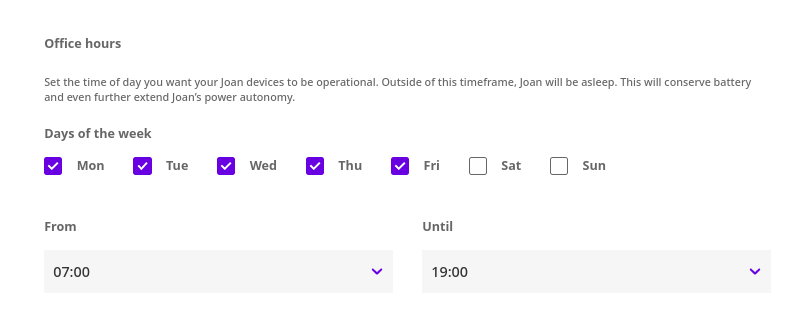
As with most organization settings, office hours are also global and affect all your devices.
If you have offices or locations in different time zones or simply have different operating hours, you can set that via the building-specific settings. Please keep in mind that this feature supports a different number of locations according to your subscription plan. For instructions on how to set up building-specific office hours, see Building-specific settings.
*If you need any assistance, reach out to our support team via support@getjoan.com or our support ticket form.