You can delete your MyJoan account yourself in MyJoan under Settings > Organization > Company details.
Make sure you un-pair your Joan devices from MyJoan before you delete your account.
- Log in to your account on my.getjoan.com
- In the top menu, click on Settings and then select Organization and finally Company details
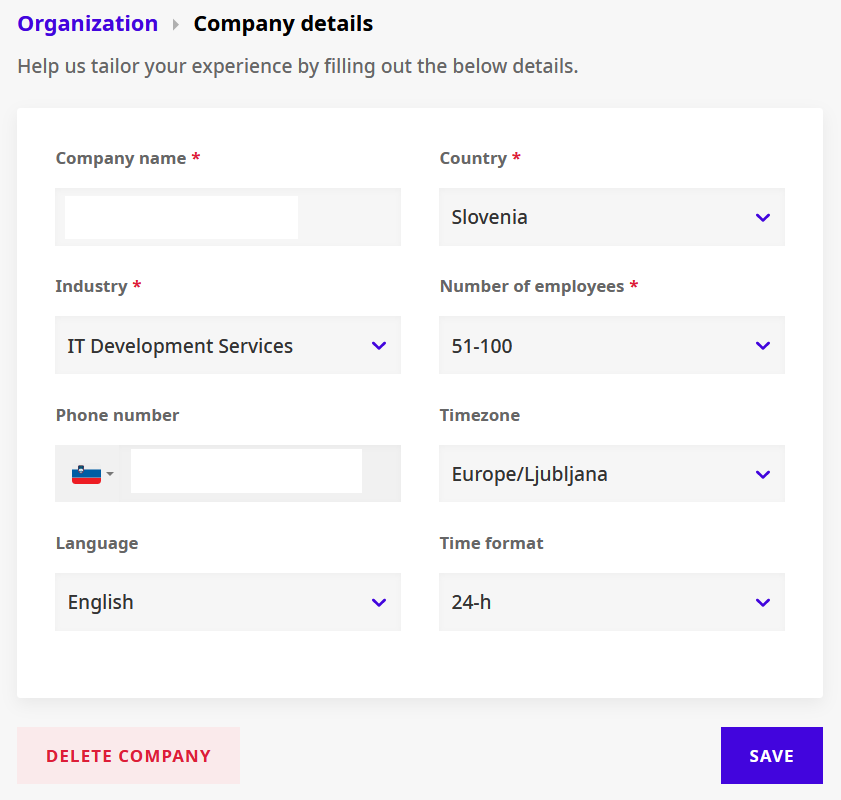
- Now click on the button Delete company. You will be redirected to another view where you’ll be presented with the warning message.
- Confirm your action by entering the email address in the "Retype email address to confirm" field
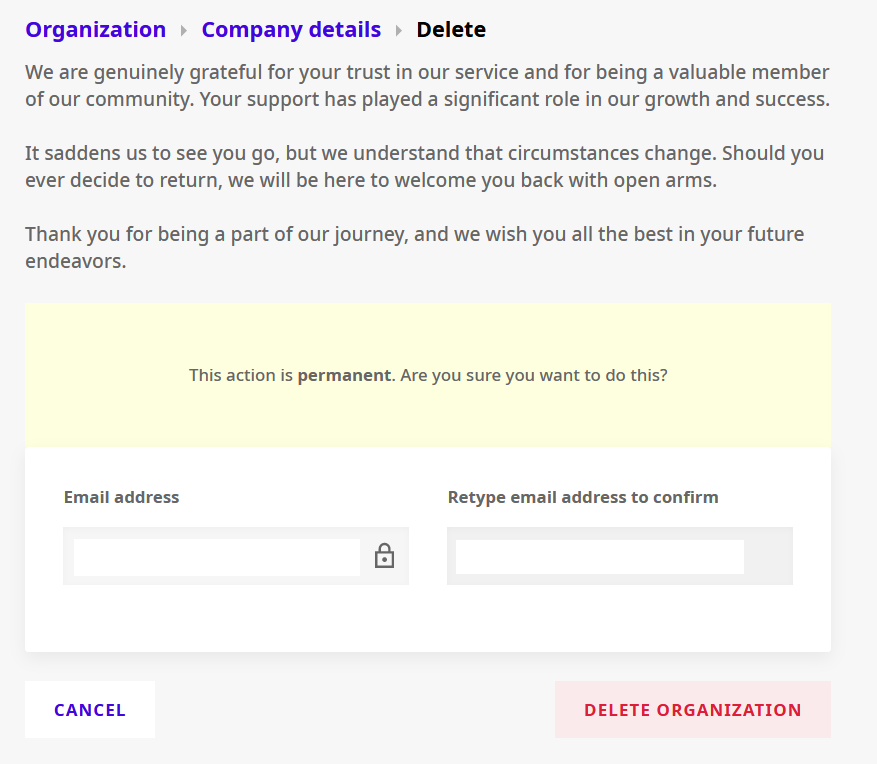
- Click the Delete organization button
- Now you’ll be shown a new window where you’ll find information that the removal was successful. You will be prompted to take a survey. We would appreciate your feedback!
If you need any additional support, please feel free to contact us at support@getjoan.com.