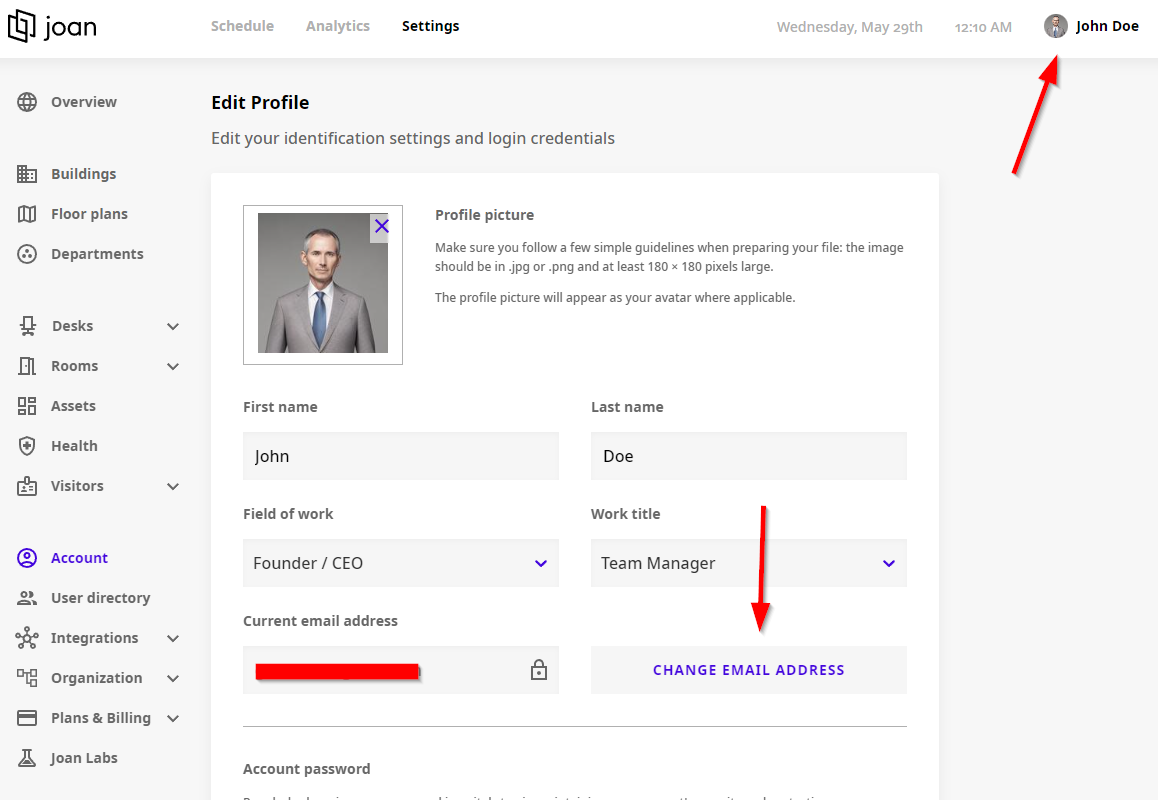
In case you wish to change the email address connected to MyJoan account, you can do that by clicking on your name in the top right corner and then the "Change email address" further down the screen.
- On the “Edit Profile” settings page, you will notice a “Change email address” button
- In the “Change email” form, first, input the new email that you wish to connect, then type again the email on the next field
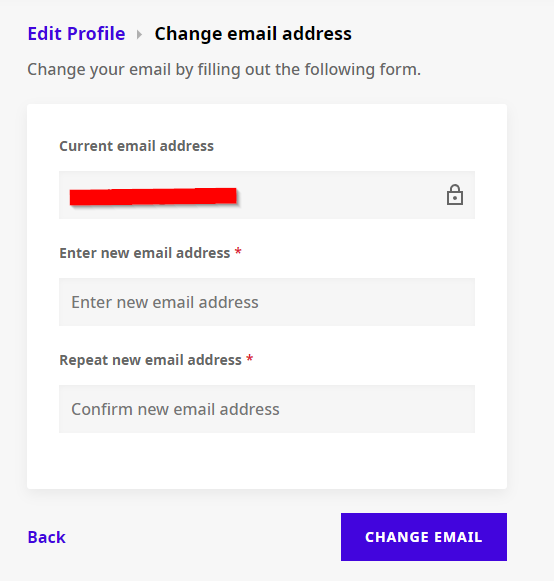
- Click “Change email” and you are all set!