You can set a capacity for each meeting room and show it on the Joan device at the room's door, so people know how many can attend. Define the capacity in your calendar first, then set it for the room in MyJoan.
Set the capacity in your calendar
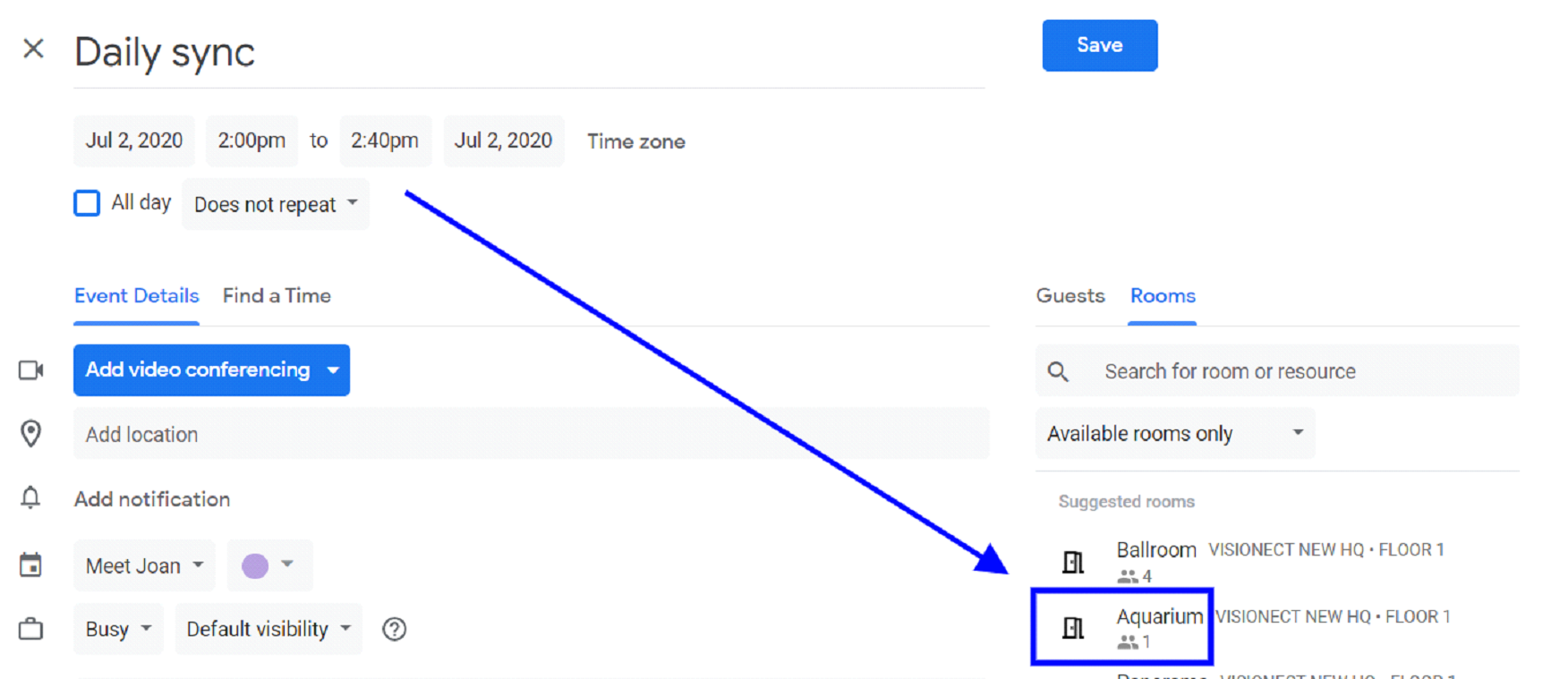
Set the standard occupancy for each meeting room in the calendar you use. This is what people see when they book the room.
Example from Google Calendar: the room "Aquarium" allows only 1 person, so it is now a single-person room. Your administrator sets this in the admin panel (room properties).
Set the capacity in MyJoan
- Log in to MyJoan.
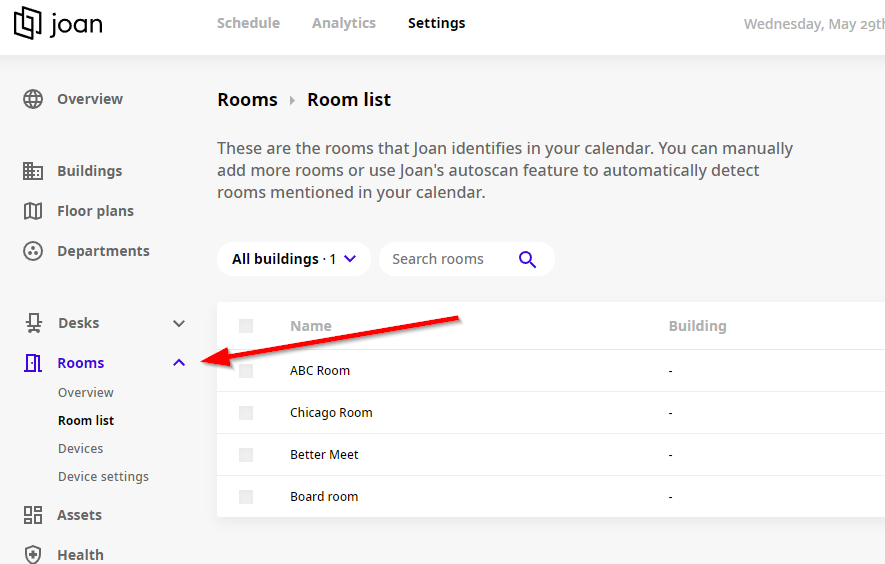
- Go to Settings > Rooms.
- Click the room you want to edit.
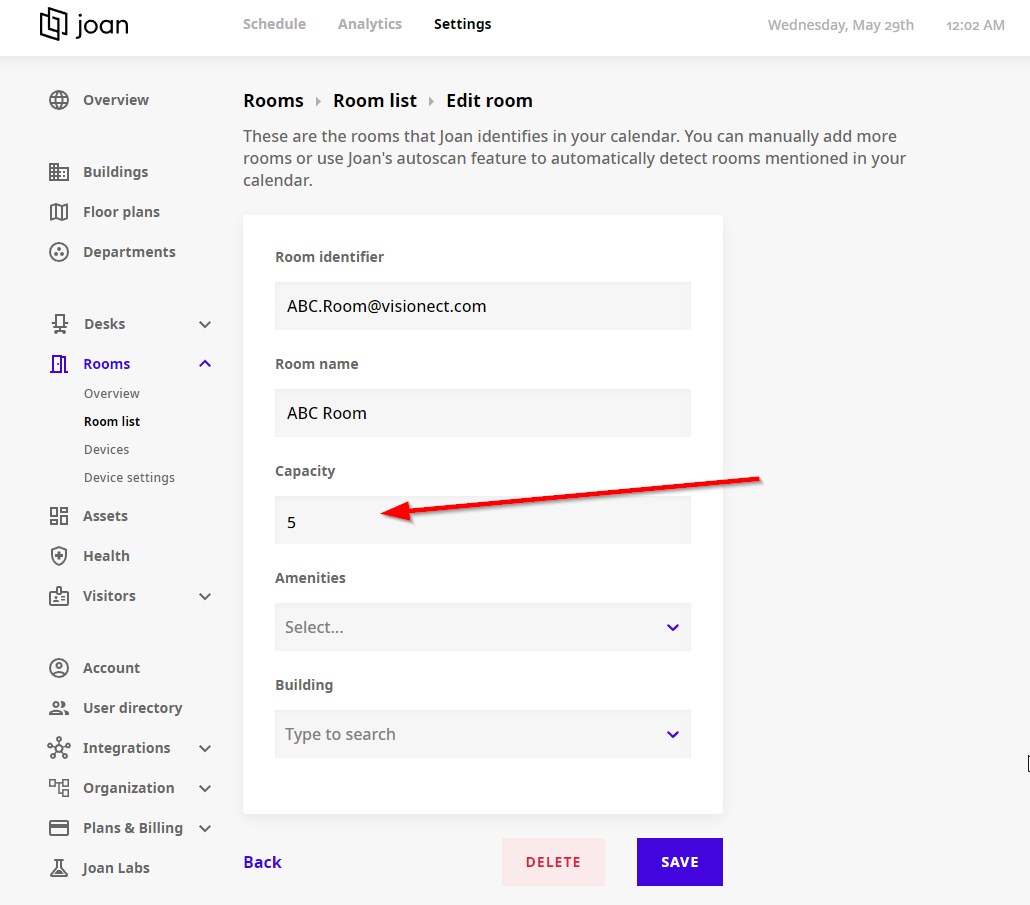
- Enter the room's capacity and click Save.
The capacity now shows on the Joan device at the room's door.
In case you need any additional assistance, please reach out to support@getjoan.com.