My profile in the Joan Workplace app holds your personal details and your app settings: default building and floor, language, anonymous desk booking and notifications.
In this article
- How do I open My profile?
- Which settings can I change?
- How do I edit my name, photo or contact details?
- How do I connect Google or Office 365?
- How do I log out or report a problem?
On the Home screen, tap your profile picture in the top-left corner.
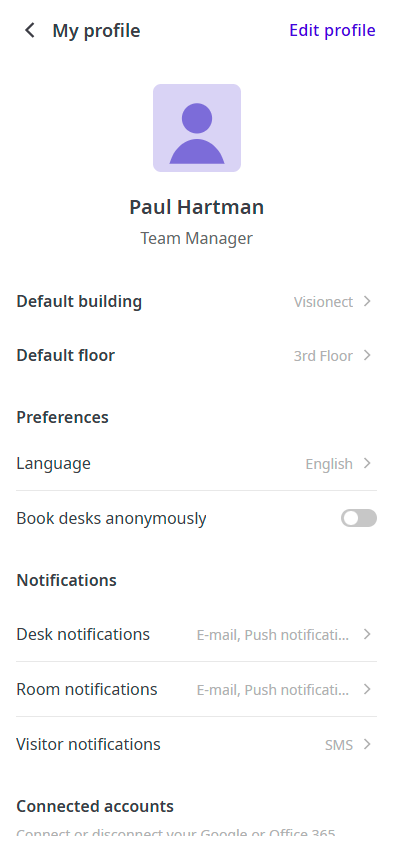
- Default building and Default floor: the building and floor the app opens with, for example on the floor plan.
- Language: the language of the app.
- Book desks anonymously: turn this on to hide your name on your desk bookings from other colleagues.
- Desk notifications, Room notifications and Visitor notifications: choose how you're notified about each, for example by email, push notification or SMS.
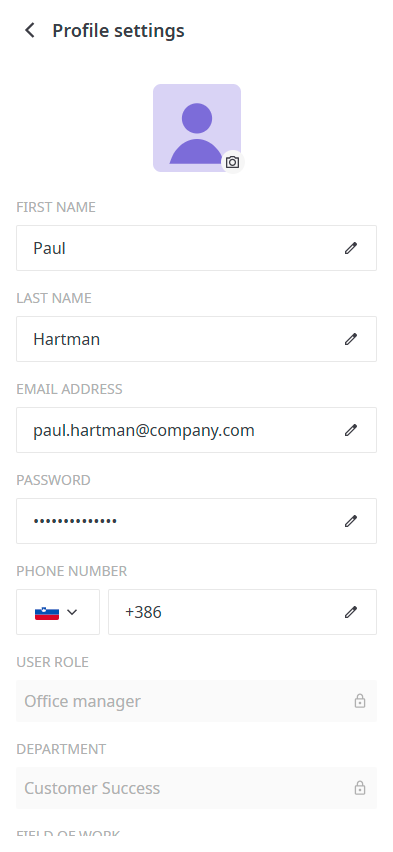
- In My profile, tap Edit profile.
- Tap the camera icon to change your photo.
- Tap the pencil icon next to a field to change your first name, last name, email address, password or phone number. You can also change your field of work and work title.
- Tap Save.
Your User role and Department are set by your admin and can't be changed here.
Under Connected accounts, tap Connect next to Google or Office 365 to sign in with that account in the future. Tap Disconnect to remove the connection.
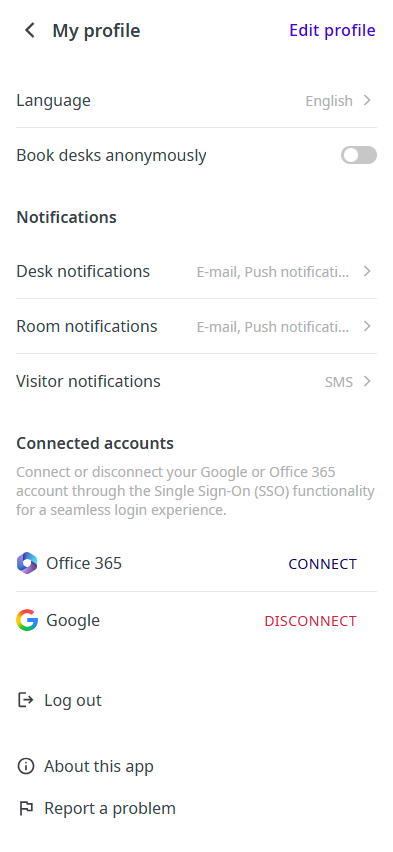
Scroll to the bottom of My profile:
- Log out: signs you out of the app.
- About this app: shows information about the app.
- Report a problem: sends a problem report to Joan.
If you need help, contact us through the support form.