To input your reseller details, please follow the instructions below:
- Log in to my.getjoan.com with your admin credentials
- Navigate to Settings and click Plans & Billing in the left-hand menu
- Scroll down to "Reseller information"
- Click on "Add reseller info" or "Edit reseller info" and update the mandatory details
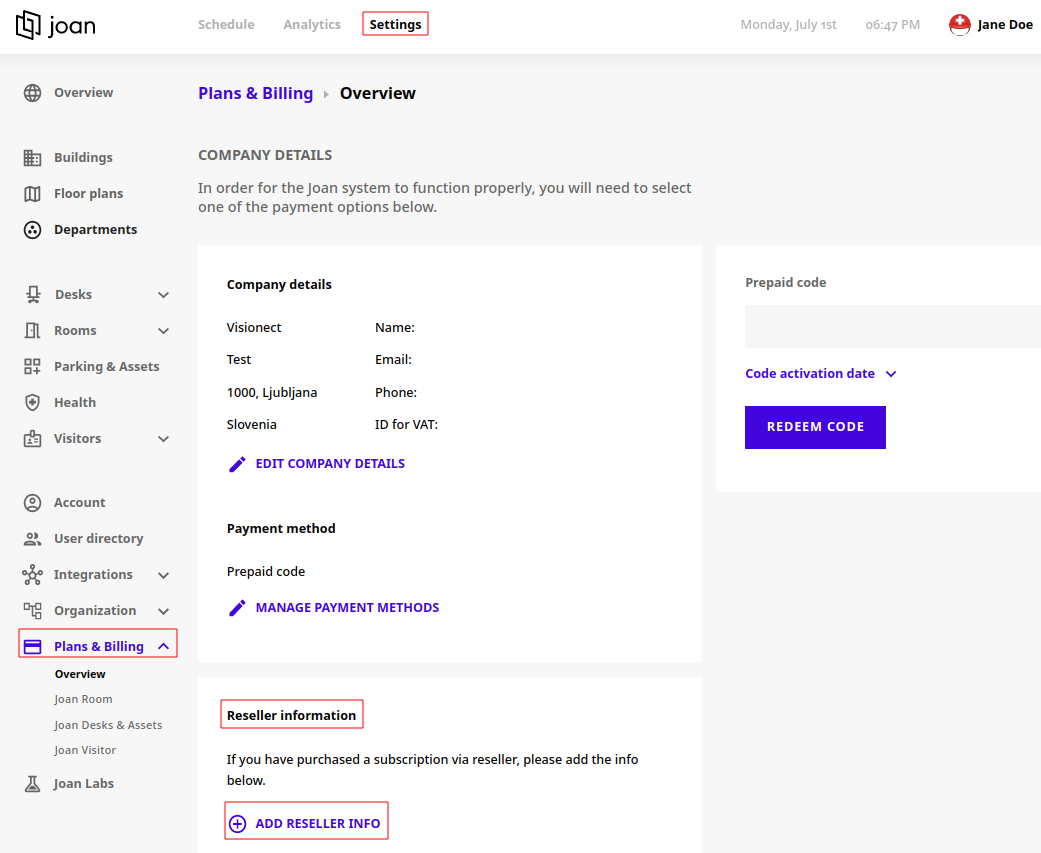
Your reseller will generally provide you with the code, and you will be able to conveniently claim it on the "Plans & Billing" page, as explained in Prepaid subscription codes.