To open the Plans & Billing page:
- Log in to your MyJoan account.
- Click Settings in the top menu.
- Click Plans&Billing in the left menu.
Here, you will be able to see and manage the following details:
The “Company details” section provides control over your billing details, payment details, and payment methods.
To edit your company details:
- Click the blue Edit company details button.
- Fill in the company details. All mandatory fields are marked with a star (*).
- Click Save.
Here you can also manage payment methods by clicking on the indicated button. Subscriptions for Joan services can be paid with a credit card, prepaid code, or direct bank transfer/invoice.
Payment via invoice is possible only for annual subscription plans valued over 5,000 in any of the supported currencies (EUR, GBP, USD, AED). If you meet those conditions, please reach out to sales@getjoan.com to further review the options.
In this section, you will be able to see the details of your current subscription plan and the renewal/expiry date.
To learn more about the available subscription plans, see the Joan pricing page.
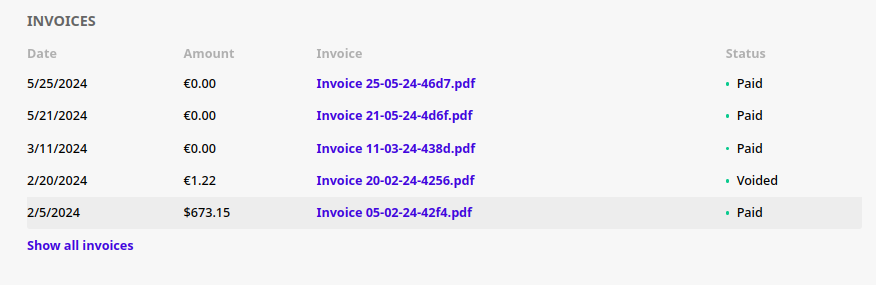
On the bottom of the page, you will find the Invoices section. The last 5 invoices are visible, together with their date, amount, status, and name with the link to a specific invoice. To see older invoices, simply click on "Show all invoices".
If you encounter any issues, please contact support@getjoan.com.