If you wish to update the billing information of your MyJoan Portal account, you can do so in the "Plans & Billing" settings.
Most of the information is obtained automatically when you subscribe to a certain subscription tier, however, if you wish to add some additional information or make a change, please follow the instructions below.
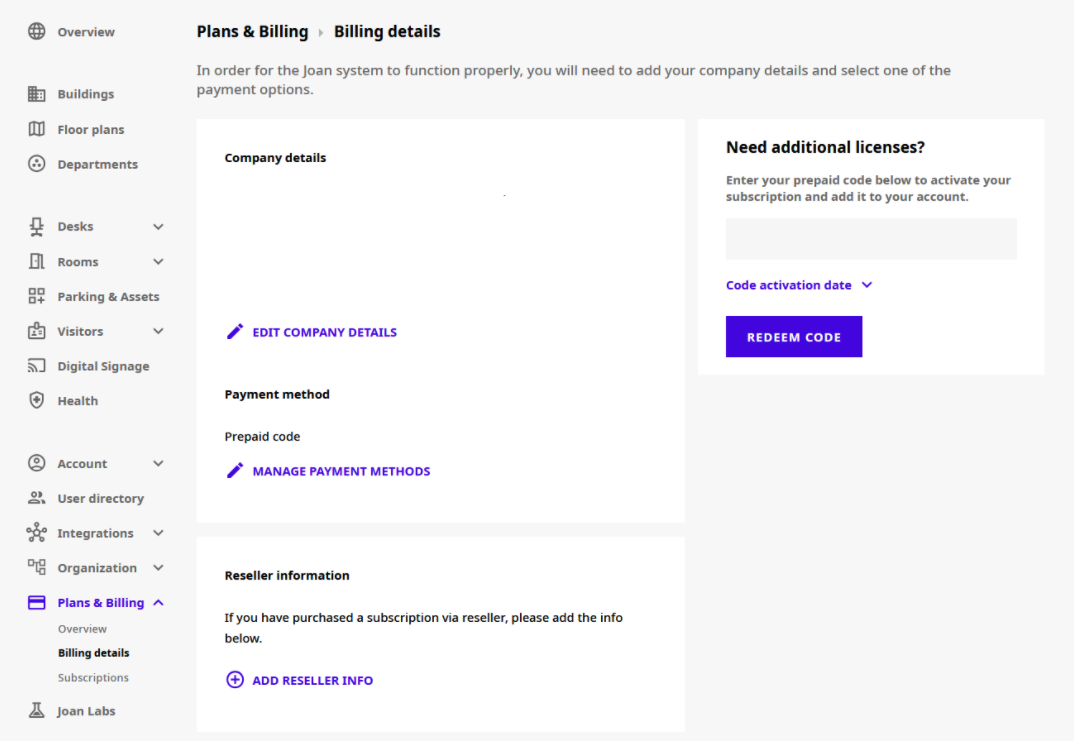
- Visit your MyJoan portal and navigate to "Settings" and "Plans & Billing" -> "Billing details"
- Here you can edit company details to change billing details, change the desired payment method, or enter reseller information
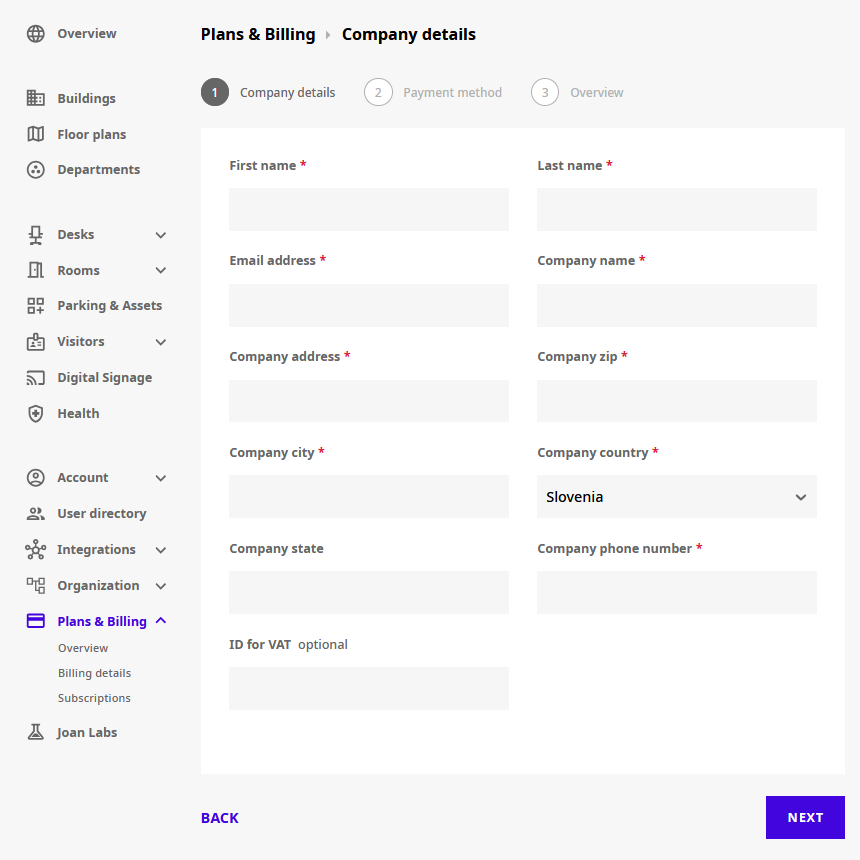
- Add/edit your billing information. Make sure that all the fields with a star (*) are filled in as they are mandatory. Click “Next” at the bottom of the form and then select your payment method or confirm the existing one.
*If you encounter any issues, please contact support@getjoan.com