To start using Analytics, simply log in to your MyJoan admin account and click on Analytics in the navigation bar to explore detailed insights on room usage, desk occupancy, and visitor management. You can download the reports in the PDF format, by clicking on the “Export as PDF” link on the right side of the section name.
Joan Analytics lets you track room bookings, meeting attendance, desk utilization, and visitor management so you can make better use of your workplace.
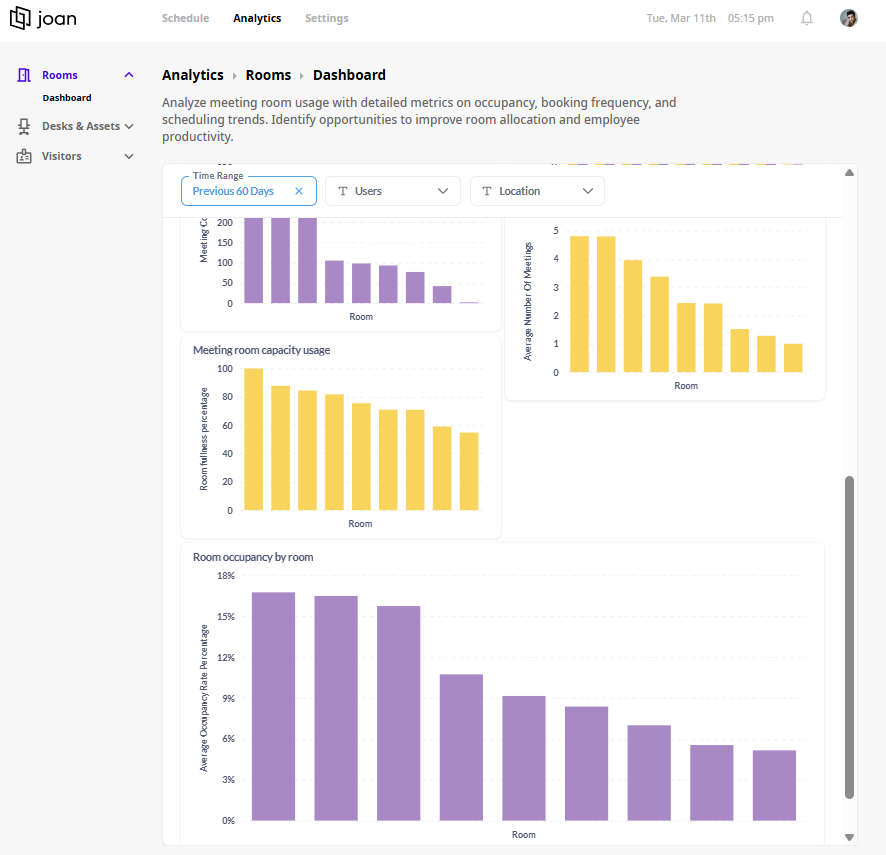
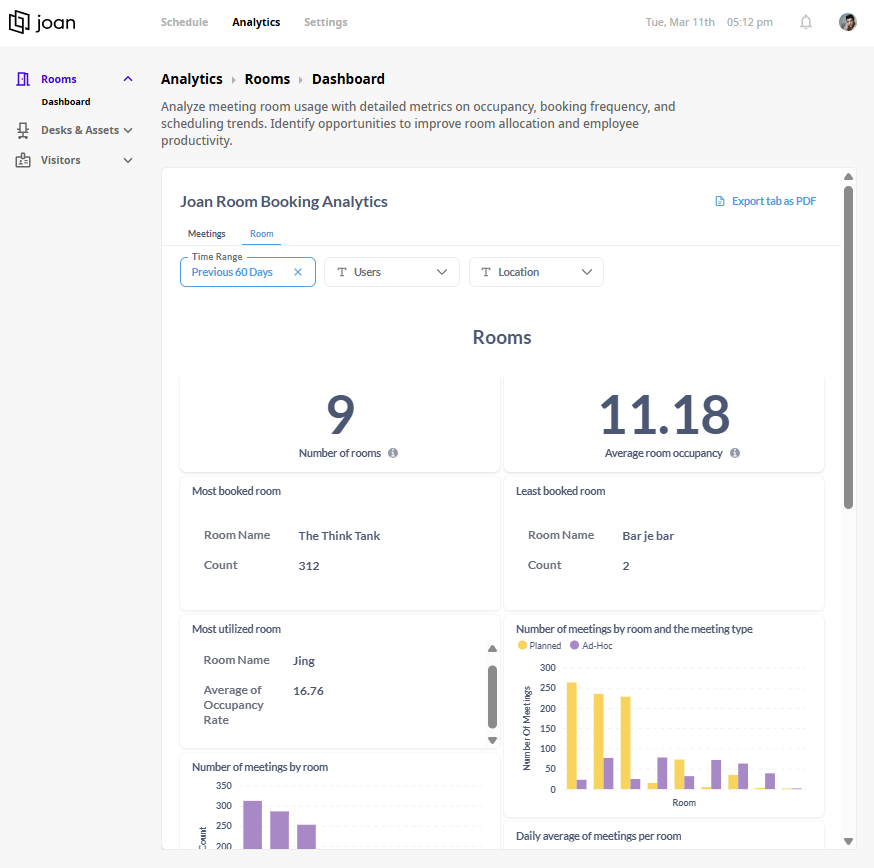
Room booking analytics show how your meeting rooms are used and how people in your organization book and attend meetings. You can filter all data by time range and location. The data is split into two views: Rooms and Users.
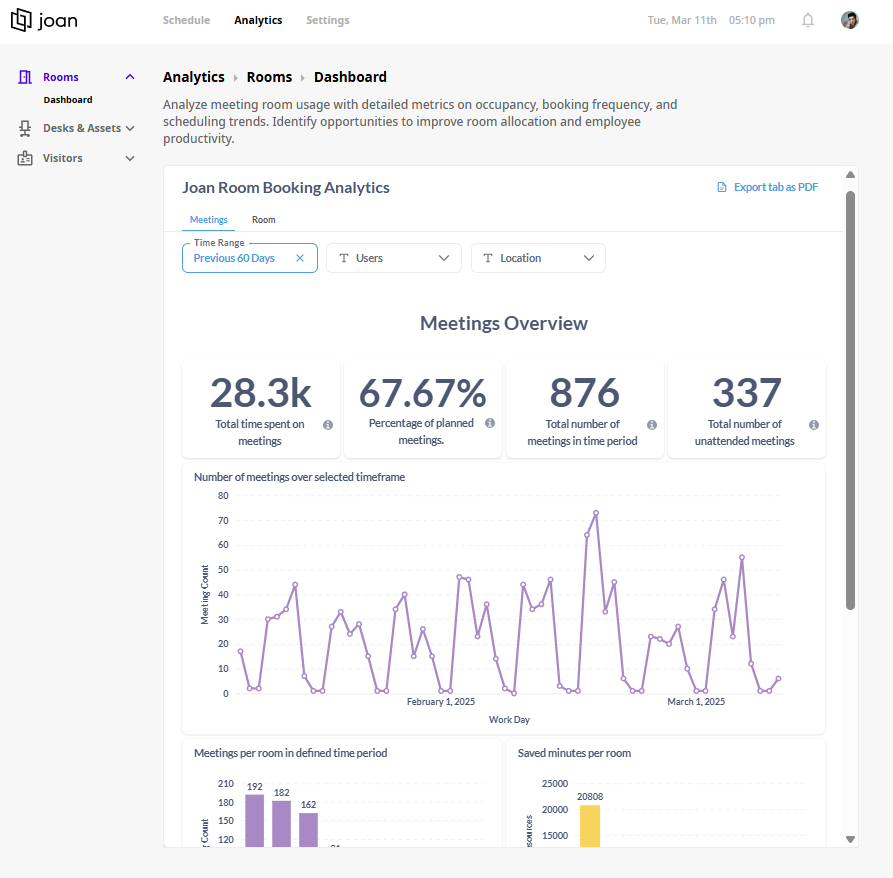
- Total time spent on meetings: the total length of meetings held in the selected time range and location.
- Percentage of planned meetings: the share of meetings booked through your calendar. Ad-hoc meetings booked on Joan devices are not included.
- Total number of meetings: all meetings booked in the selected period.
- Total number of unattended meetings: booked meetings nobody checked in to (ghost meetings).
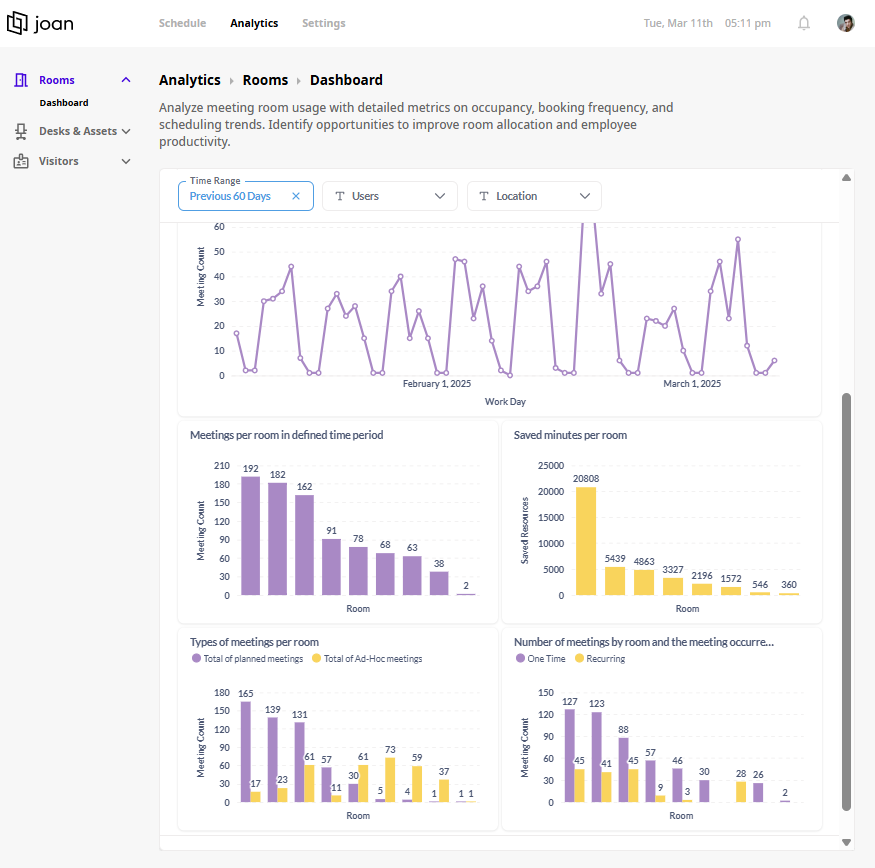
- Saved minutes per room: the room time freed up when bookings that weren’t checked in were released.
- One-time vs. recurring meeting breakdown: how many single and recurring meetings were booked in each room.
The Users view shows how individual people book and attend meetings. Use it to find your most active organizers and the people who book rooms they don’t use.
- Number of users: how many users have access to room booking.
- Average number of meetings attended: the average number of meetings each user attended.
- Daily average time spent on meetings: the average time each user spends in meetings per day.
- Person who booked the most ghost meetings: the user who booked the most meetings that nobody checked in to.
- Person who attended the most meetings: the user who attended the most meetings.
- Meetings organized per week: how many meetings were organized each week.
- Top meeting organizers: the users who organized the most meetings.
- Average meeting duration per person: the average length of each user’s meetings.
- Total number of ghost meetings by organizer: how many ghost meetings each organizer booked.
- Total meetings attended by person: how many meetings each user attended.
Tip: Use the ghost meeting data to find users who often book rooms without using them, and remind them to cancel bookings they no longer need.
Track visitor activity, including guest traffic, invitations, and trends in workplace visits.
- Number of visitors – Displays the total number of guests who checked in.
- Average number of daily visitors – Shows how many visitors are entering the office per day.
- Number of invites – Displays the total count of visitor invitations sent within a specific period, at the selected location. This helps monitor the frequency of invite generation and provides insights into event planning.
- Number of ad-hoc visitors – Represents the total number of ad-hoc visitors over a selected period, at the selected location. It tracks unscheduled visits, helping identify unplanned guest traffic.