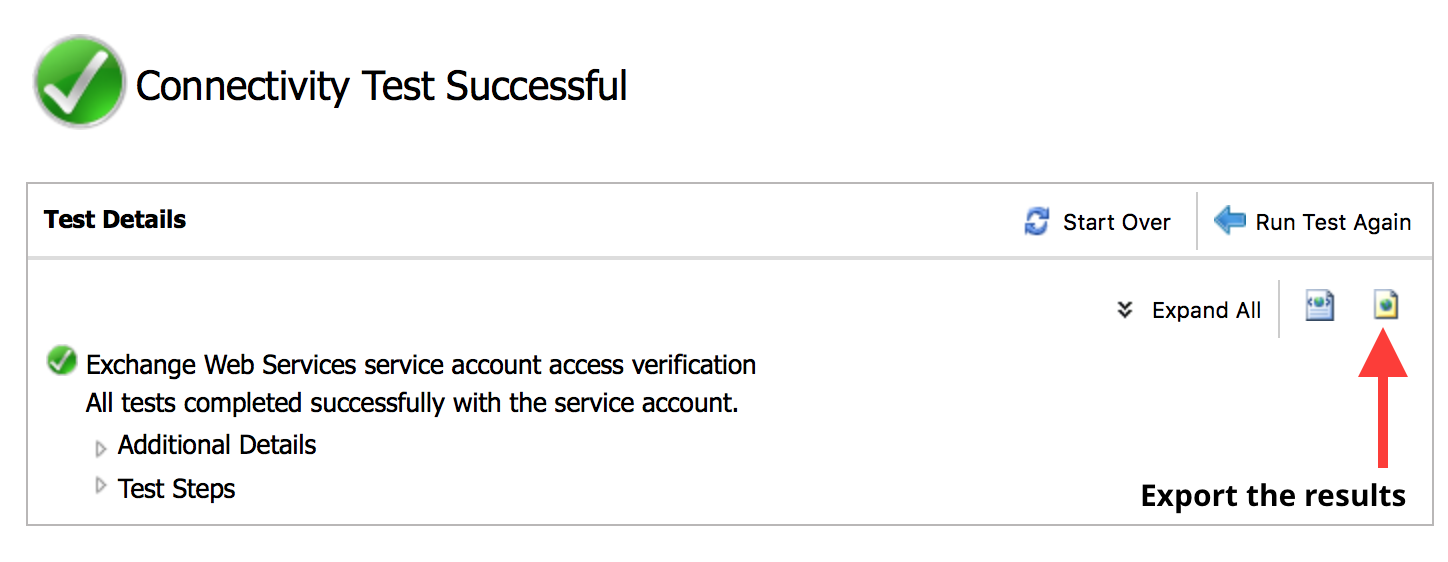
To troubleshoot connectivity issues with Exchange follow these steps:
- Open https://testconnectivity.microsoft.com/ inside your browser.
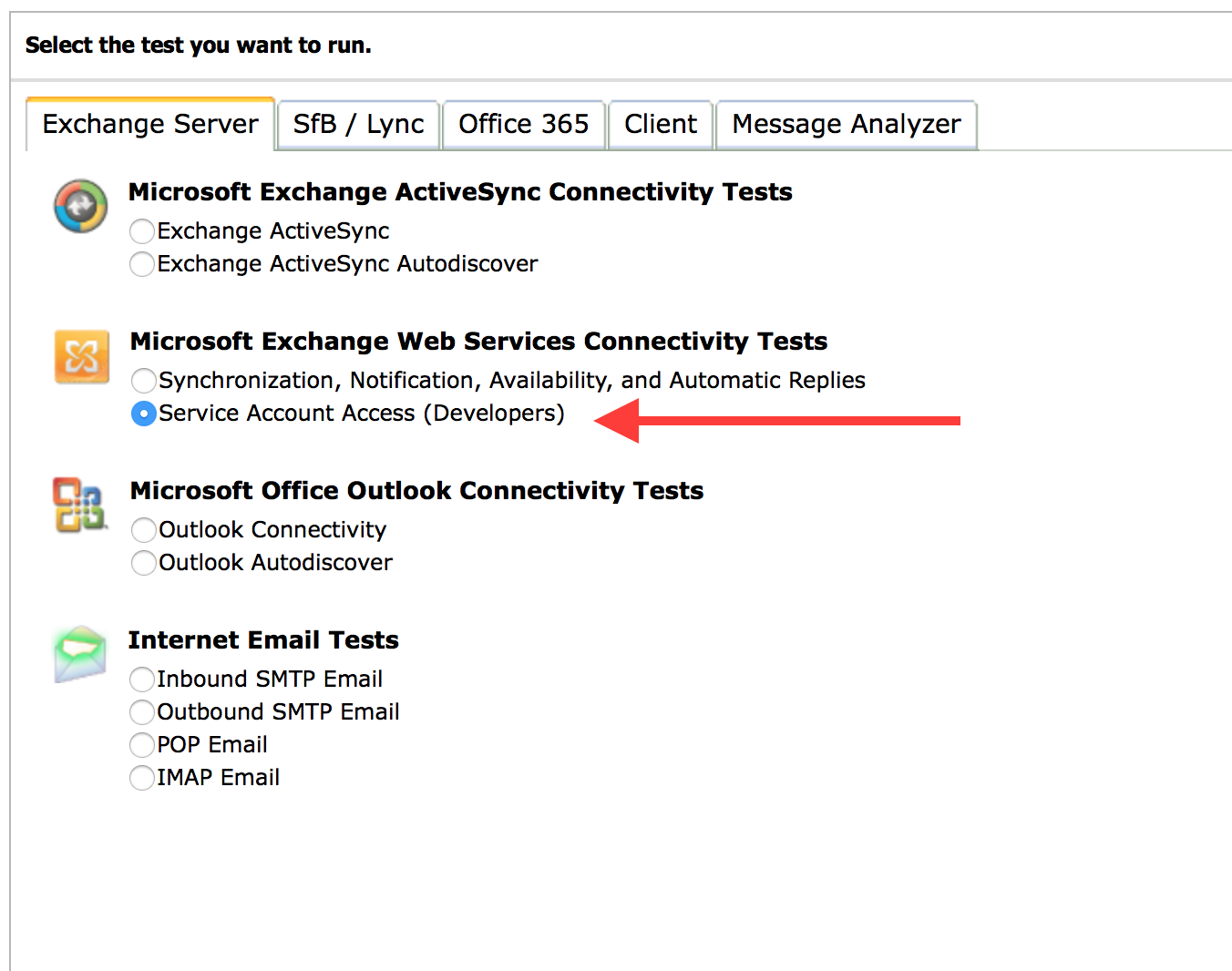
- Under “Microsoft Exchange Web Services Connectivity Tests” select the “Service Account Access” option and proceed by clicking the “Next” button.
- A new page should show up. Enter the required information there.
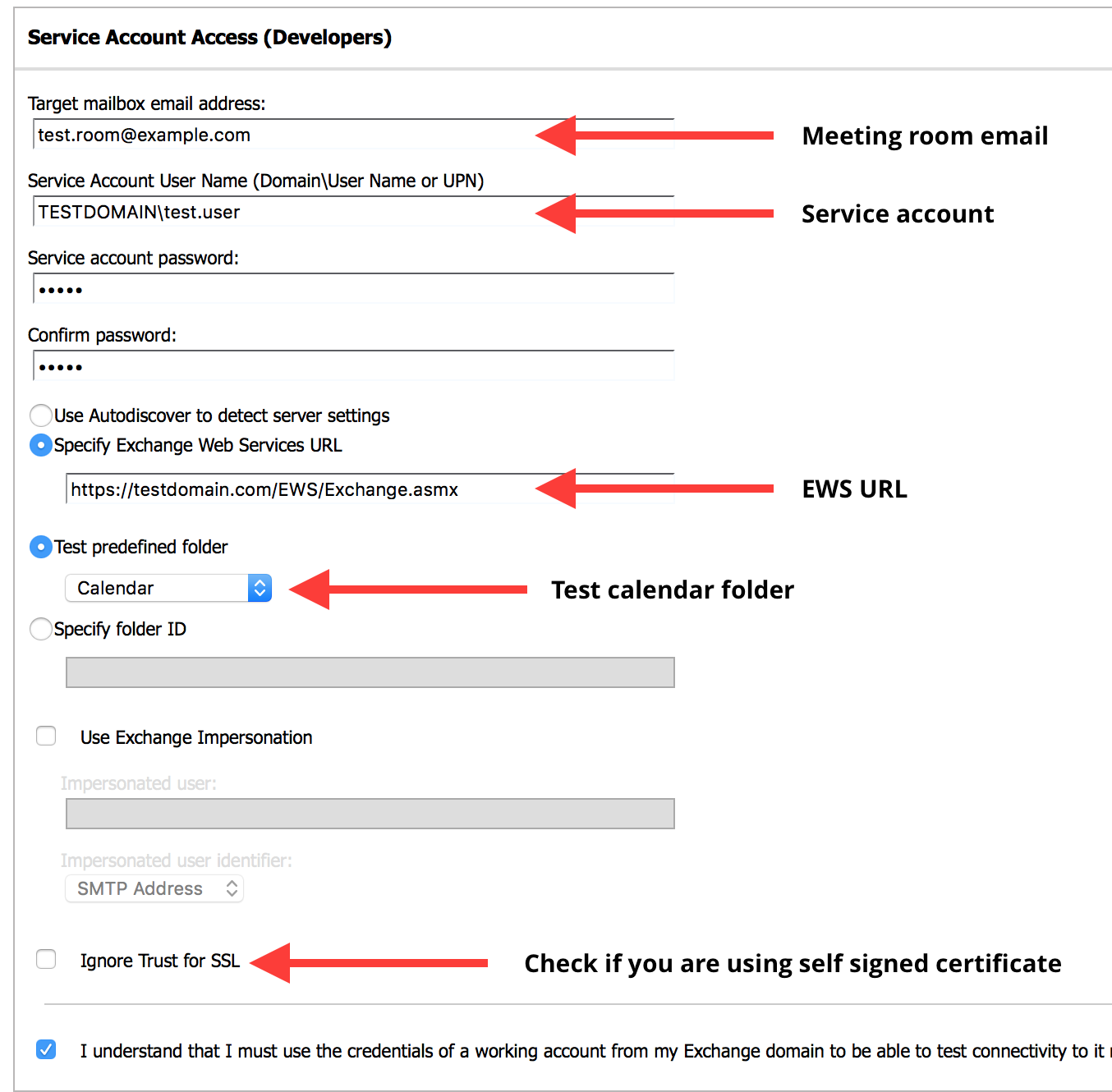
- Once you’ve entered all of the required information, click on “Perform Test” to start the test.
- The testing results should pop up in a couple of seconds.
- Click on “Save as HTML” and send the file to us for further inspection.