The serial number or Universally Unique Identifier (UUID) can be found in 3 places:
If you still have the packaging of your Joan device, you can find the serial number on it, just above the serial code.
It will be denoted as “SN” followed by a 32-character number.
- Run the Joan Configurator mobile app
- Under Joan, UUID should be displayed
- If you have many devices, and you are not sure what UUID you need, click on the device in the Configurator and the display will brighten up.
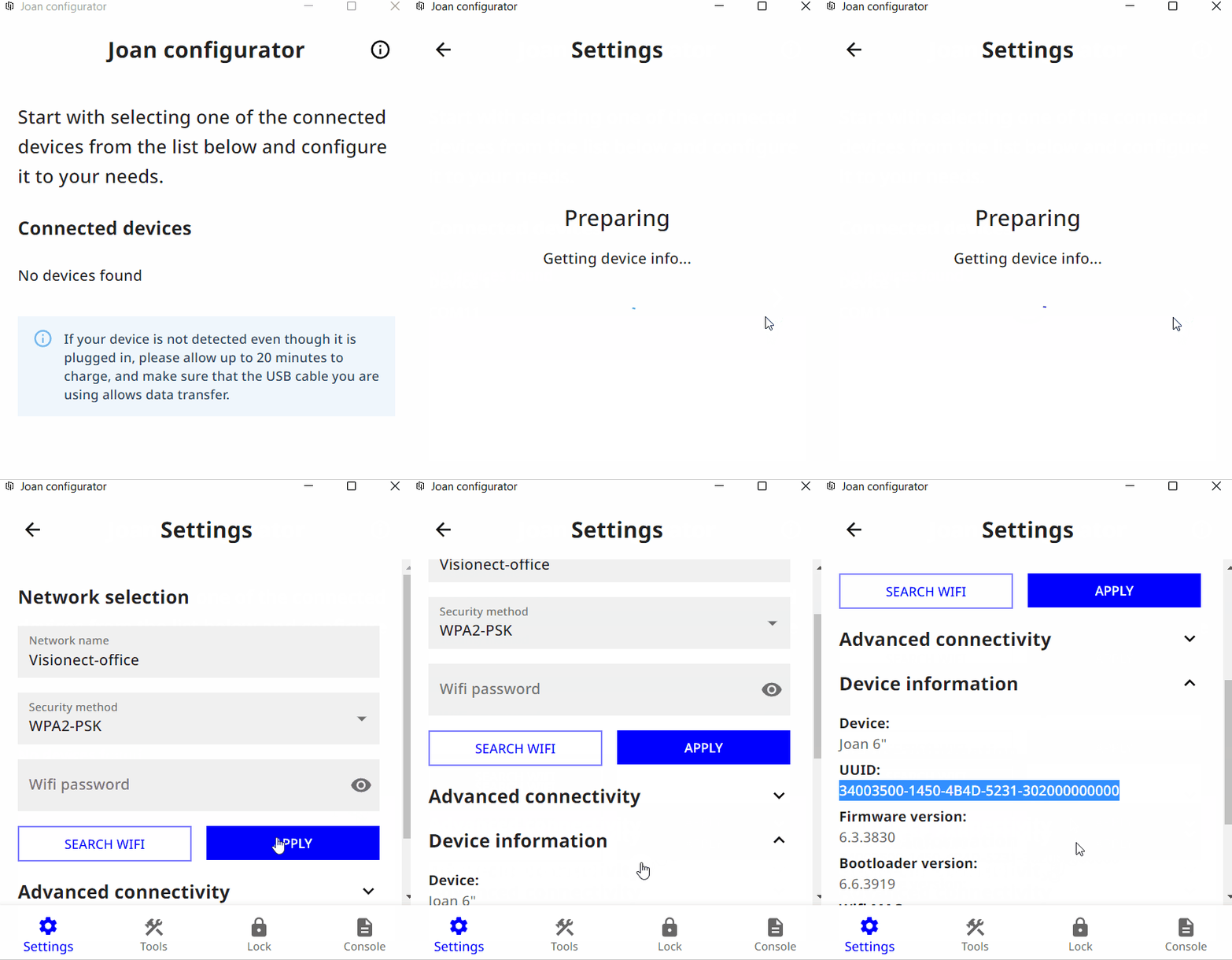
You can also find the device’s serial number in the Joan Configurator as soon as you connect your device.
- Run the Joan Configurator
- Connect the Joan device to your PC with the provided Micro USB or USB-C cable
- Select your device
- Expand the Device information section
- You can see the serial number in the UUID row
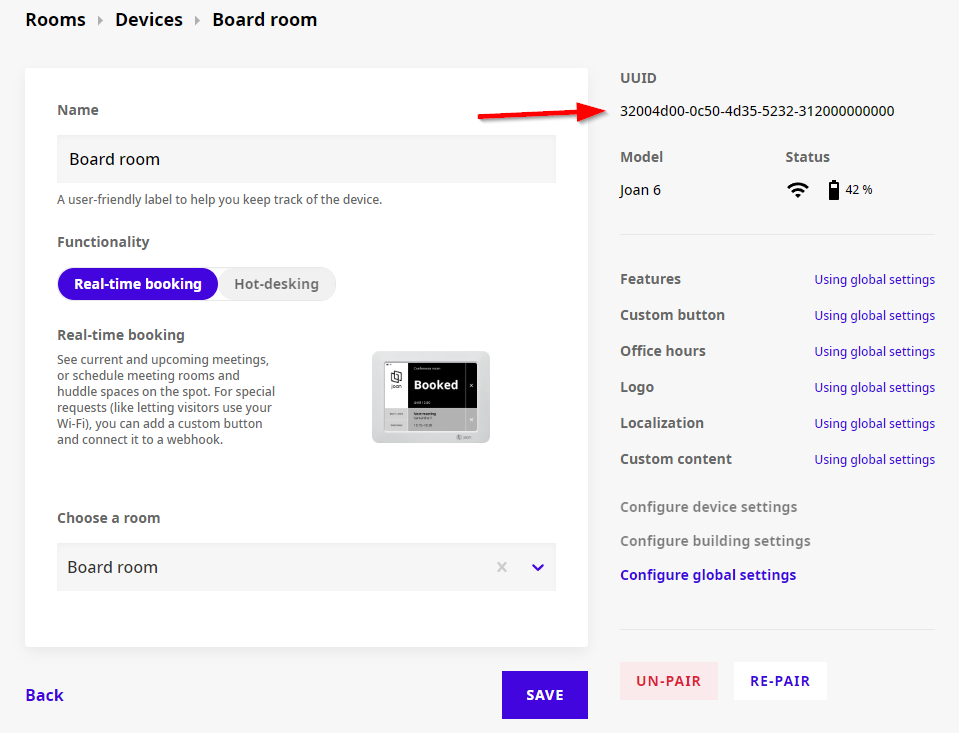
If you have already connected your device to MyJoan, you can also find the serial number in the “Settings” -> “Rooms” -> “Devices” section. For a direct link to that page, see the Devices page in MyJoan.
Simply select a specific device to open the “Edit device” page and the number will be listed as “UUID” at the upper-right corner of the page.
*If you encounter any issues, please contact support@getjoan.com.